


LastPass Integration
This guide explains how to connect your LastPass Business account to Binadox using LastPass Enterprise API credentials.
OpenAdmin Console
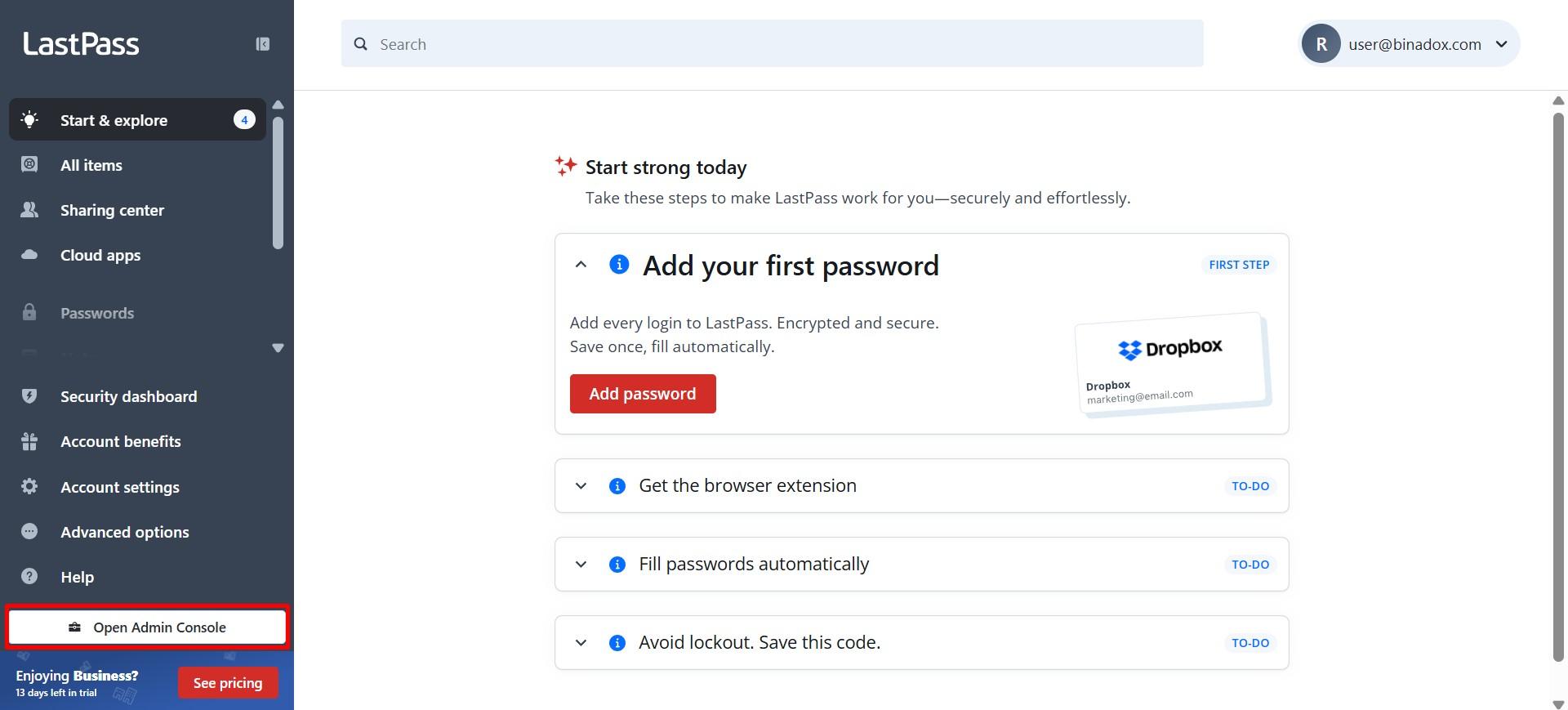
Log in to your LastPass Business account and open the Admin Console from the sidebar. This gives you access to core admin settings and API configuration.
Copy Account Number and Provisioning Hash
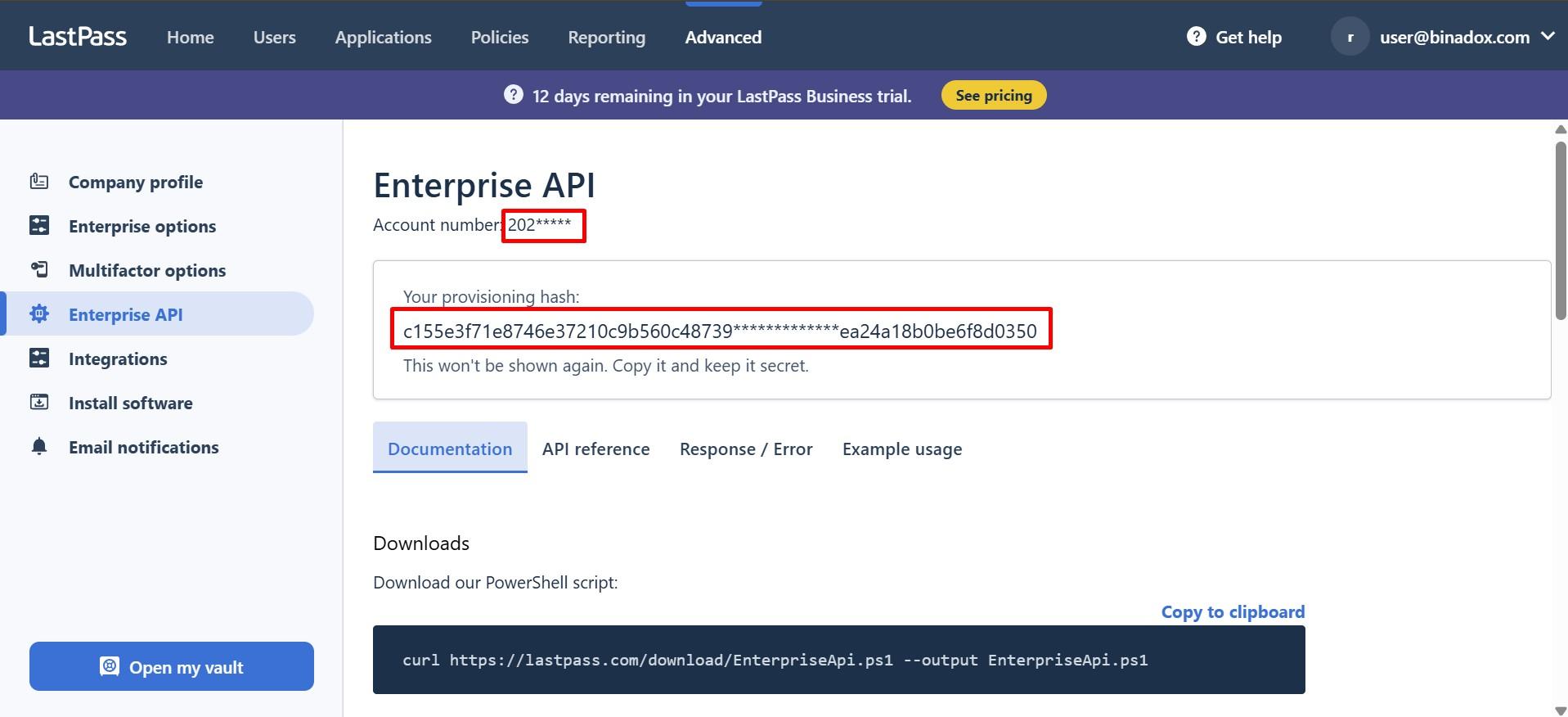
Navigate to Advanced → Enterprise API. On the Enterprise API page, copy Account number and the Provisioning Hash.
Connect LastPass in Binadox
In the Binadox dashboard, go to SaaS Connections and find LastPass in the list of available integrations.
Enter a Connection Name.
Paste the Account Number (CID) copied from LastPass and the Provisioning Hash generated on the Enterprise API page, then click Connect.
Once the connection is successful, LastPass will be connected to Binadox.