



That 3 A.M. alert about a production outage is bad, but the one that’s worse is the email from finance at the end of the month showing a 300% spike in the AWS bill. Unforeseen cloud costs create friction, erode trust, and pull your team away from shipping features to fight financial fires. Effective AWS cost governance for engineering teams isn’t about micromanaging every instance type; it’s about creating a system of ownership, visibility, and accountability that prevents these surprises. This requires a strategic framework that empowers developers to make cost-aware decisions without stifling innovation or velocity.
Key takeaways
- Implement Proactive Guardrails: Use a combination of AWS Budgets and Service Control Policies (SCPs) to automatically enforce spending limits and prevent the provisioning of unauthorized, high-cost resources.
- Assign Ownership via Tagging: A mandatory and consistent tagging strategy is the foundation of accountability. Enforce tags for
Project,Owner, andEnvironmentto allocate every dollar of spend to a specific team or initiative. - Automate Anomaly Detection: Configure AWS Cost Anomaly Detection to get notified within 24 hours of an unusual spending spike, allowing your team to address issues before they escalate into a major budget overrun.
- Shift Left on Cost Awareness: Integrate cost estimation and review into your development lifecycle. Empower engineers with the data and tools to understand the cost implications of their architectural choices before deployment.
Why Finance-Led Cost Controls Fail in Engineering
When the finance department unilaterally imposes cost controls, the results are often counterproductive. Blanket restrictions on instance types or services can block teams from using the right tool for the job, leading to suboptimal architectures and frustrated engineers. Furthermore, a central finance team lacks the context to understand the “why” behind the spend. They see a spike in S3 costs, but your team knows it’s due to a necessary data-loading process for a new feature launch.
This approach creates a culture of blame rather than ownership. Engineers may become hesitant to experiment or innovate for fear of accidentally triggering a budget alarm. The key is to decentralize cost management, embedding it within the engineering teams who directly control the resources. This fosters a sense of responsibility and provides the context needed for intelligent, real-time cost decisions.

Foundational Visibility: Tagging and Cost Allocation
You cannot govern what you cannot see. The absolute first step in any cloud cost management strategy is implementing a rigorous and consistent tagging policy. Tags are simple key-value pairs that you attach to AWS resources, but they are the bedrock of financial accountability in the cloud.
Designing a Practical Tagging Strategy
For an engineering manager, the goal is to create a minimal, enforceable set of tags that provides maximum clarity. Start with these essentials:
- Project/Service: Which application or microservice does this resource belong to?
- Owner: Which team or individual is responsible for this resource?
- Environment: Is this for
development,staging, orproduction?
A clear and standardized naming convention is crucial for making this data useful. Once implemented, you must activate these user-defined tags as “cost allocation tags” within the AWS Billing and Cost Management dashboard. Only after activation will they appear in your cost reports, allowing you to filter and group expenses by these business dimensions.
Enforcing Tagging Compliance
Voluntary tagging policies rarely work. Deadlines, pressure, and human error mean that untagged resources will inevitably appear, muddying your cost data. The solution is to enforce tagging at the point of resource creation.
You can use AWS Service Control Policies (SCPs) to mandate the presence of specific tags for certain actions, like launching an EC2 instance. An SCP can be configured to deny the ec2:RunInstances API call unless the Project, Owner, and Environment tags are present. This shifts the burden from a manual audit process to an automated, preventative control, ensuring every new resource is accounted for from the moment it’s created.
Proactive Guardrails: AWS Budgets and Anomaly Detection
Once you have visibility, the next step is to establish proactive controls. Instead of reacting to a massive bill at the end of the month, you need automated systems that alert you when spending deviates from the plan. This is where AWS Budgets and AWS Cost Anomaly Detection become essential tools for engineering team cloud cost management.
Setting Up Actionable AWS Budget Alerts for Developers
AWS Budgets allows you to set custom spending thresholds and receive alerts when costs exceed your defined limits. However, a single, monolithic budget for the entire department is too coarse to be useful. Effective engineering budget management requires granularity.
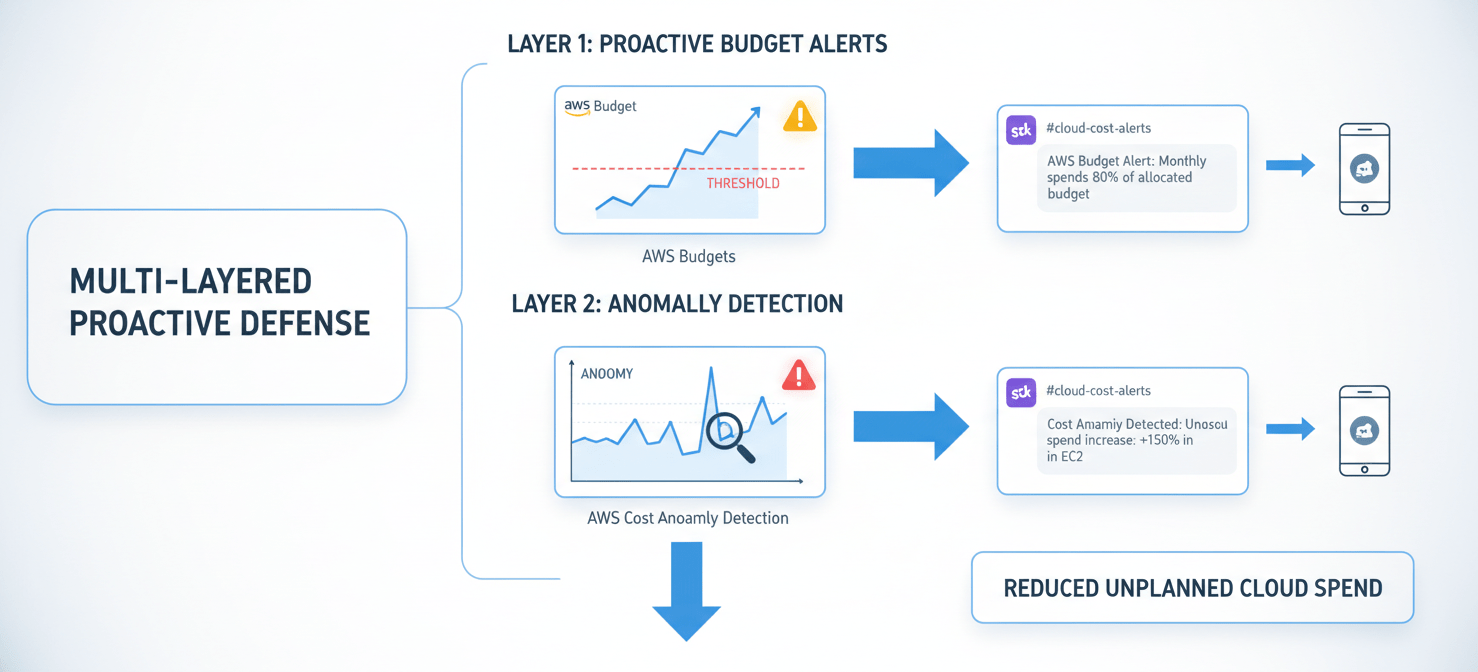
Create budgets based on the tags you established. For example, you can set a specific monthly budget for Project:New-Feature-X in the Environment:development stage. Configure alerts to trigger at 50%, 80%, and 100% of the budgeted amount. Crucially, these alerts shouldn’t just go to a manager’s inbox. Use Amazon Simple Notification Service (SNS) to pipe these notifications directly into the relevant team’s Slack or Chime channel. This ensures the engineers working on the project see the cost implications in real-time and can take immediate action.
Catching Spikes with AWS Cost Anomaly Detection
While budgets are great for planned spending, they don’t catch unexpected spikes caused by bugs or configuration errors. A runaway script could burn through a monthly budget in hours. For this, you need AWS Cost Anomaly Detection.
This service uses machine learning to analyze your historical spending patterns and identify unusual increases. You can set up monitors for specific services, linked accounts, or cost allocation tags. For instance, you can create a monitor for your development environment that alerts you if spending deviates significantly from its established pattern. This is a powerful safety net that can flag a forgotten, oversized test instance before it becomes a four-figure mistake. Setup is straightforward and can be done in minutes from the AWS Billing Console.
Governance at Scale: IAM and Service Control Policies
As your organization grows, you need to enforce cost governance at a higher level. This involves setting guardrails that prevent costly mistakes across all accounts, without requiring manual intervention. This is achieved through a combination of IAM (Identity and Access Management) policies and the previously mentioned Service Control Policies (SCPs).
Limiting Access with IAM
The principle of least privilege is a security best practice that also serves as an effective cost control mechanism. By default, developers should not have permission to provision every possible AWS service. An engineer working on a serverless application likely has no need to launch a fleet of high-memory GPU instances.
Use IAM policies to restrict access to specific services and instance types that are not relevant to a team’s function. You can create policies that deny the creation of resources outside of approved regions or deny access to services that your organization has deemed too expensive or complex for general use. This prevents accidental or unauthorized provisioning of costly resources.
Enforcing Organizational Guardrails with SCPs
Service Control Policies are a feature of AWS Organizations that allow you to apply permission guardrails across all accounts in your organization. Unlike IAM policies, which grant permissions, SCPs set the maximum allowable permissions for an account. Even a root user in a member account cannot perform an action that is denied by an SCP.
This makes SCPs the ultimate tool for enforcing cost governance. For example, you can implement an SCP that:
- Denies the ability to launch EC2 instances from the most expensive instance families (e.g.,
p4d.24xlarge). - Restricts resource creation to specific, cost-effective AWS regions.
- Blocks access to newly launched, niche services until they have been reviewed and approved by your architecture and finance teams.
Optimizing Spend: Choosing the Right Pricing Models
A key part of cost governance is ensuring you’re not overpaying for the resources you use. AWS offers several pricing models beyond the standard on-demand rates, and choosing the right one for your workload is critical for managing costs effectively.
- On-Demand: This is the default, pay-as-you-go model. It offers the most flexibility but is also the most expensive. It’s best suited for unpredictable, spiky workloads or for short-term development and testing.
- Savings Plans & Reserved Instances (RIs): These models offer significant discounts (up to 72-75%) in exchange for a commitment to a certain level of usage over a 1- or 3-year term. Savings Plans are more flexible, applying to instance families across regions, while RIs are for specific instance types in a single region. These are ideal for your stable, predictable production workloads.
- Spot Instances: These allow you to bid on unused EC2 capacity at discounts of up to 90% off the on-demand price. The catch is that AWS can reclaim these instances with just a two-minute warning. This makes them perfect for fault-tolerant, stateless workloads like batch processing, data analysis, or CI/CD jobs.
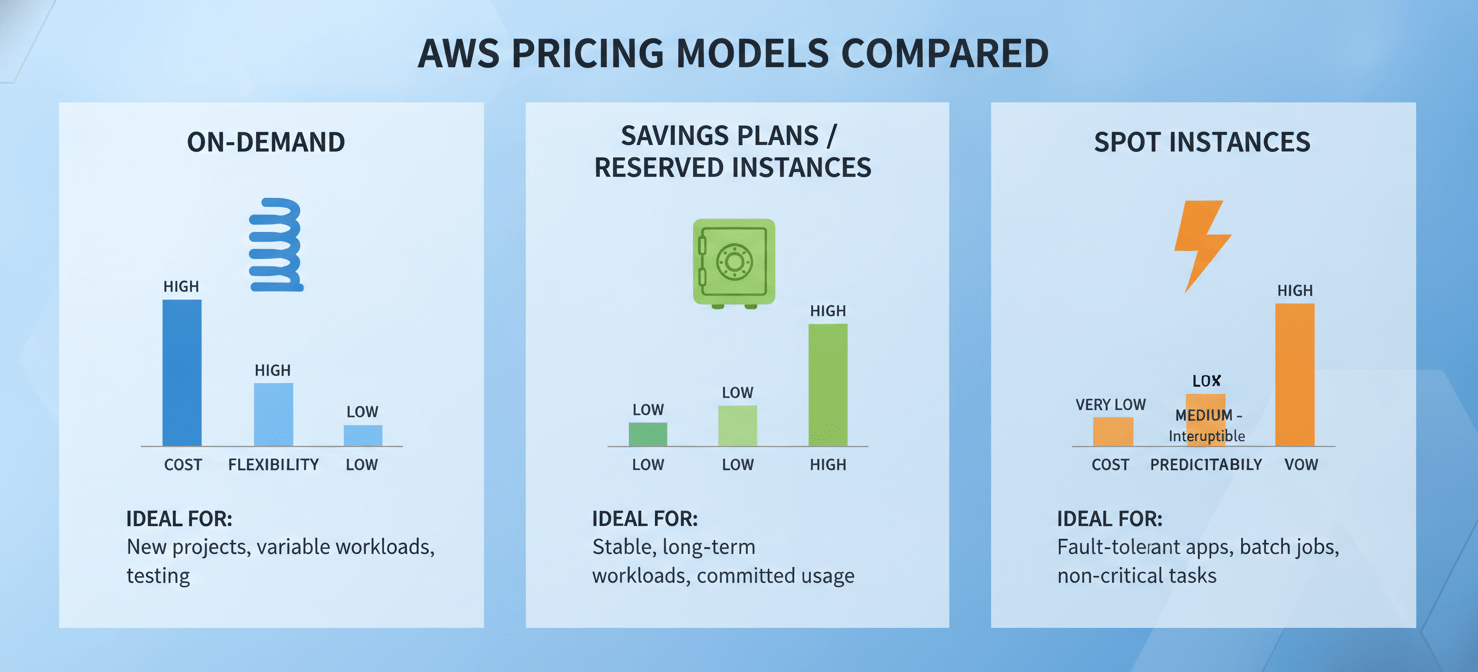
As an engineering leader, your role is to guide your teams in analyzing their workload patterns. Use AWS Cost Explorer to identify steady-state usage that is a good candidate for Savings Plans or RIs. Encourage the use of Spot Instances in development and testing environments to dramatically lower pre-production costs.
Conclusion: Fostering a Culture of Cost Ownership
Ultimately, effective AWS cost governance for engineering teams is not about a single tool or policy. It is about creating a cultural shift. When you provide teams with the visibility to see their spend, the tools to control it, and the accountability that comes with ownership, cost management becomes an integral part of the engineering process, not an afterthought imposed by finance. The goal is to make cost a non-functional requirement, just like performance and security. By implementing clear tagging, proactive alerts, and sensible guardrails, you can eliminate the end-of-month billing surprises. This allows your teams to focus on what they do best: building great products, securely, and on budget. The result is less time spent in contentious budget meetings and more time spent shipping code. And that’s a KPI everyone can get behind.
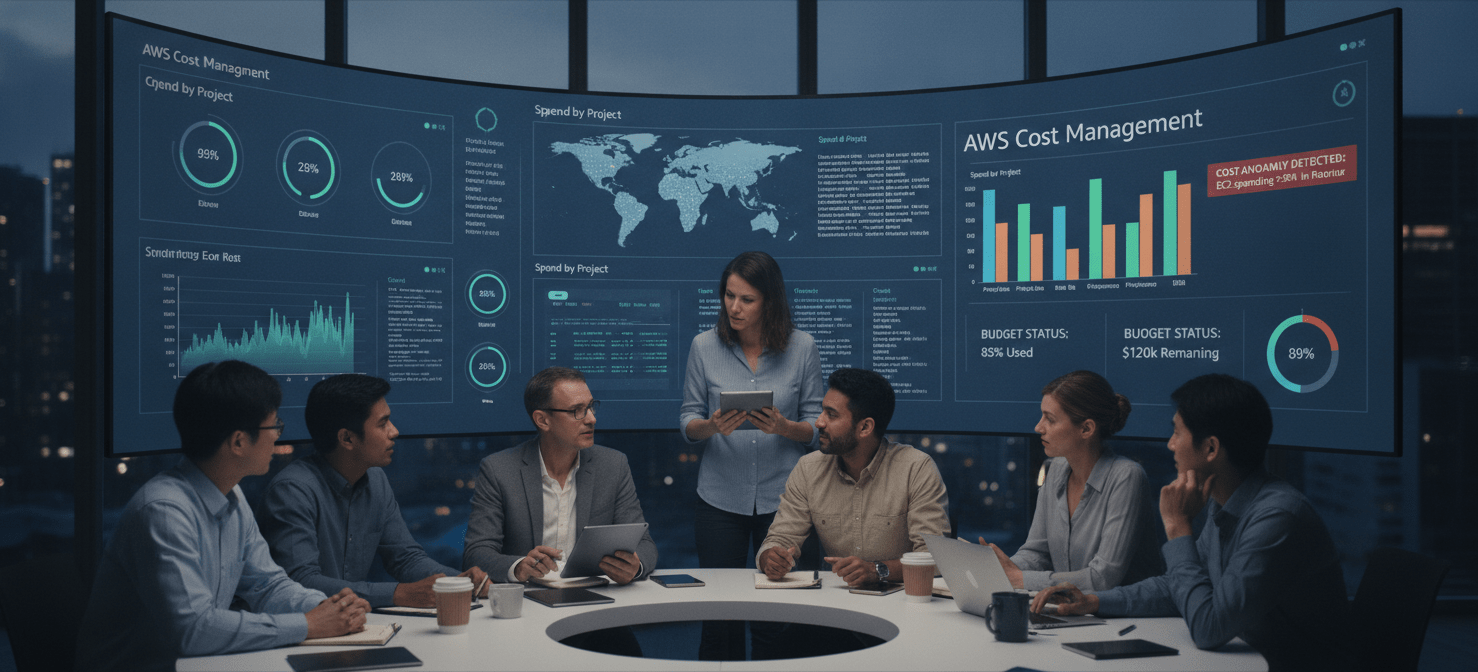
To truly empower your team with the visibility and control needed for effective AWS cost governance, you can explore the Binadox platform by creating your free account or, for a more guided approach, book a demo with our experts.
 7-day free trial