



The rapid adoption of Software-as-a-Service (SaaS) has unlocked incredible productivity, but it has also created a significant challenge for IT and security teams. When employees can sign up for new applications without approval, it leads to “shadow IT,” a sprawling landscape of unsanctioned tools that operate outside of security oversight. This creates data security gaps, compliance risks, and redundant spending. To regain control, your team needs a practical saas whitelisting strategy that manages application access without hindering the productivity benefits that SaaS provides.
Key takeaways
- Default-Deny Approach: A whitelisting strategy operates on a “default-deny” principle, blocking all applications except those explicitly approved, which significantly reduces the attack surface.
- Five-Step Implementation: A successful strategy involves five core steps: discovering all current SaaS usage, analyzing and assessing risk, building the initial whitelist, implementing technical controls, and establishing an ongoing review process.
- Balance is Crucial: The goal is not to eliminate all unapproved apps but to balance security requirements with the need for employee productivity and autonomy.
- Continuous Process: Whitelisting is not a one-time project; it requires continuous monitoring, regular reviews, and clear communication to adapt to changing business needs.
What Is SaaS Whitelisting (and Why Isn’t Blacklisting Enough)?
SaaS whitelisting is a security model where you create an explicit list of approved applications that are permitted for use within the organization. Any application not on this list is, by default, blocked. This “default-deny” approach is fundamentally more secure than its counterpart, blacklisting.
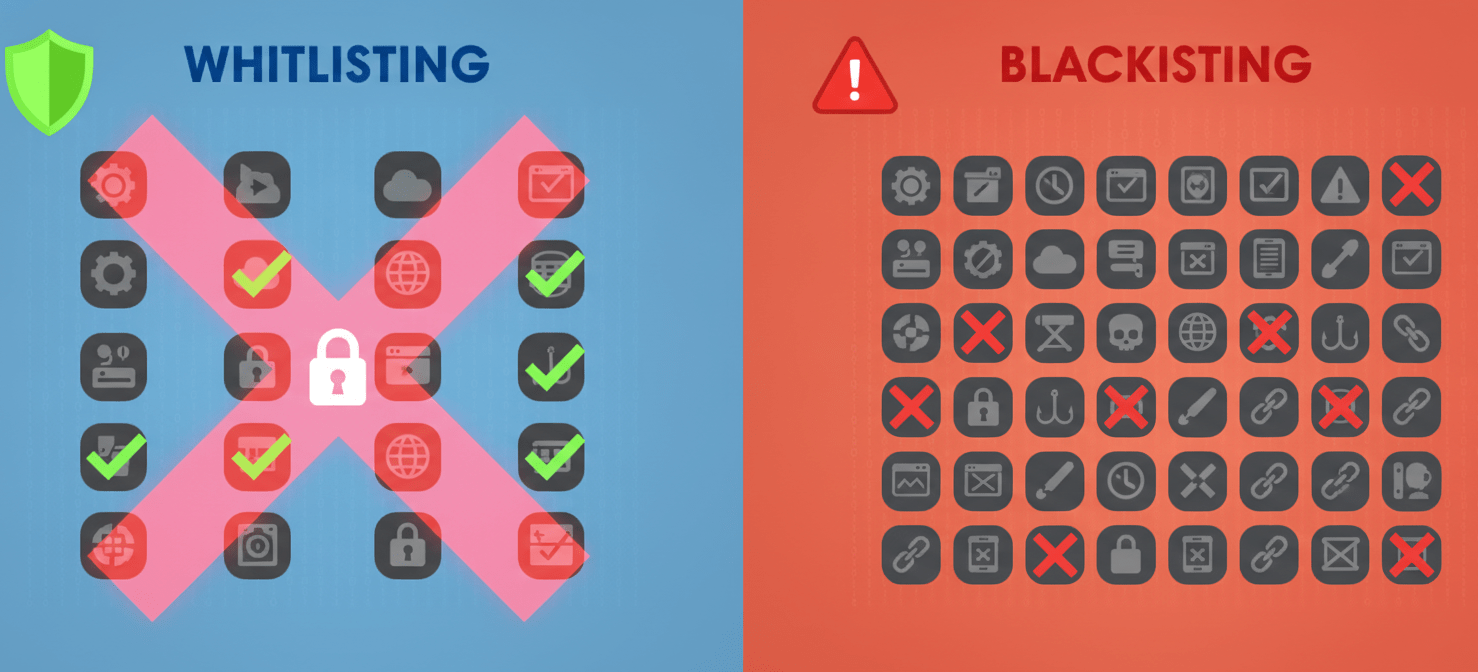
Blacklisting involves creating a list of forbidden apps. While seemingly straightforward, it’s a reactive strategy. You are always one step behind, trying to identify and block new, risky applications after they’ve already been introduced. Given that the average enterprise has hundreds of unknown cloud services operating in the background, a blacklist is perpetually incomplete.
Whitelisting, in contrast, is proactive. It establishes a baseline of approved, vetted software and prevents unauthorized applications from ever gaining a foothold. This approach is recommended by security frameworks like the National Institute of Standards and Technology (NIST).
The Core Challenge: Balancing Security with Productivity
The primary reason employees turn to shadow IT is to be more effective at their jobs. They find tools that solve specific problems and don’t want to wait for a lengthy formal approval process. An overly restrictive whitelisting policy can stifle this innovation and frustrate employees, leading them to find new ways to circumvent controls.

Therefore, the central challenge is to implement a strategy that secures the organization without creating unnecessary friction. The goal is to manage SaaS usage, not to lock it down entirely. A successful program provides employees with the tools they need to be productive while giving IT the visibility and control required to mitigate risk. This involves clear communication, a straightforward process for requesting new applications, and a willingness to evaluate tools based on business needs, not just security policies.
A 5-Step SaaS Whitelisting Strategy
Implementing a durable SaaS whitelisting strategy requires a structured approach. Rushing into a restrictive policy without proper preparation can disrupt business operations. Instead, follow these five steps to build a program that is both effective and sustainable.
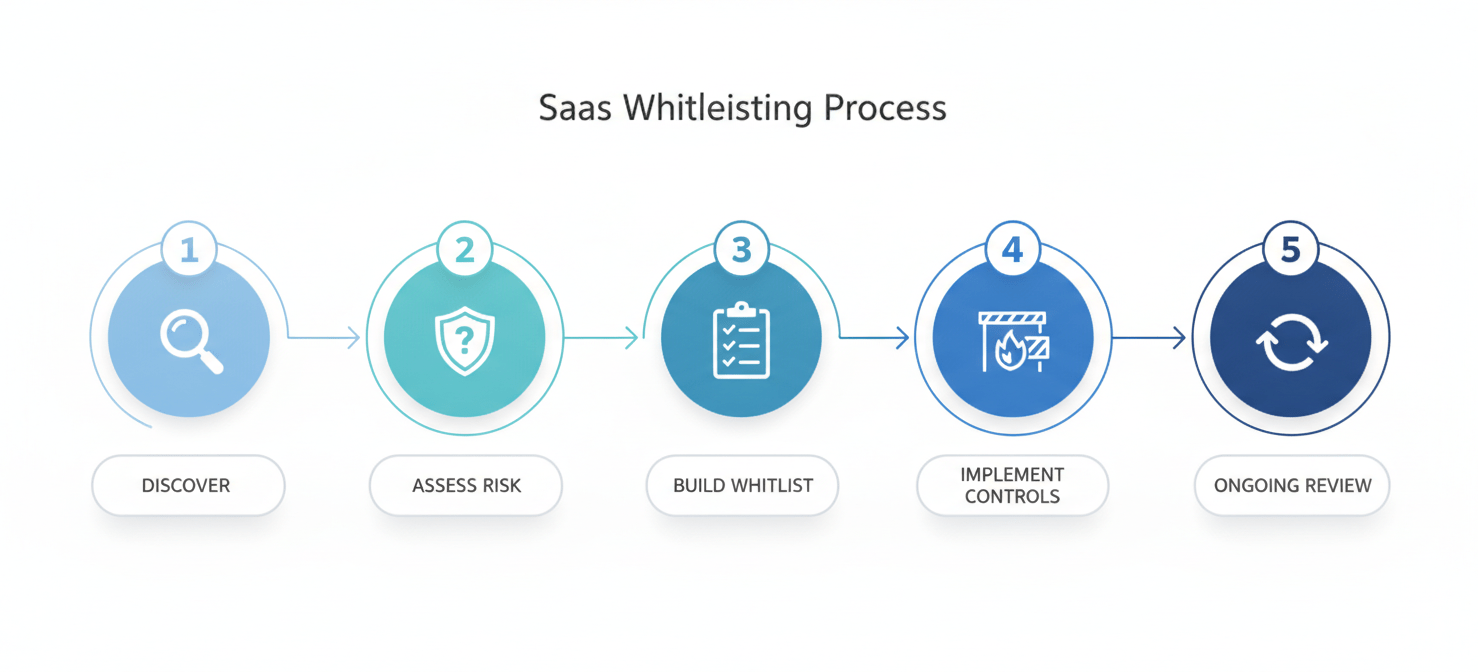
Step 1: Discover and Inventory All SaaS Usage
You cannot secure what you cannot see. The first step is to get a comprehensive view of all SaaS applications currently in use, both sanctioned and unsanctioned. This process, often called SaaS discovery, is foundational. Many organizations believe they use a few dozen SaaS apps, only to find hundreds are active.
Use a combination of methods for discovery:
- Financial Analysis: Review expense reports, credit card statements, and accounts payable records for recurring software subscription payments.
- Network and Log Analysis: Analyze firewall, proxy, and DNS logs to identify traffic going to known SaaS providers.
- User Surveys: Directly ask employees what tools they use and find valuable. This can also help build goodwill for the program.
- SaaS Management Platforms (SMPs): Specialized tools can automate the discovery process by integrating with identity providers, finance systems, and network infrastructure.
Step 2: Analyze and Assess Risk
Once you have a complete inventory, the next step is to analyze each application. Not all unsanctioned apps are high-risk. Your goal is to categorize them based on their function, the data they access, and their security posture.
For each application, consider:
- Data Sensitivity: What kind of company data does this app store or process? Does it handle personally identifiable information (PII), intellectual property, or other sensitive data?
- Security and Compliance: Does the vendor have standard security certifications like SOC 2 or ISO 27001? Does it comply with regulations like GDPR or HIPAA?
- Redundancy: Is this application’s functionality already covered by an existing, sanctioned tool? Redundant apps increase costs and fragment data.
- Business Criticality: How essential is this application to a team’s workflow?
Step 3: Build the Initial Whitelist
With your analysis complete, you can now build the initial whitelist. This list should include all applications that are deemed secure, compliant, and necessary for business operations.
Work with department heads and key stakeholders to make these decisions. An application that seems redundant to IT might be critical for a specific team’s productivity. The process should be collaborative. For applications that don’t make the cut, you need a clear plan for migrating users to an approved alternative.
Step 4: Implement Technical Controls
With a defined whitelist, the next step is to enforce it. There are several technical methods to control SaaS access, which can be used in combination:
- Single Sign-On (SSO): By routing all authentications through an SSO provider, you can restrict access to only those applications you have explicitly configured.
- Cloud Access Security Broker (CASB): A CASB can sit between users and cloud services to monitor activity and enforce policies, including blocking access to unapproved applications.
- Firewall and DNS Filtering: Configure network devices to block traffic to the domains of non-whitelisted applications.
- IP Whitelisting: For some SaaS applications, you can configure them to only accept logins from your corporate IP addresses, preventing access from outside the network.
Step 5: Communicate and Establish an Ongoing Review Process
Finally, a whitelist is not static. You must create a formal process for employees to request new SaaS applications. This process should be simple, transparent, and have a clear service-level agreement (SLA) for review.
Communicate the new policy clearly to all employees. Explain the “why” behind the strategy—focusing on security and data protection—not just the “what.” Provide training on the new request process and make it easy for users to see the status of their requests.
Choosing the Right Tools to Control SaaS Access
No single tool can manage a SaaS whitelist on its own. An effective ecosystem often involves integrating several different technologies.

- Identity and Access Management (IAM): IAM platforms, especially those with robust SSO capabilities, are the cornerstone of access control. They centralize user authentication and make it simple to grant or revoke access to whitelisted applications.
- SaaS Security Posture Management (SSPM): These tools are designed to provide deep visibility into your SaaS environment. They can help with initial discovery, risk assessment, and ongoing monitoring for misconfigurations and compliance issues.
- SaaS Management Platforms (SMPs): SMPs focus on the operational aspects of SaaS, including discovery, license management, and cost optimization. They provide the visibility needed to identify redundant applications and manage renewals.
Maintaining Your Whitelist: An Ongoing Process
A SaaS whitelist is a living document. Business needs change, new tools emerge, and existing applications evolve. Therefore, you must establish a regular cadence for reviewing and updating your whitelist.
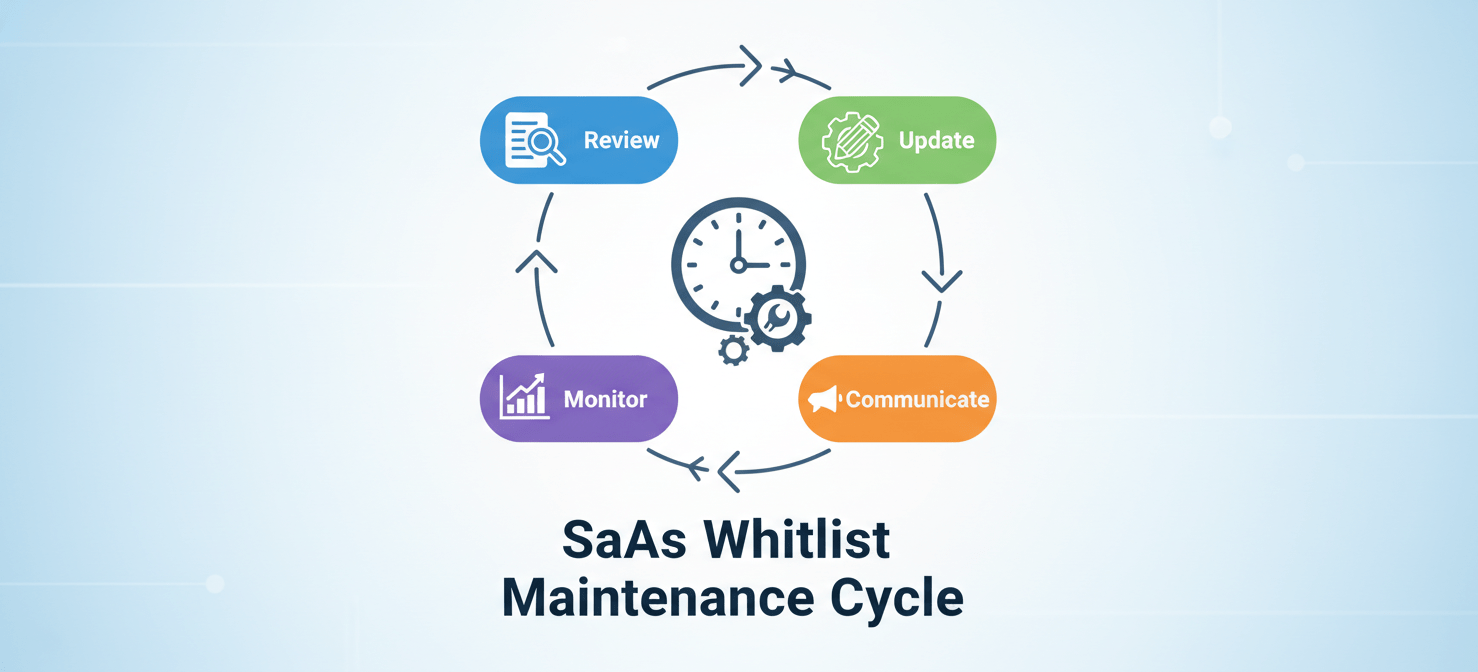
Schedule quarterly or semi-annual reviews with business leaders to discuss the current list. Are there tools that are no longer needed? Are there new categories of software that should be evaluated? This ongoing maintenance ensures that your whitelist remains relevant and continues to support, rather than hinder, business agility.
Conclusion
The unchecked proliferation of SaaS applications creates a hidden layer of risk that modern IT teams can no longer afford to ignore. Blacklisting is a losing battle against the tide of shadow IT. A well-implemented saas whitelisting strategy, however, provides a practical and proactive framework to regain control. By discovering what’s in use, assessing risk, and creating a clear, enforceable policy, you can manage SaaS usage effectively. This approach balances the need for robust security with the agility that employees require. It turns the chaos of SaaS sprawl into a managed, secure, and productive ecosystem. After all, letting everyone use every tool they find is not a strategy; it’s a surrender.
To truly turn the chaos of SaaS sprawl into a managed, secure, and productive ecosystem, you can explore our platform with a free trial or schedule a demonstration with our experts to see how a proactive whitelisting strategy can work for your organization.
 7-day free trial