



For a founder or CTO, your AWS bill is more than an operational expense; it’s a direct hit to your runway. Every dollar wasted on idle instances or over-provisioned databases is a dollar you can’t spend on hiring engineers or acquiring customers. The goal isn’t just to spend less, but to spend predictably. Unpredictable, lumpy cloud bills make financial planning impossible and can shorten your company’s life. Effective startup cloud cost management is about transforming your AWS spend from a volatile variable into a predictable, scalable line item that grows with your revenue, not ahead of it.
Key takeaways
- Implement a mandatory 4-tag system (
owner,project,environment,cost-center) to gain foundational visibility into where every dollar is spent. - Leverage AWS Compute Optimizer to right-size resources; targeting instances with less than 20% CPU utilization can immediately reduce waste.
- Combine flexible, long-term Savings Plans with short-term, interruptible Spot Instances to cover baseline and burst capacity, potentially cutting compute costs by over 70%.
- Set up AWS Budgets with alerts at 50%, 80%, and 100% of your monthly forecast to eliminate billing surprises.
Why Predictable Spending Matters More Than Just Low Spending
A surprise $50,000 AWS bill can be an extinction-level event for an early-stage startup. It’s not just the cash outlay; it’s the distraction. Instead of focusing on product-market fit, your small team is now forced into a reactive, time-consuming fire drill to hunt down the source of the overage. This is a catastrophic waste of your most valuable resource: engineering time.

Predictability allows you to forecast your burn rate accurately. It lets you tie infrastructure costs directly to growth metrics like customer acquisition or feature usage. When you can confidently say that each new cohort of 1,000 users will cost an additional $500 in AWS resources, you can make informed decisions about pricing, fundraising, and hiring. This is the core of a lean cloud infrastructure—one that scales efficiently and transparently with the business.
Step 1: Foundational Visibility and Tagging
You cannot control what you cannot see. The first step in AWS cost control for startups is achieving granular visibility into your spending. Without it, you’re flying blind, and any optimization efforts are just guesswork. The primary mechanism for this is a rigorous, enforced tagging strategy.
Implement a Mandatory Tagging Policy
Tags are simple key-value pairs you attach to AWS resources, but they are the bedrock of financial accountability in the cloud. Your goal is to be able to attribute every single dollar of spend to a specific purpose, team, or feature.
Start with a simple, non-negotiable set of tags for all provisioned resources:
owner: The email or team alias responsible for the resource. This answers “Who do I talk to about this?”project: The specific product, feature, or service this resource supports.environment: The deployment stage (e.g.,prod,staging,dev,test).cost-center: The business unit or budget this aligns with.
Once implemented, you must activate these as cost allocation tags in the AWS Billing console. This allows you to filter and group costs in AWS Cost Explorer, giving you a precise view of which projects or environments are driving your spend. For example, you can instantly see how much your staging environment is costing versus production, or isolate the infrastructure cost of a new feature launch.
Step 2: Rightsizing and Modernizing Your Infrastructure
Over-provisioning is the silent killer of cloud budgets. Engineers, often under pressure to ship features, will default to choosing larger instances than necessary to avoid performance issues. This creates a massive layer of expensive, unused capacity.
Use Data to Drive Rightsizing Decisions
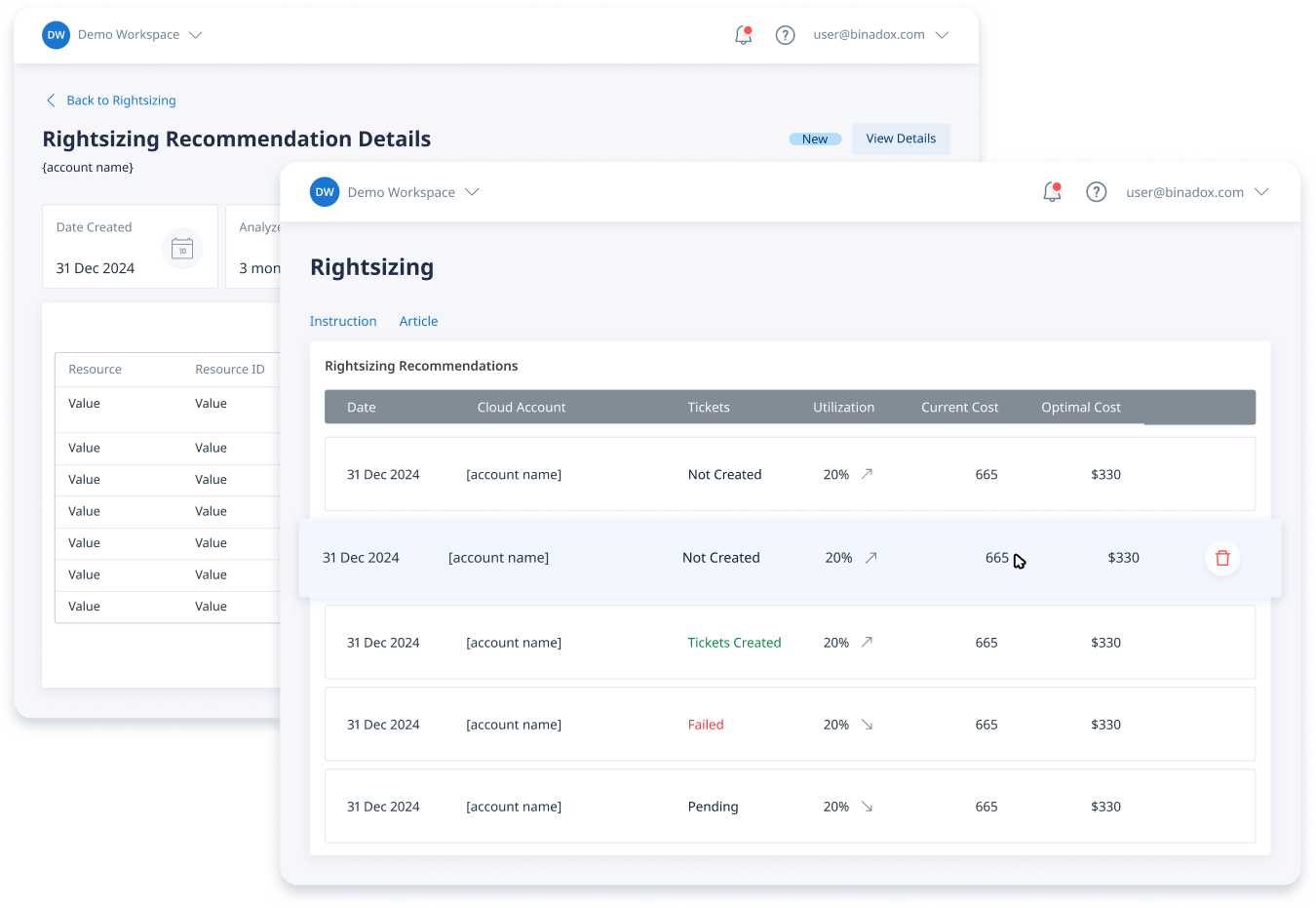
Your first move should be to enable AWS Compute Optimizer. This free tool uses machine learning to analyze your resource utilization metrics and provides concrete recommendations for downsizing over-provisioned EC2 instances, EBS volumes, and more. It will explicitly tell you if an m5.2xlarge instance is only using 10% of its CPU and could be safely changed to an m5.large, often cutting the cost by 75%.
Create a weekly routine to review these recommendations. Focus on the highest-cost, lowest-utilization resources first. For non-production environments, be aggressive. A development server doesn’t need to be sized for peak production load.
Modernize and Automate
Beyond simple downsizing, consider architectural changes that promote efficiency:
- Adopt Graviton Instances: Whenever possible, migrate workloads to AWS’s Arm-based Graviton processors. They often provide significantly better price-performance over traditional x86 instances for many common workloads.
- Implement Auto-Scaling: For stateless applications, use Auto Scaling groups to match capacity to demand dynamically. Scale down to a single small instance during off-peak hours or to zero if the workload is intermittent.
- Leverage Serverless: For event-driven or infrequent tasks, moving from a constantly running EC2 instance to AWS Lambda can dramatically reduce costs, as you only pay for the compute time you actually consume.
Step 3: Leveraging AWS Pricing Models
Paying the on-demand rate for all your resources is like paying full retail price for everything. AWS offers several pricing models that provide steep discounts in exchange for commitment or flexibility. A smart startup cloud cost management strategy uses a blend of these models.
Cover Your Baseline with Savings Plans
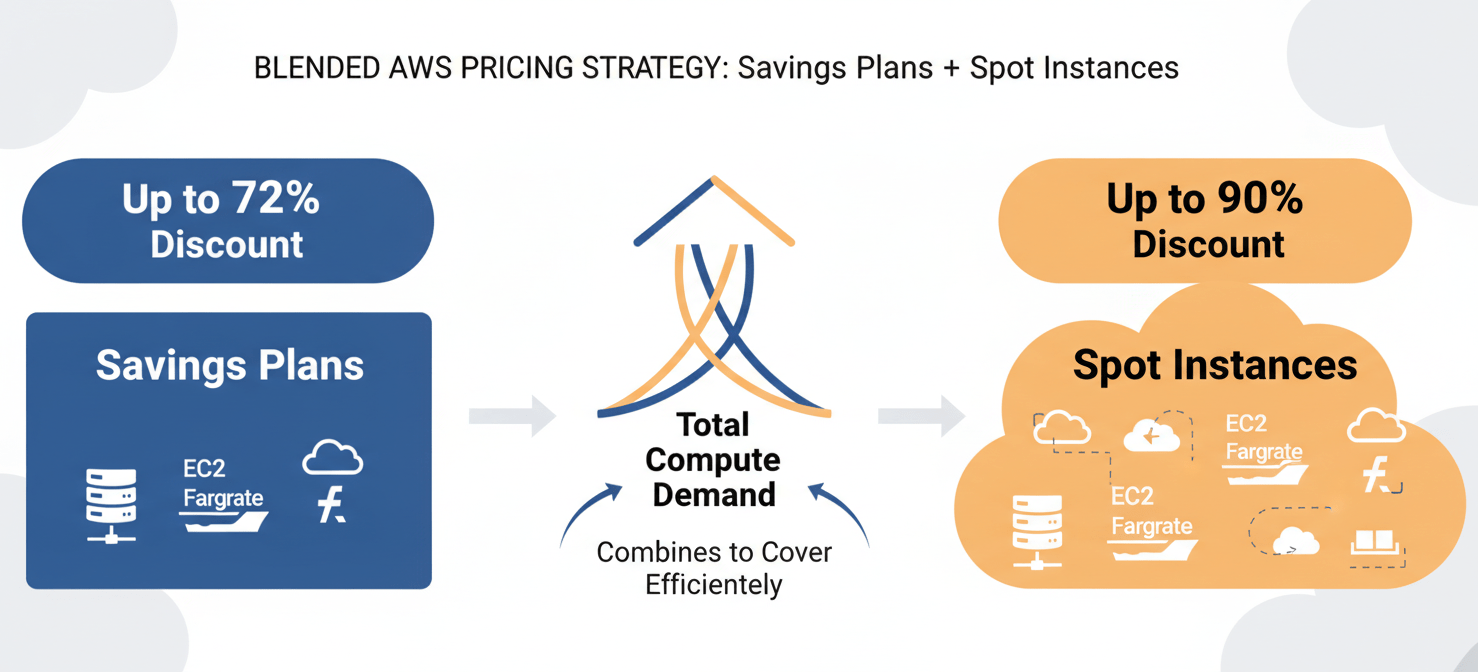
For your steady-state, predictable workloads (like your core production database and application servers), use Savings Plans. These offer discounts of up to 72% off on-demand prices in exchange for a commitment to a certain amount of compute usage ($/hour) over a one or three-year term.
Compute Savings Plans are the most flexible option, as they automatically apply to EC2, Fargate, and Lambda usage across different instance families and regions. This is ideal for a startup whose architecture is likely to evolve. Start with a one-year, no-upfront plan that covers 50-70% of your absolute minimum production compute spend.
Use Spot Instances for Interruptible Workloads
For workloads that can tolerate interruption—such as CI/CD pipelines, batch processing jobs, or even development and staging environments—use EC2 Spot Instances. Spot Instances let you use spare EC2 capacity at discounts of up to 90% off on-demand prices. The trade-off is that AWS can reclaim these instances with a two-minute warning.
By designing your fault-tolerant workloads to handle these interruptions, you can dramatically lower costs. Using Spot Instances within an Auto Scaling group, diversified across multiple instance types, is a best practice to ensure capacity and resilience.
Step 4: Implementing Budgets and Alerts
A strategy without enforcement is just a wish. AWS Budgets is the tool that turns your financial plan into a set of guardrails for your team. It provides no-nonsense alerts when spending deviates from your forecast.
Setting up a budget is straightforward and non-negotiable for any startup. In the AWS Billing console, you can create budgets that track your costs against your monthly or quarterly forecast.
Configure Proactive Alerts
Create a primary monthly cost budget for your entire AWS account. Then, configure alert thresholds to notify stakeholders when you cross certain percentages of that budget. A common and effective pattern is to set alerts at:
- 50% of the budget: A simple check-in.
- 80% of the budget: Time to review the forecast and ensure spending is on track.
- 100% of the budget: An immediate notification that you’ve hit your planned spend.
- 120% of the budget: A critical alert indicating a significant overage that requires investigation.
Send these alerts to an engineering email alias or a dedicated Slack channel. This ensures that deviations are seen and acted upon immediately, not discovered at the end of the month when the bill arrives. You can even create a zero-spend budget to get notified the moment your usage exceeds the AWS Free Tier.
Step 5: Building a Cost-Conscious Engineering Culture
Finally, technology and tools can only take you so far. Long-term, sustainable AWS cost control for startups requires a cultural shift. Your engineering team needs to see cost as a critical, non-functional requirement, just like performance and security.
This doesn’t mean becoming the “cost police” and blocking innovation. It means empowering engineers with the data they need to make cost-aware decisions.
- Share the Data: Make the AWS Cost Explorer dashboards and budget reports accessible to the entire team. When an engineer can see the direct cost impact of a feature they deployed, they are more likely to build it efficiently.
- Include Cost in Design Reviews: Make “What is the estimated monthly cost of this architecture?” a standard question in every technical design review. This forces cost to be a consideration from the beginning, not an afterthought.
- Gamify Optimization: Celebrate cost-saving wins. Acknowledge the team that reduced the staging environment cost by 40% or migrated a service to Graviton instances. This positive reinforcement encourages proactive optimization.
Conclusion
For a startup, managing cloud spend isn’t about nickel-and-diming your way to a slightly lower bill. It’s a strategic function that directly extends your financial runway, giving you more time to find product-market fit and build a scalable business. Effective startup cloud cost management is achieved not through a single magic bullet, but through a disciplined, multi-layered approach: gain visibility through tagging, eliminate waste by rightsizing, optimize pricing with a blended model, enforce guardrails with budgets, and build a culture of ownership. Ignore this, and you’re not just burning cash; you’re burning time. And time is the one resource you can’t buy more of, not even on AWS.
If you’re ready to transform your AWS spend from a volatile variable into a predictable, scalable line item, you can start with Binadox to streamline your cost management, or easily book a demo to explore its capabilities.
 7-day free trial