



A sudden, sharp increase in your cloud data warehouse bill can be alarming. For teams relying on Google Cloud Platform, an unexpected GCP BigQuery cost spike often points to an underlying issue in how data is being queried or managed. Instead of panicking, you can systematically diagnose the root cause and implement controls to prevent future surprises. This requires understanding BigQuery’s pricing, knowing where to look for culprits, and establishing proactive governance.
Key takeaways
- Identify the source: Use Cloud Billing reports grouped by SKU and the
INFORMATION_SCHEMA.JOBSview to pinpoint the exact queries, users, or projects causing the cost increase. - Implement immediate controls: Set project-level and user-level custom quotas to cap daily query processing and prevent runaway spending. For example, you can establish a hard cap on data processed per day.
- Optimize query patterns: The most common cause of high costs is scanning unnecessary data. Always avoid
SELECT *and instead specify only the columns you need. - Architect for efficiency: Structure your data using partitioning and clustering to dramatically reduce the amount of data scanned in your most frequent queries.
Understanding BigQuery’s Pricing Model
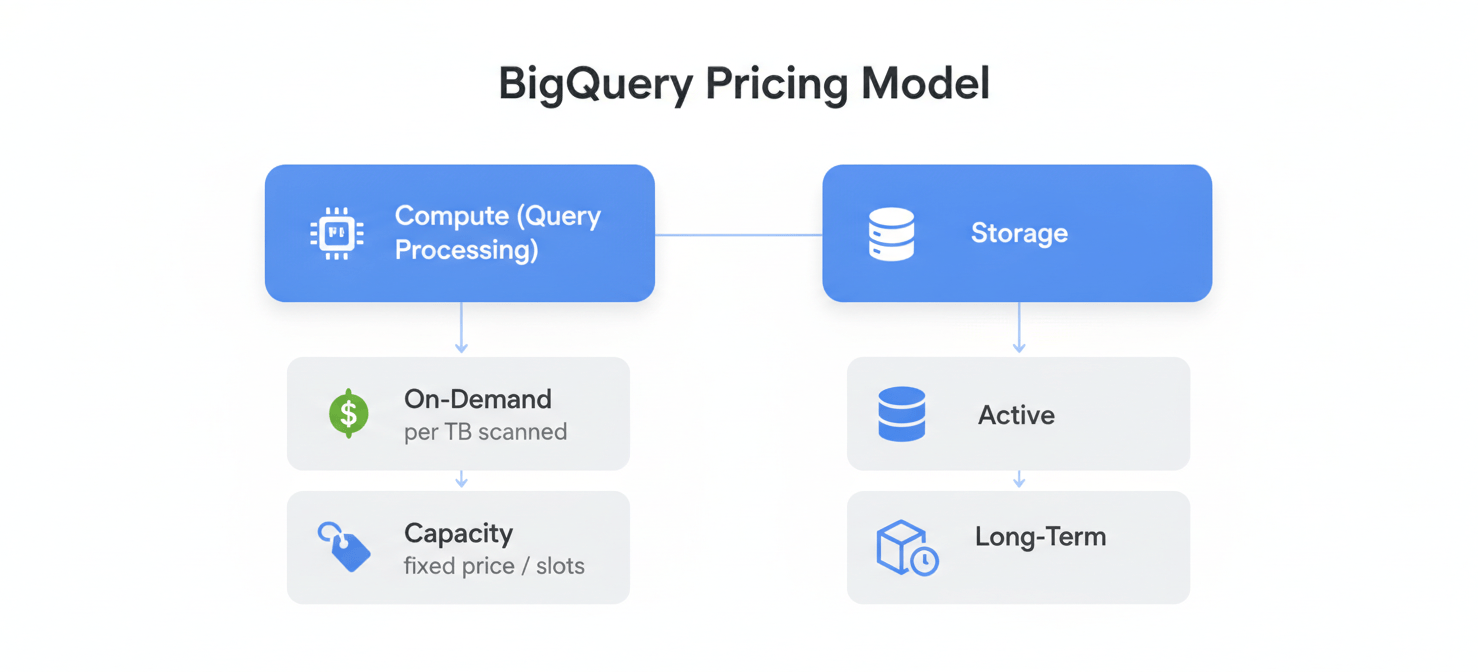
Before you can diagnose a cost issue, you must understand how BigQuery charges for its services. Costs are primarily driven by two components: compute (query processing) and storage.
Compute Pricing: On-Demand vs. Capacity
BigQuery offers two main models for compute pricing.
-
On-demand pricing: This is the default, pay-as-you-go model. You are charged based on the number of bytes processed by your queries, typically at a rate of around $6.25 per terabyte (TiB), with the first 1 TiB per month being free. This model is simple and works well for unpredictable or light workloads. However, a single poorly written query that scans a massive table can lead to a surprisingly large bill.
-
Capacity (flat-rate) pricing: In this model, you purchase dedicated query processing capacity, measured in “slots” (virtual CPUs), for a fixed period. This provides a predictable monthly cost and is often more economical for teams with consistent, high-volume query workloads.
Storage Pricing: Active vs. Long-Term
Storage costs are simpler. You pay for the amount of data you store in BigQuery tables.
- Active storage: This applies to any table or partition that has been modified in the last 90 days.
- Long-term storage: If a table or partition remains unmodified for 90 consecutive days, the storage price for that data automatically drops by about 50%.
A sudden cost spike is almost always related to the compute side—specifically, an increase in the amount of data being processed by on-demand queries.
Step 1: Initial Triage with Cost and Usage Monitoring Tools
Your first step is to get a high-level view of where the unexpected BigQuery bill is coming from. Google Cloud provides several tools for this initial investigation.
Analyze Cloud Billing Reports
Start in the Google Cloud Console’s Billing section. The reporting tools here are invaluable for initial diagnosis.
First, filter your reports to the time frame of the cost spike. Next, group your costs by SKU (Stock Keeping Unit). This will break down your BigQuery spending into specific services like “BigQuery Analysis,” “BigQuery Active Storage,” and “BigQuery Streaming Inserts.” A spike in the “Analysis” SKU confirms the issue is with query processing.
Furthermore, you can group by project to see if the cost is isolated to a specific team or application. This helps narrow your focus significantly. For more granular analysis, you can enable the export of your billing data to BigQuery itself, which allows you to run detailed SQL queries against your own cost data.
Set Up Budgets and Alerts
If you haven’t already, create a Cloud Billing budget. Budgets allow you to track your spending against a planned amount and trigger email notifications when costs exceed certain thresholds. While this won’t stop a cost spike in its tracks, it provides an essential early warning system so you can react quickly.
Step 2: Deep Dive into Query and Job History
Once you’ve confirmed the spike is from query analysis and isolated the project, the next step is to find the exact queries responsible. This is where you move from billing tools to BigQuery’s own metadata.
Querying INFORMATION_SCHEMA.JOBS
BigQuery provides a set of read-only views called INFORMATION_SCHEMA that contain metadata about your jobs, tables, and other resources. The INFORMATION_SCHEMA.JOBS (or JOBS_BY_PROJECT) view is your most powerful tool for this investigation. It contains a near real-time record of all jobs run in your project for the last 180 days.
You can query this view to find the most expensive queries. For example, the following query identifies the top 10 queries by data processed over the last week:
SELECT
  user_email,
  job_id,
  query,
  total_bytes_billed,
  start_time
FROM
  `region-us`.INFORMATION_SCHEMA.JOBS
WHERE
  DATE(creation_time) >= DATE_SUB(CURRENT_DATE(), INTERVAL 7 DAY)
ORDER BY
  total_bytes_billed DESC
LIMIT 10;
This query will show you who ran the query (user_email), how much data it billed for (total_bytes_billed), and the query text itself. This is often the “smoking gun” that reveals the source of your GCP BigQuery cost spike.
Leveraging Cloud Audit Logs
For an even more detailed historical view, you can use Cloud Audit Logs. By creating a sink, you can export BigQuery’s audit logs—which contain detailed information about every job completion—into a BigQuery dataset for analysis. This allows you to build sophisticated monitoring dashboards to track usage patterns, costs per user, and query performance over time.
Step 3: Implementing Proactive Cost Controls
After identifying the problematic queries, you need to put safeguards in place to prevent a recurrence. BigQuery offers several mechanisms to control BigQuery costs directly.
Set Custom Quotas
The most direct way to prevent overspending is to set custom quotas. You can set a hard cap on the amount of query data processed per day at two levels:
- Project-level: Limits the total data processed by all users in the project.
- User-level: Applies a separate, individual limit to each user or service account in the project.
Once a quota is reached, BigQuery will block any further queries for that day, returning an error instead of running the job. This is a powerful, proactive way to enforce your budget.
Limit Bytes Billed Per Query
For critical or automated jobs, you can set a maximum_bytes_billed parameter in the query job configuration. If BigQuery estimates that a query will scan more data than this limit, it will fail the query before it starts, preventing any charges. This is an excellent safety net for scheduled queries where data volumes might grow unexpectedly.
Common Culprits Behind a GCP BigQuery Cost Spike
Investigating the queries you found in Step 2 will likely reveal one of several common anti-patterns.
- Using
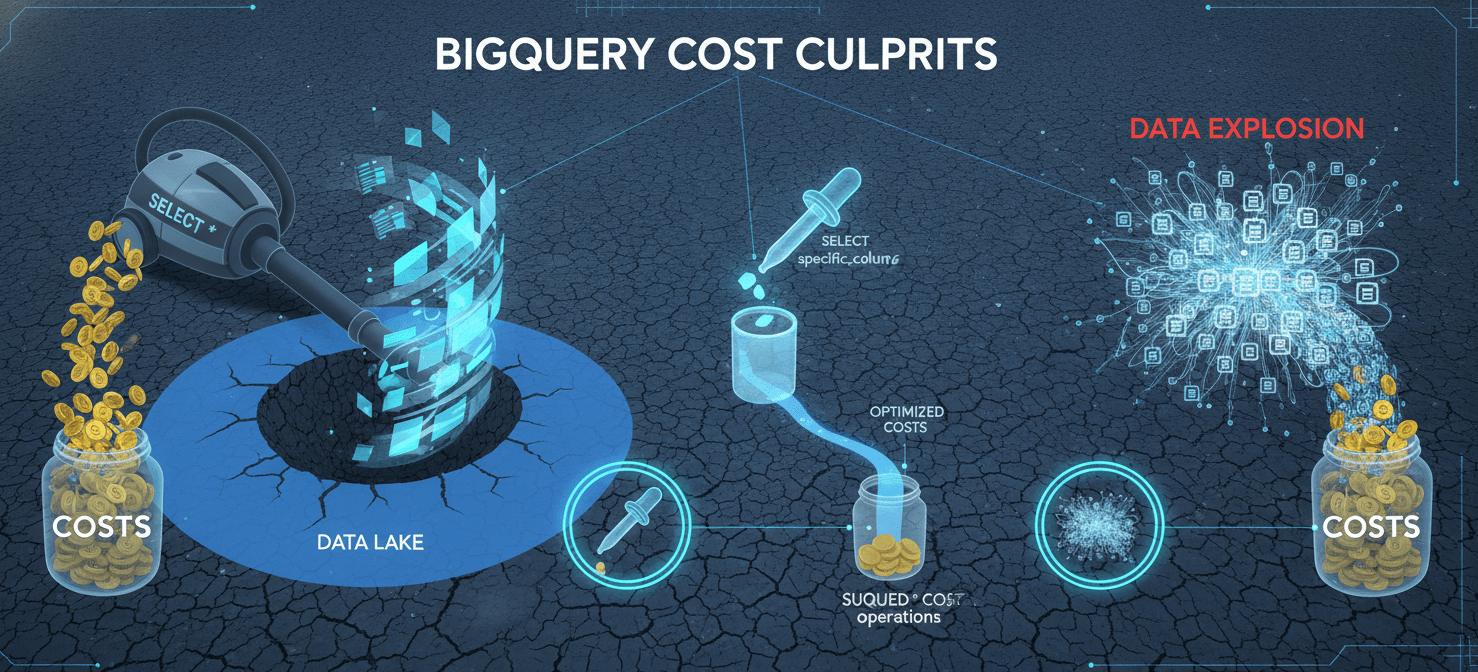
SELECT *: This is the most frequent offender. Because BigQuery is a columnar database, you are billed for every byte in the columns you select, even if you use aLIMITclause. Explicitly selecting only the columns you need is the single most effective way to reduce query cost. - Inefficient
WHEREClauses: A filter that forces a full table scan can be incredibly expensive. This often happens when a function is applied to a partitioned column, which can disable partition pruning. For example, filtering withWHERE DATE(partition_column) = '2026-01-20'is less efficient thanWHERE partition_column >= '2026-01-20' AND partition_column < '2026-01-21'. - Cross
JOINExplosions: An improperly configuredJOINcan produce a Cartesian product, where the number of rows in the output explodes exponentially. This dramatically increases the data that needs to be processed and shuffled, leading to a massive, unexpected BigQuery bill. - New or Modified Scheduled Jobs: A newly deployed data pipeline or a change to an existing one can often be the source of a spike. Always review the query history of service accounts, not just individual users.
Long-Term Strategies to Control BigQuery Costs
Beyond immediate fixes, adopting long-term best practices will make your BigQuery usage more efficient and predictable.
Architect Tables with Partitioning and Clustering
This is a foundational strategy for cost optimization.
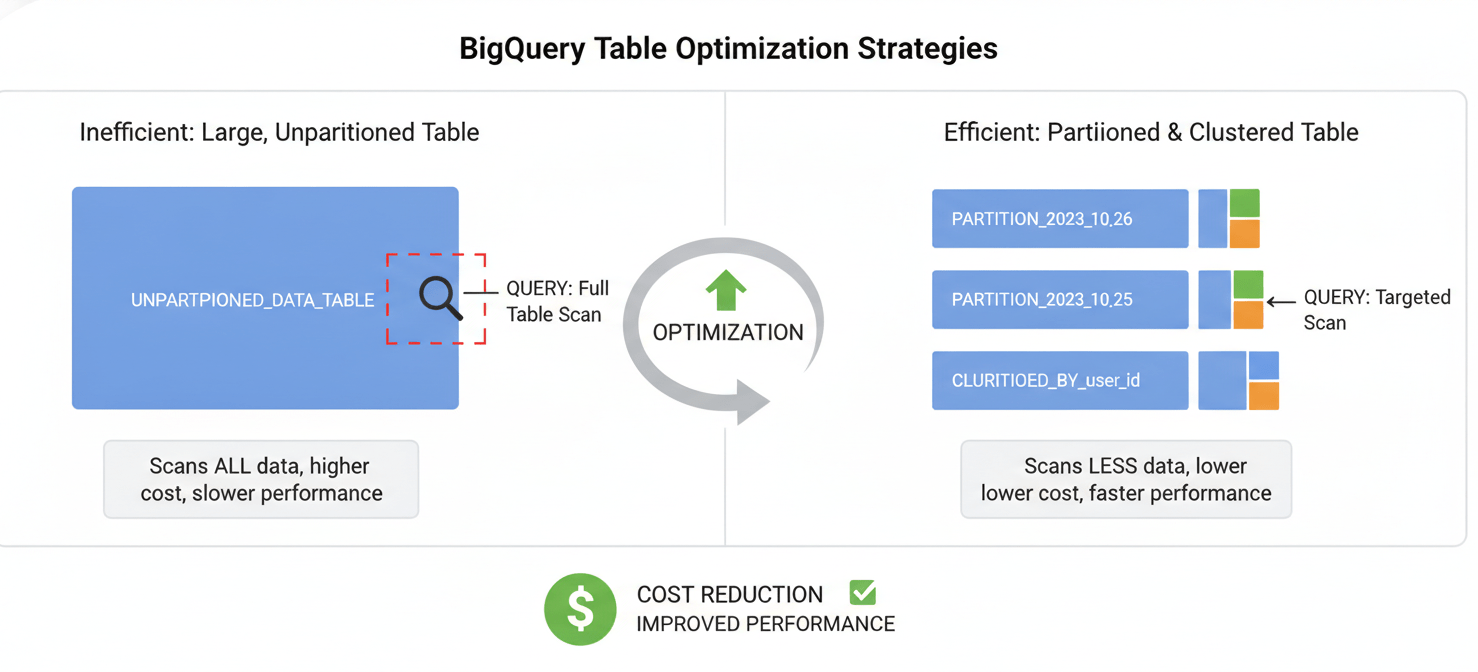
- Partitioning divides a large table into smaller segments based on a date, timestamp, or integer column. When you filter on the partitioning column, BigQuery only scans the relevant partitions, drastically reducing query costs.
- Clustering sorts the data within each partition based on the values in one or more columns. This allows BigQuery to skip reading blocks of data within a partition that don’t match your filter conditions.
Combining partitioning and clustering is the most effective way to structure large tables for both performance and cost savings.
Materialize Intermediate Results
If you have complex, multi-stage queries that are run frequently, consider materializing the intermediate results into a new table. Querying the smaller, intermediate table is far cheaper than re-running the entire complex query against the raw source data each time. The cost of storing the materialized results is usually much lower than the cost of repeated computation.
Educate Your Team
Finally, cost control is a team effort. Ensure that anyone who queries BigQuery understands the pricing model and basic optimization principles. Encourage the use of the query validator in the Google Cloud Console, which provides an estimate of the bytes to be scanned before a query is run. A well-informed team is the best defense against a future GCP BigQuery cost spike.
Conclusion
Confronting a sudden GCP BigQuery cost spike can be stressful, but it’s a solvable problem. The process begins with a methodical investigation using billing reports and INFORMATION_SCHEMA to trace the expense back to specific queries and users. Once the culprit is identified, you can implement immediate controls like custom quotas and then focus on long-term fixes. These fixes almost always involve rewriting inefficient queries and optimizing table structures with partitioning and clustering. Ultimately, managing BigQuery costs is not about limiting its power, but about using that power intelligently. An unexpected bill is less a disaster and more a very expensive, but effective, audit of your team’s data practices.
To gain better control over your BigQuery costs and prevent future surprises, consider scheduling a consultation with our experts or begin exploring Binadox’s features with a free trial.
 7-day free trial