



Your cloud bill arrives. It’s 10x what you expected. A developer ran a test on a massive instance and forgot about it. A data pipeline had a bug, triggering an infinite loop of expensive queries. For a startup, this isn’t just an annoyance; it’s a direct hit to your runway. Effective GCP cost control for startups isn’t about being cheap; it’s about surgical precision, ensuring every dollar spent on infrastructure directly contributes to product velocity and customer value. This is your guide to eliminating waste and making your GCP budget predictable.
Key takeaways
- Set programmatic budget alerts. Create alerts that notify your team in Slack or PagerDuty when costs are forecasted to exceed their limit, not after the fact.
- Implement a strict labeling policy. Enforce
env,team, andservicelabels on all resources to precisely attribute costs and identify which initiatives are burning cash. - Leverage Spot VMs for non-critical workloads. For batch jobs, CI/CD pipelines, or dev/test environments, using Spot VMs can cut compute costs by up to 91%.
- Automate cleanup of unused resources. Schedule a weekly Cloud Function to find and delete unattached persistent disks, unused static IPs, and idle VMs.
Set Up Budgets and Alerts That Actually Work
The first line of defense against surprise bills is a robust alert system. A single budget for the entire billing account is a rookie mistake. For a startup, you need granular, project-level visibility to understand where your money is going.
Your goal is to create a system that doesn’t just inform you of overages but empowers your engineering team to act before they happen. Standard email alerts to a finance alias are too slow and often ignored. Instead, you need real-time, actionable notifications.
Granular Budgets by Project and Team
Start by creating separate budgets for each of your GCP projects—production, staging, development. If your team is large enough, consider creating budgets per squad or feature team by filtering costs based on resource labels. This creates direct accountability. When the “search-api” team gets an alert that their project is trending over budget, they know exactly where to look.
To create a budget, navigate to the Billing section in your Google Cloud Console, then select Budgets & alerts. When defining the scope, you can select specific projects, services, or even labels.
Actionable Alerts with Programmatic Notifications
A critical mistake is relying only on the default alert thresholds of 50%, 90%, and 100% of actual spend. Billing data can have a delay, meaning by the time you get a 100% alert, you’ve already overspent.
Instead, configure your alerts based on forecasted spend. This uses Google’s machine learning to predict your end-of-month bill based on current trends. Set multiple, escalating alert thresholds:
- 50% of actual spend: An early check-in.
- 75% of forecasted spend: A warning that you’re on track to go over.
- 100% of actual spend: The budget is hit.
- 110% of forecasted spend: A serious escalation.
Most importantly, connect these alerts to the tools your engineers live in. Under “Manage notifications,” you can connect budget alerts to Pub/Sub topics. From there, you can easily trigger a Cloud Function that sends a message to a specific Slack channel or creates a PagerDuty incident. This ensures the people who can fix the problem see it immediately.
Implement a Ruthless Resource Tagging and Cleanup Strategy
Untagged resources and forgotten experiments are the silent killers of a startup’s runway. An engineer spins up a powerful n2-standard-16 instance for a one-off test, gets distracted, and it runs for three weeks, costing hundreds of dollars. A persistent disk remains after its VM is deleted, silently accruing charges. This waste is entirely preventable with a combination of strict policy and automation.
A Non-Negotiable Labeling Policy
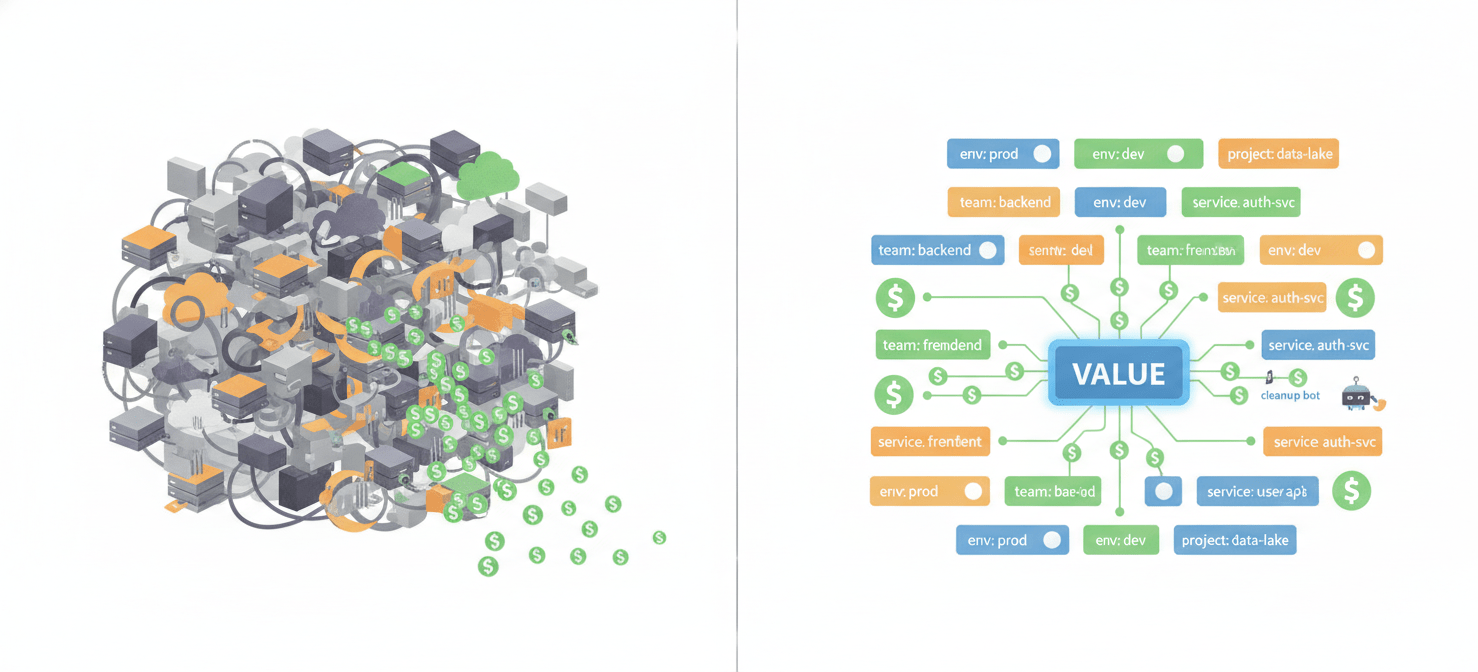
Labels are key-value pairs you attach to resources, and they are the foundation of cost attribution. Without them, your billing report is an opaque monolith. With them, you can filter costs by any dimension that matters to your business.
Your startup should define a mandatory set of labels for every resource created. Start with these three:
env: (e.g.,prod,staging,dev)team: (e.g.,backend,data,platform)service: (e.g.,user-api,billing-worker,analytics-pipeline)
Enforce this policy through infrastructure-as-code (IaC) tools like Terraform. You can write validation rules that cause a terraform plan to fail if mandatory labels are missing. This prevents untagged resources from ever being created.
Automating the Hunt for Idle Resources
Even with perfect labeling, resources become idle. The best way to manage this is to automate the cleanup process. You can create a simple serverless workflow that runs on a schedule to identify and deal with waste.
- Use Cloud Scheduler: Set up a job to run weekly, perhaps on a Friday afternoon.
- Trigger a Cloud Function: The scheduler’s target should be a Cloud Function that contains your cleanup logic.
- Identify Waste: Inside the function, use the GCP APIs to find common sources of waste:
- Unattached Persistent Disks: List all disks and check if they have an
attachedTofield. - Unused Static IP Addresses: List all static external IPs and check if they are associated with a resource.
- Idle VMs: Use the Recommender API to find VMs with low CPU and memory utilization over the past week.
- Unattached Persistent Disks: List all disks and check if they have an
Instead of deleting resources immediately, implement a safe, multi-step process. First, tag the resource for deletion (e.g., add a label deletion-candidate-date: YYYY-MM-DD). For VMs, stop the instance first. Then, after a grace period of 3-5 days, a second function can run to take a final snapshot of any disks and then perform the actual deletion.
Optimize Your Compute and BigQuery Spend
For most tech startups, the two biggest line items on the GCP bill are Compute Engine and BigQuery. Small, strategic changes in how you use these services can have an outsized impact on your monthly burn. It’s about choosing the right tool—and the right pricing model—for the job.
Choosing the Right VM Pricing Model
Running everything on standard on-demand VMs is like paying full retail price for everything. GCP offers several ways to pay less for compute, and a savvy CTO will use a mix of them.
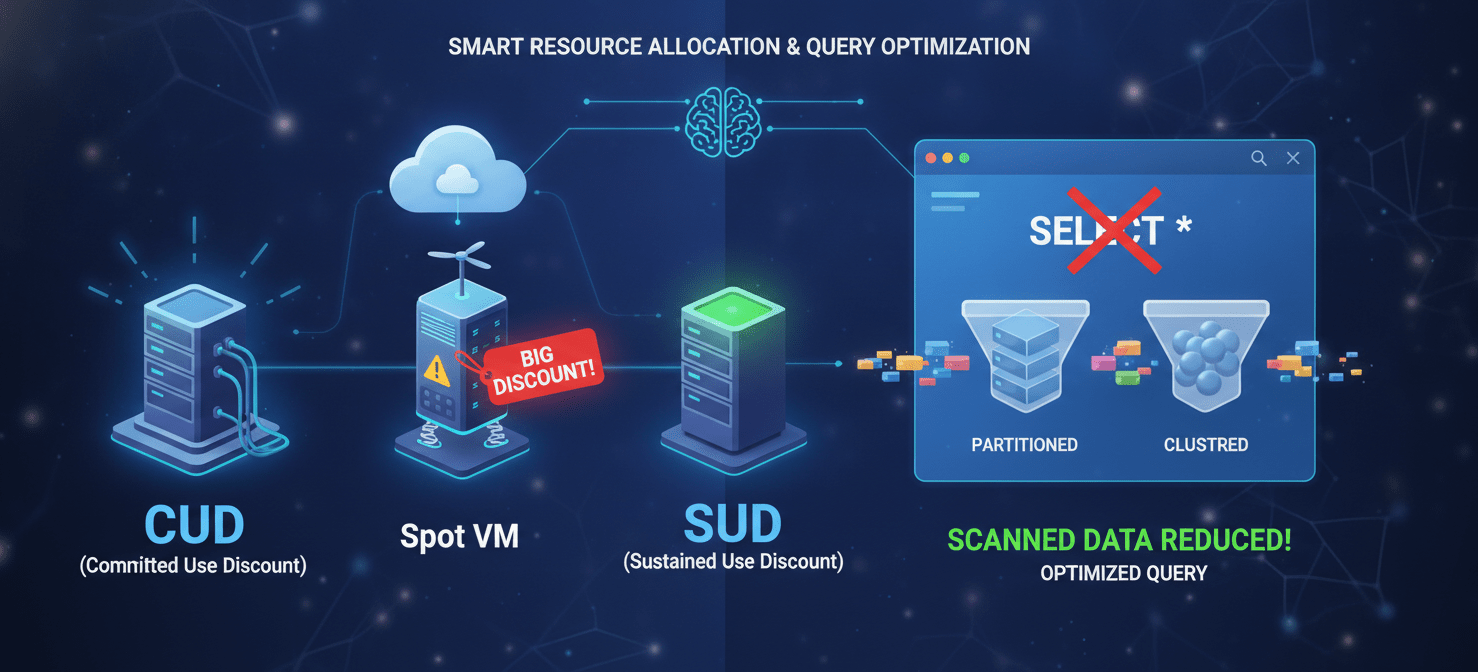
- Committed Use Discounts (CUDs): For your stable, predictable production workloads (like your core API servers), CUDs are a must. By committing to use a certain amount of vCPU and RAM for a 1- or 3-year term, you can get discounts of up to 57% or more. Analyze your usage over the last 30-60 days. The lowest point of your usage graph is your baseline—that’s the amount you can safely cover with a CUD.
- Spot VMs: This is the single biggest cost-saving opportunity for startups. Spot VMs are spare Google compute capacity offered at a massive discount—often 60-91% less than on-demand. The catch is that Google can reclaim them with a 30-second warning. This makes them perfect for fault-tolerant workloads: CI/CD jobs, batch data processing, development and testing environments, and even stateless GKE node pools. Modern Spot VMs have replaced the older Preemptible VMs and no longer have a 24-hour maximum runtime.
- Sustained Use Discounts (SUDs): These are automatic discounts applied to VMs that run for a significant portion of a billing month. You don’t have to do anything to get them, but the savings are more modest than CUDs. They are a good fallback for workloads that are consistent but not predictable enough for a CUD.
Stop Wasting Money in BigQuery
BigQuery’s on-demand pricing model, which charges based on the amount of data scanned by your queries, is a common source of bill shock. A single bad query written by a new analyst can scan terabytes of data and cost thousands of dollars.
Here are the essential optimizations:
- Partition and Cluster Your Tables: This is the most effective way to reduce query costs. Partition your large event tables by date (usually the ingestion time or an event timestamp column). Then, cluster the data within each partition by columns you frequently filter on, like
user_idorcustomer_id. When you run a query with aWHEREclause on the partitioned and clustered columns, BigQuery can skip scanning massive amounts of data, often reducing query costs by over 90%. - Never Use
SELECT *: BigQuery is a columnar store, meaning it only reads the data from the columns you explicitly request. ASELECT *forces it to scan every single column, which is incredibly wasteful. Always specify only the columns you need. - Use the Query Validator: Before running a potentially expensive query, use the “Dry Run” feature or look at the query validator in the BigQuery UI. It will estimate how many bytes the query will process without actually running it or charging you.
Use Quotas and Permissions as a Financial Guardrail
Finally, you can use GCP’s own administrative tools as a hard backstop against runaway costs. While budget alerts notify you of problems, quotas and IAM permissions can prevent them from happening in the first place.
Proactive Cost Control with Quotas
Quotas are limits on the amount of a given resource your project can use, such as the number of VM instances or API calls per day. While they are primarily designed to prevent service abuse, you can use them as a cost control mechanism.
For example, in a development project, you can set a quota to prevent engineers from creating more than a handful of VMs or from spinning up extremely large, expensive machine types. You can also set custom quotas on BigQuery to cap the amount of query data processed per day, putting a hard ceiling on potential costs. You can view and edit quotas from the IAM & Admin > Quotas page in the console.
The Principle of Least Privilege
Your IAM policies are also a cost control tool. Not every engineer needs permission to create every type of resource in every project. A junior developer working on a frontend application likely doesn’t need the ability to provision a multi-node Cloud Spanner instance in the production project.
Apply the principle of least privilege. Create custom IAM roles with only the specific permissions needed for a given job function. For riskier permissions, like creating expensive resources, put them in a separate role that must be explicitly requested and granted for a limited time. This reduces the surface area for accidental, high-cost mistakes.
Conclusion
For a founder or CTO, managing cloud spend is not just an IT task; it’s a core business function directly tied to extending your financial runway. A surprise six-figure bill from a forgotten process isn’t a technical problem; it’s a failure of process and oversight that can materially impact your ability to hire, market, and grow. The key to effective GCP cost control for startups is shifting from a reactive to a proactive stance. By implementing granular, automated alerts, enforcing strict resource hygiene, choosing the right pricing models for your workloads, and using administrative guardrails, you can transform your GCP bill from a source of anxiety into a predictable and optimized operational expense. After all, the goal isn’t to spend less; it’s to waste nothing.
To transform your GCP bill from a source of anxiety into a predictable, optimized expense, consider how a dedicated platform can help; you can explore our features by signing up for free, or arrange a quick demo to see it in action.
 7-day free trial