



As an engineering manager, you own your team’s architecture, delivery, and performance. You also own its budget. In the cloud, where a developer can provision a multi-node cluster with a single command, that financial ownership can feel like a liability. Effective GCP cost management for engineering teams isn’t about restricting innovation with draconian limits; instead, it’s about creating a culture of cost-awareness, backed by clear processes and accountability. This guide provides a framework for establishing governance, empowering your developers, and turning cloud cost from a source of stress into a strategic advantage.
Key takeaways
- Empower, Don’t Block: Give engineers visibility into their own spending with project-based budgets and alerts, fostering a culture of ownership.
- Tag Everything: A consistent labeling strategy is the foundation of cost allocation. Mandate labels for
team,project, andenvironmenton all resources. - Automate Governance: Use programmatic budget notifications with Pub/Sub and Cloud Functions to automatically cap non-production spend, preventing bill shock.
- Optimize Systematically: Implement a 3-step process of rightsizing, scheduling non-production shutdowns, and leveraging commitment discounts to cut waste.
The “Why”: Shifting from Cost Center to Value Center
Cloud spending is not just an IT expense; it’s a direct component of your product’s cost of goods sold (COGS). Every dollar wasted on idle resources or over-provisioned instances erodes your margins. For engineering leaders, the goal is to reframe the conversation from “How do we cut costs?” to “How do we maximize the value of every dollar we spend?”
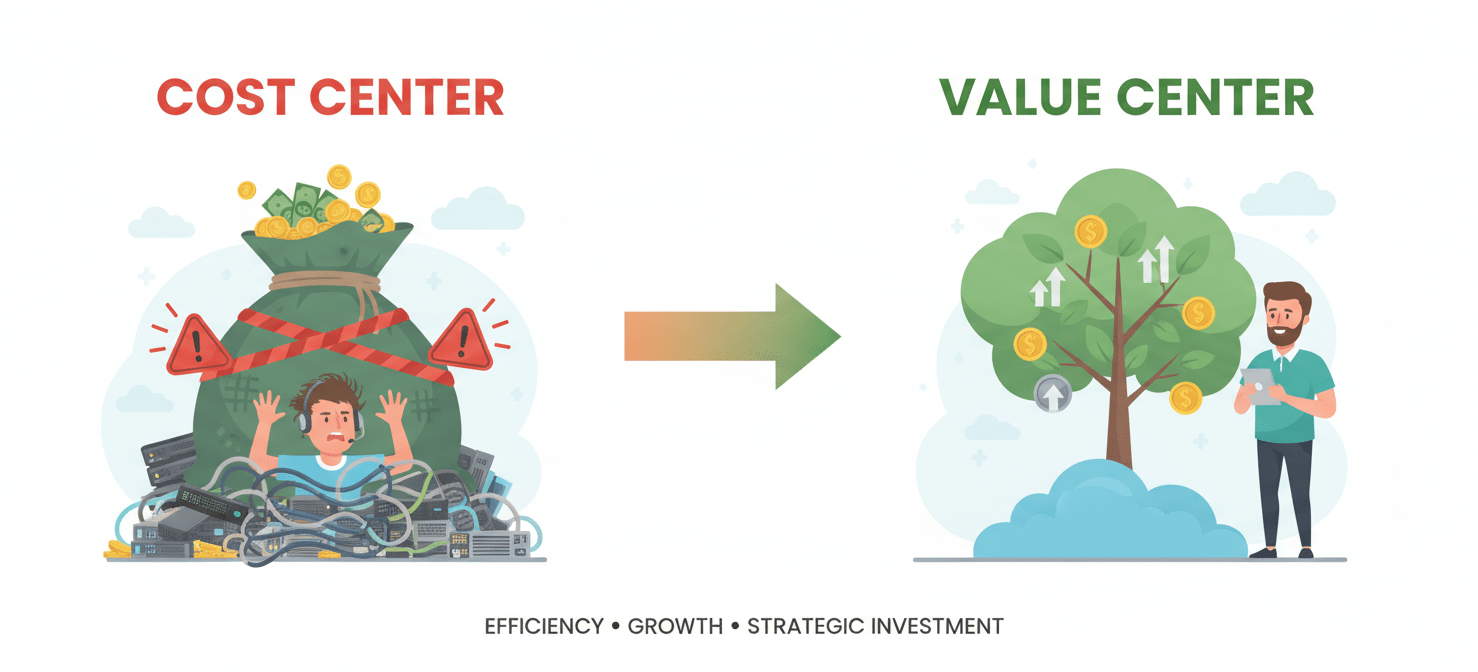
This shift requires a FinOps mindset, a cultural practice that brings financial accountability to the variable spend model of the cloud. Google Cloud defines FinOps as an operational framework that brings technology, finance, and business together to drive financial accountability and accelerate business value realization. It’s about making cost a first-class metric, alongside performance and reliability. When your teams understand the cost implications of their architectural decisions, they can make smarter trade-offs between speed, features, and budget.
The core principles involve making cloud spending visible, allocating costs to the teams that incur them, and continuously optimizing for efficiency. By doing so, you transform your engineering organization from a reactive cost center into a proactive value center, directly contributing to the company’s bottom line.
The “Who”: Establishing Clear Ownership and Accountability
Accountability is the bedrock of any successful cost management strategy. Without clear ownership, cloud bills become a tragedy of the commons, where every team assumes someone else is responsible for the ever-growing invoice.
Structuring Projects and Labels for Clarity
Your first step is to impose order on the chaos. In GCP, this means a logical project structure and a mandatory labeling policy.
- Projects as Boundaries: Whenever possible, assign distinct projects to different teams or applications. This provides a clean, high-level separation of costs right out of the box. A developer working on the “payments-api” should operate within the
payments-api-devproject, not a shared “development” dumping ground. - Labels for Granularity: Labels are key-value pairs that you attach to resources like Compute Engine instances or BigQuery datasets. They are essential for slicing and dicing costs when a single project houses multiple services or environments. A consistent labeling strategy is the foundation for accurate cost allocation and chargeback.
At a minimum, enforce the following labels on all resources:
| Label Key | Purpose | Example Values |
|---|---|---|
team |
Identifies the owning team | backend, data-science, platform-eng |
environment |
Specifies the deployment stage | production, staging, development |
application |
Names the specific service or app | user-auth-service, product-recs-pipeline |
Empowering Teams with Budgets and Alerts
Once you can attribute every dollar of spend, you can assign ownership. The goal is not to micromanage but to provide visibility and guardrails.
Create a budget for each project or team. GCP allows you to set budgets that trigger alerts when spending reaches certain thresholds (e.g., 50%, 90%, and 100% of the budgeted amount). These alerts should not just go to a central finance alias. Instead, route them directly to the engineering team responsible for that budget. This creates a tight feedback loop, enabling developers to see the immediate impact of their actions and self-correct.
For non-production environments, you can go a step further. Use programmatic notifications to trigger a Cloud Function that can automatically disable billing or shut down resources when a budget is exceeded, effectively preventing developer overspending in GCP. This automated governance ensures that experiments and development work don’t lead to unexpected financial surprises.
The “How”: Tactical GCP Cost Management for Engineering Teams
With a framework for ownership in place, you can focus on tactical optimization. This is a continuous process, not a one-time project. The most significant gains come from a few key areas.
Right-Sizing and Eliminating Waste
Over-provisioning is one of the biggest sources of cloud waste. Developers, often working under tight deadlines, will provision resources for peak load and then move on. Your job is to instill a process of continuous rightsizing.
- Compute Engine: Use the Idle VM Recommender in the GCP console to identify and shut down unused instances. For active VMs, analyze their utilization metrics. If a machine’s CPU rarely exceeds 20%, it’s a prime candidate for a smaller machine type.
- Google Kubernetes Engine (GKE): Implement cluster autoscaling to automatically adjust the number of nodes based on workload. Furthermore, use vertical pod autoscaling to right-size the CPU and memory requests for your containers.
- BigQuery: Optimize queries to process less data. Avoid
SELECT *and instead specify only the columns you need. Use partitioned and clustered tables to reduce the amount of data scanned by each query.
Scheduling and Lifecycle Management
Not all resources need to run 24/7.
- Shut Down Non-Production Resources: Development and staging environments are often only needed during business hours. Automate shutdown and startup schedules for these resources to save up to 60-70% of their cost.
- Manage Storage Tiers: Not all data is created equal. Use Cloud Storage lifecycle policies to automatically transition older, less-frequently accessed data to cheaper storage classes like Nearline or Coldline. This simple automation can significantly reduce storage costs without manual intervention.
Leveraging Discounts
Once you have eliminated waste and optimized usage, you can lock in savings with discounts.
- Sustained-Use Discounts (SUDs): GCP automatically applies these discounts to Compute Engine resources that run for a significant portion of the billing month. No commitment is required.
- Committed-Use Discounts (CUDs): For predictable, steady-state workloads (like your core production services), you can purchase one- or three-year CUDs for significant savings—up to 57% or more. Analyze your usage patterns with the CUD analysis reports to make informed commitment decisions.
The “What”: Tools and Processes for Continuous Governance
Effective cost management requires the right tools and repeatable processes. Your goal is to make cost an integral part of your team’s workflow.
Native GCP Tools
Start with the tools Google provides. They are powerful and require no additional investment.
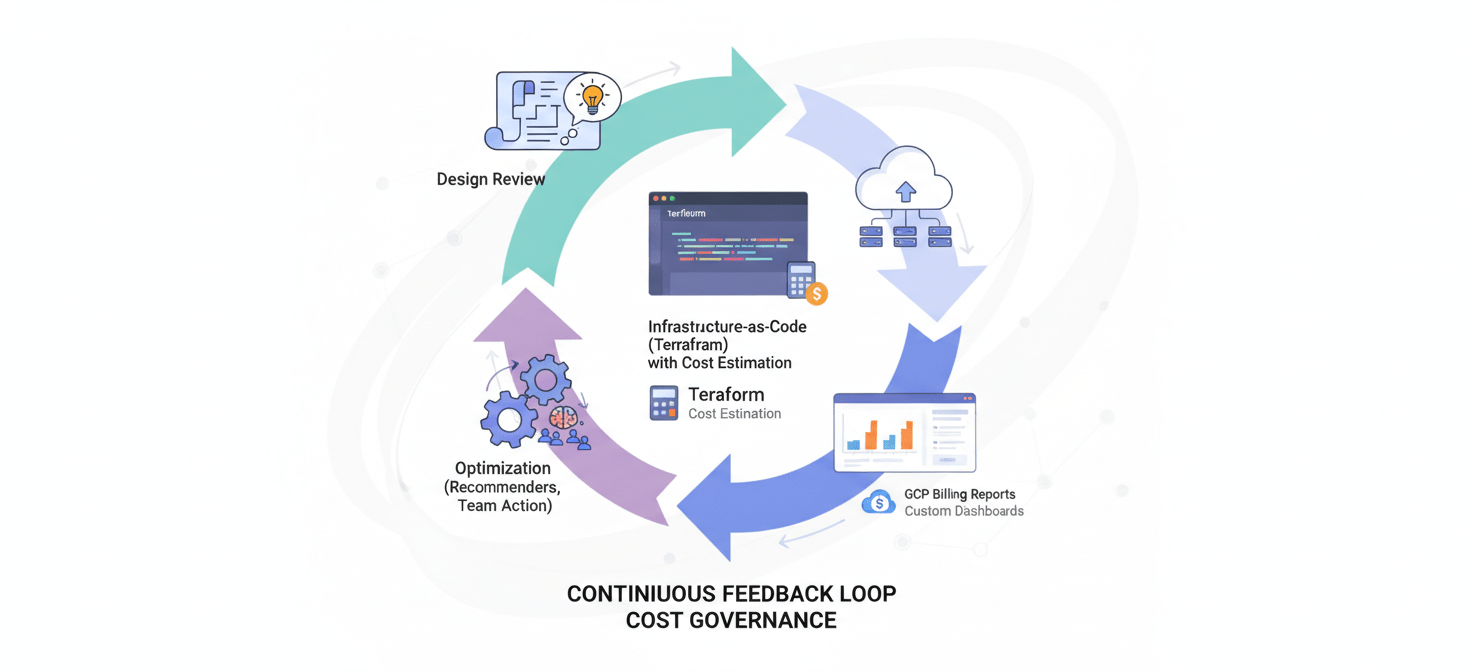
- Billing Reports: Use the built-in dashboards to get an at-a-glance view of your spending trends. Filter by project, service, and label to understand cost drivers.
- Cost Recommenders: The Recommender Hub actively provides suggestions for identifying idle resources, rightsizing instances, and purchasing CUDs. Make reviewing these recommendations a regular part of your operational cadence.
- Billing Data Export: For the most granular analysis, export your detailed billing data to BigQuery. This allows you to write custom SQL queries to track unit costs (e.g., cost per customer, cost per transaction) and build custom dashboards that align with your business KPIs.
Integrating Cost into Engineering Workflows
Embed cost considerations directly into your team’s processes.
- Design Reviews: Make cost an explicit part of architectural design reviews. Ask questions like: “What is the estimated monthly cost of this new service?” and “Have we considered a serverless alternative to reduce idle costs?”
- Pull Requests: For infrastructure-as-code changes (e.g., Terraform), use tools that can estimate the cost impact of a proposed change and add it to the pull request. This makes cost visible before a single resource is provisioned.
- Dashboards and Reporting: Create team-specific dashboards showing their current spend against their budget. Celebrate teams that stay on track and innovate on cost efficiency. This positive reinforcement helps build the right culture.
Conclusion
Managing cloud spend can feel like trying to drink from a firehose. However, by implementing a systematic approach, you can gain control. Effective GCP cost management for engineering teams is not about saying “no.” It’s about creating a system of visibility, accountability, and continuous optimization that empowers your engineers to make smart, cost-aware decisions. By establishing clear ownership through projects and labels, providing guardrails with budgets and alerts, and embedding cost analysis into your core engineering workflows, you can stop chasing runaway bills. Instead, you can start managing your cloud spend as the strategic asset it is—a lever for building efficient, profitable products at scale. The bill will always come, but it no longer has to be a surprise.
To truly transform your GCP spend into a strategic asset, consider how Binadox can provide the visibility and control your team needs; you can easily create your free Binadox account to get started or book a demo to see its full capabilities.
 7-day free trial