



Microsoft 365 is a core part of daily operations for many businesses. As a result, any change in its pricing structure requires careful consideration. The recent M365 monthly price increase, introduced with the New Commerce Experience (NCE), has prompted many organizations to re-evaluate their licensing strategy. This shift fundamentally alters the cost difference between monthly flexibility and annual commitment, making a strategic approach more critical than ever.
Key takeaways
- A 20% Premium for Flexibility: Opting for a month-to-month M365 subscription now costs about 20% more than committing to an annual term.
- Blend Commitments: You can mix annual and monthly subscriptions to balance cost savings on core staff with flexibility for seasonal or temporary roles.
- License Audits are Crucial: Regularly auditing your M365 licenses to identify inactive or over-licensed users can uncover significant savings.
- 7-Day Adjustment Window: Annual subscriptions can only be canceled or have seat counts reduced within the first seven days of the term.
What is the M365 Monthly Price Increase?
The M365 monthly price increase is a pricing policy change by Microsoft tied to its New Commerce Experience (NCE) platform. Under NCE, customers who choose to pay for their Microsoft 365 subscriptions on a month-to-month basis pay a 20% premium compared to those who commit to an annual term.

This change affects most Microsoft 365 and Office 365 commercial plans. The primary goal is to incentivize longer-term commitments. While you can still pay your annual commitment in monthly installments, the underlying contract is for a full year.
The key difference lies in commitment versus flexibility.
- Monthly Term: Offers the ability to increase or decrease license counts each month, but at a significant cost premium.
- Annual Term: Locks in pricing for 12 months, protecting you from intermittent price hikes. You can add seats anytime, but you cannot reduce the number of licenses until the anniversary of your agreement.
Why Did Microsoft Make This Change?
Microsoft introduced the New Commerce Experience (NCE) to simplify and standardize its licensing processes across its customer base and partner network. The previous model offered a high degree of flexibility without a corresponding cost, which the NCE aims to balance.

The rationale behind the price difference between office 365 annual vs monthly plans is to create more predictable revenue streams and reward customers for long-term loyalty. By offering a significant discount for an annual commitment, Microsoft encourages customers to plan their licensing needs more strategically. This aligns the Cloud Solution Provider (CSP) program more closely with its traditional Enterprise Agreements, which have always been based on longer-term commitments.
This move also streamlines the sales and management process for Microsoft and its partners. It provides clearer choices for customers: pay a premium for the convenience of monthly adjustments or commit for a year to secure a lower price.
How to Assess Your Licensing Needs
Before you can decide on the right mix of monthly and annual licenses, you need a clear picture of your organization’s usage. A thorough license audit is the essential first step.
Conduct a Comprehensive Audit
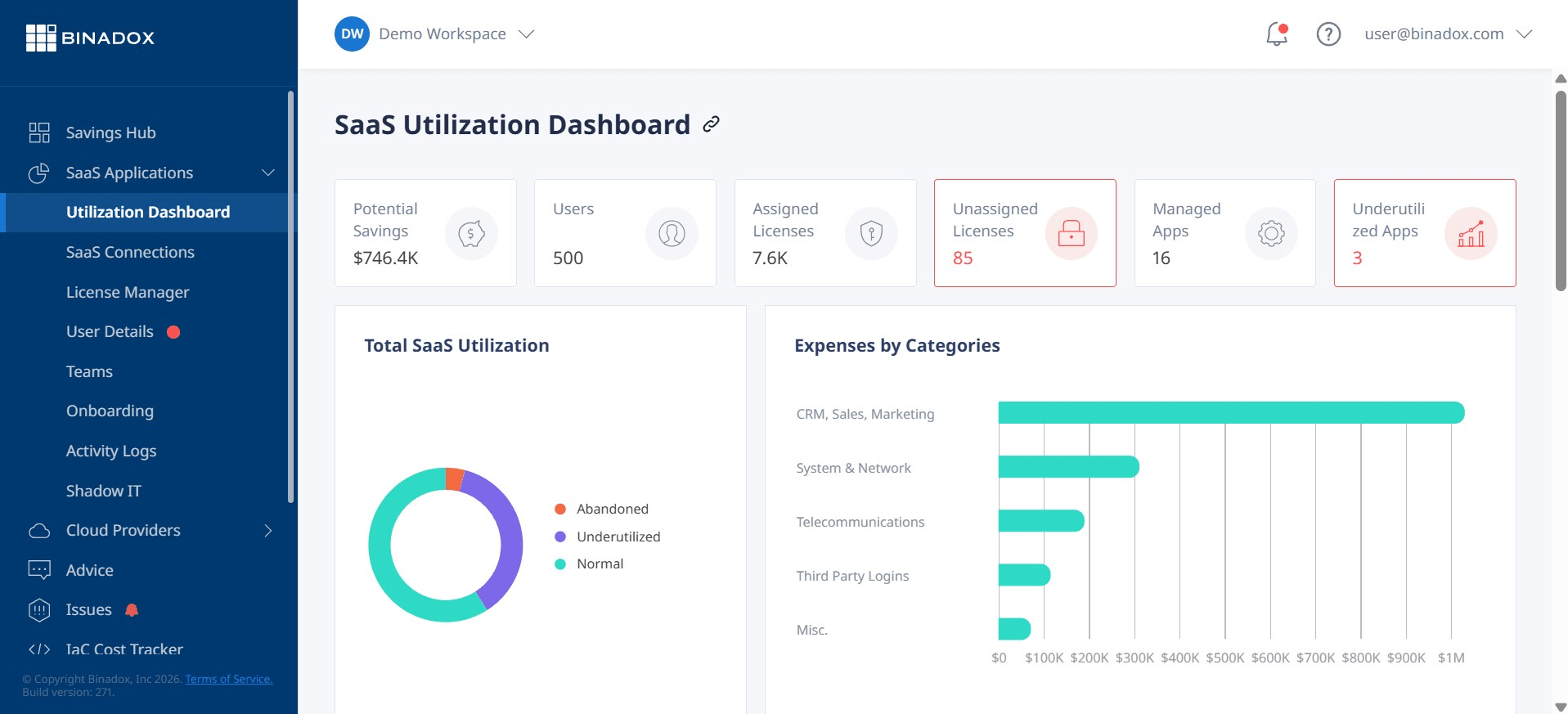
Start by identifying all assigned licenses within your Microsoft 365 admin center. The goal is to uncover three common types of waste:
- Inactive Licenses: These are licenses assigned to users who have left the company or are no longer active. Many organizations find that licenses are not always reclaimed during the offboarding process.
- Unassigned Licenses: These are licenses you are paying for that haven’t been assigned to any user.
- Oversized or Mismatched Licenses: This is often the largest source of hidden waste. It occurs when an employee is assigned a premium license (like an E5) but only uses the features available in a less expensive plan (like an E3 or Business Premium).
Analyze Usage and Align with Roles
Once you have the raw data, analyze how employees are actually using the services. Different roles have different needs. A frontline worker may only need basic email and Teams access, while a data analyst might require the advanced features of Power BI Pro, which is included in more expensive plans.
Map your employee roles to specific license types. This role-based approach helps you avoid overprovisioning and ensures you only pay for the capabilities your teams actually need. For example, temporary workers or contractors might only require an Exchange Online license for a mailbox instead of a full suite.
Strategic Options for Managing the Cost Increase
With a clear understanding of your licensing needs, you can now explore strategies to mitigate the impact of the M365 monthly price increase.
Embrace the Annual Commitment for Core Staff
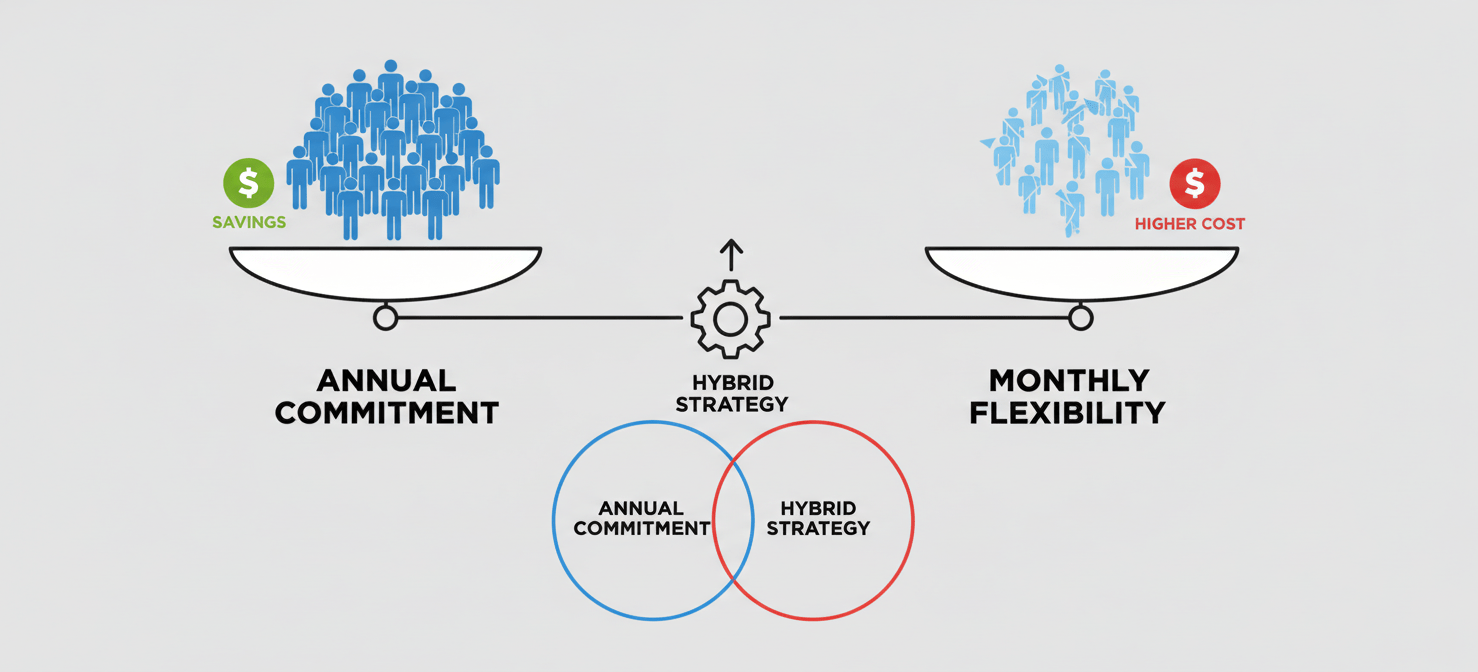
For the majority of your permanent, full-time employees, an annual commitment is the most cost-effective choice. These roles are stable, and you can confidently predict the need for these licenses over a 12-month period. Committing these users to an annual term immediately saves you the 20% monthly premium. This also provides price protection for the entire year, making your budget more predictable.
Use a Hybrid Approach
You don’t have to choose one or the other. The most effective strategy for many businesses is a hybrid model.
- Place your stable, core workforce on annual subscriptions to maximize savings.
- Keep a smaller pool of licenses on monthly terms for seasonal workers, temporary staff, or roles with high turnover.
This blended approach allows you to balance cost savings with necessary flexibility. For instance, if you have 100 full-time employees and hire 20 seasonal workers for three months, you would place the 100 on an annual plan and the 20 on a monthly plan, canceling them when they are no longer needed.
Implement Ongoing Governance
License optimization is not a one-time project; it’s an ongoing process. Establish regular reviews—quarterly or semi-annually—to audit licenses and adjust your strategy. As your business changes, your licensing needs will evolve. Continuous governance prevents waste from creeping back into your budget.
How to Handle the M365 Monthly Price Increase with a Partner
Navigating the Microsoft 365 new commerce experience can be complex. Working with a Microsoft Cloud Solution Provider (CSP) partner can simplify the process and unlock additional value. A good partner does more than just resell licenses; they provide strategic guidance.

Your partner should help you conduct a detailed license audit and analysis. They have the tools and expertise to identify underutilized licenses and recommend more cost-effective alternatives. Furthermore, they can manage the procurement and renewal process, ensuring you are on the optimal plan mix before your anniversary dates.
A partner can also provide a single point of contact for billing and support, saving your IT team valuable time. When choosing a partner, look for one that focuses on providing value-added services and strategic advice, not just processing transactions.
Conclusion
The M365 monthly price increase is a significant change, but it doesn’t have to translate into a major budget headache. It simply requires a more deliberate and strategic approach to license management. By understanding the new rules of the Microsoft New Commerce Experience, you can make informed decisions. First, conduct a thorough audit to understand what your team actually uses. Next, move your stable workforce to annual plans to secure significant savings. Then, use a smaller number of flexible monthly licenses for roles that fluctuate. This balanced strategy allows you to control costs without sacrificing necessary agility. Ultimately, handling the M365 monthly price increase is less about accepting higher costs and more about smarter management.
To truly master your M365 costs and implement a smarter management strategy, consider how a dedicated platform can help; you can easily book a personalized demonstration to explore its features or begin your no-cost Binadox evaluation to start optimizing your licenses today.
 7-day free trial