



As an engineering manager, you own the technical and financial outcomes of your team’s decisions. While Amazon RDS simplifies database management, its pay-as-you-go flexibility can quickly lead to significant, unexpected costs without a deliberate strategy. Effective RDS cost governance is not about slashing budgets or stifling innovation; instead, it’s a framework for ensuring every dollar spent on database resources delivers maximum value. This requires instilling a culture of cost awareness and implementing processes that link cloud expenditure directly to engineering activities and business objectives.
Key takeaways
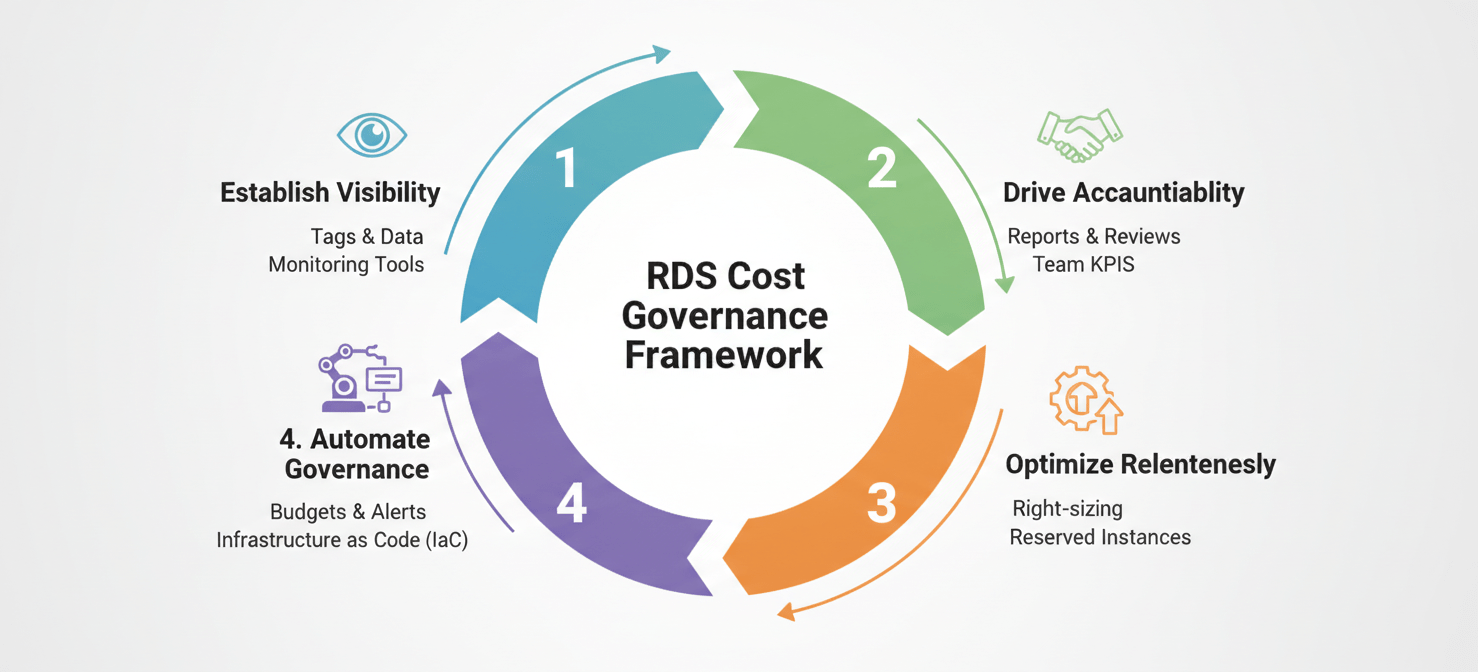
- Implement a 4-step governance framework: A structured approach built on visibility, accountability, optimization, and automation is essential for sustained cost control.
- Right-sizing is a continuous process: Regularly analyze instance performance over a 60-90 day period to match resources to actual workload, preventing costly overprovisioning.
- Leverage cost allocation tags: Consistent tagging is the foundation of accountability, allowing you to attribute RDS costs to specific teams, projects, or features.
- Automate guardrails: Use tools like AWS Budgets to set spending limits and trigger automated actions, such as stopping non-production instances, to prevent overspending before it occurs.
The High Cost of Unmanaged RDS Instances
The convenience of RDS—launching a production-ready database in minutes—is also its primary financial risk. Without strong governance, engineering teams can inadvertently accumulate significant costs through idle instances, overprovisioned resources, and unmanaged snapshots. These costs often fly under the radar until they appear on a monthly invoice, forcing reactive, and often disruptive, cleanup efforts.
The impact of unmanaged RDS spend extends beyond the direct financial outlay. Every dollar wasted on an oversized or unnecessary database is a dollar not invested in innovation, headcount, or strategic projects. Furthermore, a lack of cost discipline can obscure the true cost of running a feature or service, leading to poor architectural decisions and an inaccurate understanding of your product’s profitability. For an engineering manager, this translates to reduced team velocity, strained budgets, and difficulty in demonstrating the ROI of your engineering efforts.
Why RDS Costs Spiral Out of Control
Understanding the root causes of escalating RDS costs is the first step toward effective management. These issues are rarely malicious; instead, they are the natural result of teams prioritizing development speed without a corresponding focus on financial accountability.
Overprovisioning in the Name of Safety
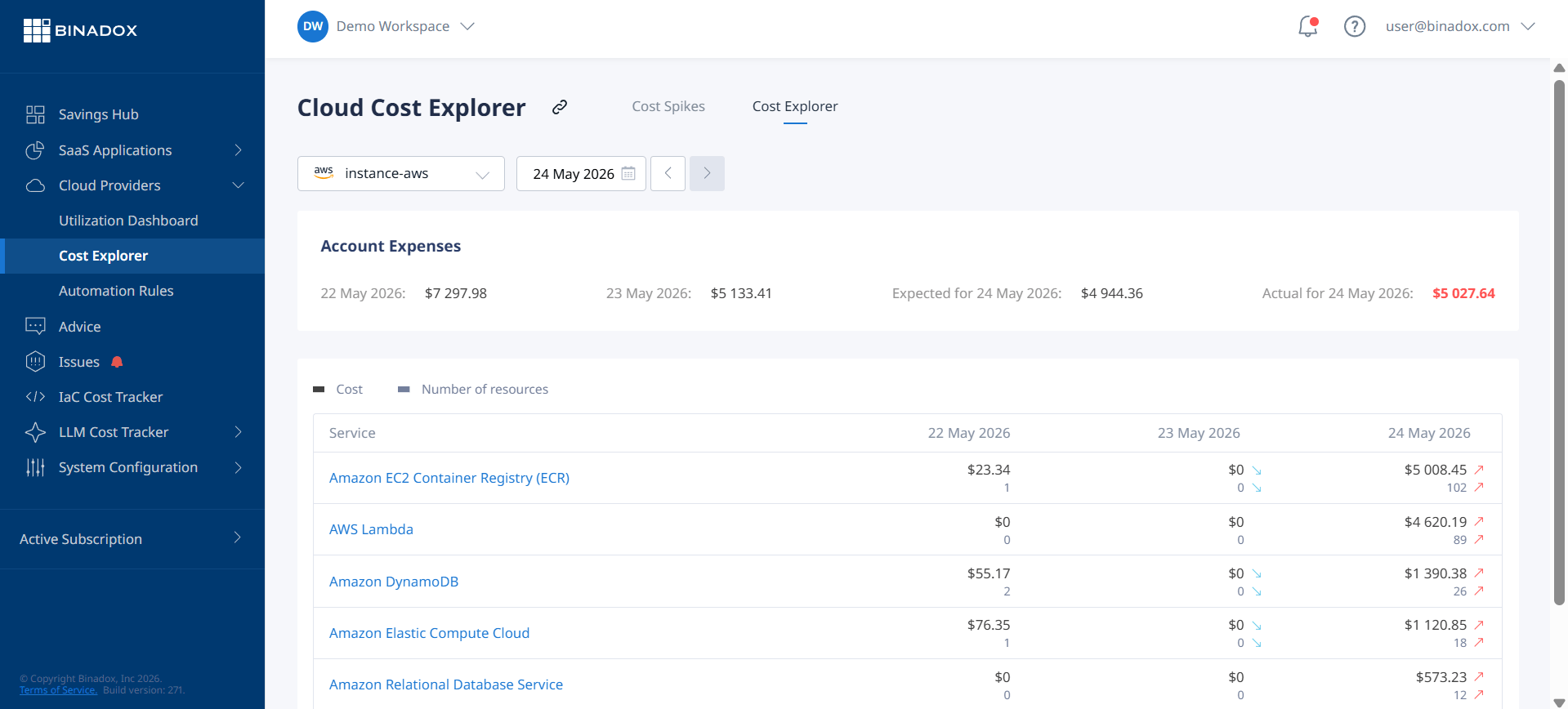
A primary driver of excess cost is the tendency to overprovision resources. Engineers, focused on ensuring application performance and availability, will often select larger instance sizes than necessary to avoid potential bottlenecks. While well-intentioned, this “just-in-case” approach leads to chronically underutilized CPUs and memory, meaning you are paying for capacity that is never used. The most common mistake is using a memory-optimized (R-family) instance when a general-purpose (M-family) one would suffice, effectively paying a premium for idle RAM.
Idle and “Zombie” Resources
Development, staging, and proof-of-concept instances are notorious sources of cost leakage. These resources are often created for a specific purpose and then forgotten, continuing to accrue charges for months. Similarly, automated and manual snapshots can accumulate, with backup storage costs adding up quietly over time. Without clear ownership and automated cleanup processes, these “zombie” assets become a persistent drain on your budget.
Lack of Clear Ownership
When no single team or individual is responsible for the cost of a database, there is little incentive to manage it efficiently. Shared databases or instances created without clear project attribution fall into a gray area of accountability. This diffusion of responsibility makes it nearly impossible to track costs back to their source, hindering any effort to build a culture of aws cost accountability.
A 4-Step Framework for Effective RDS Cost Governance
A systematic approach is required to bring spending under control and align it with business goals. This framework provides a clear, iterative path for engineering managers to establish durable RDS cost governance.
1. Establish Visibility with Tagging
You cannot control what you cannot see. The first step is to gain granular visibility into your RDS spending. This is achieved through a consistent and enforced tagging strategy. Tags are simple key-value pairs that you attach to AWS resources, allowing you to categorize costs by project, team, environment, or application.
Start by defining a mandatory set of tags for all new RDS instances, such as:
team: The engineering team responsible for the resource.project: The specific project or service the database supports.environment: (e.g.,prod,dev,staging).owner: The individual engineer who provisioned the resource.
Once implemented, you must activate these user-defined tags in the AWS Billing and Cost Management dashboard to use them for cost allocation. This allows you to filter and group costs in AWS Cost Explorer, creating detailed reports that attribute spending directly to the teams and projects incurring it.
2. Drive Accountability Through Reporting
With visibility established, the next step is to create accountability. This involves translating the data from Cost Explorer into regular, actionable reports for your teams. Schedule monthly or bi-weekly reviews where you discuss RDS spending with your team leads.
The goal of these meetings is not to assign blame but to foster awareness and ownership. Frame the conversation around efficiency and value. For example, instead of asking why a team’s costs are high, ask if the resources provisioned are delivering a proportional amount of business value. This shifts the focus from pure cost-cutting to a more strategic conversation about resource optimization and engineering manager cloud costs.
3. Optimize Relentlessly
Optimization is an ongoing process, not a one-time project. It involves regularly reviewing your RDS fleet and making data-driven decisions to improve efficiency.
Right-Sizing Instances
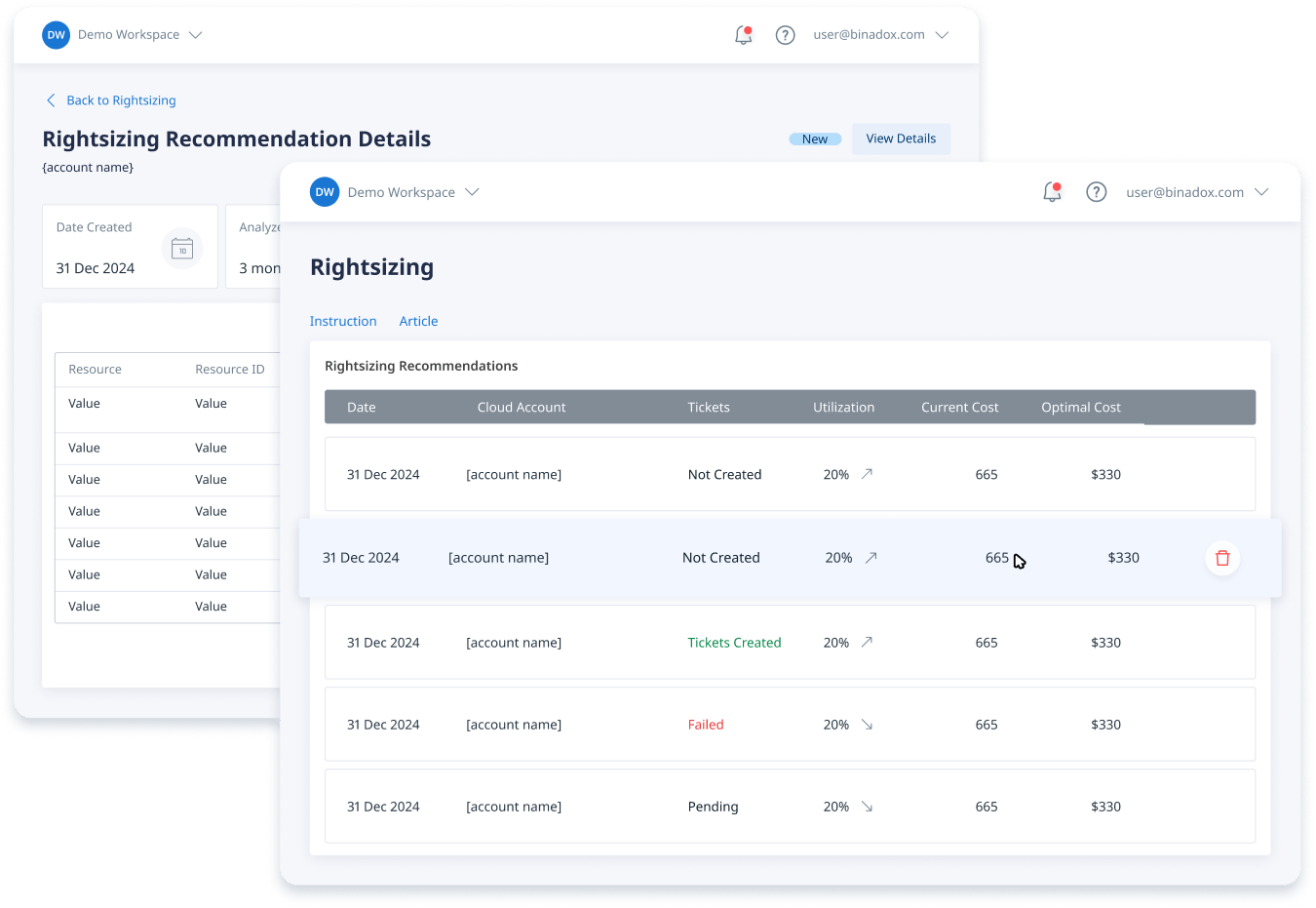
Continuously analyze key metrics like CPU and memory utilization to identify overprovisioned instances. A common best practice is to identify instances where maximum CPU utilization has remained below 40% over a four-week period as candidates for downsizing. This process, known as right-sizing, ensures you are only paying for the resources your workload truly requires.
Adopt Modern Architectures
Migrating from older x86-based instances to AWS Graviton processors can yield significant price-performance benefits, often providing better performance at a lower cost. For open-source databases like PostgreSQL and MySQL, this is a low-risk migration that can permanently lower your cost base.
Choose the Right Pricing Model
For databases with predictable, steady-state workloads, On-Demand pricing is often the most expensive option. AWS offers commitment-based pricing models that provide significant discounts:
- Reserved Instances (RIs): Offer the largest discounts (up to 69%) but require a commitment to a specific instance family, region, and term (1 or 3 years). They are ideal for stable, production databases.
- Database Savings Plans: Provide more flexibility, offering a discount in exchange for a commitment to a certain amount of hourly spend. These plans automatically apply to different instance families and regions, making them a good choice for more dynamic workloads.
4. Automate Governance and Control
Manual governance doesn’t scale. To ensure long-term success, you must automate cost control mechanisms and embed them into your team’s daily workflows.
Set and Enforce Budgets
Use AWS Budgets to set spending thresholds for specific projects, teams, or accounts. You can configure alerts to notify stakeholders when costs are forecasted to exceed the budget. More powerfully, you can configure budget actions to automatically enforce your policies, such as stopping specific non-production RDS instances when a threshold is breached.
Enable Storage Autoscaling
Running out of disk space can cause a critical outage. To prevent this, enable RDS Storage Auto Scaling. This feature automatically increases your allocated storage when it detects you are running low, preventing downtime without manual intervention. However, it’s crucial to set a maximum storage threshold to prevent runaway costs from a bug or unexpected workload.
Tools and Automation for Cost Control
AWS provides a suite of tools designed to help you implement and manage your cost governance framework.
AWS Native Tools
- AWS Cost Explorer: Your primary tool for visualizing, understanding, and managing your AWS costs. It allows you to filter and group data by your cost allocation tags to see exactly where money is being spent.
- AWS Budgets: Allows you to set custom cost and usage budgets and receive alerts when thresholds are exceeded. Its ability to trigger automated actions is key for proactive governance.
- AWS Trusted Advisor: This service acts as an automated consultant, scanning your AWS environment and providing recommendations across several categories, including cost optimization. It can identify idle RDS instances, underutilized resources, and recommend Reserved Instance purchases to save money.
Infrastructure as Code (IaC)
Incorporate your governance policies directly into your infrastructure provisioning process. Using tools like Terraform or AWS CloudFormation, you can enforce mandatory tagging on all new RDS instances. This ensures that no resource is ever created without clear ownership and cost attribution, making governance an automated part of your deployment pipeline.
Conclusion
Effective RDS cost governance is not a separate, administrative task; it is an integral part of engineering leadership. It transforms cloud cost from an unpredictable operational expense into a managed, strategic investment. By establishing clear visibility through tagging, fostering a culture of ownership, continuously optimizing for efficiency, and automating policy enforcement, you can ensure your team’s database infrastructure is both powerful and cost-effective. Ultimately, this disciplined approach to aws cost accountability frees up capital and engineering cycles, allowing you to focus on what truly matters: building and shipping great products. The alternative is to treat RDS as a utility bill you simply pay, which is a reliable way to ensure it will always be higher than it needs to be.
To truly master your RDS spend and redirect resources towards innovation, Binadox offers the tools to streamline your cost governance; you can easily create your free Binadox account to begin optimizing or arrange a personalized walkthrough to explore its advanced features.
 7-day free trial