


PagerDuty Integration
This guide explains how to connect PagerDuty to Binadox using an API access key. You will create a PagerDuty API key and use it in Binadox to complete the connection.
Open API Access Keys in PagerDuty
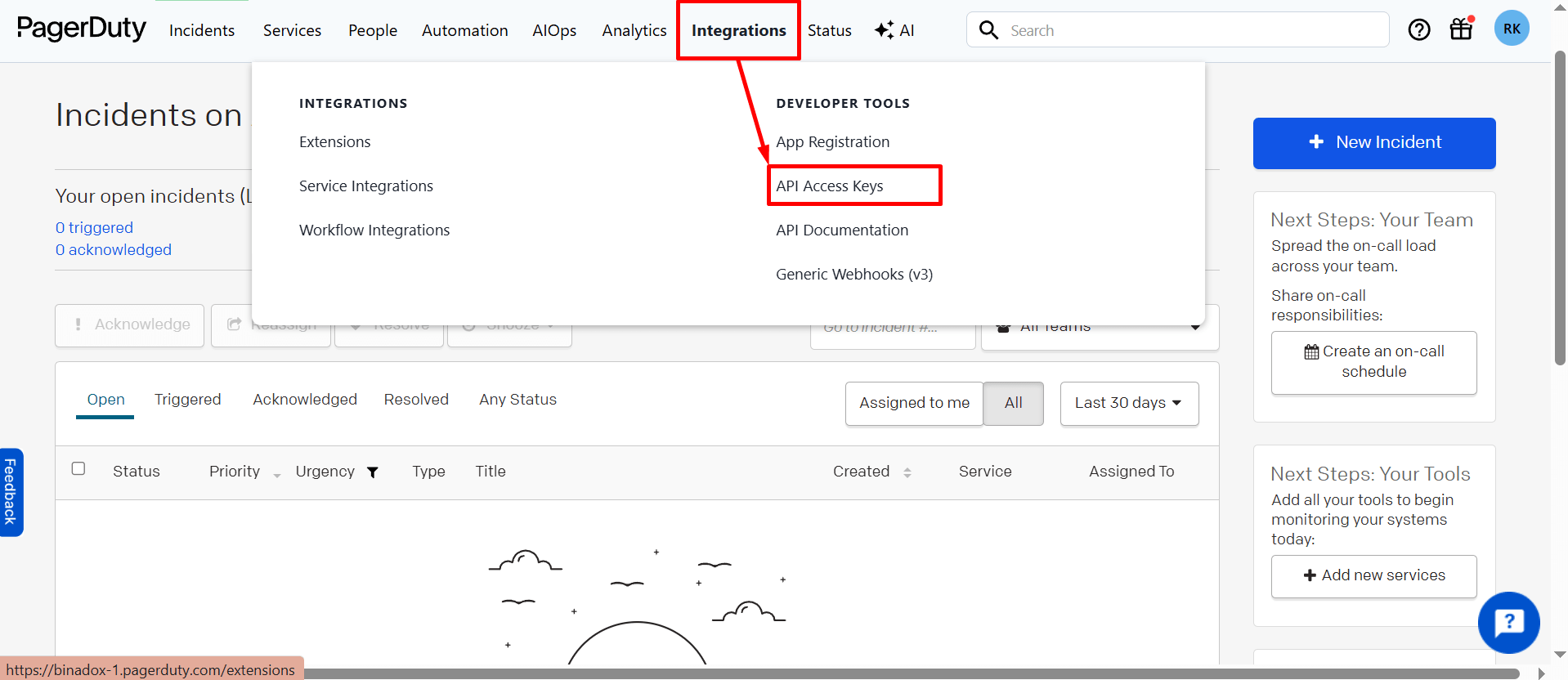
Log in to your PagerDuty account and open the top menu. Under Integrations, find Developer Tools and click API Access Keys.
Create a New API Key
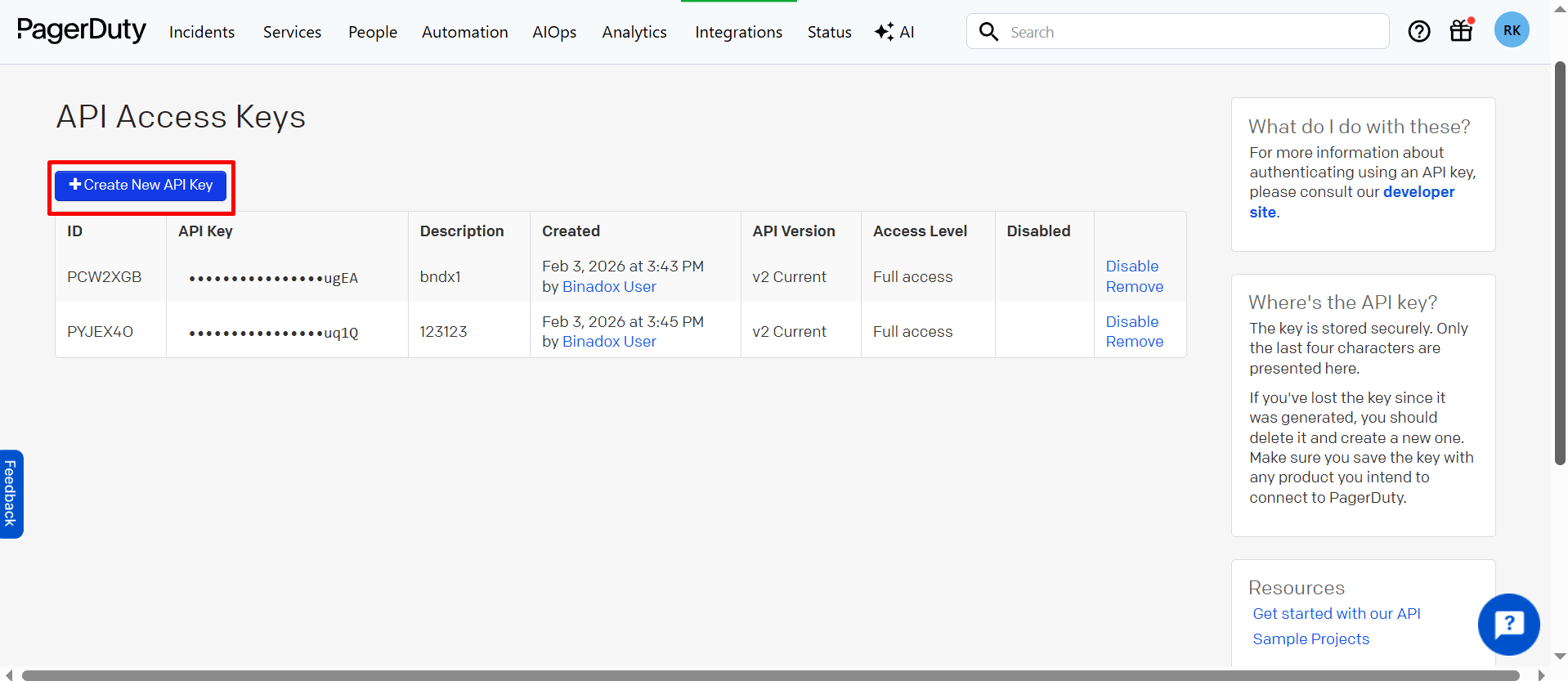
On the API Access Keys page, click Create New API Key.
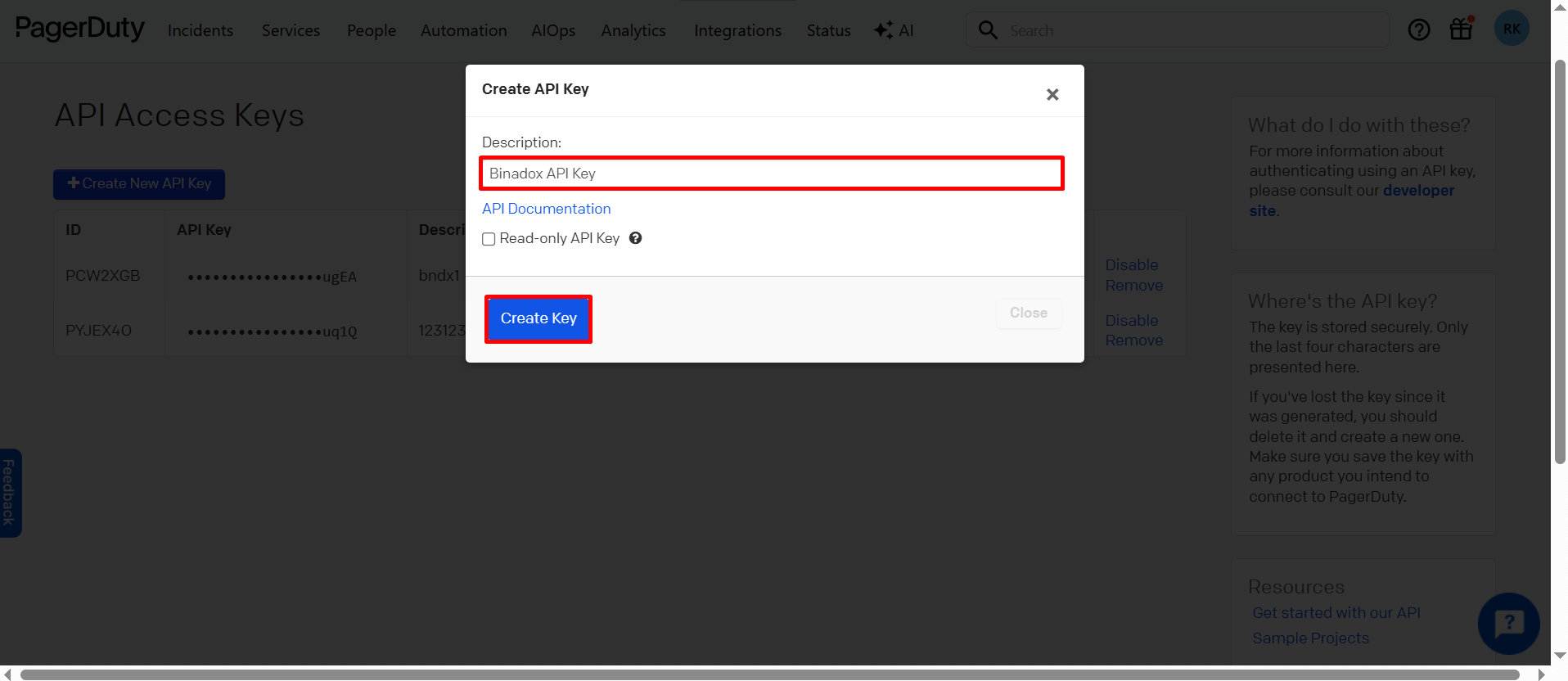
In the dialog that appears, enter a Description for the new key (for example, Binadox API Key), then click Create Key.
Copy the API key now — you will need it for Binadox.
Important:
PagerDuty will generate a new API key and display it once. The key will not be visible again after you close this window.
Connect PagerDuty in Binadox
Log in to your Binadox account. Navigate to SaaS Connections and find PagerDuty.
Enter a Connection Name.
In the API key field, paste the API key you copied from PagerDuty.
Click Connect.