



Moving to the cloud offers incredible flexibility and power, but it also introduces a new level of financial complexity. Without a clear strategy, cloud bills can quickly become unpredictable and spiral out of control. The key to harnessing the cloud’s power without breaking the budget is a thorough and ongoing cloud cost comparison. This involves not just looking at the list price of services but understanding the intricate pricing models, identifying hidden fees, and implementing strategies that align your spending with your actual usage. This guide will walk you through the essential components of managing your cloud expenses effectively.
Key takeaways
- Most organizations waste roughly 30% of their cloud budget on idle or overprovisioned resources.
- Commitment-based discounts, like Reserved Instances or Savings Plans, can reduce compute costs by up to 72% compared to on-demand pricing.
- Data transfer (egress) fees are a primary source of unexpected costs; keeping services within the same cloud region can significantly minimize these charges.
- Effective cost management follows a 3-step cycle: gain visibility through tagging, analyze spending to find waste, and take action by rightsizing and using discounts.
Understanding the Big Three: AWS vs. Azure vs. Google Cloud
The public cloud market is dominated by three major players: Amazon Web Services (AWS), Microsoft Azure, and Google Cloud Platform (GCP). While they offer similar core services, their pricing philosophies and market positions differ.
Market Landscape
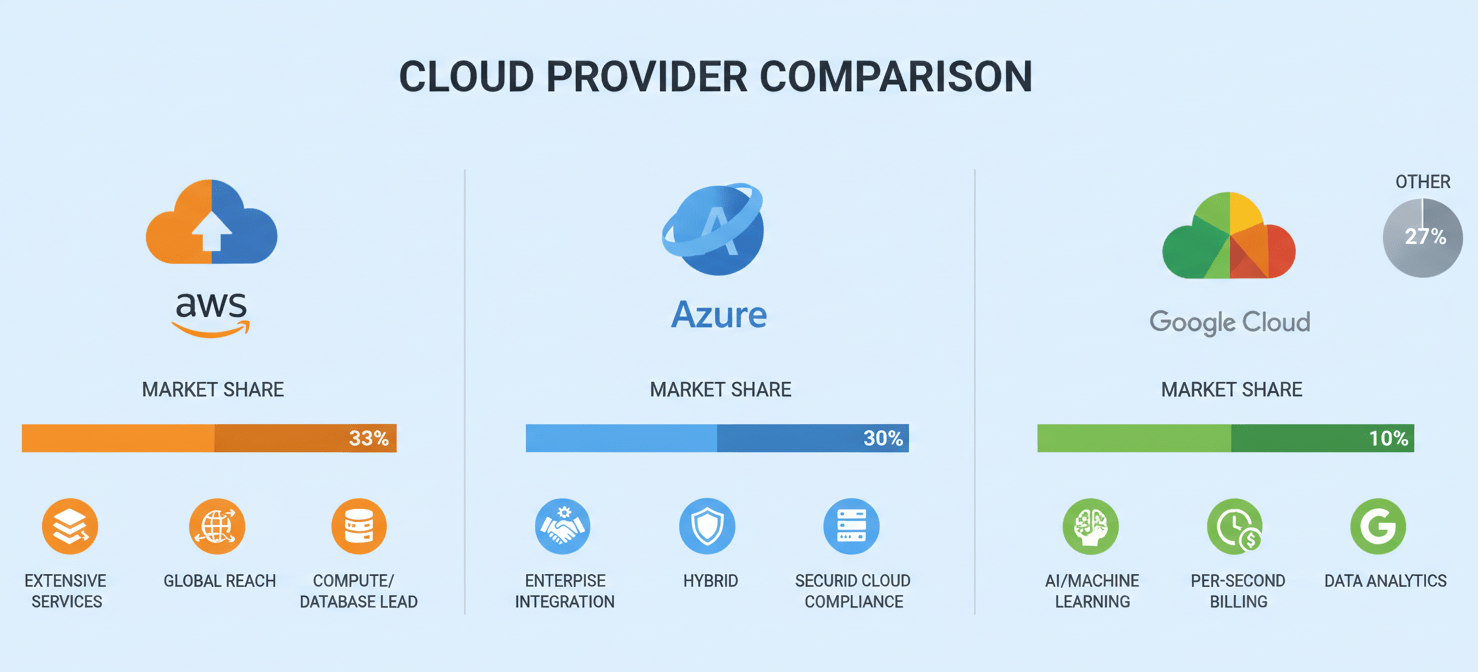
As of the first half of 2025, AWS continues to be the market leader, holding approximately 30-32% of the global cloud infrastructure market. Microsoft Azure is firmly in second place with around 20-25% market share, showing strong growth, particularly within the enterprise sector. Google Cloud holds the third position with about 11-13% of the market, recognized for its strengths in data analytics, machine learning, and Kubernetes. Together, these three providers account for over 65% of the total market.
Pricing Philosophies
- AWS: As the most mature provider, AWS has the most extensive portfolio of services. Its pricing is granular and follows a pay-as-you-go model. While this offers flexibility, the sheer number of billing dimensions can be complex to navigate.
- Microsoft Azure: Azure often appeals to enterprises already invested in the Microsoft ecosystem. It provides seamless integration with on-premises Windows Server, Office 365, and other Microsoft products, sometimes offering licensing advantages that result in lower overall costs for existing customers.
- Google Cloud: GCP often competes on price, particularly for compute and big data services. It is known for customer-friendly pricing features like per-second billing for virtual machines and automatic sustained use discounts, which apply to workloads that run for a significant portion of the month without requiring an upfront commitment.
Core Services Pricing: A Cloud Cost Comparison
A direct cloud server pricing comparison requires looking at the fundamental building blocks of any cloud environment: compute, storage, and databases. Prices vary by region, performance level, and payment model.
Compute Costs: The Engine of Your Application
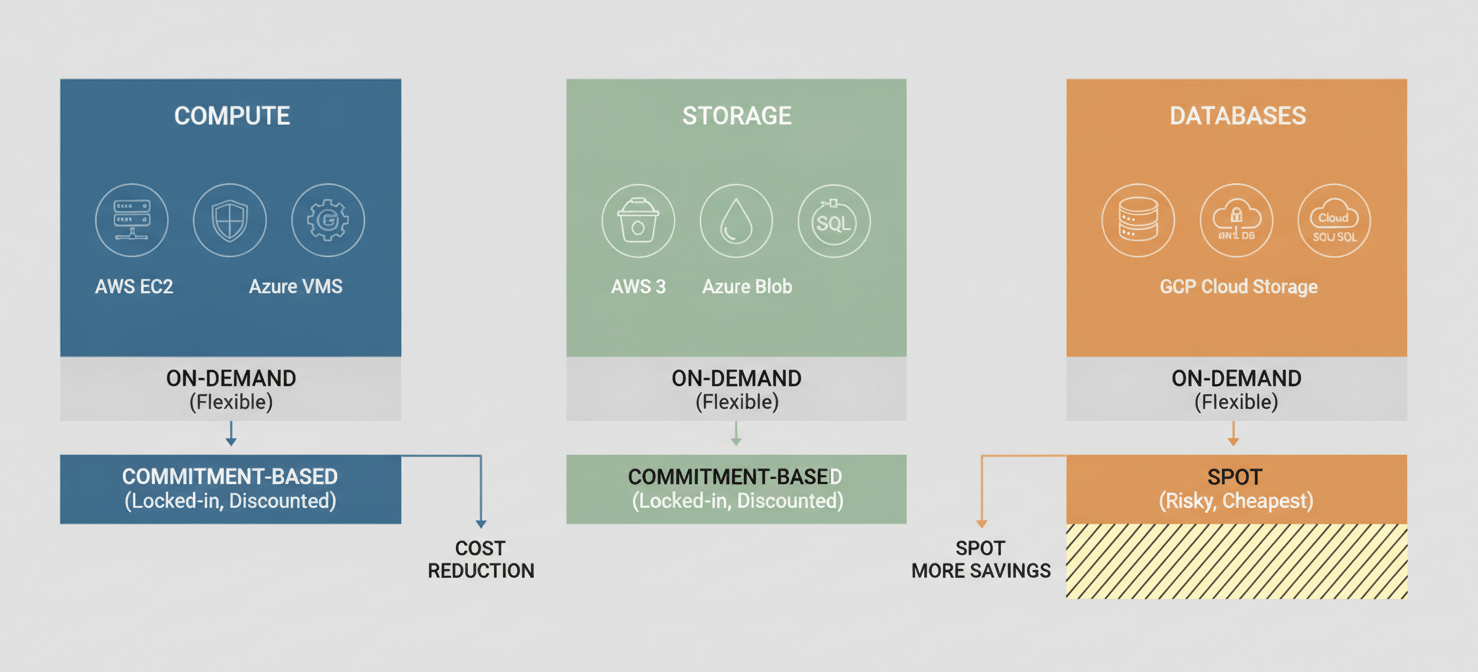
Virtual machines (VMs) are the core of most cloud deployments. They are known as EC2 in AWS, Virtual Machines in Azure, and Compute Engine in GCP.
- On-Demand Pricing: This is the standard pay-as-you-go rate, where you are billed for compute capacity by the hour or second with no long-term commitment. It offers the most flexibility but comes at the highest price. For example, a general-purpose e2-standard-4 VM in GCP’s us-central1 region (4 vCPU, 16 GB RAM) costs about $0.134 per hour.
- Commitment-Based Discounts: For predictable, long-running workloads, all three providers offer significant discounts in exchange for a one- or three-year commitment. These are known as Reserved Instances (RIs) and Savings Plans in AWS, Reservations in Azure, and Committed Use Discounts (CUDs) in GCP. These plans can reduce costs by as much as 72% compared to on-demand rates.
- Spot Instances/VMs: For fault-tolerant workloads like batch processing or data analysis, you can use spare compute capacity at a steep discount—up to 90% off on-demand prices. The catch is that the cloud provider can reclaim these resources with little to no notice.
Storage Costs: Where Your Data Lives
Object storage is a foundational service for everything from application assets to backups and data lakes. It’s called S3 in AWS, Blob Storage in Azure, and Cloud Storage in GCP.
Pricing is primarily based on the amount of data stored (per GB/month), data access frequency, and data transfer.
- Standard Storage: This tier is for frequently accessed (“hot”) data. As of 2026, Google Cloud’s standard storage starts at around $0.020 per GB/month, while AWS S3 Standard is slightly higher at $0.023 per GB/month for the first 50 TB.
- Infrequent Access: For data that is accessed less often but still needs to be readily available, “Infrequent Access” tiers offer a lower storage price but charge a per-GB retrieval fee. For example, AWS S3 Standard-IA costs about $0.0125 per GB/month.
- Archive Storage: For long-term data archiving where retrieval times of several hours are acceptable, archive tiers provide the lowest storage costs. AWS S3 Glacier Deep Archive, for instance, costs as little as $0.00099 per GB/month. However, these tiers have minimum storage duration requirements and higher retrieval fees.
Managed Database Costs
Managed database services like Amazon RDS, Azure SQL Database, and Google Cloud SQL simplify database administration but add another layer to your bill. Pricing depends on the database engine (e.g., MySQL, PostgreSQL, SQL Server), instance size (vCPU and RAM), storage, and high-availability configurations. For example, a small development instance on Google Cloud SQL might cost around $7-10 per month, while a moderate production database with high availability could be $600 or more.
Hidden Costs and How to Find Them
A simple cloud computing cost comparison based on list prices for VMs and storage is often misleading. Several “hidden” costs can inflate your monthly bill if not managed carefully.
Data Transfer Fees
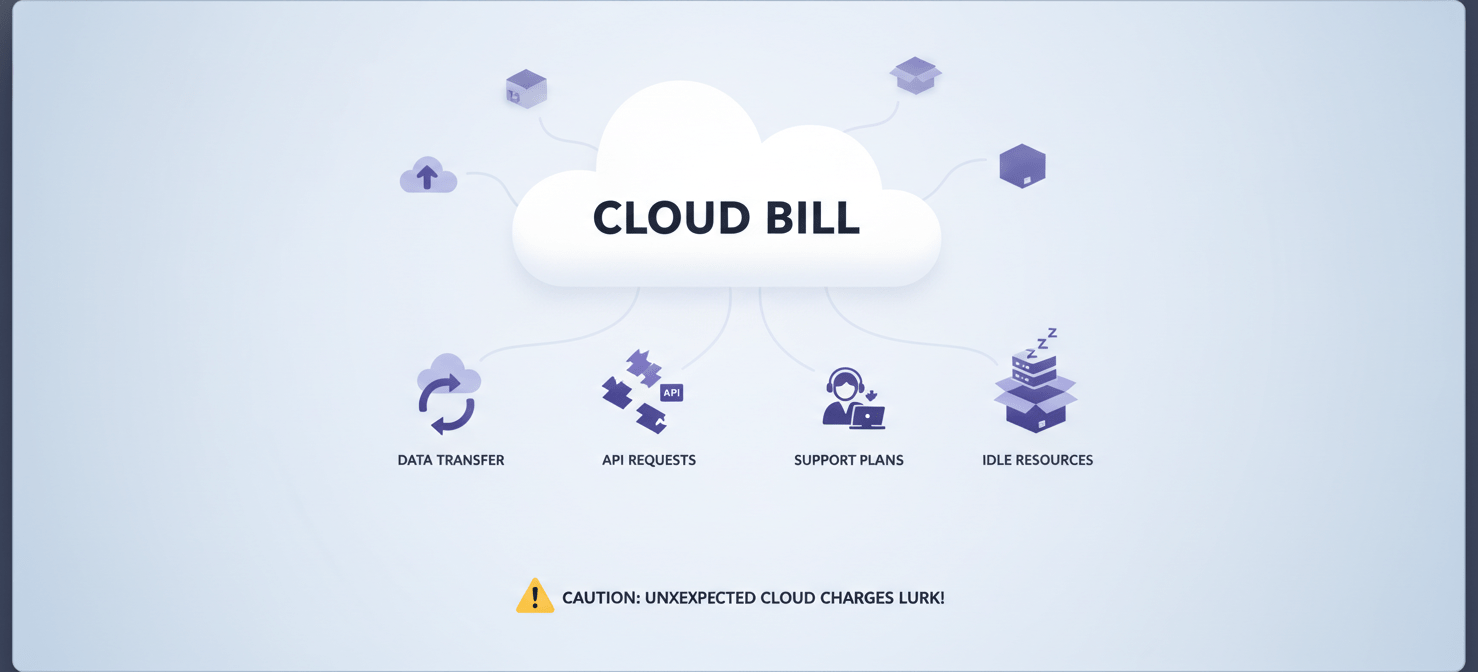
While inbound data transfer (ingress) is almost always free, getting data out of the cloud (egress) is not. These fees are a common source of bill shock.
- Internet Egress: Transferring data from the cloud to the public internet is the most expensive type of data transfer. Costs are tiered, typically starting around $0.09 per GB for the first 10 TB per month.
- Inter-Region Transfer: Moving data between different cloud regions (e.g., from US East to US West) also incurs costs. This is a critical consideration for designing disaster recovery and globally distributed applications.
- Intra-Region Transfer: Even moving data between different availability zones within the same region can have associated costs, though they are much lower than inter-region fees.
API Requests and Operations
Interacting with cloud services, especially storage, involves API calls (e.g., PUT, GET, LIST requests). While the cost per request is minuscule (e.g., $0.005 per 1,000 PUT requests for AWS S3), they can add up to a significant amount for applications that perform millions or billions of operations per month.
Support Plans
All major cloud providers offer a free basic support tier, but for business-critical workloads, a paid support plan is essential. These plans offer faster response times and access to technical experts. Costs can range from a percentage of your monthly cloud spend to a fixed monthly fee, adding a significant and often overlooked operational expense.
Idle and Underutilized Resources
One of the most significant sources of wasted cloud spend comes from “zombie” resources—VMs that are left running unnecessarily, unattached storage volumes, and old snapshots. Similarly, overprovisioned resources—VMs that are sized much larger than what the workload requires—mean you are paying for capacity you don’t use. Most organizations waste an estimated 30% of their cloud spend on these issues.
Strategies for Predictable Cloud Spending
Achieving predictable cloud spending is not about finding the cheapest provider; it’s about implementing disciplined financial management practices, often called FinOps.
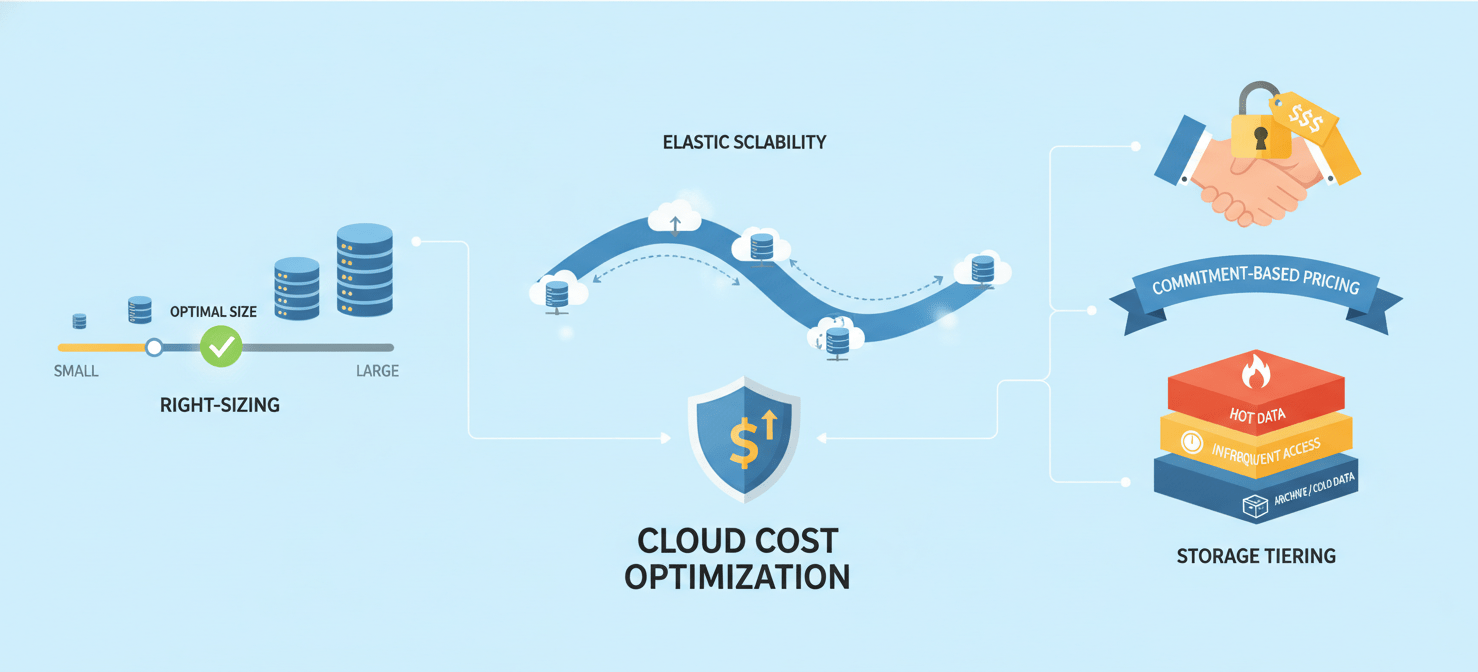
Right-Sizing and Autoscaling
The first step in cost optimization is to ensure your resources match your workload’s actual needs.
- Right-Sizing: Use monitoring tools to analyze the CPU and memory utilization of your VMs. If a machine is consistently underutilized, resize it to a smaller, cheaper instance type.
- Autoscaling: For applications with variable traffic, use autoscaling to automatically add or remove resources based on demand. This prevents you from overprovisioning for peak traffic and paying for idle capacity during quiet periods.
Commitment-Based Pricing Models
For your stable, predictable workloads, commitment-based discounts are the most effective way to reduce costs.
- AWS Reserved Instances (RIs) and Savings Plans: RIs offer deep discounts for a commitment to a specific instance family in a particular region. Savings Plans are more flexible, committing you to a certain dollar-per-hour spend on compute services (EC2, Fargate, Lambda) regardless of instance family or region.
- Azure Reservations: Similar to AWS RIs, Azure Reservations provide discounts of up to 72% for committing to specific VMs, SQL databases, and other services for a one- or three-year term.
- Google Cloud Committed Use Discounts (CUDs): GCP offers resource-based CUDs (for specific machine types in a region) and more flexible spend-based CUDs that apply to a total hourly spend across various machine families and regions.
Storage Tiering
Actively manage your data’s lifecycle to ensure it resides in the most cost-effective storage tier. Use automated lifecycle policies to move data from standard (hot) storage to infrequent access and then to archive (cold) storage as it ages and is accessed less frequently. Services like AWS S3 Intelligent-Tiering can automate this process based on access patterns, though they come with a small monitoring fee.
Leveraging Tools for Cloud Cost Management
You cannot manage what you cannot see. All three major cloud providers offer a suite of native tools to help you monitor, analyze, and optimize your spending.
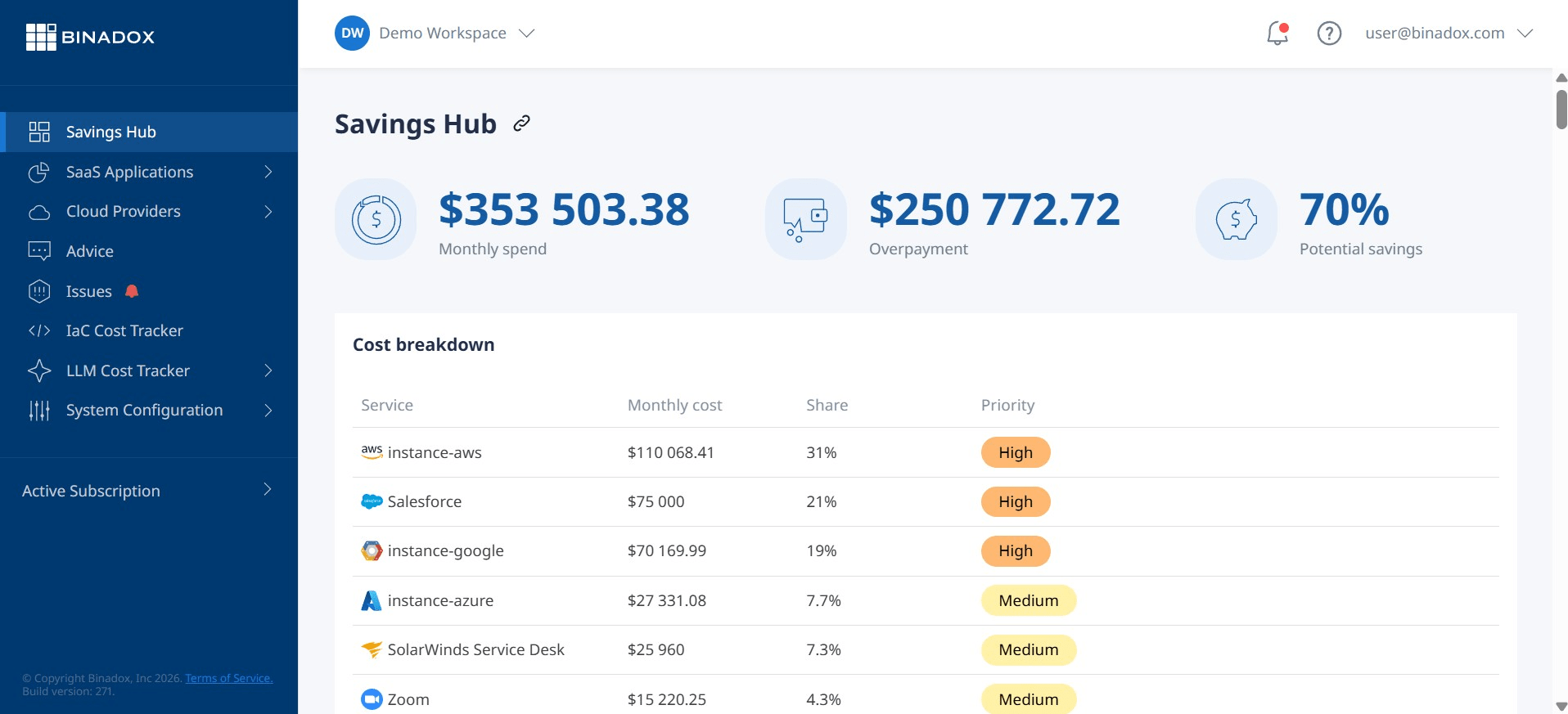
Native Cloud Provider Tools
- AWS Cost Explorer: This is the primary tool for visualizing and analyzing your AWS costs and usage. It allows you to filter and group data by service, region, or custom tags. It also provides recommendations for cost savings, such as identifying idle RIs.
- Azure Cost Management + Billing: This tool provides a unified view of your Azure and AWS spending. It offers features for cost analysis, budgeting, alerts, and optimization recommendations to help you control your cloud expenses.
- Google Cloud Cost Management: This suite of tools, including Cost Table, Cost Breakdown, and detailed reports, helps you understand your GCP spending. It integrates with tools like the Recommender, which provides actionable suggestions for rightsizing VMs and identifying idle resources.
Third-Party Cost Management Platforms
For organizations with complex, multi-cloud environments, third-party platforms can offer more advanced capabilities. These tools often provide more granular cost allocation, better Kubernetes cost visibility, and automated optimization features that go beyond what native tools offer. They help engineering teams see real-time cost impacts and foster a culture of financial accountability.
Conclusion
Ultimately, a successful cloud cost comparison is not a one-time event but an ongoing discipline. The initial choice of a provider matters, but long-term financial health depends more on how you use the services. The pay-as-you-go model is a double-edged sword; it provides agility but punishes inefficiency. By combining visibility from cost management tools with concrete actions like rightsizing, leveraging commitment discounts, and eliminating waste, your team can transform cloud spending from a source of anxiety into a predictable and optimized component of your technology strategy. The goal isn’t just to cut costs, but to spend smarter, ensuring every dollar spent delivers maximum value. After all, a cloud bill you can’t explain is just a very expensive guess.
To move beyond guesswork and achieve truly predictable cloud spending, you can explore our platform with a free trial to gain immediate visibility or connect with our team for a personalized demo tailored to your specific challenges.
 7-day free trial