



Choosing the wrong Amazon Relational Database Service (RDS) instance can feel like buying a dump truck to pick up groceries—an expensive and inefficient mistake. Overprovisioning resources means you’re bleeding money on idle capacity, while underprovisioning leads to frustrating latency and performance bottlenecks. Finding the right balance is one of the most critical decisions for managing your cloud bill effectively. Therefore, understanding how to select the correct rds instance type from the start is essential for both performance and cost optimization.
Key takeaways
- Analyze Your Workload: Before choosing an instance, monitor key metrics like CPU utilization, memory usage, and I/O operations per second (IOPS) over a full business cycle (typically 60-90 days).
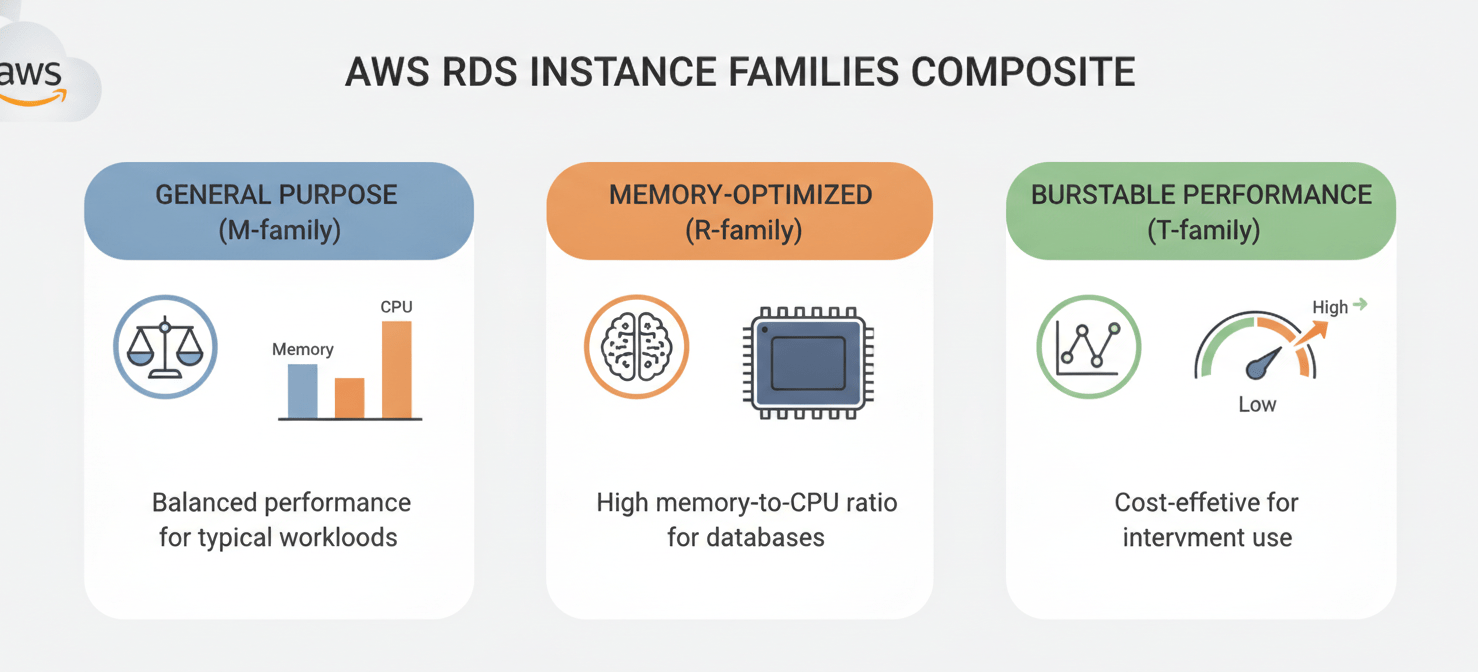
- Match Instance Family to Use Case: Use General Purpose (M-family) for balanced workloads, Memory-Optimized (R-family) for data-heavy applications, and Burstable (T-family) for development or unpredictable traffic.
- Leverage Reserved Instances: For steady-state production workloads, using Reserved Instances can provide up to a 60% discount compared to on-demand pricing.
- Rightsize Regularly: Your needs will change. Consequently, you should review instance performance and costs quarterly to ensure you’re still using the most efficient option.
Understanding the AWS RDS Instance Families
Amazon RDS offers a wide array of instance types, each designed for specific kinds of workloads. Think of them as different vehicles: you wouldn’t use a nimble van for heavy hauling. AWS groups these into families, primarily General Purpose, Memory-Optimized, and Burstable Performance, to help you quickly narrow down the options.
General Purpose (M-family)
General Purpose instances, like the M-family, are the versatile workhorses of RDS. They provide a balanced mix of CPU, memory, and networking resources, making them a solid starting point for most standard database workloads. For example, if you’re running a typical web application, a content management system, or a small e-commerce backend, an M-family instance is often the right choice. Unlike burstable instances, they deliver full, sustained CPU power whenever needed. Newer generations, such as those powered by AWS Graviton processors, can offer significantly better price-performance for open-source databases.
Memory-Optimized (R and X-families)
Memory-Optimized instances, which include the R and X families, are built for workloads that need to keep large datasets in memory for rapid access. These instances offer a much higher ratio of RAM to vCPU, which is crucial for tasks like real-time analytics, big data processing, and high-performance caches. If your application is read-heavy or deals with complex queries that benefit from a large buffer cache, a memory-optimized instance is the ideal solution. For example, a db.r6id.16xlarge instance provides 64 vCPUs and 512 GiB of RAM, making it suitable for demanding, memory-intensive work.
Burstable Performance (T-family)
Burstable instances, or the T-family, are a cost-effective option for workloads with variable or unpredictable traffic. These instances provide a baseline level of CPU performance and can “burst” to a higher level when needed. They operate on a system of CPU credits: when the database is idle, it earns credits; when traffic spikes, it spends them. This makes them perfect for development and staging environments, microservices, and low-traffic websites where you don’t want to pay for high CPU capacity that sits unused. However, they are generally not recommended for production traffic with sustained high loads, as running out of credits can lead to performance throttling.
How to Monitor and Analyze Your Workload Requirements
Before you can choose the right instance, you must first understand your database’s specific needs. Rightsizing is the process of matching your instance’s capacity to your workload’s performance requirements at the lowest possible cost. This isn’t a one-time task but a continuous process of monitoring and adjustment.
Key Metrics to Watch
To get a clear picture of your needs, you should analyze performance data over a significant period, like a full business cycle, to capture peaks and troughs in demand. Start by using tools like Amazon CloudWatch and RDS Performance Insights to track these critical metrics:
- CPU Utilization: This shows the percentage of compute resources being used. Consistently high CPU usage on a burstable instance is a clear sign you need to upgrade to a General Purpose instance.
- Memory Consumption: This helps ensure you have enough RAM for buffering and operations. However, be aware that some database engines pre-allocate a large portion of memory, so high memory usage alone may not indicate an under-provisioned instance.
- IOPS (Input/Output Operations Per Second): This measures the number of read and write operations. Transactional databases often require high IOPS.
- Network Throughput: This tracks the rate of data transfer to and from the instance.
Using AWS Tools for Rightsizing
AWS provides tools designed to simplify this analysis. AWS Compute Optimizer is a service that analyzes metrics from your resources and provides data-driven rightsizing recommendations. It can help you identify idle or over-provisioned RDS instances and suggest optimal instance types and storage settings to reduce costs or improve performance. The service needs at least 30 hours of metrics before it can generate a recommendation for a specific RDS instance.
Choosing the Right RDS Instance Type and Storage
Once you have a clear understanding of your workload’s profile, you can make an informed decision about the appropriate rds instance type and storage configuration. This involves balancing performance needs with your budget.
Matching Instance to Workload
Your analysis should guide your choice of instance family.
- For a steady, predictable workload like an enterprise application, a General Purpose (M-family) instance is a safe and reliable choice.
- If you’re running real-time analytics or a high-concurrency e-commerce platform, a Memory-Optimized (R-family) instance will provide the necessary RAM.
- For a development server or an internal tool with sporadic usage, a Burstable (T-family) instance offers a budget-friendly solution.
In addition, always consider using the latest generation of an instance family. Newer generations often provide better performance at a lower cost compared to their predecessors.
Storage Considerations
The type of storage you choose is just as important as the instance itself.
- General Purpose SSD (gp3): This is the most cost-effective option for a wide range of workloads, offering a solid baseline performance with the ability to provision IOPS and throughput independently of storage size.
- Provisioned IOPS SSD (io1/io2): For I/O-intensive applications like transactional databases that require sustained low latency, Provisioned IOPS storage is the better choice, though it comes at a higher cost.
- Aurora I/O-Optimized: For workloads using Amazon Aurora, this storage configuration can offer better price predictability for I/O-heavy applications by eliminating per-request I/O charges in favor of higher instance and storage rates. This is generally cost-effective when your I/O charges exceed 25% of your total database cost.
Pricing Models: On-Demand vs. Reserved Instances
Amazon RDS offers different pricing models that can significantly impact your monthly bill. The two primary options are On-Demand Instances and Reserved Instances.
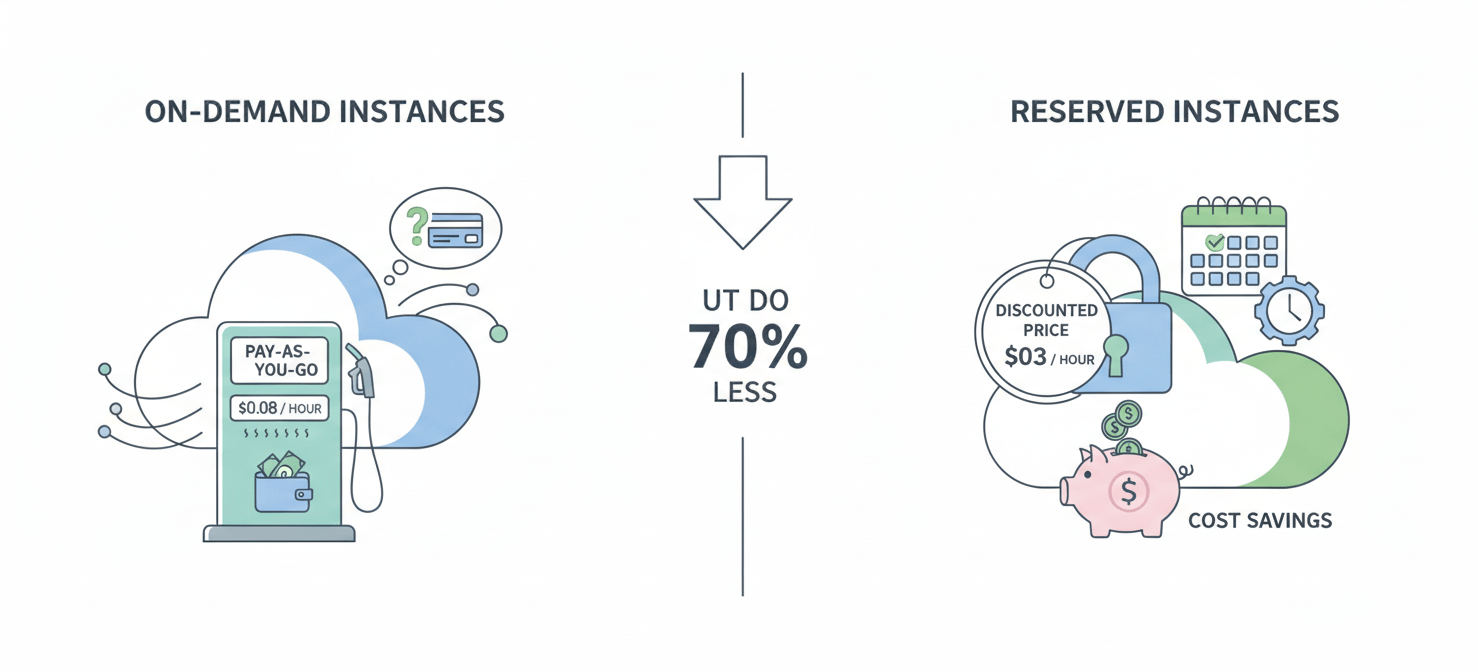
With On-Demand Instances, you pay for compute capacity by the hour with no long-term commitments. This model provides flexibility, allowing you to scale resources up or down as needed, and is ideal for applications with unpredictable workloads or for short-term development and testing.
For applications with steady and predictable usage, Reserved Instances (RIs) offer substantial savings. By committing to a one- or three-year term, you can receive a discount of up to 60% compared to On-Demand pricing. RIs are recommended for production environments and mission-critical applications that need to be available 24/7. There are three payment options for RIs:
- All Upfront: Provides the largest discount by paying for the entire term upfront.
- Partial Upfront: A lower upfront payment followed by a discounted hourly rate.
- No Upfront: Offers the smallest discount but requires no upfront payment.
It’s important to note that Reserved Instance pricing does not cover storage or I/O costs, which are billed separately.
Continuous Optimization and Best Practices
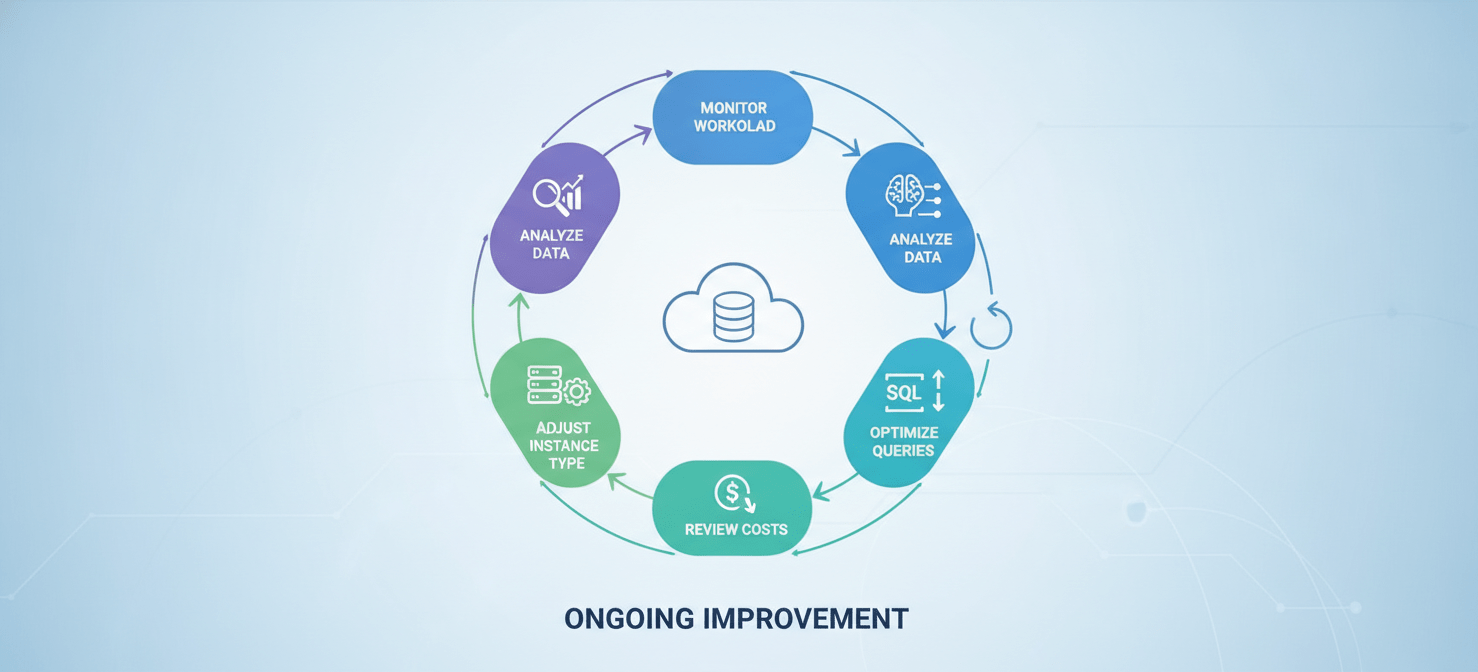
Choosing an instance type is not a “set it and forget it” activity. Workloads evolve, and what is optimal today may be inefficient tomorrow. Therefore, continuous optimization is key to long-term cost savings.
Regular Reviews and Adjustments
Make it a practice to regularly review your RDS configurations. A monthly or quarterly check-in on your key performance metrics can help you spot trends and identify opportunities for further rightsizing. If you see that an instance is consistently underutilized (e.g., CPU usage below 40% for over a month), consider downsizing it to a smaller class.
Additional Cost-Saving Strategies
Beyond instance selection, there are other practices that can help reduce your RDS bill:
- Stop Idle Instances: Shut down development or test instances during off-hours, such as nights and weekends.
- Optimize Queries: Poorly tuned database queries can consume excessive CPU and memory. Optimizing queries can reduce the load on your instance, potentially allowing you to move to a smaller size.
- Use Multi-AZ Wisely: Multi-AZ deployments provide high availability but double the instance cost. Use them for critical production databases but consider single-AZ deployments for non-critical workloads like development environments.
Conclusion
Selecting the right rds instance type is a foundational step in building a cost-efficient and high-performing database architecture on AWS. It requires a deliberate approach: first, you must analyze your workload’s unique demands by monitoring key metrics over time. Next, you match those requirements to the appropriate instance family—be it General Purpose, Memory-Optimized, or Burstable. Finally, you align your choice with a pricing model, like Reserved Instances, that rewards predictable usage with significant discounts.
This process isn’t a one-off decision but a continuous cycle of monitoring, evaluating, and adjusting. By regularly revisiting your choices and applying rightsizing best practices, you can avoid the common pitfall of paying for resources you don’t need. Getting your rds instance type selection right means your infrastructure can do its job effectively without quietly draining your budget—a victory of precision over guesswork.
To ensure your RDS instances are always perfectly aligned with your needs and budget, consider how Binadox can help you manage your cloud spend; you can easily discover our platform’s capabilities or connect with our experts to explore a tailored optimization strategy.
 7-day free trial