


Hubspot Integration
This guide explains how to connect HubSpot to Binadox using OAuth. You will copy the Client ID and Client secret from your HubSpot app and use them in Binadox to complete authorization.
Open the HubSpot Development area
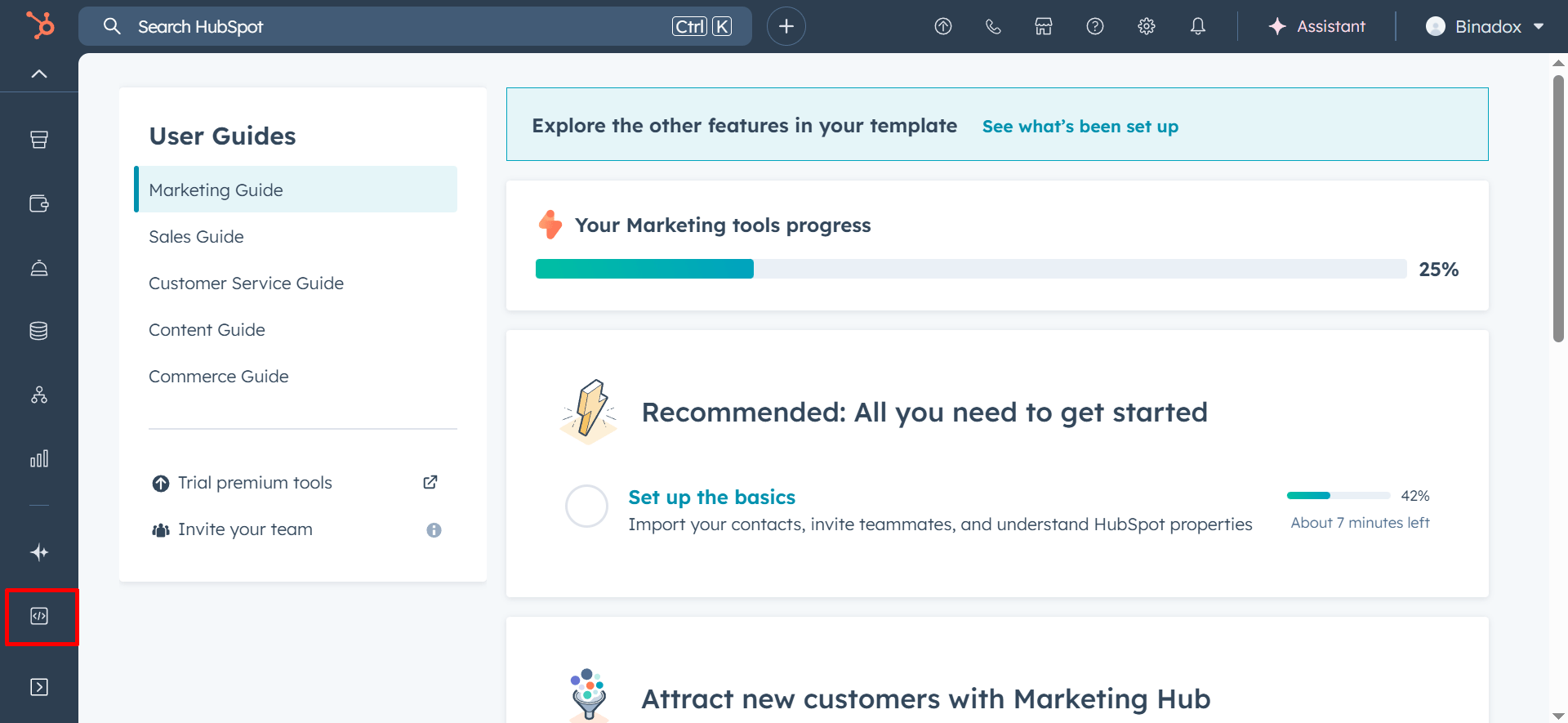
Log in to HubSpot and click the Development icon (</>) in the left sidebar (as shown in the screenshot).
Open Projects and select your project
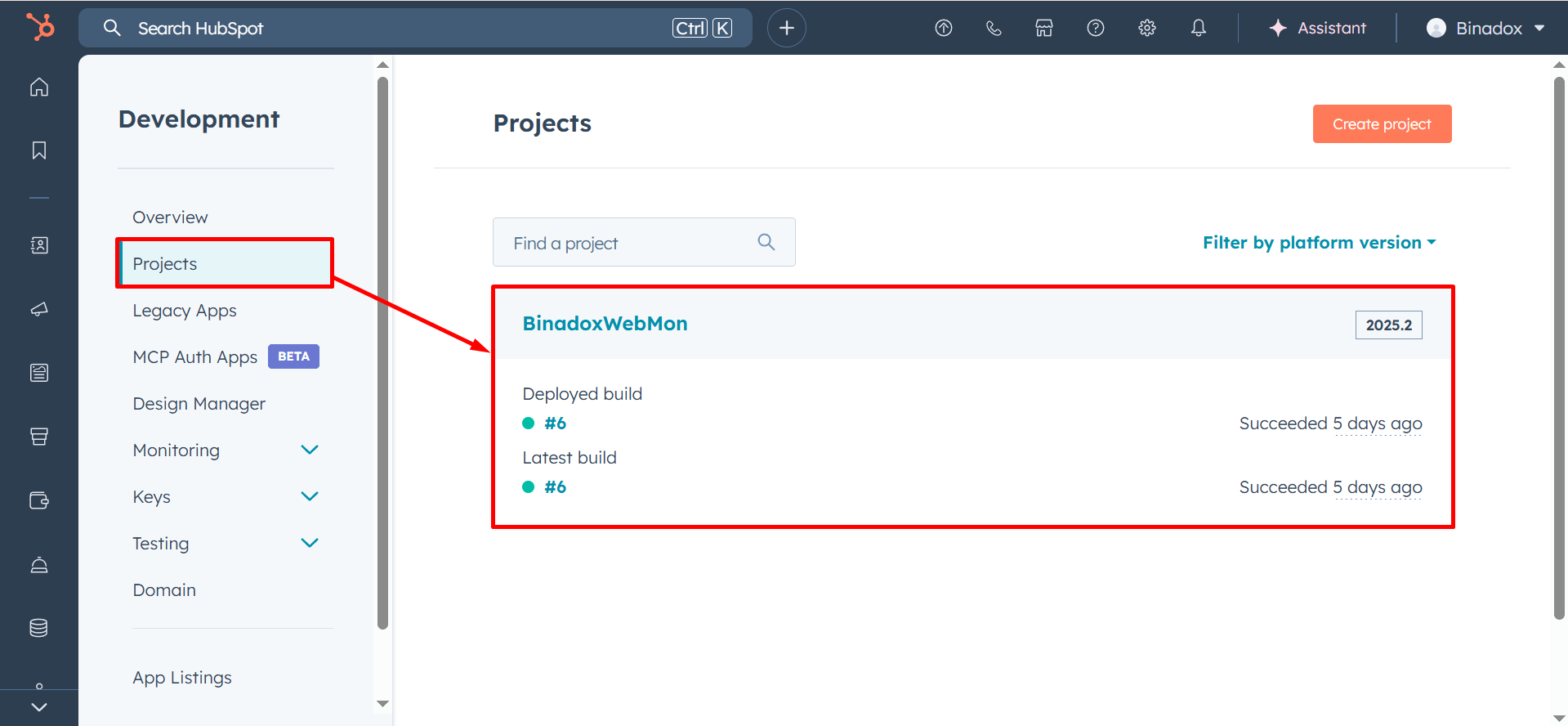
In the left menu, click Projects, then select your project (for example, BinadoxWebMon in the screenshot).
Open the app and copy OAuth credentials
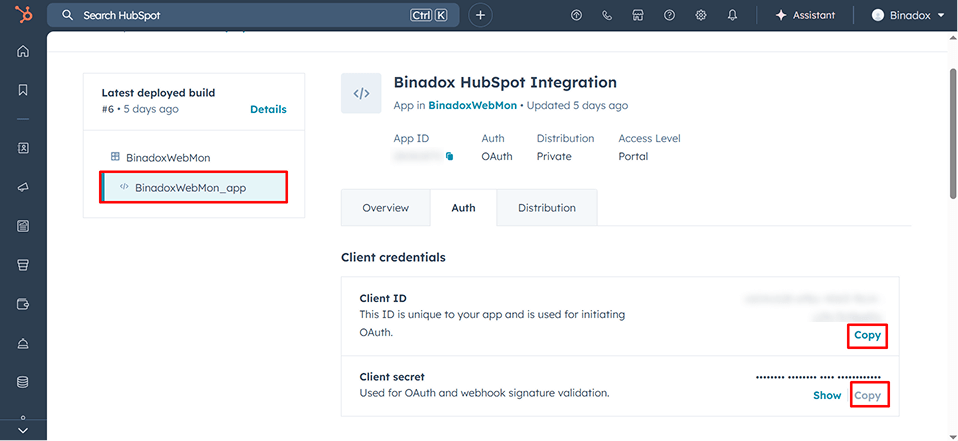
Open the app inside the project (for example, BinadoxWebMon_app), then open the Auth tab.
Under Client credentials, copy:
- Client ID
- Client secret
Important:
Keep the Client secret private and store it securely.
Connect HubSpot in Binadox
Go to SaaS Connections (or your integrations area). Find and open HubSpot.
Enter a Connection Name (any friendly label).
Paste:
- Client ID (Application ID from HubSpot)
- Client Secret (Secret from HubSpot)
Click Connect.