


Intercom Integration
This guide explains how to connect Intercom to Binadox using an API access token. You will create an Intercom app, generate an access token, and use it in Binadox to complete the connection.
Create an App
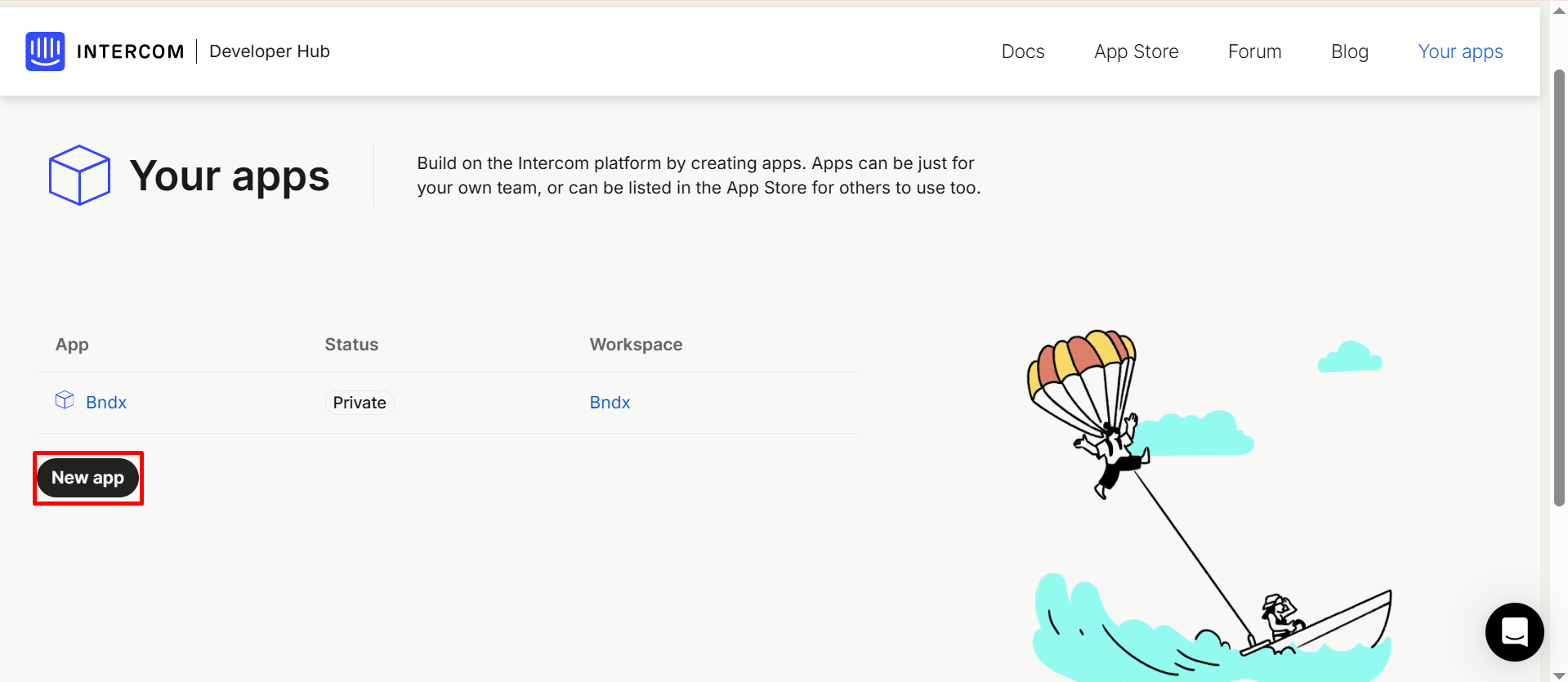
Log in to Intercom and open the Developer Hub. Go to Your apps, then click New app.
In the dialog that appears, enter a name for your app (for example, Binadox), choose the workspace, and click Create app.
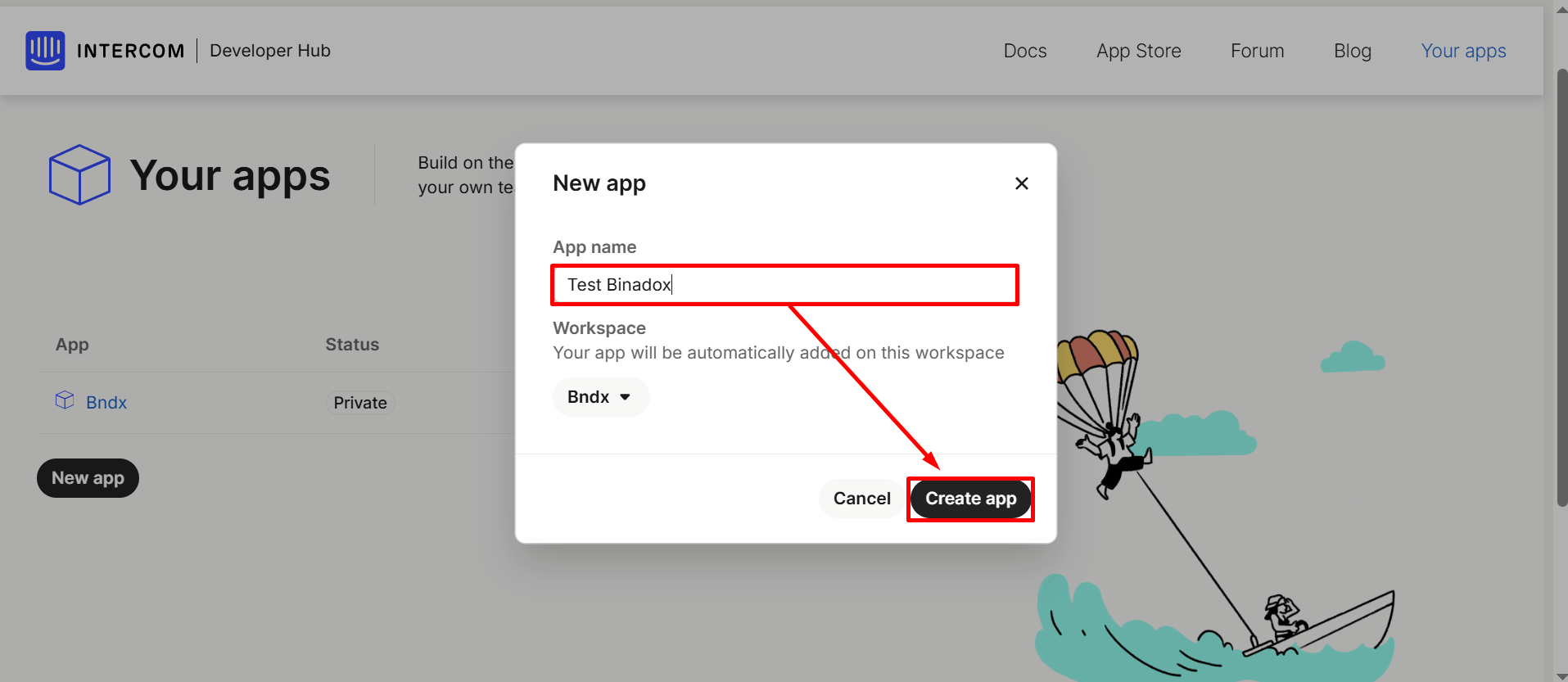
Your app will be created and opened automatically.
Copy the Access Token
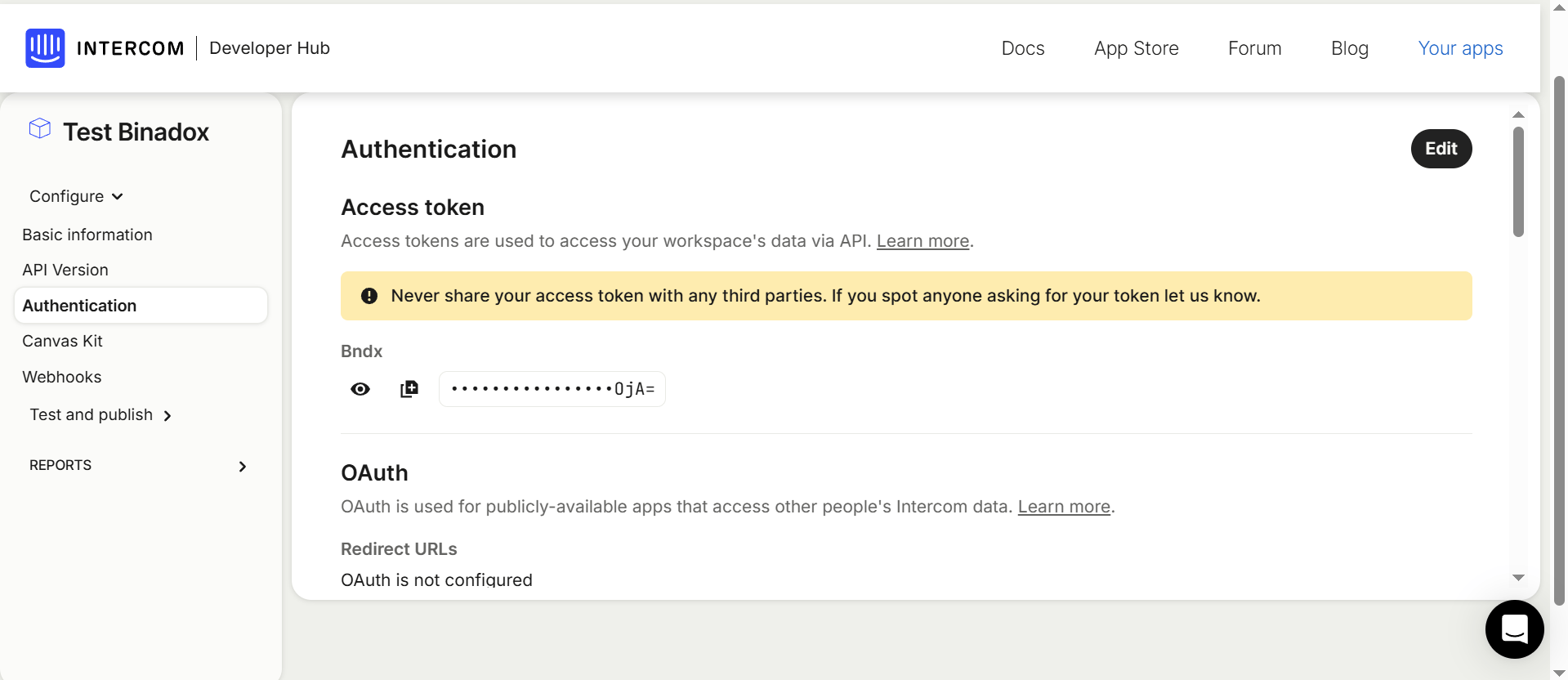
Under Access token, click the copy icon to copy your access token.
Important:
Keep this access token safe — it grants access to your Intercom workspace API.
Connect Intercom in Binadox
Open SaaS Connections in Binadox and find Intercom.
Enter a Connection Name.
Paste your Access Token (the token you copied from the Intercom app Authentication section).
Click Connect.