


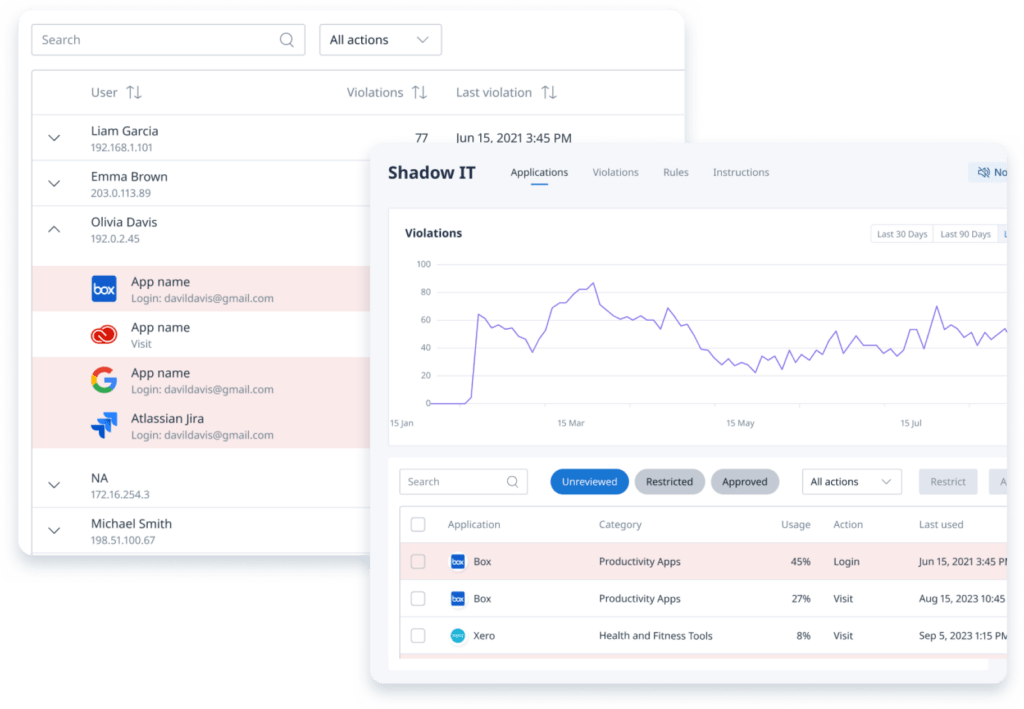


Desktop Agent: Know What’s Running on Every Machine
Binadox Desktop Agent scans browser history directly from company machines to detect shadow IT without requiring a browser extension.
How it connects
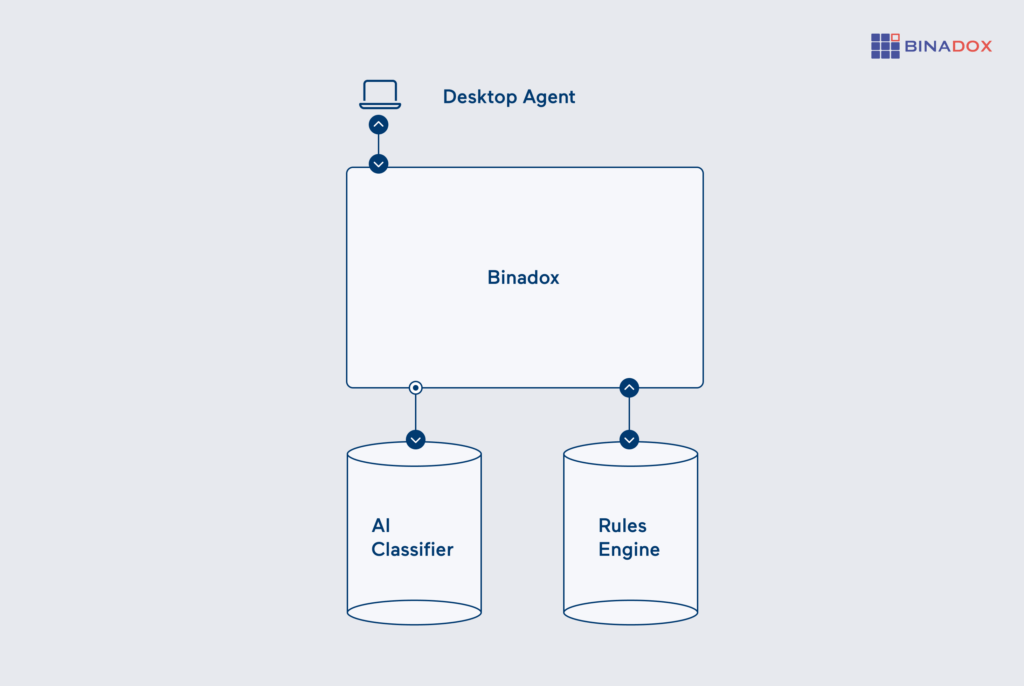
The Desktop Agent is a single static binary with no dependencies. Download it, run the install command, and it handles the rest — registering itself as a scheduled service (systemd on Linux, launchd on macOS, Task Scheduler on Windows) and picking up configuration automatically from command-line flags, environment variables, a YAML file, or network auto-discovery.
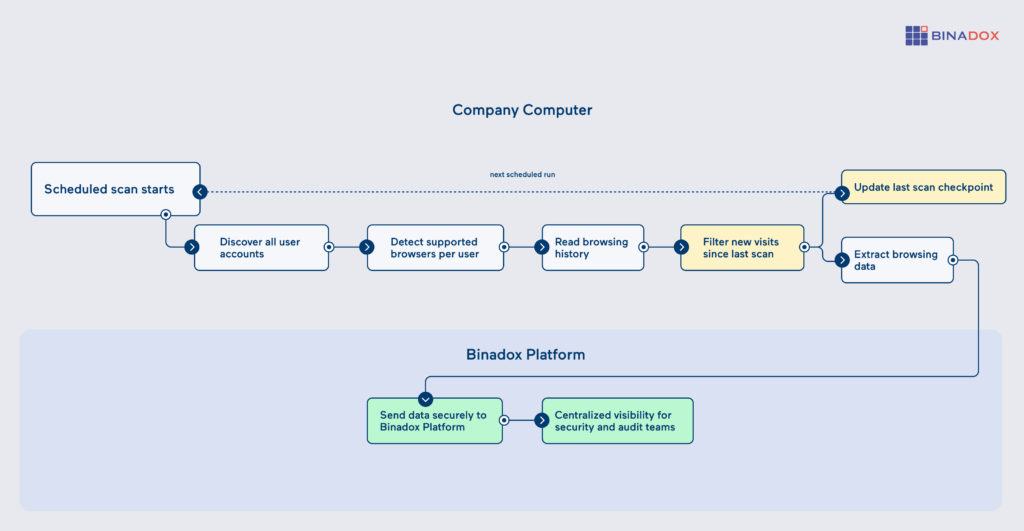
On each run, the agent scans all user accounts on the machine, detects installed browsers and profiles, reads history databases in read-only mode, and sends only new visits to the Binadox Discovery API. If a browser is open, the agent works from a temporary copy of the database — no interruption to the user.
Core functionality
The extension detects login pages and records authentication events in real time. It analyzes page structure — password fields, SSO buttons, OAuth redirects, sign-in forms — rather than relying on keyword matching, so it works with dynamic and single-page applications. When a user submits credentials, the extension captures the URL, username, and timestamp, then verifies whether the login succeeded by monitoring page changes after submission.
All data is stored locally first and uploaded to the Binadox API in hourly batches, keeping network traffic minimal and preventing data loss during outages.
Key features:
- 7-browser support: Chrome, Edge, Firefox, Safari, Opera, Opera GX, Vivaldi — all profiles included.
- Cross-platform: Linux (amd64, arm64), macOS (Intel + Apple Silicon), Windows (amd64). One static binary, no dependencies.
- Incremental scanning: A state.json file tracks the last scan per user, browser, and profile. Only new visits are sent. First run goes back 7 days (adjustable via –initial-days).
- Gzip with fallback: Payloads are compressed by default. If the server returns HTTP 415, the agent retries uncompressed.
- Automatic chunking: Payloads over 1 MB are split into separate POST requests — no issues with large histories or long gaps between scans.
Optimization and automation
Deploy once, manage nothing. A single install command places the binary, writes the config, and registers the scheduled service. For large rollouts, network auto-discovery eliminates per-machine configuration — agents locate the server and credentials automatically. Uninstall is just as simple — one command removes all components.
On the Binadox platform, Desktop Agent data combines with Browser Extension data for full SaaS visibility — real-time login detection from the extension plus comprehensive visit history from the agent, including sites without traditional login pages.
Access and permissions
- System-level access: The agent needs to run as root (Linux/macOS) or SYSTEM (Windows) to read browser history for all users on the machine. Running as a regular user limits scanning to that user’s own history.
- Data access: Read-only access to browser SQLite databases. The agent never modifies browser data. Locked databases are copied to temp, read, then the copy is deleted.
- API authentication: Uses a ProxyToken header with the API key from the config. The key should be treated as a secret — config file permissions should be set to 0600 on Linux/macOS.
- Dashboard visibility: Scan results are visible to Binadox organization administrators only. Individual users cannot access discovery data.
Get Full SaaS Visibility Across Every Machine
The Desktop Agent scans browser history from every user and every browser on a machine, once a day, and sends the results to Binadox for classification. It works on all three major operating systems, installs in one command, and runs without user interaction.
Between the Browser Extension (real-time login detection) and the Desktop Agent (comprehensive history scanning), you get two angles on the same problem: what SaaS applications are actually in use, and which ones slipped past IT.
If you’re deploying to a handful of machines, download the binary and run hist_scanner install. If you’re rolling out to hundreds, point binadox.config at a config server and let auto-discovery handle the rest.




 7-day free trial