



A core practice of cloud financial management is allocating 100% of your cloud spend to internal business units, teams, or products. This visibility allows you to understand the true cost of running an application and make data-driven decisions. However, achieving this goal is often complicated by a frustrating reality: not all cloud costs are easy to assign. Many services and resource types simply don’t support tagging, leaving a significant portion of your bill unallocated. This article explains how to approach the challenge of allocating costs for untaggable AWS resources.
Key takeaways
- Not all AWS resources can be tagged, making direct cost allocation difficult for items like data transfer, some shared services, and support costs.
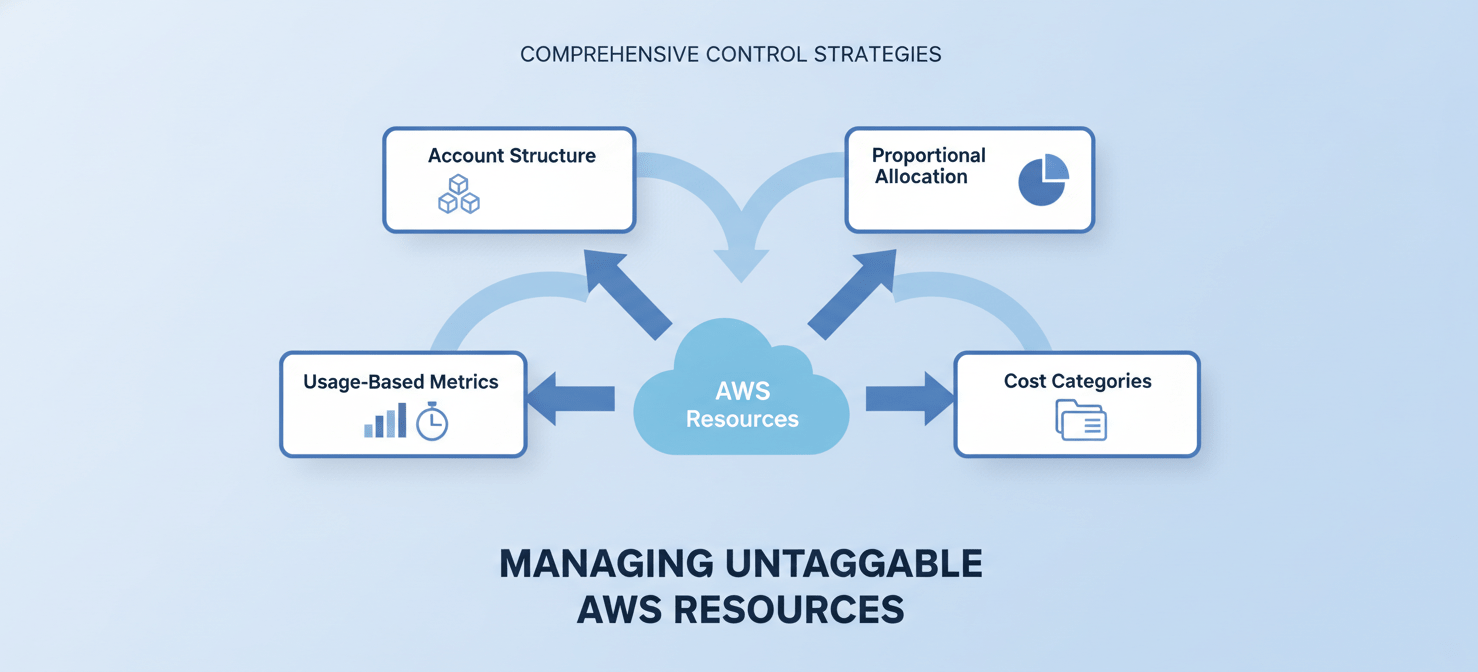
- A multi-faceted approach is necessary, combining at least 3 strategies like proportional allocation based on overall spend, using account-level tags, and creating cost categories.
- Tools like AWS Cost Explorer and the AWS Cost and Usage Report (CUR) are essential for identifying and analyzing these untaggable costs.
- For shared services, you can allocate costs based on usage metrics, such as gigabytes transferred for NAT Gateways or log volume for CloudWatch.
Why Some AWS Resources Are Untaggable
Tagging is the primary mechanism for associating AWS costs with specific projects or teams. [AWS cost allocation tags are labels with a key and a value that you or AWS can assign to resources.] When you activate these tags in the AWS Billing and Cost Management console, they appear as columns in your cost reports, allowing for detailed financial analysis.
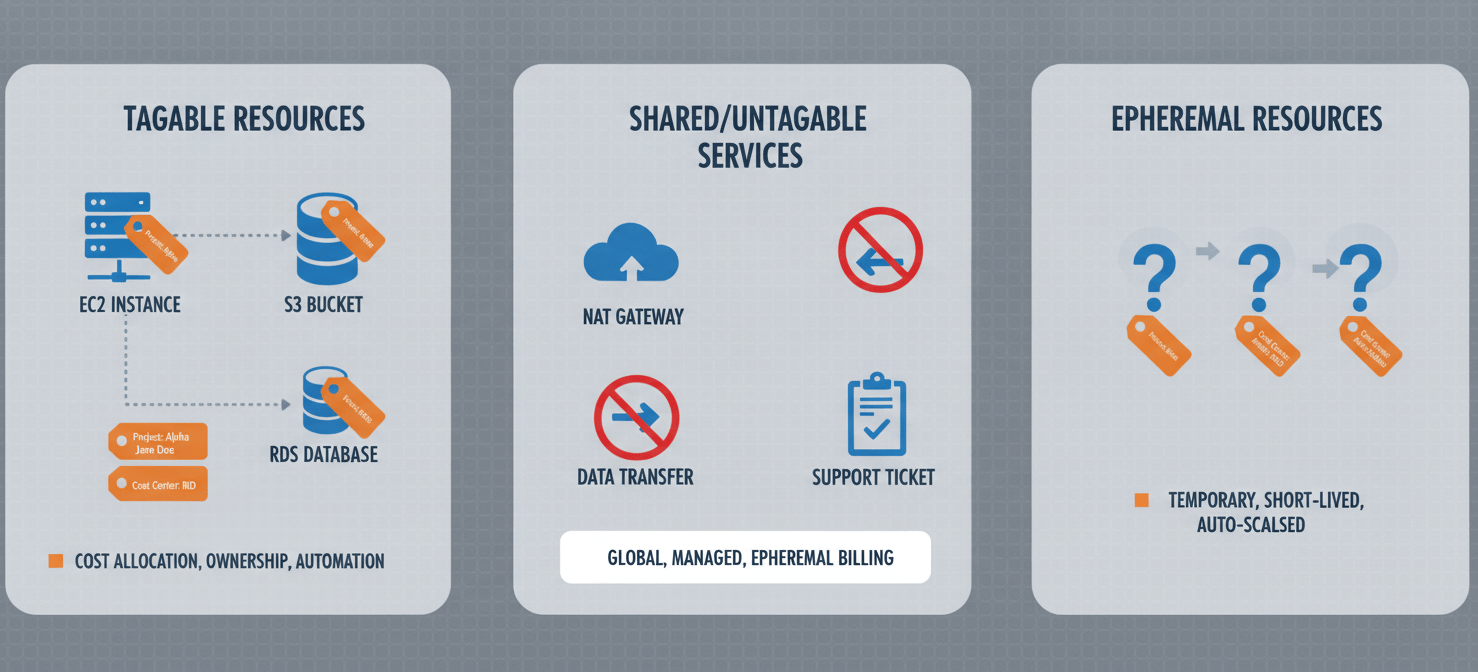
However, not every resource or cost component in AWS can be tagged. [Some resources in AWS simply cannot be tagged.] This limitation exists for several reasons:
- Shared Services: Many costs are not tied to a single resource but are shared across multiple applications or teams. Examples include AWS Support fees, data transfer costs, and services like NAT Gateways or AWS PrivateLink endpoints. These are inherently difficult to attribute to a single owner.
- Service-Level Limitations: Some AWS services do not support resource-level tagging for all their components. [While a service might support tagging for some of its resources, other resources within the same service may not be taggable.]
- Dynamic Resources: Certain resources are ephemeral or created dynamically, making a consistent tagging strategy difficult to implement and maintain.
Common examples of untaggable or hard-to-tag costs include:
- Data Transfer (egress, inter-AZ)
- AWS Support Plan fees
- AWS Credits and Refunds
- Costs associated with some shared networking resources
- Certain Marketplace software charges
Identifying Your Untaggable AWS Resources
Before you can allocate costs, you first need to identify them. The primary tool for this task within the AWS console is AWS Cost Explorer.
Using AWS Cost Explorer
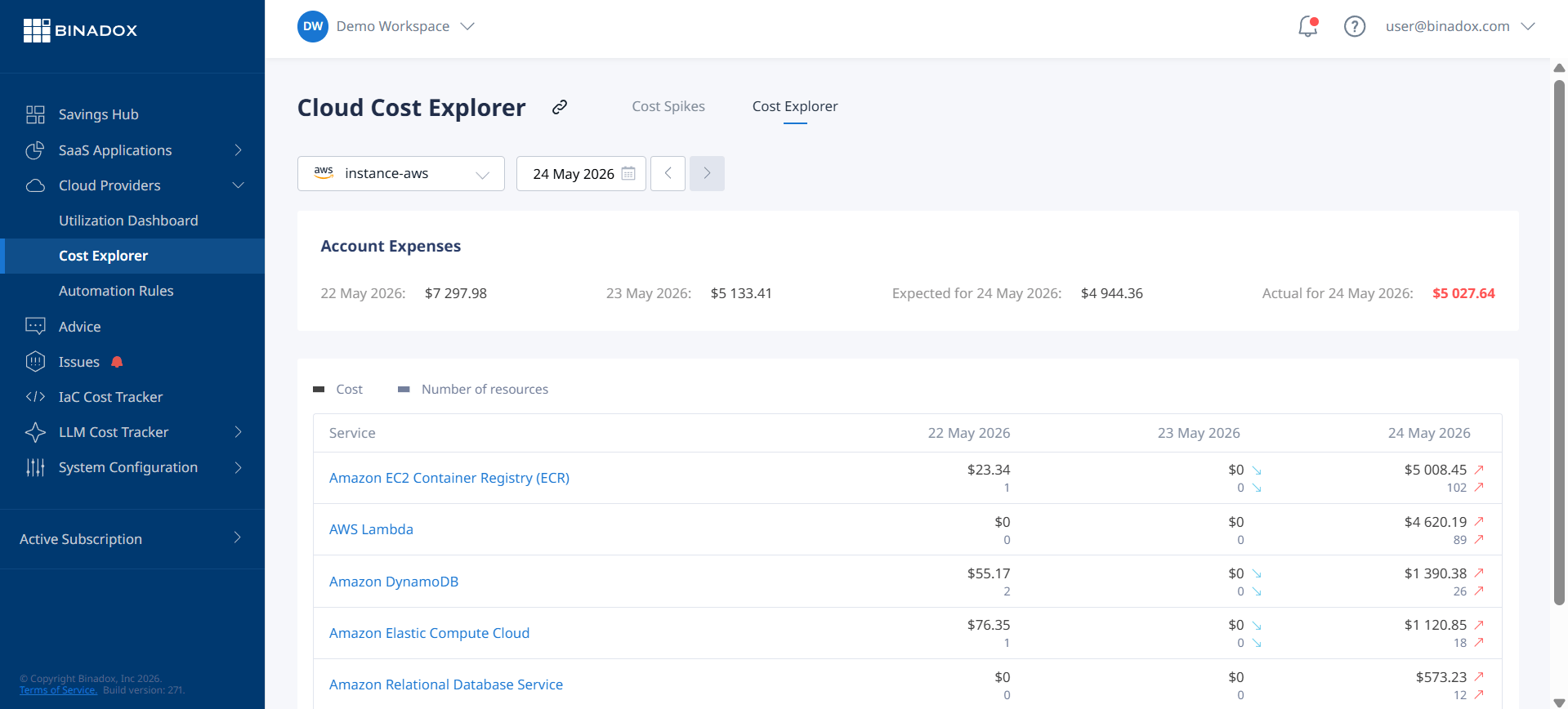
AWS Cost Explorer provides a user-friendly interface for analyzing your cloud spending. To find untaggable costs, you can use its filtering capabilities.
- Navigate to the AWS Cost Explorer service.
- In the right-hand pane, under “Advanced options,” you can select “Show only untagged resources.” This will filter your cost and usage data to display only those costs that do not have any cost allocation tags associated with them.
- You can further group this data by service, account, or API operation to understand where these costs are originating. This can help you pinpoint specific services, like data transfer, that are contributing to your pool of untaggable costs.
Analyzing the Cost and Usage Report (CUR)
For a more granular analysis, the AWS Cost and Usage Report (CUR) is invaluable. The CUR provides the most comprehensive set of cost and usage data, delivered to an S3 bucket you own.
By loading your CUR data into a query service like Amazon Athena, you can run detailed SQL queries to identify line items that lack specific tags. This method offers a much deeper level of detail than Cost Explorer and is essential for building robust cost allocation models. You can, for example, write queries to find all usage types where your custom project tags are null.
Strategies for Allocating Untaggable AWS Resource Costs
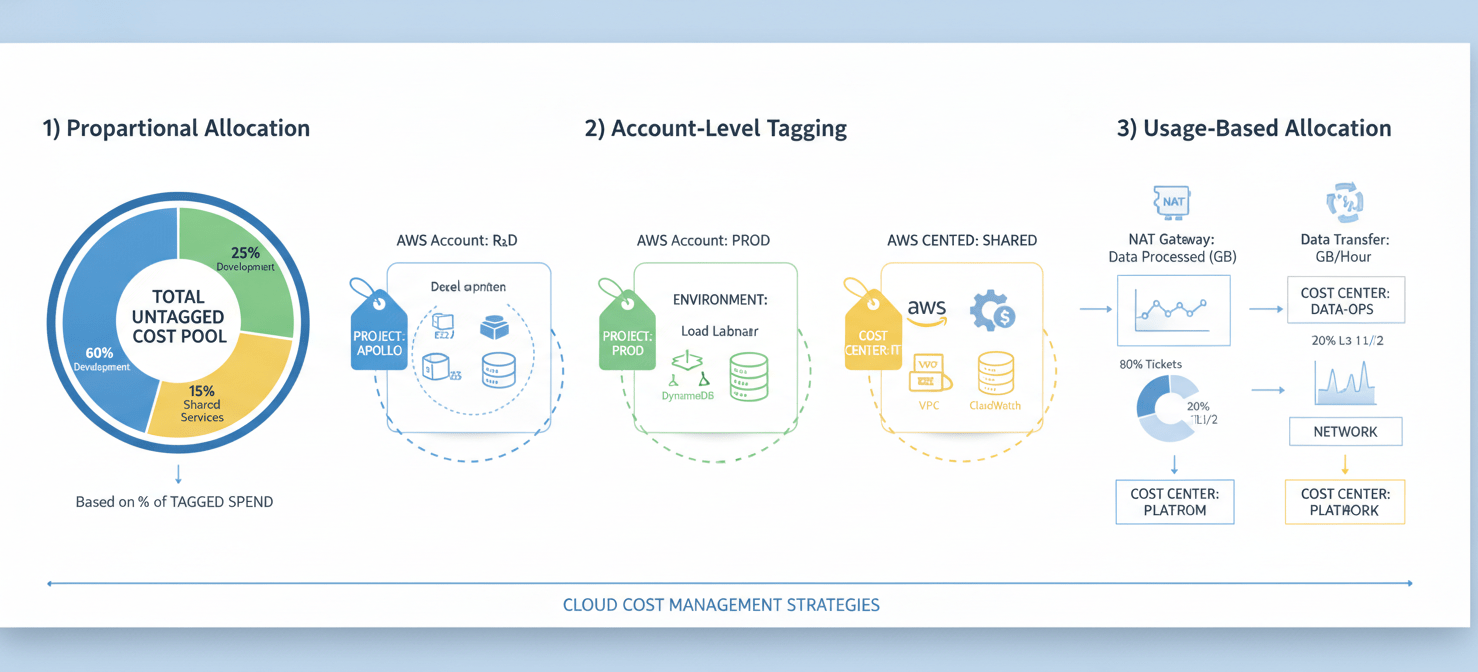
Once you have identified your untaggable costs, the next step is to allocate them. Since direct tagging is not an option, you must use indirect methods. Here are three common strategies, often used in combination.
1. Proportional Allocation Based on Spend
One of the most straightforward methods is to distribute untaggable costs proportionally based on each business unit’s or team’s share of the tagged AWS spend. [For instance, if the marketing department accounts for 20% of the total non-shared AWS costs, it will be allocated 20% of the shared costs.]
This approach is relatively simple to implement. You calculate the total of all untaggable costs for a given period and then distribute that total to your cost centers based on their percentage of the overall tagged bill. While not perfectly accurate, it provides a reasonable and defensible method for ensuring all costs are accounted for.
2. Account-Level Tagging and Structure
A well-designed multi-account strategy can significantly simplify the allocation of untaggable costs. By isolating teams or projects into their own AWS accounts, many untaggable costs are automatically contained within that account’s bill.
Furthermore, AWS allows you to apply tags at the account level within AWS Organizations. [These account tags are automatically applied to all metered usage within the tagged accounts.] This is particularly useful for allocating costs that cannot be tagged at the resource level, such as AWS Support fees, credits, and refunds.
3. Usage-Based Allocation for Shared Services
For shared services where you can measure consumption, a usage-based allocation model is often the most accurate. This requires more effort but provides a much fairer distribution of costs.
For example:
- NAT Gateway: You can analyze VPC Flow Logs to determine which applications or teams are sending the most traffic through a shared NAT Gateway and allocate costs based on gigabytes transferred.
- AWS Support: Support fees are often calculated as a percentage of overall AWS usage. Therefore, you can allocate these costs proportionally based on each team’s total spend.
- Data Transfer: While notoriously difficult to track, you can sometimes infer the source of data transfer costs by analyzing traffic patterns between Availability Zones or regions. [Data transfer costs are incurred for moving data between AWS resources and between AWS and the internet.]
Tools for Managing AWS Untaggable Costs
Beyond manual analysis, several AWS services and third-party tools can help you manage and allocate your AWS untaggable costs.
AWS Cost Categories
AWS Cost Categories is a feature that allows you to group your cost and usage information into meaningful categories. You can create rules to categorize your costs based on dimensions like account, service, or even other tags.
Crucially, you can create rules that capture costs that do not match certain criteria. For example, you can create a category for all costs that are not associated with a specific project tag. You can then use split charge rules to allocate these categorized costs to other cost category values, such as different business units. [You can use split charge rules to allocate your charges between your cost category values.]
Third-Party Cloud Financial Management Tools
Numerous third-party platforms specialize in cloud cost management and can automate much of the process of allocating untaggable costs. These tools often provide sophisticated algorithms for distributing shared costs and can integrate with other data sources to provide more accurate, usage-based allocation. They can also help you identify and tag resources that were simply missed, reducing your pool of untaggable resources over time.
Best Practices for Minimizing Untaggable Costs
While you may never eliminate untaggable costs entirely, you can take steps to minimize them.
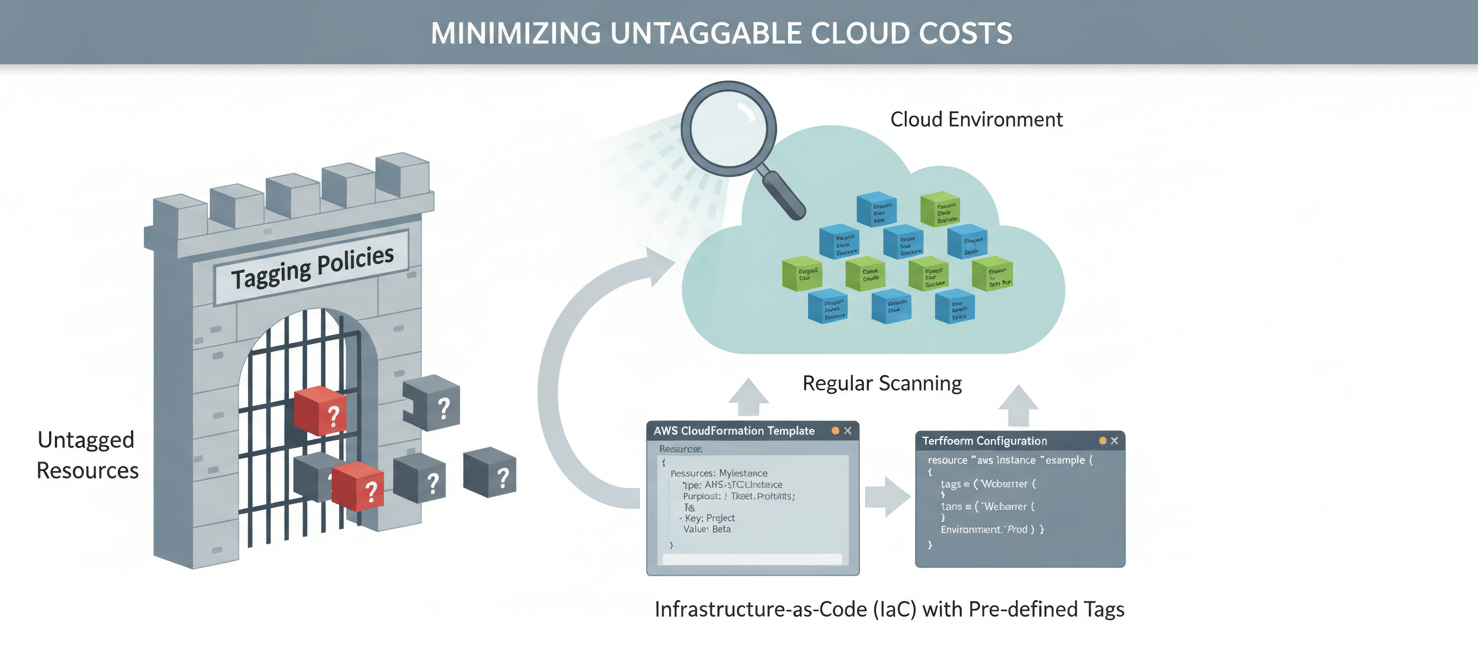
- Enforce Tagging Policies: Use AWS Service Control Policies (SCPs) or AWS Config rules to enforce mandatory tagging on resource creation. This ensures that new resources do not slip through the cracks and become part of your untagged cost pool.
- Regularly Review Untagged Resources: Make it a regular practice to review the untagged resources identified in Cost Explorer. Often, these are resources that were created manually and simply need to be tagged.
- Automate Tagging: Leverage automation, such as Infrastructure as Code (IaC) tools like AWS CloudFormation or Terraform, to apply tags consistently across all resources within a stack or deployment.
Conclusion
Dealing with untaggable AWS resources is an unavoidable aspect of cloud financial management. A perfect, 100% tag-based allocation is often an unrealistic goal. Instead of chasing perfection, the key is to develop a consistent and logical methodology for handling these costs. By combining account-level strategies, proportional allocation, and usage-based metrics where possible, you can achieve a high degree of accuracy in your cost allocation. This ensures that every dollar of your AWS bill is accounted for, providing the financial clarity needed to make informed business decisions. Ultimately, managing untaggable AWS resources is less about finding a magic bullet and more about implementing a disciplined, multi-pronged approach.
Achieving comprehensive financial clarity for your cloud spend, especially with untaggable resources, becomes much simpler with the right platform. To discover how Binadox can provide this visibility and streamline your cost allocation, you can begin your free trial or arrange a personalized demo with our team.
 7-day free trial