



Amazon Aurora is a powerful, cloud-native relational database, but its I/O billing can sometimes lead to surprising costs. As your application scales, the volume of read and write operations can inflate your monthly bill, making a thorough Aurora I/O cost analysis essential for budget control. Understanding how these charges accumulate and what you can do to mitigate them is the first step toward a more predictable and cost-effective database environment. This article breaks down the key strategies for analyzing and reducing your I/O spending.
Key takeaways
- Switch to I/O-Optimized: If your I/O charges consistently exceed 25% of your total Aurora bill, switching your cluster to the I/O-Optimized configuration can save up to 40%.
- Optimize Queries: Poorly written queries are a primary driver of high I/O. Use tools like Performance Insights to identify and tune SQL that results in unnecessary data fetching.
- Monitor Proactively: Use Amazon CloudWatch metrics like
VolumeReadIOPsandVolumeWriteIOPsto track I/O consumption in real-time and set up alerts to prevent unexpected spikes. - Right-size and Index: Ensure your instances are not over-provisioned and that your tables have appropriate indexes to minimize full table scans, a major source of read I/O.
What Drives High Aurora I/O Costs?
Aurora’s pricing model separates compute, storage, and I/O operations. While this provides flexibility, it also means that I/O-intensive applications can see costs escalate quickly. Under the standard configuration, you are billed per million I/O requests. Several factors can lead to high Aurora I/O costs.
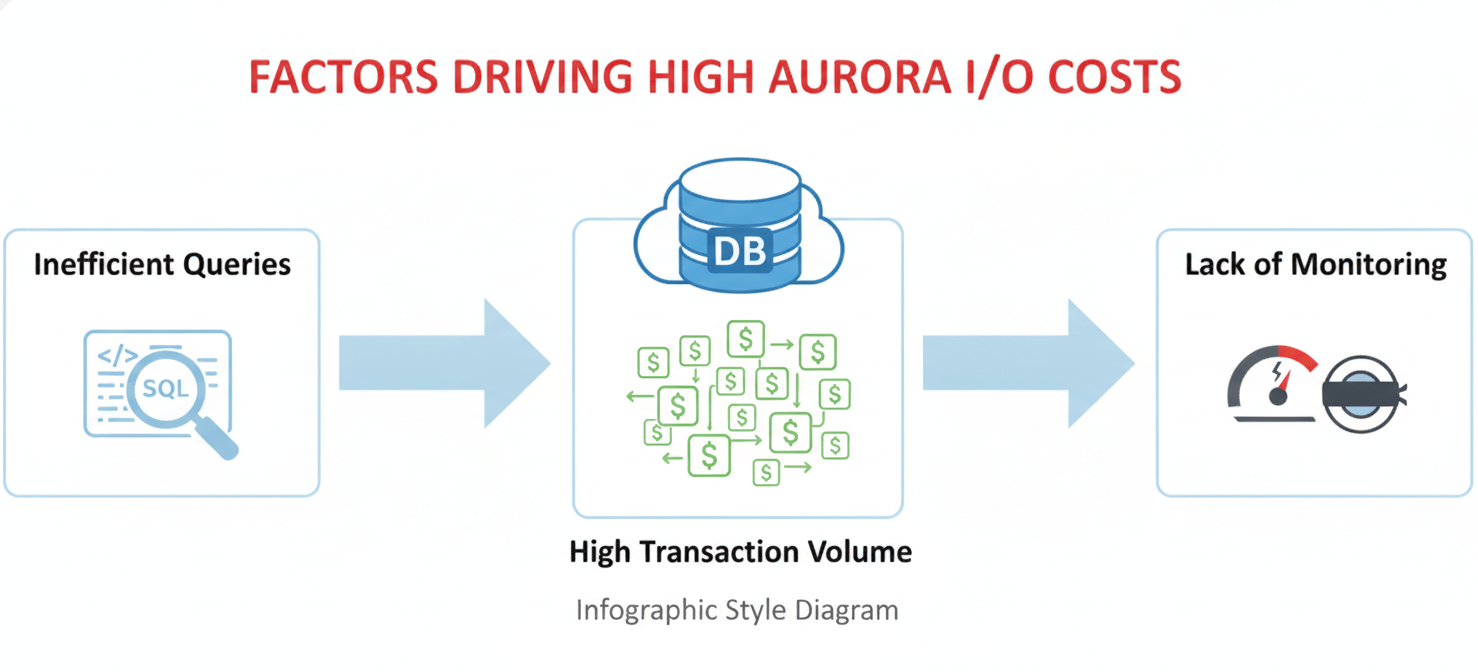
First, inefficient queries are a common culprit. A SQL query that performs a full table scan instead of using an index will read far more data from storage than necessary, directly increasing your billed I/O operations. Similarly, frequent writes from an application that updates many rows unnecessarily will drive up write I/O.
Next, the database workload itself plays a significant role. Applications with high transaction volumes, such as e-commerce platforms or real-time analytics systems, naturally generate more I/O. Finally, a lack of monitoring can allow costs to spiral. Without actively tracking I/O metrics, your team might not realize a recent code deployment has introduced an inefficient query until the bill arrives.
Understanding Your Bill: A Deep Dive into Aurora I/O Cost Analysis
To effectively reduce costs, you must first understand where they are coming from. A detailed Aurora I/O cost analysis involves breaking down your usage and identifying the specific workloads contributing to the charges.
Monitoring with CloudWatch
The primary tool for this analysis is Amazon CloudWatch. AWS provides specific metrics that track the billed I/O operations for your Aurora clusters.
[Billed] VolumeReadIOPs: This metric tracks the number of read operations from the Aurora storage volume.[Billed] VolumeWriteIOPs: This metric tracks the number of write operations to the storage volume.
By analyzing these metrics over time, you can establish a baseline for your application’s normal I/O patterns. This allows you to spot anomalies, such as a sudden spike in read I/O, which could indicate a problematic query or an unusual traffic pattern. You can also set up CloudWatch Alarms to be notified automatically when I/O usage exceeds a predefined threshold, enabling a proactive response instead of a reactive one.
Using Performance Insights
For a more granular view, Amazon RDS Performance Insights is an invaluable tool. It helps you visualize the database load and identify the specific SQL queries, users, and hosts that are consuming the most resources, including I/O. By pinpointing the exact queries responsible for high I/O, you can focus your optimization efforts where they will have the most impact.
Strategic Cost Reduction: How to Optimize Aurora I/O
Once you have analyzed your I/O patterns, you can implement targeted strategies to reduce consumption. These methods range from architectural changes to routine database maintenance.
Choose the Right Storage Configuration
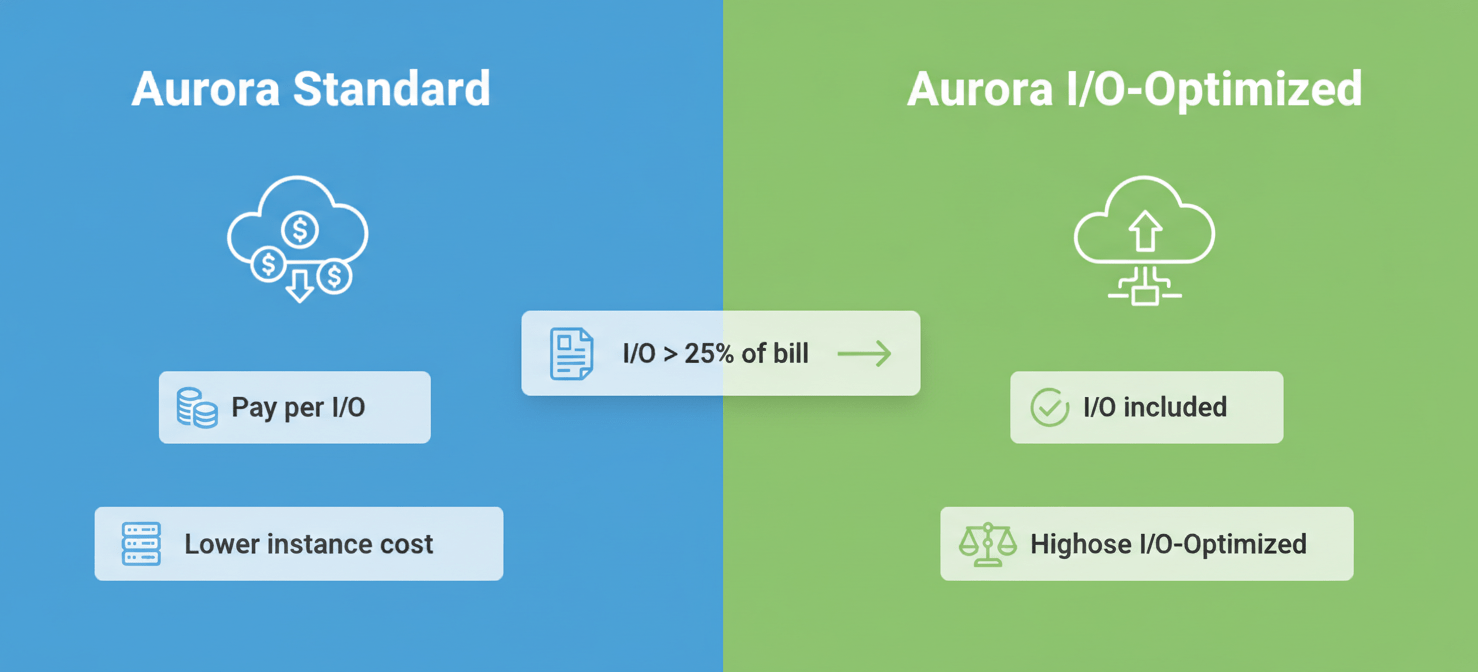
Aurora offers two primary storage configurations: Standard and I/O-Optimized.
- Aurora Standard: This is the default, pay-per-request model where you are charged for storage and I/O operations separately. It is cost-effective for workloads with low to moderate I/O.
- Aurora I/O-Optimized: This configuration has higher instance and storage costs but includes all I/O charges. There are zero charges for read and write I/O operations.
The key is to determine your break-even point. As a general rule, if your I/O spending is more than 25% of your total Aurora database bill, switching to I/O-Optimized can provide significant savings, often up to 40%. This provides predictable pricing, which is especially beneficial for I/O-heavy applications.
Query and Index Optimization
The most direct way to reduce I/O is to make your database access patterns more efficient.
- Add Necessary Indexes: Ensure that your tables are properly indexed to support your application’s query patterns. An index allows the database to find the data it needs without scanning the entire table, drastically reducing read I/O.
- Remove Unused Indexes: Conversely, every index on a table must be updated during write operations, which consumes write I/O. Regularly identify and remove indexes that are no longer used by your queries.
- Improve Buffer Cache Hit Ratio: The buffer cache is the memory area where Aurora stores frequently accessed data pages. When data is read from the cache instead of from storage, it does not incur I/O charges. Aim for a buffer cache hit ratio of over 99%. If your ratio is low, it may indicate that your instance size is too small for your workload, or that your queries are inefficiently scanning large amounts of data.
Conclusion
Controlling your database spend requires a proactive and informed approach. For teams using Amazon Aurora, a regular Aurora I/O cost analysis is not just a best practice—it’s a financial necessity. By leveraging tools like CloudWatch and Performance Insights to understand your usage, you can make data-driven decisions. Whether it’s tuning a problematic query, adding a critical index, or making the strategic switch to the I/O-Optimized configuration, these actions can directly translate into a lower monthly bill. The goal isn’t to stop using the database, but to use it more intelligently, ensuring that every I/O operation serves a necessary and efficient purpose.
To truly master your Aurora I/O costs and implement these strategies effectively, you can explore how Binadox can help manage your cloud costs or connect with our experts to discuss a tailored solution.
 7-day free trial