



A clunky, manual IT onboarding process is a frustrating experience for everyone involved. New hires are left waiting for access to essential tools, unable to start their work effectively. Meanwhile, your IT team is buried under a mountain of repetitive tickets for account creation, software installation, and permission settings. This manual approach is not only inefficient but also prone to errors, creating security risks and delaying a new employee’s time-to-productivity. The good news is that you can and should automate the IT onboarding process. By creating a systematic, automated workflow, you can ensure every new hire has the resources they need from day one, freeing up your IT staff to focus on more strategic initiatives.
Key takeaways
- Automating IT onboarding can reduce the time it takes to provision a new user by up to 75%.
- Key steps include mapping your current process, selecting the right integration tools, and building automated workflows for account creation and access management.
- Automation significantly improves security by ensuring consistent application of policies and immediate de-provisioning upon offboarding.
- Start by automating the most time-consuming, repetitive tasks first to see the quickest return on investment.
Why Manual IT Onboarding Fails
Manual IT onboarding is a process built on checklists and hope. An HR manager sends an email, a help desk ticket is created, and then a series of IT administrators manually create user accounts, assign licenses, and configure permissions across dozens of different systems. This approach is inherently flawed. It’s slow, often taking days to fully provision a new employee. This delay leaves new hires feeling unproductive and disconnected during their crucial first week.

Furthermore, the process is notoriously error-prone. With so many manual steps, it’s easy to forget to add a user to a specific group, assign the wrong license, or grant incorrect permissions. These small mistakes can lead to security vulnerabilities or prevent employees from accessing the tools they need to do their jobs. The lack of a standardized, enforceable process means that consistency is nearly impossible to achieve. Each onboarding experience can be slightly different, depending on who handles the request. This inconsistency makes auditing and compliance a significant challenge.
The Core Benefits of New Employee IT Checklist Automation
Automating the new employee IT checklist provides substantial benefits beyond just saving time. It creates a smooth, professional first impression for new hires. When their accounts, hardware, and software are ready to go on day one, it sends a clear message that the company is organized and values their contribution. This positive initial experience can have a lasting impact on employee engagement and retention.
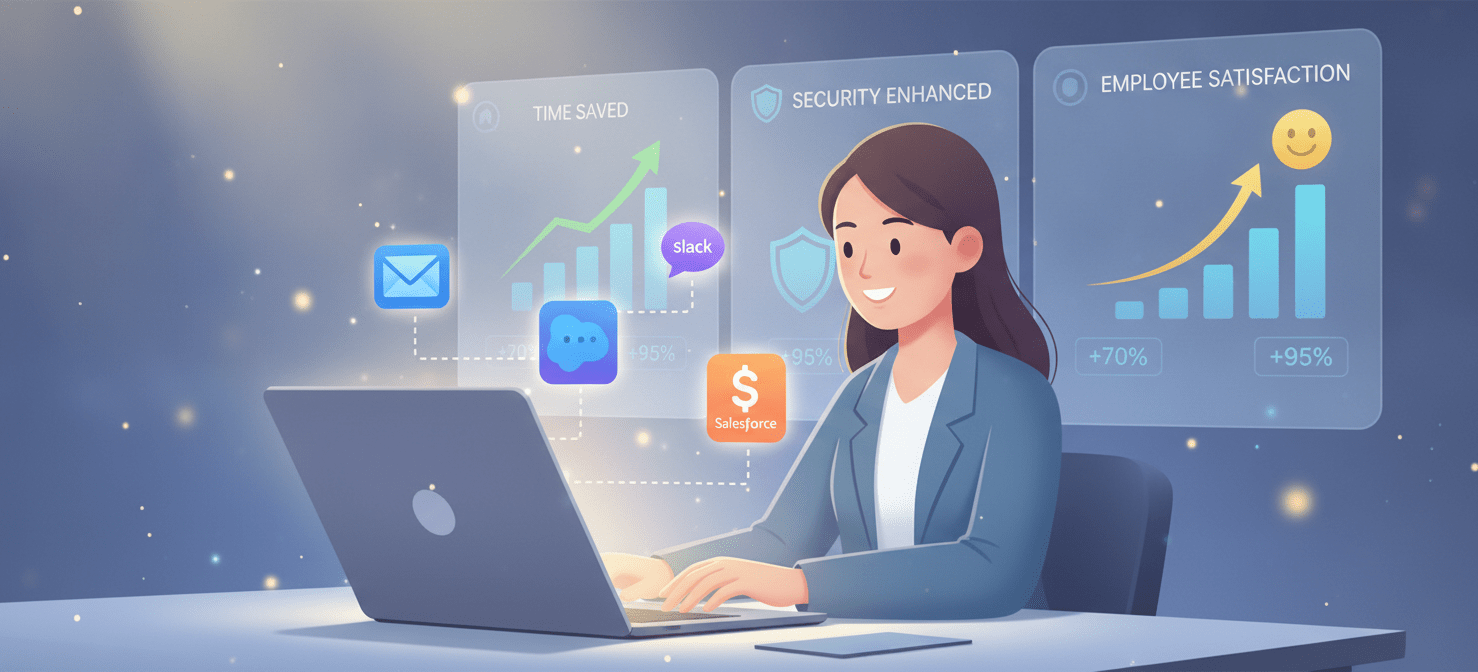
From a security and compliance standpoint, automation is a major step forward. Automated workflows ensure that every new user is provisioned according to a predefined set of rules. This consistency eliminates the risk of human error in assigning permissions, ensuring that principles like least privilege are enforced from the start. For example, an automated system can grant access based on the new hire’s role and department as defined in the HR system. In addition, a robust automation platform can also handle de-provisioning, instantly revoking access to all systems when an employee leaves. This immediate offboarding is critical for preventing unauthorized access to sensitive company data.
Finally, the efficiency gains are undeniable. IT teams are freed from the monotonous cycle of creating accounts and resetting passwords. Instead, they can focus their expertise on higher-value projects that drive the business forward. This shift not only improves the IT department’s morale but also increases its strategic impact on the organization.
How to Automate the IT Onboarding Process: A Step-by-Step Guide
Transitioning from a manual to an automated system requires a clear plan. By following a structured approach, you can build a reliable and efficient onboarding workflow that scales with your organization.
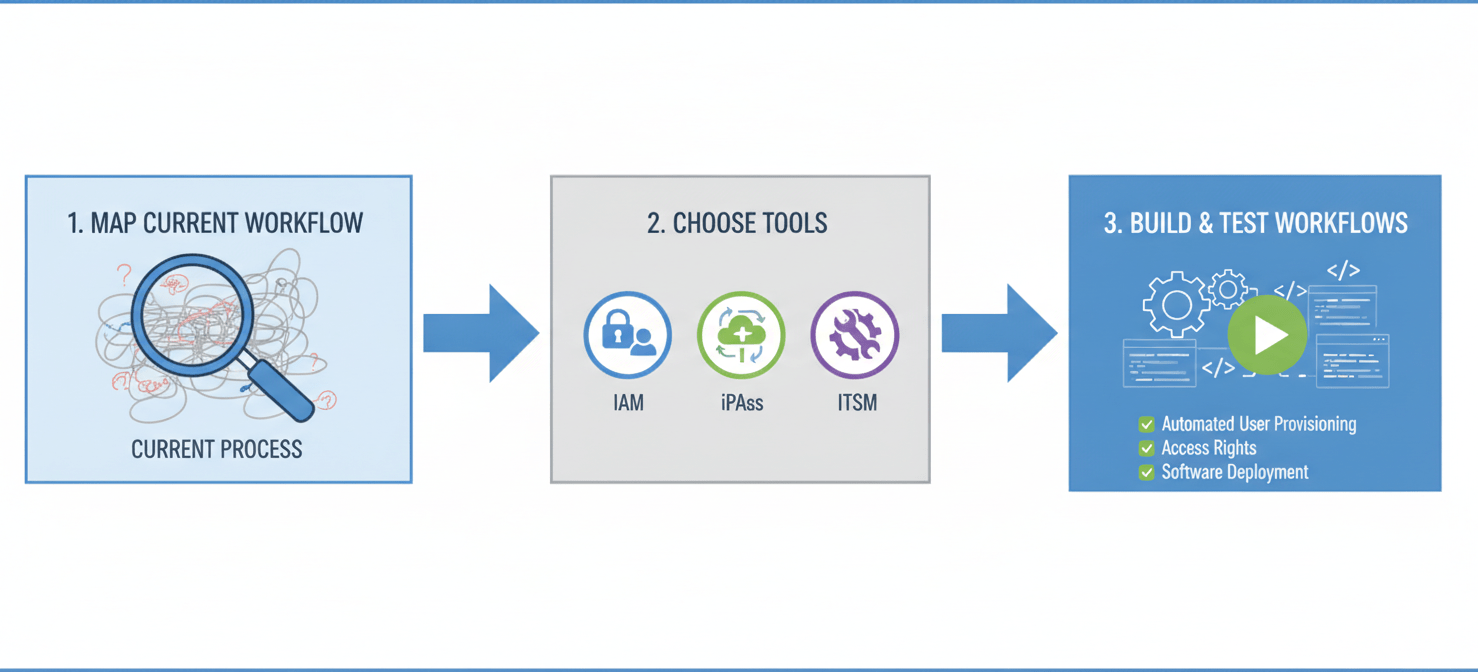
Step 1: Map Your Current Onboarding Workflow
Before you can automate anything, you need to understand your existing process in detail. Document every single step, from the moment HR flags a new hire to the point where the employee is fully provisioned. Identify all the people, teams, and systems involved.
- Who initiates the process? (e.g., HR, hiring manager)
- What information is needed? (e.g., name, title, department, start date)
- Which applications and systems does the new hire need? (e.g., email, Slack, Salesforce, internal software)
- What permissions are required for each application? (e.g., user, admin, read-only)
- Who needs to approve these requests?
This mapping exercise will reveal bottlenecks, redundancies, and opportunities for improvement. It forms the blueprint for your automation project.
Step 2: Choose the Right Automation Tools
Several types of tools can help you automate IT onboarding. The best choice depends on your existing technology stack, budget, and the complexity of your needs.
- Identity and Access Management (IAM) Platforms: Solutions like Okta or Microsoft Entra ID (formerly Azure AD) are excellent for centralizing user identities and managing access. Many offer workflow automation features specifically for provisioning and de-provisioning users across a wide range of applications. For instance, Microsoft Entra ID’s lifecycle workflows can automate tasks for joiners, movers, and leavers.
- Integration Platform as a Service (iPaaS): Tools like Zapier or Workato allow you to connect different cloud applications and create automated workflows without extensive coding. You can build “recipes” or “zaps” that trigger actions based on events, such as creating a new user in your HR system.
- IT Service Management (ITSM) Software: Platforms like Jira Service Management or ServiceNow can orchestrate complex onboarding processes. They can manage approvals, trigger scripts for account creation, and track the entire process from a central dashboard.
Step 3: Build and Test Your Automated Workflows
With your process mapped and tools selected, you can begin building your automated workflows. Start with a simple, high-impact process. For example, you could create a workflow where a new employee added to your HR system (like BambooHR or Workday) automatically triggers the creation of their primary email and communication accounts (e.g., Google Workspace, Microsoft 365, Slack).
The basic logic often looks like this:
- Trigger: A new employee is marked as “hired” in the HR system.
- Action 1: Create a user account in your central identity provider (e.g., Entra ID).
- Action 2: Based on the user’s department, add them to the correct email distribution lists and security groups.
- Action 3: Provision accounts in core SaaS applications with role-based permissions.
- Action 4: Send a welcome email to the new hire with their login credentials and first-day instructions.
Thoroughly test each workflow with dummy accounts. Ensure that permissions are assigned correctly and that all steps execute as expected. Involve stakeholders from HR and other departments to confirm the process meets their needs.
Best Practices for SaaS Provisioning Automation
Effective SaaS provisioning automation goes beyond just creating accounts. It involves managing the entire lifecycle of a user’s access to ensure security and control costs.
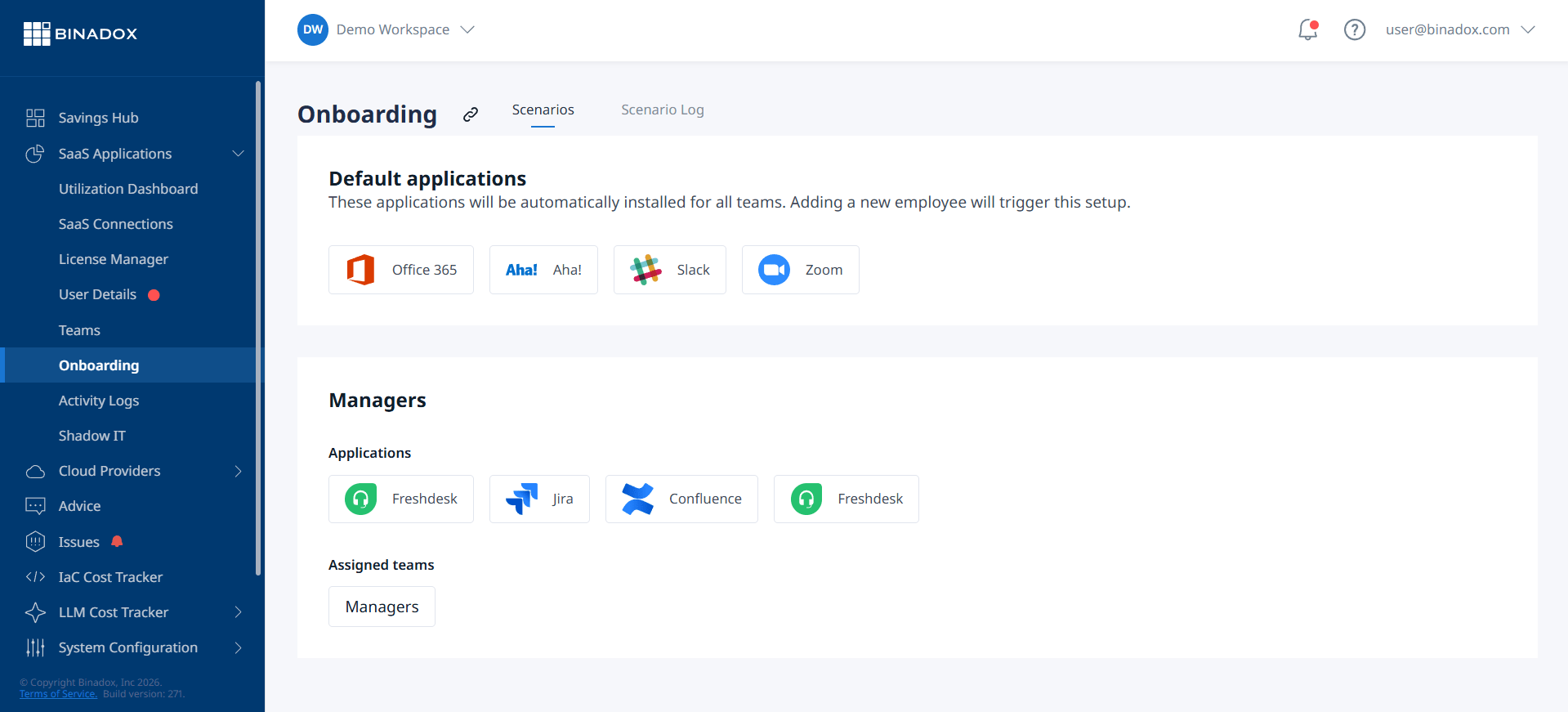
First, implement role-based access control (RBAC). Define roles within your organization (e.g., “Sales Representative,” “Software Engineer,” “Marketing Manager”) and map the specific application access and permissions needed for each role. When a new hire joins, you simply assign them a role, and the automation handles the rest. This ensures consistency and makes auditing much simpler.
Second, don’t forget about offboarding. A strong automation strategy must include immediate de-provisioning. When an employee’s status changes to “terminated” in the HR system, workflows should automatically disable their accounts, revoke access tokens, and transfer ownership of their files and assets. This is one of the most critical security functions of onboarding automation, as it closes the window of opportunity for a disgruntled former employee to access company data.
Finally, regularly review and audit your automated processes. Roles change, new applications are adopted, and old ones are retired. Schedule periodic reviews (e.g., quarterly) to ensure your workflows are still accurate and efficient. Check audit logs to verify that permissions are being granted and revoked correctly. This continuous improvement cycle ensures your automation remains effective over the long term.
Conclusion
Manual IT onboarding is an inefficient relic that drains resources and creates a poor experience for new employees. It introduces unnecessary delays, security risks, and inconsistencies that have no place in a modern organization. By taking a structured approach, you can successfully automate the it onboarding process. This involves carefully mapping your current procedures, selecting the right integration tools, and building robust workflows for both provisioning and de-provisioning. The result is a secure, scalable, and professional system that lets new hires be productive from their first hour, not their first week, and allows your IT team to focus on work that truly matters. The initial setup requires effort, but the long-term payoff in efficiency and security is a trade worth making every time.
To truly transform your IT onboarding from a manual headache into a seamless, secure experience, consider how Binadox can streamline your processes; you can begin your free Binadox trial today or schedule a demo to see it in action.
 7-day free trial