



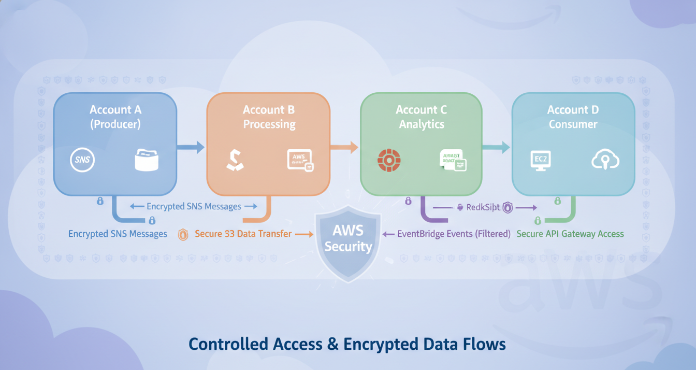
Managing resources across multiple AWS accounts is a common strategy for improving security and organizing costs. However, it introduces the challenge of allowing services to communicate securely. Effective aws cross-account access requires careful configuration to prevent unauthorized interactions while enabling necessary workflows. This article explores how to securely configure cross-account communication for two key serverless messaging services: Simple Notification Service (SNS) and Amazon EventBridge’s Event Bus.
Key takeaways
- Resource-based policies are the primary tool for granting specific cross-account permissions to SNS topics and EventBridge event buses.
- Always follow the principle of least privilege, granting only the minimum permissions required for a service to perform its function.
- Securing cross-account access involves a 2-part setup: the resource owner must grant permission, and the accessing entity must have corresponding permissions.
- Encrypting data in transit and at rest using AWS KMS is crucial, and KMS key policies must also be configured to allow cross-account access.
Understanding the Need for Cross-Account Communication
Using multiple AWS accounts provides strong isolation boundaries. Your teams can separate development, testing, and production environments to limit the blast radius of any potential security incident. This strategy also simplifies billing and cost allocation. For example, a central logging account can aggregate data from various application accounts, or a shared services account can host tools used by the entire organization.
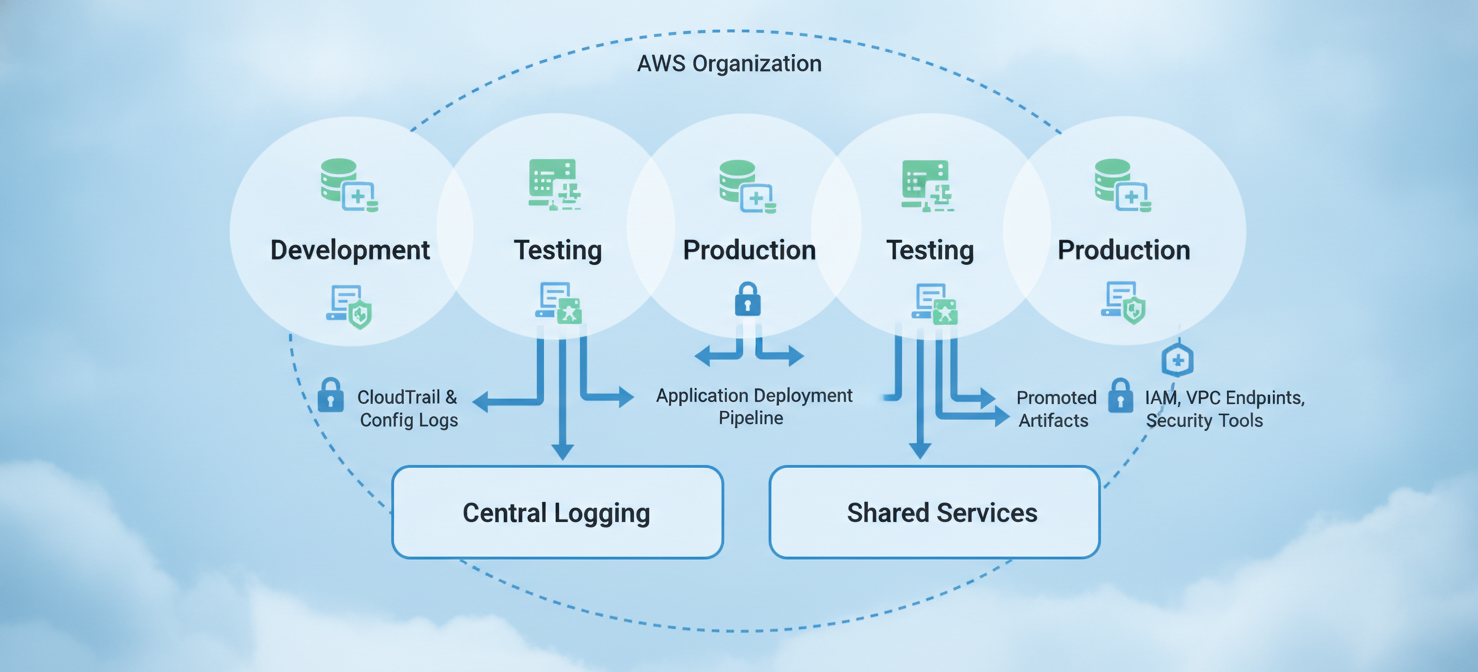
However, this separation creates a need for services to interact across account lines. An application in a production account might need to publish an event to an SNS topic in a central notifications account. Similarly, an event bus in a security account might need to receive events from applications running in dozens of other accounts. Without a secure way to manage these interactions, you could either block legitimate workflows or open dangerous security gaps.
Core Security Principles for AWS Cross-Account Access
Before configuring specific services, it’s essential to understand the foundational security principles that govern aws cross-account access. These concepts ensure that you build a secure and maintainable multi-account architecture.
The Principle of Least Privilege
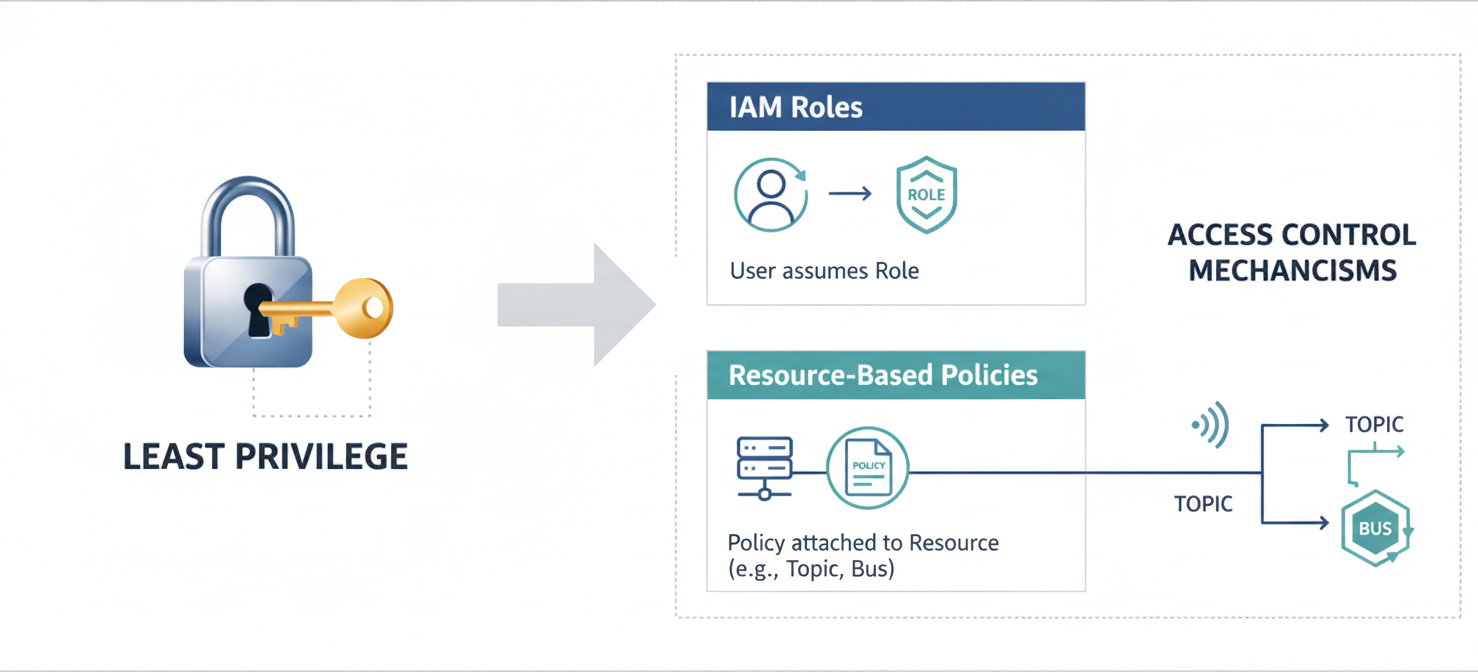
The most important concept is the principle of least privilege. This means that any user, role, or service should only have the exact permissions needed to perform its required tasks and nothing more. For example, if an application only needs to publish messages to an SNS topic, its permissions should be limited to the sns:Publish action on that specific topic’s ARN. Avoid using wildcards (*) in policies whenever possible, as they can grant overly broad permissions.
Resource-Based Policies vs. IAM Roles
You can enable cross-account access primarily in two ways: with IAM roles or with resource-based policies.
- IAM Roles: You can create a role in the target account that principals in another account can assume. This is a common pattern but can become complex to manage at scale.
- Resource-Based Policies: Services like SNS and EventBridge support policies attached directly to the resource (the SNS topic or the event bus). These policies specify which principals (including entire AWS accounts) are allowed to perform specific actions on that resource. For services that support them, resource-based policies are often a simpler and more direct way to manage cross-account permissions.
This article focuses on resource-based policies, as they provide a clear and auditable way to control access directly on the shared SNS and EventBridge resources.
Securing SNS for Cross-Account Messaging
Amazon SNS is a managed messaging service for sending notifications from the cloud. When you need to allow an application in “Account A” to publish to a topic in “Account B,” you must configure permissions in both accounts.
SNS Resource Policies in Action
The primary mechanism for granting cross-account publish rights is the SNS topic’s resource-based policy. This is a JSON document attached to the topic that defines who can access it.
To grant publish access to another account, you add a statement to the topic policy. This statement should explicitly allow the sns:Publish action and specify the source account’s ID as the Principal.
Example SNS Topic Policy Statement:
{
  "Sid": "AllowCrossAccountPublish",
  "Effect": "Allow",
  "Principal": {
    "AWS": "arn:aws:iam::ACCOUNT_A_ID:root"
  },
  "Action": "sns:Publish",
  "Resource": "arn:aws:sns:REGION:ACCOUNT_B_ID:YOUR_TOPIC_NAME"
}
This policy grants every identity in Account A permission to publish to the topic. To adhere to least privilege, the IAM policy for the specific user or role in Account A should also be scoped down to only allow publishing to this specific topic ARN.
Encryption with AWS KMS
If your SNS topic handles sensitive data, you should enable server-side encryption (SSE). When using a customer-managed AWS Key Management Service (KMS) key for encryption, you must also update the key’s policy. The KMS key policy needs to grant the publishing account (Account A) permissions to use the key for cryptographic operations (kms:GenerateDataKey and kms:Decrypt). Without these permissions, attempts to publish from the other account will fail even if the SNS topic policy is correct.
Securing EventBridge for Cross-Account Events
Amazon EventBridge is a serverless event bus that helps you build event-driven architectures. A common pattern is to use a central event bus in one account to aggregate events from many other accounts.
Event Bus Policies and Rules
Similar to SNS, you secure an event bus for cross-account access using a resource-based policy. This policy allows you to specify which accounts can send events (events:PutEvents) to your event bus.
You can grant permissions to a specific account or even an entire organization using aws:PrincipalOrgID in a condition block. This simplifies management if you use AWS Organizations.
Example EventBridge Policy Statement:
{
  "Sid": "AllowAccountAToPutEvents",
  "Effect": "Allow",
  "Principal": {
    "AWS": "arn:aws:iam::ACCOUNT_A_ID:root"
  },
  "Action": "events:PutEvents",
  "Resource": "arn:aws:events:REGION:ACCOUNT_B_ID:event-bus/YOUR_EVENT_BUS_NAME"
}
In the sending account (Account A), the IAM role associated with the service generating the event needs a corresponding IAM policy. This policy must grant the events:PutEvents permission for the specific event bus ARN in the receiving account (Account B).
Auditing and Monitoring Cross-Account Activity
Granting cross-account access is only half the battle; you must also monitor its usage. AWS CloudTrail is an essential service for this purpose. CloudTrail captures API calls made in your account, including cross-account AssumeRole calls and actions performed by cross-account principals.
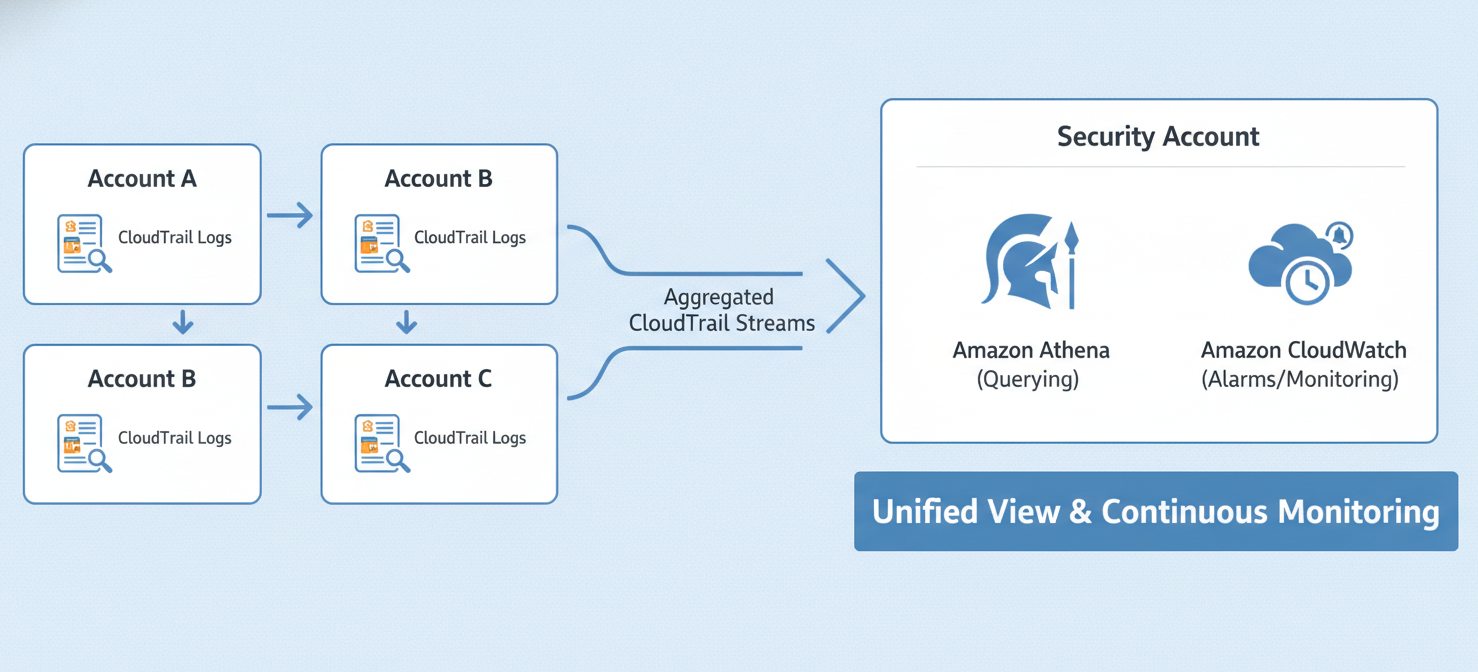
By aggregating CloudTrail logs from all your accounts into a central security account, your team can get a unified view of all cross-account activity. You can then use Amazon Athena to query these logs for suspicious behavior or create Amazon CloudWatch Alarms to be notified in real-time of specific cross-account API calls. This continuous monitoring helps ensure that your carefully crafted permissions are being used as intended.
Conclusion
Configuring aws cross-account access for services like SNS and EventBridge is a fundamental skill for managing a secure, multi-account AWS environment. By leveraging resource-based policies and adhering strictly to the principle of least privilege, you can build robust and decoupled systems that communicate safely across account boundaries. Remember that policies on both the sending and receiving ends, including those for KMS keys, must be correctly configured. Neglecting to audit these connections is like leaving a door unlocked; you’ve built the structure, but you aren’t checking who comes and goes. Therefore, a solid monitoring strategy with CloudTrail is not optional—it’s a critical component of a secure setup.
To move beyond manual configurations and ensure continuous vigilance over your multi-account AWS environment, discover how our platform can automate and simplify these critical security practices. You can explore its capabilities by beginning a free trial, or for a tailored understanding of its full potential, schedule a personalized demo with our experts.
 7-day free trial