



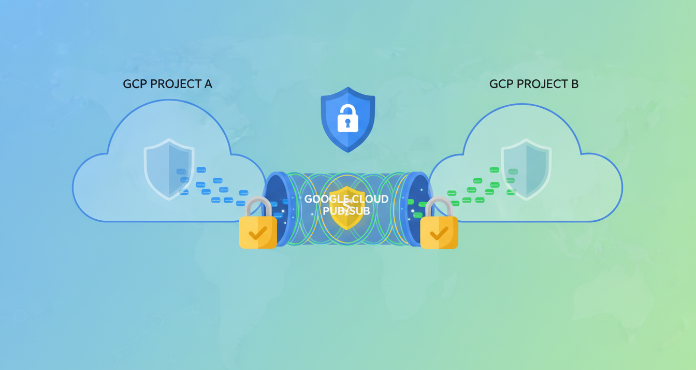
As organizations scale on Google Cloud, resources often become distributed across multiple projects for billing, management, and environmental separation. While this separation is beneficial, it introduces challenges for services like Pub/Sub that need to communicate across project boundaries. Effective gcp pub sub security requires a deliberate and granular approach to managing these cross-project interactions. Without proper controls, you risk unauthorized data access, accidental message publication to the wrong topic, or data exfiltration. This article details the core components of securing Pub/Sub in a multi-project environment, focusing on Identity and Access Management (IAM), service perimeters, and encryption.
Key takeaways
- Cross-project Pub/Sub access is controlled primarily through IAM roles granted to service accounts, not special Pub/Sub configurations.
- The Principle of Least Privilege is critical; grant specific roles like
roles/pubsub.publisherorroles/pubsub.subscriberto individual topics or subscriptions rather than broad project-level permissions. - For an added layer of defense against data exfiltration, you can use VPC Service Controls to create a service perimeter around your projects, restricting data flow.
- Google encrypts all Pub/Sub messages in transit and at rest by default, but you can use Customer-Managed Encryption Keys (CMEK) for greater control over the keys used for encryption.
What is Cross-Project Pub/Sub and Why Is It a Security Concern?
Cross-project Pub/Sub is the ability for a service in one Google Cloud project (Project A) to publish messages to a topic or consume messages from a subscription located in a different project (Project B). This is a common and necessary pattern in microservices architectures where different services, owned by different teams, reside in separate projects. For example, an e-commerce application in a “production” project might need to send order confirmation events to a topic in a separate “analytics” project.
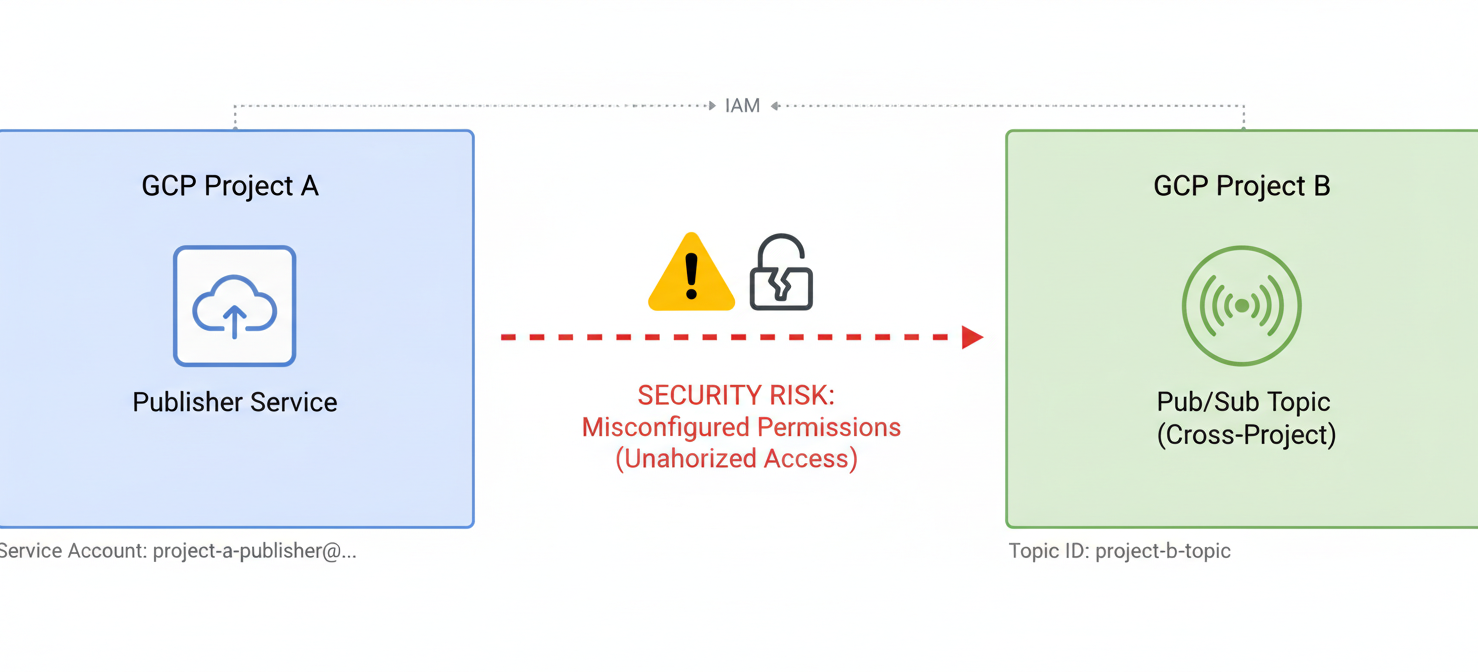
The primary security concern arises from misconfigured permissions. Granting overly broad access—for instance, giving a service account the “Editor” role on the entire analytics project just to publish to one topic—creates a significant risk. This violates the principle of least privilege and could allow a compromised service in the production project to read, modify, or delete resources in the analytics project far beyond its intended scope. Unauthorized cross-project access can lead to data integrity issues or data exfiltration.
GCP Pub/Sub Security: The Principle of Least Privilege
The foundation of strong gcp pub sub security is the Principle of Least Privilege. This means any user, service account, or group should only have the absolute minimum permissions required to perform its function. Google Cloud’s Identity and Access Management (IAM) is the tool you use to enforce this principle.
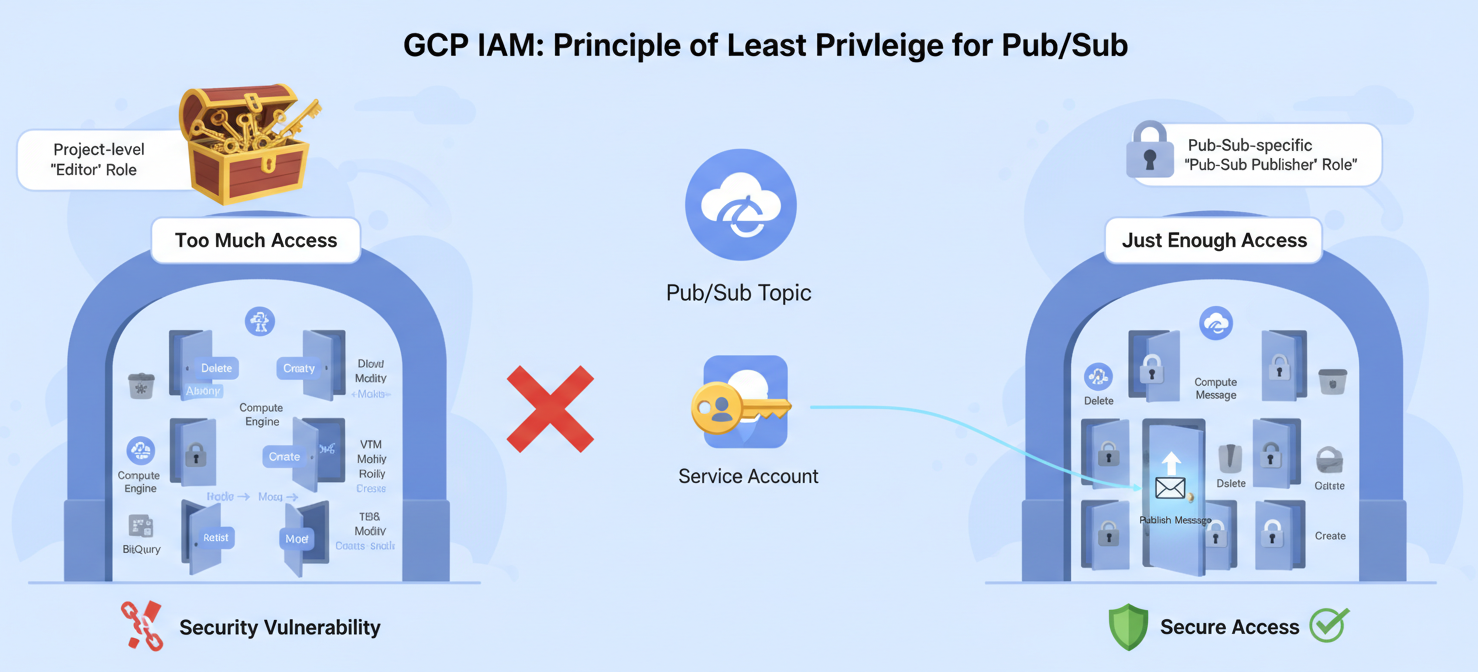
Instead of using basic roles like Owner, Editor, or Viewer, which are highly permissive, you should use predefined, granular roles that are specific to Pub/Sub. These roles allow you to separate duties effectively.
Key Predefined Roles for Pub/Sub
roles/pubsub.publisher: Allows a principal to publish messages to a specific topic.roles/pubsub.subscriber: Grants permission to attach to a subscription and consume its messages.roles/pubsub.viewer: Provides read-only access to view topics, subscriptions, and their properties.roles/pubsub.editor: Allows for the creation, deletion, and modification of topics and subscriptions.
By assigning these roles at the most specific resource level possible (e.g., on a single topic or subscription) rather than at the project level, you drastically reduce the potential attack surface.
Configuring Cross-Project IAM Permissions for Pub/Sub
Configuring cross-project access is entirely a function of IAM. There are no special network configurations or Pub/Sub settings required. The process involves identifying the service account in the source project and granting it the appropriate role on the specific Pub/Sub resource in the destination project.
Step-by-Step Example: Cross-Project Publishing
Imagine you have a service account in Project-A that needs to publish messages to a topic named my-topic in Project-B.
- Identify the Principal: First, get the full email address of the service account in
Project-A. It will look something likemy-service-account@project-a.iam.gserviceaccount.com. - Navigate to the Destination Resource: In the Google Cloud Console, go to the Pub/Sub section of
Project-B. - Select the Topic: Find and select
my-topicfrom the list of topics. - Add Permissions: In the info panel, go to the “Permissions” tab and click “Add Principal”.
- Assign the Role: In the “New principals” field, paste the full service account email from
Project-A. In the “Select a role” dropdown, choose the “Pub/Sub Publisher” role. - Save: Click “Save” to apply the IAM policy binding.
The service account in Project-A now has the explicit and sole permission to publish messages to my-topic in Project-B, and nothing more.
Using VPC Service Controls to Create a Service Perimeter
While IAM provides identity-based access control, VPC Service Controls offer an additional layer of context-based security. It allows you to define a service perimeter around a group of Google Cloud projects. This perimeter acts as a virtual boundary, preventing data from being exfiltrated outside the perimeter, even by someone with valid IAM permissions.
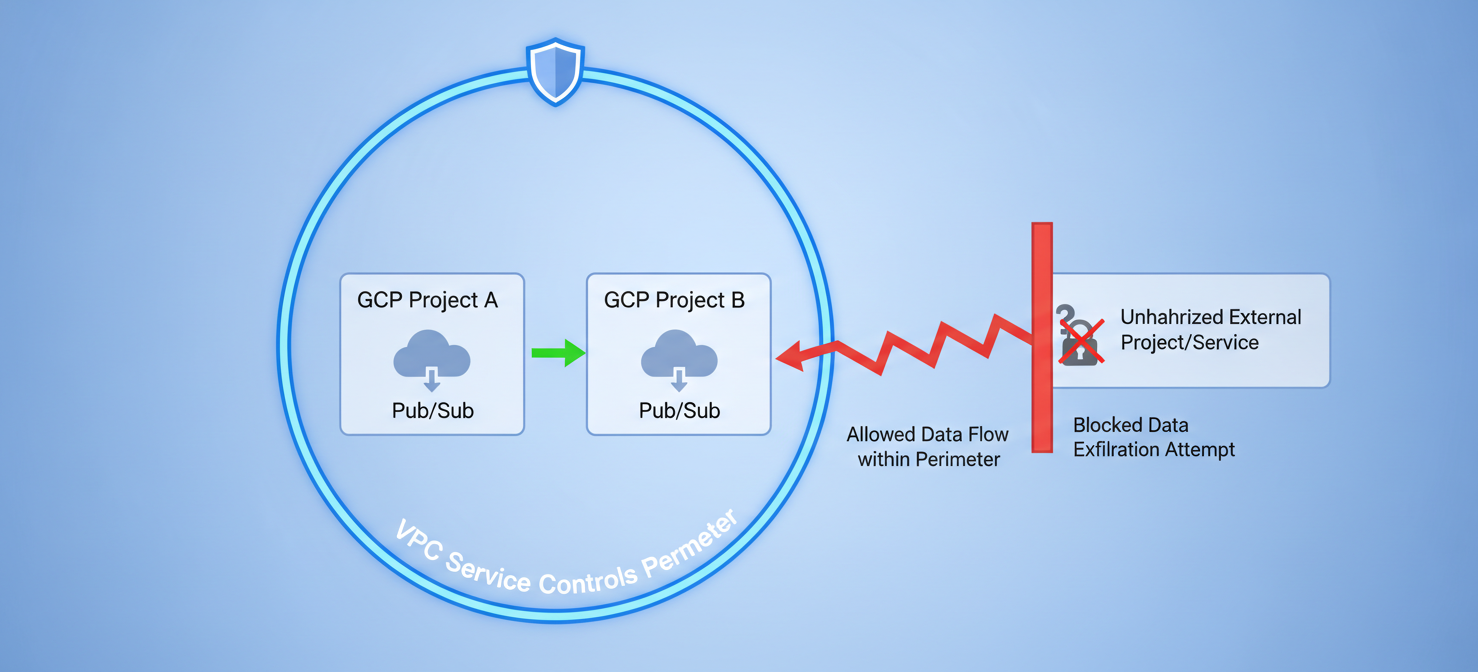
For example, you can place both Project-A and Project-B within the same service perimeter. This configuration ensures that the service in Project-A can communicate with the Pub/Sub topic in Project-B, but it prevents that same service from sending data to a Pub/Sub topic in an unauthorized project outside the perimeter. This is a powerful defense against data exfiltration caused by misconfigured permissions or compromised code. Setting up a perimeter can be complex, especially when dealing with push subscriptions, which may require using a pull subscription pattern to function correctly within the VPC-SC boundary.
Encryption for Pub/Sub Messages In Transit and At Rest
Data protection through encryption is a core component of a secure messaging system. Google Cloud provides robust, default encryption for Pub/Sub data both in transit and at rest.
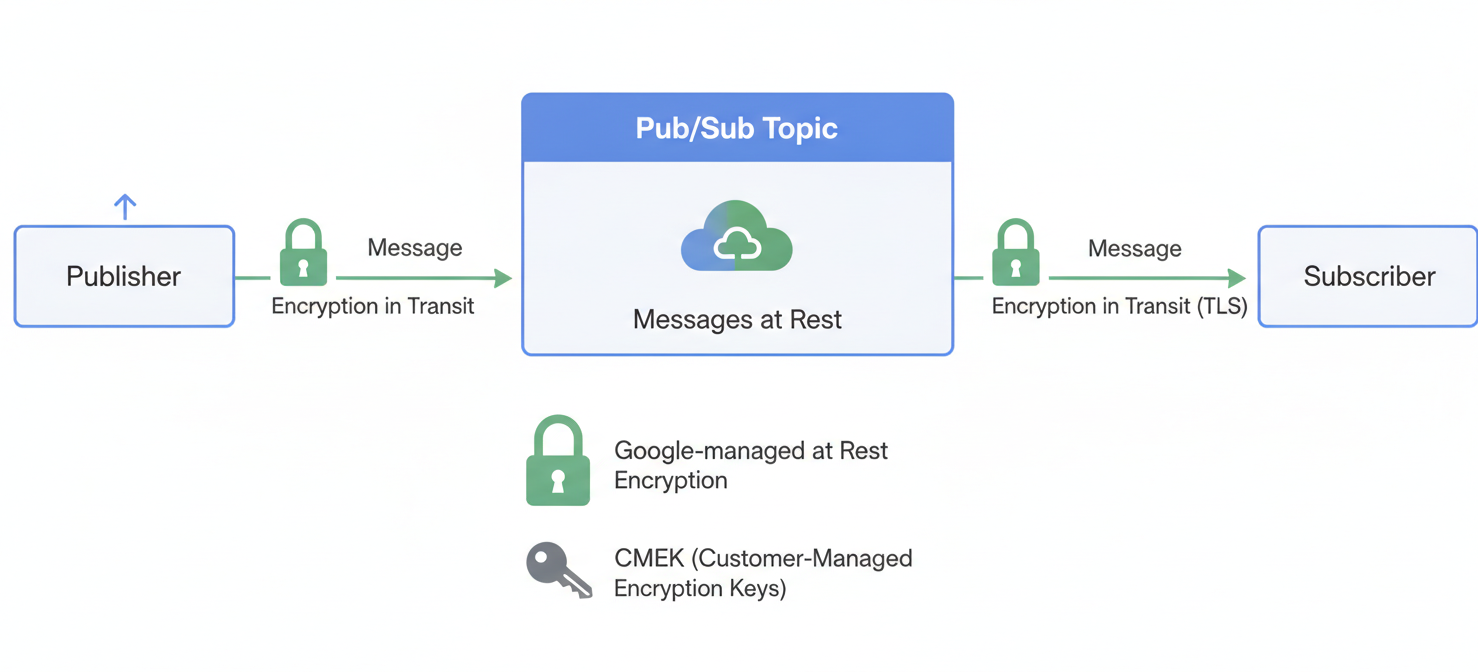
- Encryption in Transit: All data moving between a publisher or subscriber and the Pub/Sub service is encrypted using TLS.
- Encryption at Rest: Messages that are stored by Pub/Sub before being delivered to subscribers are encrypted at rest. By default, this uses Google-managed encryption keys.
For organizations with specific compliance or security requirements, you can implement Customer-Managed Encryption Keys (CMEK). With CMEK, you use keys that you create and manage in Cloud KMS to encrypt the Data Encryption Keys (DEKs) that Pub/Sub uses. This gives your team control over the key lifecycle, including rotation and revocation, and provides an auditable trail of key usage in Cloud Audit Logs. While CMEK provides more control, it also incurs costs for Cloud KMS usage.
Conclusion
Successfully managing cross-project communication in Pub/Sub boils down to a disciplined application of core security principles. It’s not about finding a magic setting within Pub/Sub itself, but about meticulously managing identities and their permissions through IAM. By adhering to the principle of least privilege and assigning granular roles to specific resources, you can prevent the majority of unauthorized access risks. For more advanced protection against data exfiltration, VPC Service Controls provide a formidable boundary. Ultimately, a robust gcp pub sub security posture relies on using these tools in concert. Don’t grant a project-level Editor role and hope for the best; that’s just asking for a bad day.
To avoid those ‘bad days’ and simplify the complex task of securing your multi-project Pub/Sub environment, you can start a free trial of our platform or book a demo to explore how we streamline granular access control.
 7-day free trial