



When managing cloud infrastructure, unexpected costs can be a significant concern. If you’ve noticed a spike in your Azure bill, your Application Gateway might be the culprit. Understanding the factors that drive up the azure application gateway capacity unit cost is the first step toward optimizing your spending. This article breaks down the components of Application Gateway pricing, explains what capacity units are, and provides actionable steps to analyze and reduce your expenses.
Key takeaways
- Azure Application Gateway V2 pricing has two main parts: a fixed hourly cost for the gateway itself and a variable cost based on “Capacity Units” consumed.
- A single Capacity Unit is a measure of utilization across three metrics: 2,500 persistent connections, 1 GB/hour of throughput, and 1 Compute Unit. Your bill is based on whichever of these three is highest.
- Setting a high minimum instance count in your autoscaling configuration can lead to high costs, as each reserved instance equals 10 billable Capacity Units, regardless of traffic.
- Regularly monitoring metrics like “Current capacity units” and “Estimated Billed Capacity units” is crucial for identifying the specific drivers of your costs.
Understanding the V2 SKU Pricing Model
The Application Gateway V2 SKU, which includes both Standard_V2 and WAF_V2, operates on a consumption-based pricing model. This model is fundamentally different from the older V1 SKU. It consists of two primary components that contribute to your total bill: a fixed cost and a variable cost.
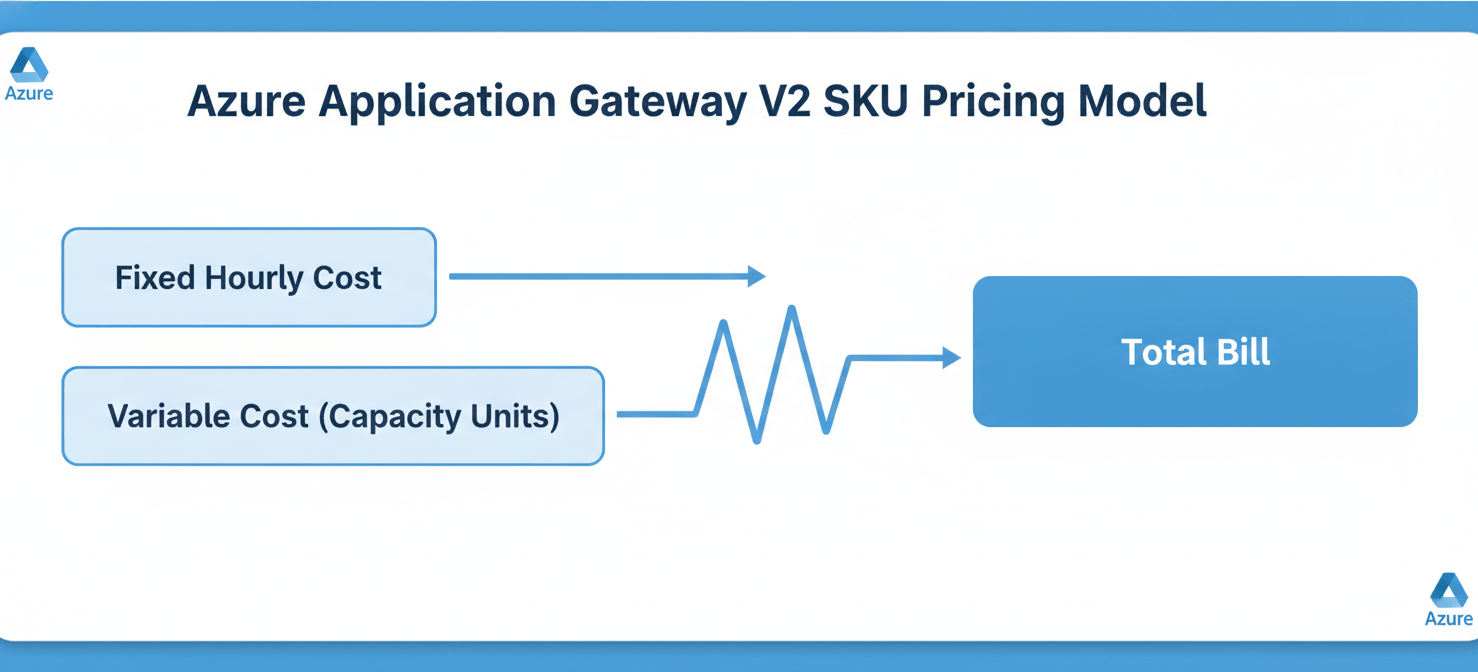
The fixed cost is an hourly charge for provisioning the gateway. This fee ensures the gateway is running and highly available, and it’s charged regardless of how much traffic you process or how many instances are active. Even if you set your minimum instance count to zero, a fixed cost still applies.
The variable cost, on the other hand, is directly tied to usage. This is where Capacity Units come into play. You are billed for the number of Capacity Units your gateway consumes on an hourly basis. Therefore, a high variable cost is a direct result of high Capacity Unit consumption.
What Exactly Is a Capacity Unit?
A Capacity Unit is the core metric for understanding your variable costs. It’s not a single measure but rather a composite of three different dimensions of gateway utilization. A single Capacity Unit represents:
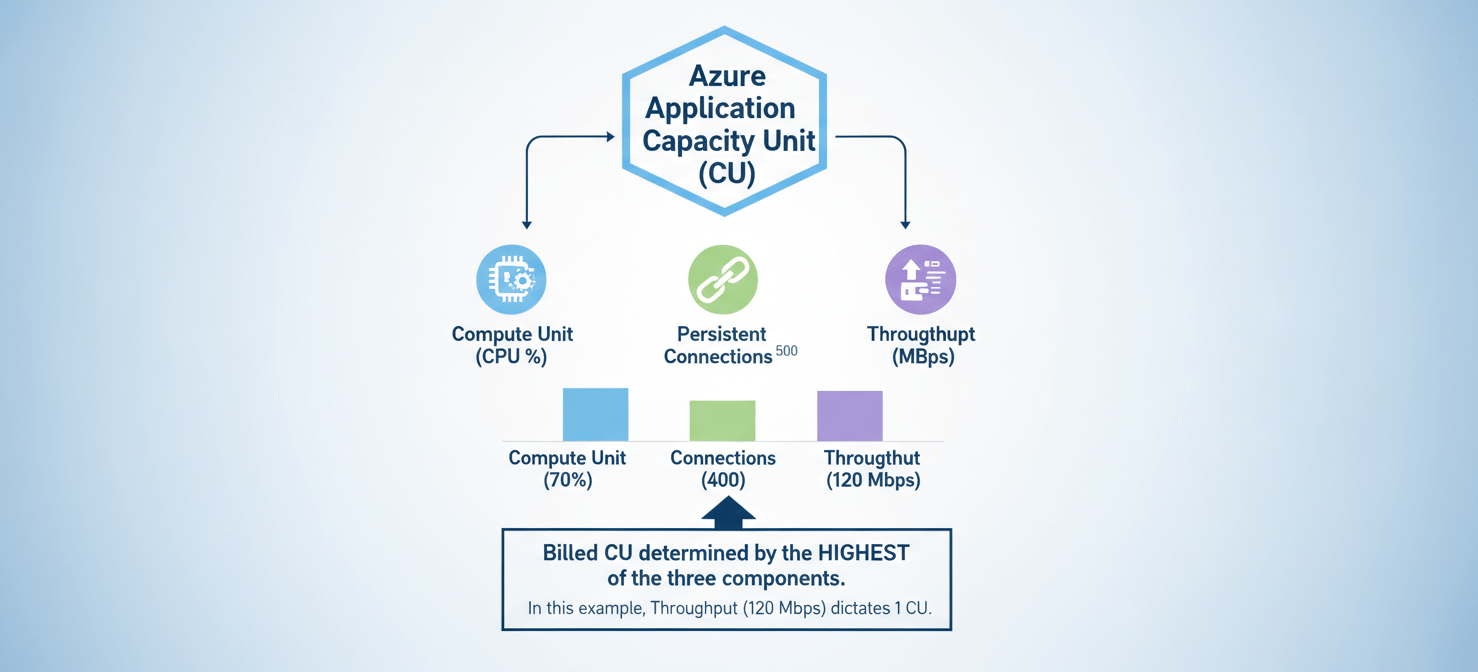
- Compute Unit: This measures the processing power consumed. Factors influencing this include TLS connections per second, URL rewrite computations, and WAF rule processing. For a Standard_V2 gateway, one compute unit can handle roughly 50 TLS connections per second (using an RSA 2048-bit key).
- Persistent Connections: This tracks the number of established TCP connections. One Capacity Unit can sustain up to 2,500 persistent connections.
- Throughput: This is the amount of data processed by the gateway. A single Capacity Unit corresponds to approximately 1 GB per hour (or 2.22 Mbps) of throughput.
Crucially, your billing is determined by the highest utilization among these three parameters. For example, if your gateway uses resources equivalent to 5 Capacity Units for throughput but 8 Capacity Units for compute, you will be billed for 8 Capacity Units. This is a critical point in any application gateway cost analysis.
Common Causes for High Capacity Unit Consumption
Several factors can lead to an unexpectedly high azure application gateway capacity unit cost. Identifying the specific cause requires looking at your gateway’s configuration and traffic patterns.
Misconfigured Autoscaling Settings
Autoscaling is a powerful feature of the V2 SKU, designed to match capacity with demand and optimize costs. However, a common mistake is setting the minimum instance count too high. Each instance you set as a minimum reserves 10 Capacity Units.
For instance, if you configure a minimum of 5 instances, you are committing to pay for 50 Capacity Units (5 instances x 10 CUs/instance) every hour, even if your actual traffic only requires 20 CUs. This reserved capacity becomes a significant fixed portion of your variable costs. For low-traffic environments, setting the minimum instance count to 0 or 1 is often more economical.
High Traffic Volume or Inefficient Traffic Patterns
A straightforward reason for high costs is simply a high volume of traffic. More requests, more data transfer, and more connections will naturally consume more Capacity Units. However, the nature of the traffic also matters.
- High Compute Demand: Applications with many complex URL rewrite rules or heavy TLS traffic will drive up Compute Unit consumption. Similarly, a WAF with many active rules will use more compute resources to inspect traffic.
- High Connection Count: Applications that maintain a large number of long-lived connections can exhaust the persistent connection limit per Capacity Unit, even if throughput is low.
Inefficient Backend Health Probes
Application Gateway constantly probes backend servers to ensure they are healthy before sending traffic. If these probes are configured too frequently or if backend servers are slow to respond, it can generate unnecessary internal traffic and processing load, contributing to higher Capacity Unit usage over time.
How to Analyze and Reduce Your Costs
Once you understand the potential causes, you can take concrete steps to diagnose and lower your costs. This process involves monitoring, analysis, and reconfiguration.
Step 1: Monitor Key Metrics
Your first action should be to dive into Azure Monitor. Focus on the specific metrics that relate to billing and capacity.
- Current capacity units: This shows the actual number of CUs being consumed based on the three dimensions (compute, connections, throughput).
- Fixed Billable Capacity Units: This metric reflects the CUs reserved by your minimum instance count setting.
- Estimated Billed Capacity units: This is the most important metric for cost analysis, as it shows the final number of CUs you will be billed for (the higher of current or fixed billable units).
By comparing these metrics, you can quickly determine if you are paying for unused reserved capacity. If your “Fixed Billable Capacity Units” are consistently higher than your “Current capacity units,” your minimum instance count is likely too high.
Step 2: Adjust Autoscaling Configuration
Based on your monitoring, adjust your autoscaling settings. For most workloads, it’s best to start with a low minimum instance count (e.g., 0 or 1) and let autoscaling handle traffic spikes. Set a reasonable maximum instance count to act as a cost ceiling and prevent runaway costs from unexpected traffic surges or DDoS attacks. A good approach is to analyze your peak traffic over a week and set the maximum to handle about 150% of that peak.
Step 3: Optimize WAF and Routing Rules
If your cost issues stem from high Compute Unit usage, review your gateway’s configuration.
- Azure WAF V2 Pricing Explained: The WAF SKU has a higher fixed and per-capacity-unit cost than the Standard SKU. While essential for security, ensure your WAF rules are not overly complex or redundant. Disable rules that are not relevant to your application’s technology stack.
- Simplify URL Rewrites: Complex rewrite rule sets can be computationally expensive. Look for opportunities to simplify or consolidate them.
Step 4: Leverage Caching
For applications with a high volume of static or infrequently changing content, implementing a caching strategy can significantly reduce the load on your Application Gateway. By serving content from a cache, you reduce the number of requests that need to be processed, which in turn lowers throughput and compute unit consumption.
Conclusion
An unexpectedly high azure application gateway capacity unit cost is almost always a solvable problem. The issue rarely lies with the service’s base price but rather with a mismatch between its configuration and the actual workload it supports. By moving from a “set it and forget it” mindset to one of active monitoring and tuning, you can gain control over your spending. The key is to treat your gateway configuration not as a static setup but as a dynamic reflection of your traffic. Start by analyzing your billed capacity units, adjust your minimum instance count to match your baseline traffic, and you will likely find your costs aligning much more closely with your expectations. After all, paying for capacity you don’t use is an expensive habit to maintain.
To proactively optimize your Azure Application Gateway costs and gain granular control over your cloud spending, you can explore Binadox with a free trial or arrange a personalized demo to discover how our platform can assist.
 7-day free trial