



The variable cost model of the cloud presents both a significant opportunity and a formidable challenge for financial oversight. Unlike the predictable, fixed costs of on-premises data centers, Azure spending can fluctuate dramatically, making forecasting and budget adherence difficult. For CFOs and procurement leaders, mastering Azure cloud budget management is not merely an IT concern; it is a critical component of corporate financial strategy. Effective management transforms cloud spend from a volatile operational expense into a predictable, value-driven investment, directly impacting ROI and freeing up capital for strategic initiatives.
Key takeaways
- Visibility is foundational: A consistent resource tagging strategy is the prerequisite for accurate cost allocation and showback reports; start with 5-8 mandatory tags for cost center, project, and owner.
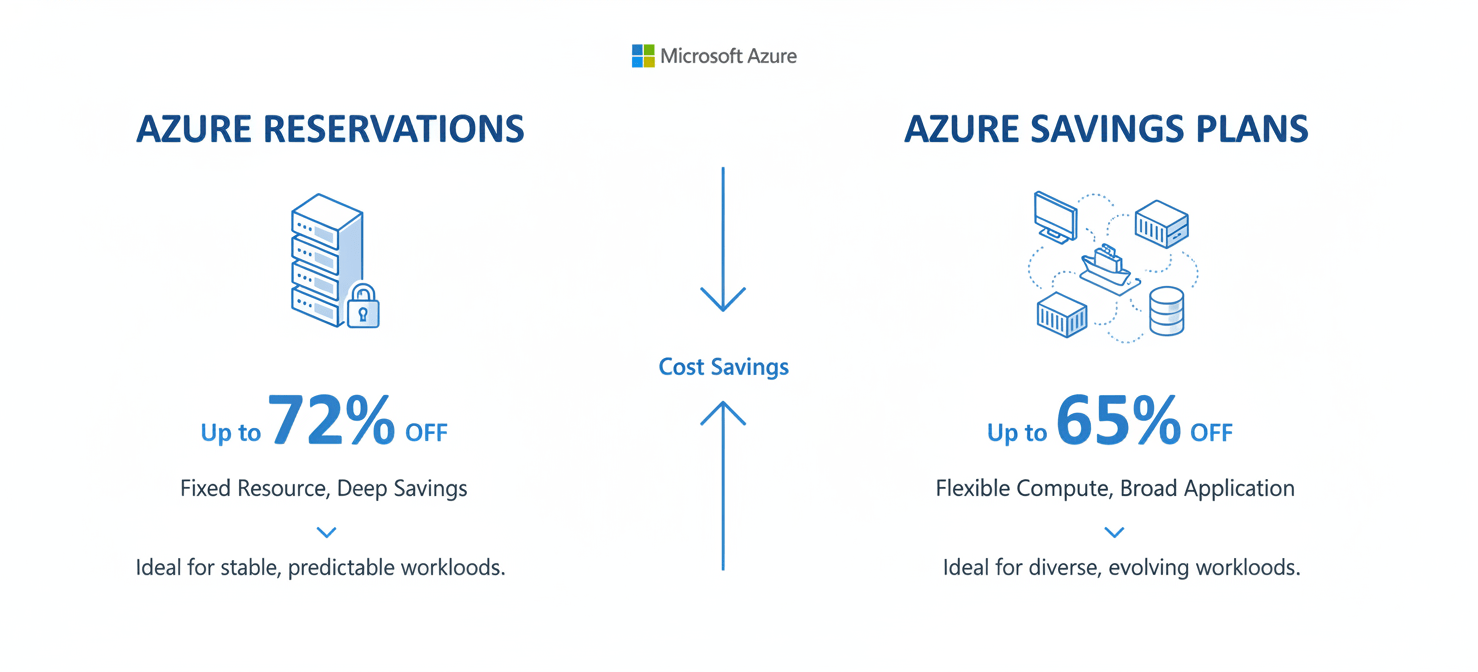
- Commitments cut costs: For predictable workloads, Azure Reservations can reduce costs by up to 72%, while Azure Savings Plans offer more flexibility for dynamic workloads with savings up to 65%.
- Automation prevents overruns: Use Azure Policy to enforce cost-saving rules, such as restricting the deployment of expensive virtual machine types or requiring resource tags.
- Continuous optimization is key: Regularly review recommendations from the free Azure Advisor tool to identify and eliminate waste from idle and underutilized resources.
The CFO’s Challenge: Turning Cloud Spend from Enigma to Asset
The core challenge for finance leaders is the shift from a CapEx to an OpEx model for IT infrastructure. This transition introduces a level of spending volatility that can undermine financial planning. Without rigorous controls, engineering teams can provision resources freely, leading to invoices that are difficult to decipher and harder to attribute to specific business activities. The result is often a reactive, and sometimes contentious, relationship between finance and technology departments.
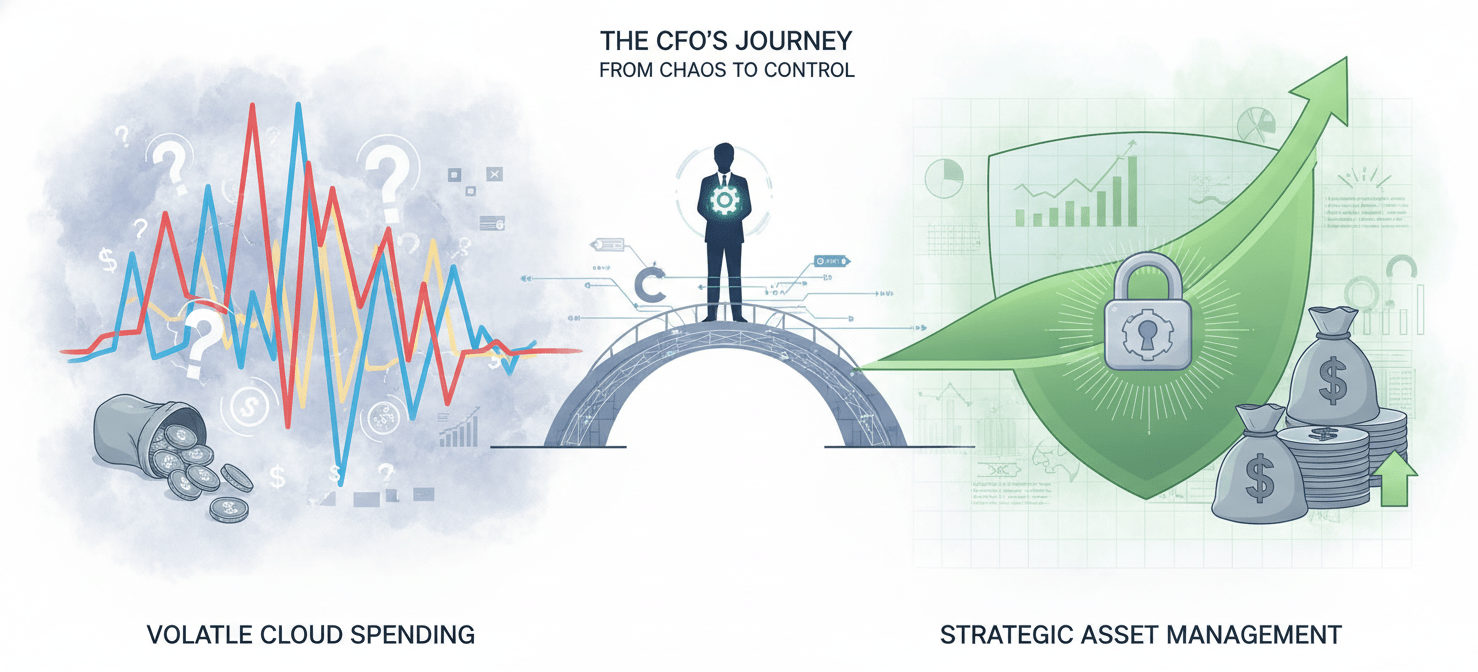
The objective is to move beyond simply paying the monthly bill. Instead, the goal is to establish a system of financial governance that provides clear visibility into where money is going, why it’s being spent, and what business value it generates. This requires a framework that connects cloud consumption directly to business units, projects, and products, enabling accurate forecasting, chargeback, and ROI analysis.
Foundational Strategy: Visibility and Tagging
You cannot control what you cannot see. The absolute foundation of Azure cloud budget management is a comprehensive and enforced resource tagging strategy. Tags are simple key-value pairs—metadata you attach to Azure resources—that allow you to categorize assets in ways that align with your financial reporting structure.
Designing a Tag Taxonomy
A successful tagging strategy begins by working backward from the financial questions you need to answer. Instead of a complex list of twenty potential tags, focus on a small set of mandatory tags that drive financial accountability.
A practical starting point includes:
- CostCenter: The business unit or department to which the cost should be allocated.
- Project/Product: The specific initiative or service the resource supports.
- Owner: The individual or team responsible for the resource’s lifecycle and cost.
- Environment: The stage of deployment (e.g., Production, Staging, Development).
These core tags provide the necessary data to filter and group costs within Azure Cost Management, turning a monolithic bill into a detailed ledger.
Enforcing Tagging with Azure Policy
Voluntary tagging policies are destined to fail. The most effective way to ensure compliance is to use Azure Policy. You can configure policies that automatically deny the creation of any new resource that lacks the mandatory tags. This embeds financial governance directly into the deployment process, making cost accountability a prerequisite for development, not an afterthought.
Proactive Control: Budgets, Alerts, and Azure Policy
With visibility established, the next step is to implement proactive spending controls. This moves your team from analyzing past overages to preventing them before they occur.
Azure Budgets and Alerts
The Azure Cost Management tool allows you to set budgets at various scopes, such as for a specific subscription, resource group, or tag. When spending reaches a predefined threshold (e.g., 80% of the monthly budget), an alert can be automatically triggered. These alerts can notify finance, procurement, and the relevant engineering leads via email or trigger an automated action, such as running a script to shut down non-essential development environments.
Governance Through Policy
Azure Policy extends beyond simple tag enforcement. It can be used to implement a wide range of cost-control rules. For example, you can create policies to:
- Restrict allowed VM SKUs: Prevent teams from deploying unnecessarily large and expensive virtual machine types in development environments.
- Limit geographic regions: Ensure resources are deployed only in your organization’s primary, most cost-effective regions.
- Enforce storage tiers: Mandate the use of lifecycle policies to automatically move infrequently accessed data to cheaper “cool” or “archive” storage tiers.
These policies act as guardrails, guiding engineering decisions toward more cost-effective outcomes without stifling innovation.
Optimizing Commitments: Reservations and Savings Plans
Pay-as-you-go pricing is the most expensive way to consume cloud resources. For workloads with predictable usage patterns, leveraging commitment-based discounts is one of the most effective strategies for reducing your Azure bill. Microsoft offers two primary models: Azure Reservations and Azure Savings Plans.
Azure Reservations
For stable, predictable workloads, Azure Reservations offer the deepest discounts, potentially saving up to 72% compared to pay-as-you-go rates. A reservation is a commitment to a specific virtual machine type in a specific Azure region for a one- or three-year term. This is ideal for long-running production databases or application servers where the infrastructure requirements are unlikely to change.
Azure Savings Plans
For workloads that are more dynamic, Azure Savings Plans provide greater flexibility. Instead of committing to a specific VM instance, you commit to a fixed hourly spend on compute services for a one- or three-year term. This discount automatically applies to eligible compute usage across different VM types and regions, making it a better fit for environments that are evolving or have fluctuating resource needs. Savings can reach up to 65% compared to pay-as-you-go.
Azure Hybrid Benefit
If your organization has existing on-premises Windows Server or SQL Server licenses with active Software Assurance, the Azure Hybrid Benefit allows you to apply these licenses to your Azure workloads. This effectively removes the software licensing cost from your Azure VM bill, leaving only the base compute infrastructure cost. When combined with Reservations, this can yield savings of up to 80% or more.
Continuous Improvement: The FinOps Feedback Loop
Azure cloud budget management is not a one-time project; it is an ongoing operational discipline. This is the core principle of FinOps, a cultural practice that brings finance, engineering, and business teams together to take shared ownership of cloud spending.

A key component of this practice is creating a continuous feedback loop.
- Inform: Use the visibility gained from tagging and Azure Cost Management to provide teams with clear, regular reports on their spending.
- Optimize: Regularly review the cost-saving recommendations provided by the free Azure Advisor service. Advisor analyzes your resource usage and identifies opportunities like right-sizing underutilized VMs or deleting idle resources.
- Operate: Use the data and recommendations to make informed decisions. This could involve decommissioning unused resources, adjusting VM sizes, or purchasing new reservations based on proven usage patterns.
This cycle ensures that cost optimization is a continuous process, adapting as your workloads and business priorities evolve.
Conclusion: From Reactive Accounting to Proactive Financial Strategy
Ultimately, effective Azure cloud budget management is about changing the conversation from “How much did we spend?” to “What business value are we getting for our spend?” It requires moving beyond the monthly invoice and embedding financial governance into the fabric of your cloud operations. By establishing clear visibility through tagging, implementing proactive controls with budgets and policies, strategically using commitment discounts, and fostering a culture of continuous optimization, you can transform your Azure spend from an unpredictable liability into a strategic asset. The bill will still arrive, of course, but it will no longer be a surprise. Instead, it will be a predictable, well-understood reflection of the value your organization is building in the cloud.
To move beyond reactive accounting and achieve proactive financial strategy with your Azure cloud, discover how our platform can provide the necessary visibility and control; you can experience its full capabilities with a free trial or by arranging a personalized demonstration.
 7-day free trial