



Managing cloud expenses in Microsoft Azure can feel like trying to hit a moving target. As your organization scales and deploys more services, the complexity of billing, resource allocation, and cost attribution grows exponentially. Without the right approach, you risk significant budget overruns; in fact, industry reports suggest that organizations waste an average of 29-32% of their cloud spend. This is where the best cloud cost management tools come into play, providing the visibility, control, and automation needed to rein in spending and maximize the business value of your Azure investment. These tools are essential for any modern FinOps practice, turning raw billing data into actionable insights.
Key takeaways
- Start with Native Tools: Azure offers free, powerful tools like Azure Cost Management + Billing and Azure Advisor that provide a solid foundation for cost visibility and basic optimization recommendations.
- Layer on Third-Party Platforms for Scale: For complex environments with dozens of subscriptions or multi-cloud needs, third-party tools offer deeper analytics, better automation, and unified reporting that native tools lack.
- Focus on Action, Not Just Analysis: The best tools don’t just show you data; they help you act on it through automated rightsizing, commitment management, and anomaly detection that flags cost spikes in near real-time.
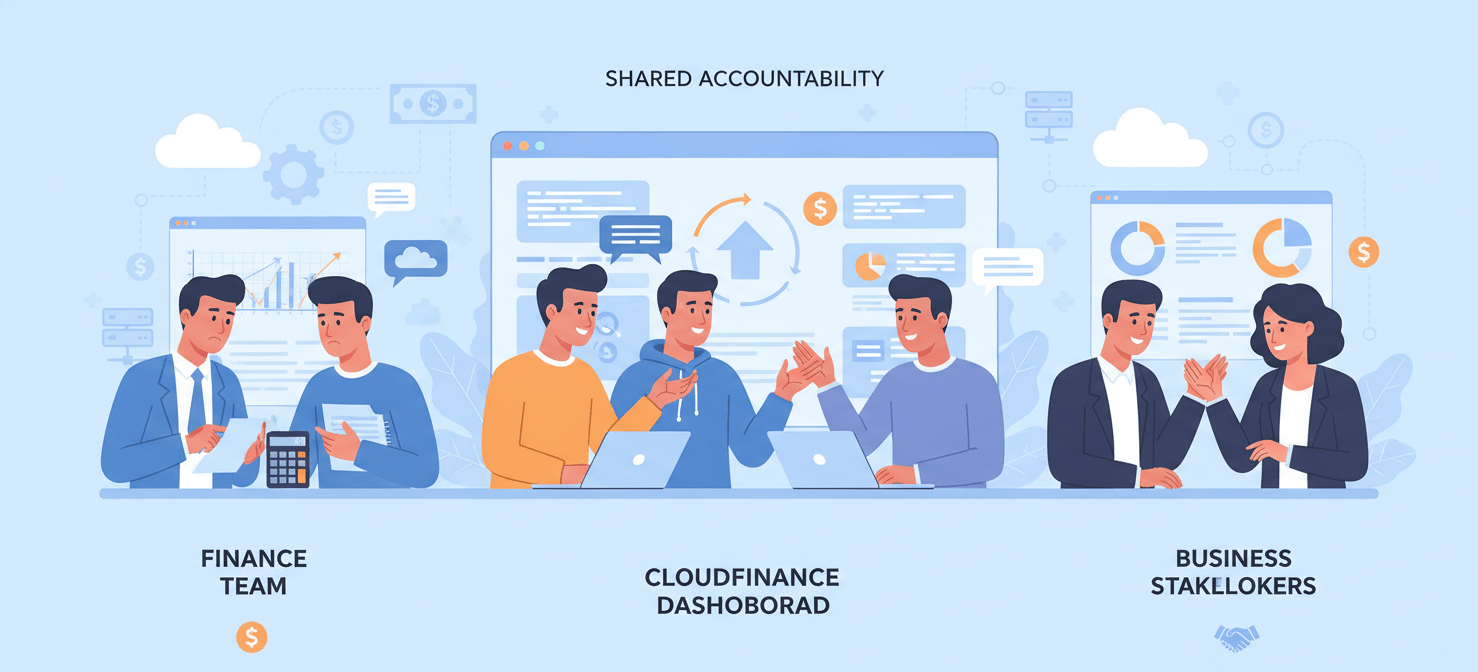
- Embrace a FinOps Culture: A tool is only as effective as the culture around it. Successful Azure cost management requires collaboration between finance, engineering, and business teams to establish shared accountability for cloud spending.
Why Azure Cost Management is a Challenge
Controlling Azure costs is a significant hurdle for many organizations. The platform’s power and flexibility are also sources of its financial complexity. Without dedicated tools and a clear strategy, it’s easy for spending to spiral out of control.

The Complexity of Azure’s Pricing Models
Microsoft Azure provides a wide array of services, each with its own pricing structure. The primary models include:
- Pay-as-you-go: This model offers maximum flexibility but is also the most expensive option for consistent workloads. You are billed per second for the resources you use, which is ideal for fluctuating demand but difficult to forecast.
- Reserved Instances (RIs) and Savings Plans: For predictable workloads, you can commit to one- or three-year terms for significant discounts—up to 72% compared to pay-as-you-go rates. However, managing these commitments across a large organization requires careful planning to avoid underutilization.
- Spot Virtual Machines: Offering the deepest discounts (up to 90%), Spot VMs leverage Azure’s unused capacity. The catch is that these instances can be interrupted with little notice, making them suitable only for fault-tolerant, non-critical workloads.
This variety of pricing models, combined with hundreds of services and SKUs, creates a steep learning curve. Many teams default to the simplest option—pay-as-you-go—and miss substantial savings opportunities.
Lack of Visibility and Accountability
In large organizations, Azure environments often span multiple subscriptions, business units, and development teams. This decentralization makes it incredibly difficult to get a unified view of spending. Key challenges include:
- Inconsistent Tagging: Without a strictly enforced tagging policy, it’s nearly impossible to allocate costs accurately to specific projects, teams, or products.
- Shared Resources: Costs for shared services like networking or security are difficult to attribute fairly across different business units.
- Orphaned and Idle Resources: Resources like unattached disks, unused public IPs, or “zombie” assets from decommissioned projects often go unnoticed but continue to incur charges.
This lack of visibility leads to a lack of accountability. When engineering teams cannot see the cost impact of the infrastructure they deploy, there is little incentive to build cost-efficiently.
The Inefficiency of Manual Optimization
Relying on manual processes for cost optimization simply doesn’t scale. Manually reviewing Azure Advisor recommendations, rightsizing virtual machines across hundreds of instances, and tracking commitment utilization is a full-time job. Furthermore, by the time a monthly invoice arrives, the opportunity to correct overspending has already passed. Effective cost management must be a continuous, automated process, not a reactive, quarterly review.
Native Azure Cost Management Tools
Before looking at third-party solutions, it’s crucial to understand the powerful and free tools Microsoft provides. For many organizations, these native tools are the essential first step in building a FinOps practice.
Azure Cost Management + Billing
This is the central hub for analyzing, managing, and optimizing your Azure costs directly within the Azure portal. It serves as the foundational tool for any team serious about cloud financial governance.
Key Features:
- Cost Analysis: Provides detailed breakdowns of your spending by subscription, resource group, tags, and service. You can visualize spending trends over time, helping you understand what drives your bill.
- Budgets and Alerts: You can create budgets for specific scopes (like a subscription or resource group) and set up alerts that notify you when spending approaches or exceeds your thresholds. This is a critical feature for preventing budget overruns.
- Cost Allocation: Helps you organize costs and attribute them to different teams or projects, which is fundamental for showback and chargeback processes.
While powerful, Azure Cost Management has limitations. Its anomaly detection can lag by up to 72 hours, and it lacks native support for multi-cloud cost attribution.
Azure Advisor
Azure Advisor acts as a personalized cloud consultant, offering proactive recommendations to optimize your Azure resources. It analyzes your resource configuration and usage telemetry to provide actionable guidance across several categories, with a strong focus on cost savings.
Common Cost Recommendations:
- Right-size or shut down underutilized VMs: Advisor identifies virtual machines with consistently low CPU and network usage, suggesting smaller, cheaper sizes or complete shutdown.
- Purchase Reserved Instances or Savings Plans: For resources with stable, long-term usage, Advisor will recommend purchasing commitments to reduce costs significantly.
- Delete Idle Resources: It pinpoints unused resources like unattached public IP addresses or idle ExpressRoute circuits that are incurring charges without providing value.
Azure Advisor is an excellent tool for identifying “low-hanging fruit” and implementing quick wins. However, its recommendations are just that—recommendations. Acting on them still requires a manual workflow, and teams must carefully evaluate suggestions to ensure they don’t impact performance.
Top 5 Third-Party Azure Cost Optimization Tools
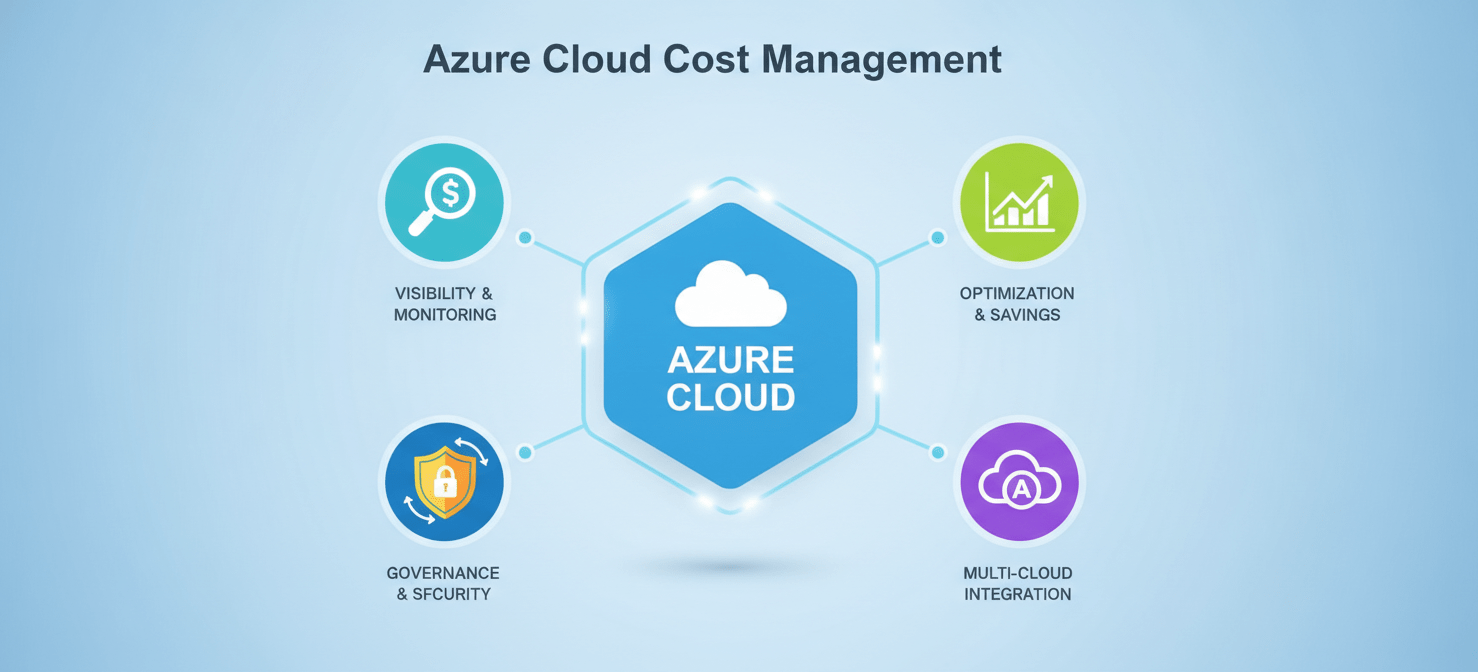
While native tools provide a solid foundation, third-party platforms are often necessary for organizations with complex, large-scale, or multi-cloud environments. These tools fill the gaps left by native solutions, offering deeper automation, more sophisticated analytics, and a unified view across all cloud and SaaS spending.
1. CloudHealth by Broadcom (formerly VMware)
CloudHealth is a well-established multi-cloud management platform designed for large enterprises. It provides robust capabilities for visibility, optimization, and governance across Azure, AWS, and GCP. For Azure, it helps IT and finance teams break down costs by department, manage chargebacks, and enforce governance policies to keep spending aligned with budgets.
Key Strengths:
- Multi-Cloud Governance: Offers a single pane of glass for managing costs across different cloud providers.
- Policy Enforcement: Allows you to create and automate policies for cost control, such as identifying resources that violate tagging standards.
- Reservation Management: Provides detailed analysis to help you optimize your portfolio of Azure Reserved Instances.
2. Flexera One
Flexera One is another comprehensive cloud management platform with a strong focus on cost optimization and IT asset management. It provides a centralized dashboard to track and manage cloud resources across Azure and other platforms. The tool helps organizations identify inefficiencies, right-size resources, and automate management tasks to control cloud costs effectively.
Key Strengths:
- Hybrid and Multi-Cloud Support: Manages costs across on-premises and multiple cloud environments.
- Automated Rightsizing: Delivers recommendations and can automate the process of adjusting resource sizes based on utilization.
- Budgeting and Reporting: Features advanced tools for tracking budgets and generating detailed reports for various stakeholders.
3. Apptio Cloudability
Cloudability is a FinOps platform focused on providing deep visibility and cost allocation capabilities. It helps organizations map cloud spending directly to business units, products, and projects using flexible tagging and allocation rules. Its forecasting engine analyzes usage trends to predict future costs, supporting more accurate budgeting.
Key Strengths:
- Granular Cost Allocation: Excels at mapping complex cloud spend to specific business contexts.
- Anomaly Detection: Quickly flags unexpected cost spikes, enabling teams to take corrective action before the end of the billing cycle.
- Commitment Management: Helps monitor and manage the lifecycle of Reserved Instances and Savings Plans to maximize their ROI.
4. Turbo360
Turbo360 is an Azure-focused cloud management platform that helps organizations gain visibility into cloud spending, reduce waste, and manage costs across multiple Azure subscriptions from one place. Unlike broader multi-cloud platforms, it is purpose-built for Azure and provides cost allocation, budgeting, anomaly detection, and optimization capabilities tailored to Azure-dominant organizations, MSPs, and CSPs.
Key Strengths:
- Unified Azure Cost Visibility: Consolidates cost data across multiple Azure subscriptions, teams, departments, and customers in a single view.
- Cost Optimization: Identifies idle and over-provisioned resources and provides rightsizing recommendations to reduce unnecessary Azure spending.
- Budgeting and Anomaly Detection: Helps teams allocate costs, monitor budgets, and detect unexpected spending changes before they become larger issues.
5. NetApp Spot.io
Spot.io (now part of Flexera) focuses heavily on automating the use of spot instances for production and mission-critical workloads, not just for interruptible tasks. For Azure, it uses predictive algorithms to provision Spot VMs with high availability, allowing organizations to achieve significant savings on compute costs without sacrificing reliability. It also provides continuous optimization for standard VMs and containerized workloads.
Key Strengths:
- Advanced Spot Instance Automation: Makes it feasible to run stateful and production applications on low-cost Spot VMs.
- Container Cost Optimization: Offers visibility and rightsizing for workloads running on Azure Kubernetes Service (AKS).
- Automated Rightsizing and Scaling: Continuously adjusts infrastructure to match application demand in the most cost-effective way.
Key Features to Look for in the Best Cloud Cost Management Tools
When evaluating Azure cost optimization tools, it’s important to look beyond basic dashboards. The most effective platforms offer a suite of features that drive action and foster a culture of financial accountability.
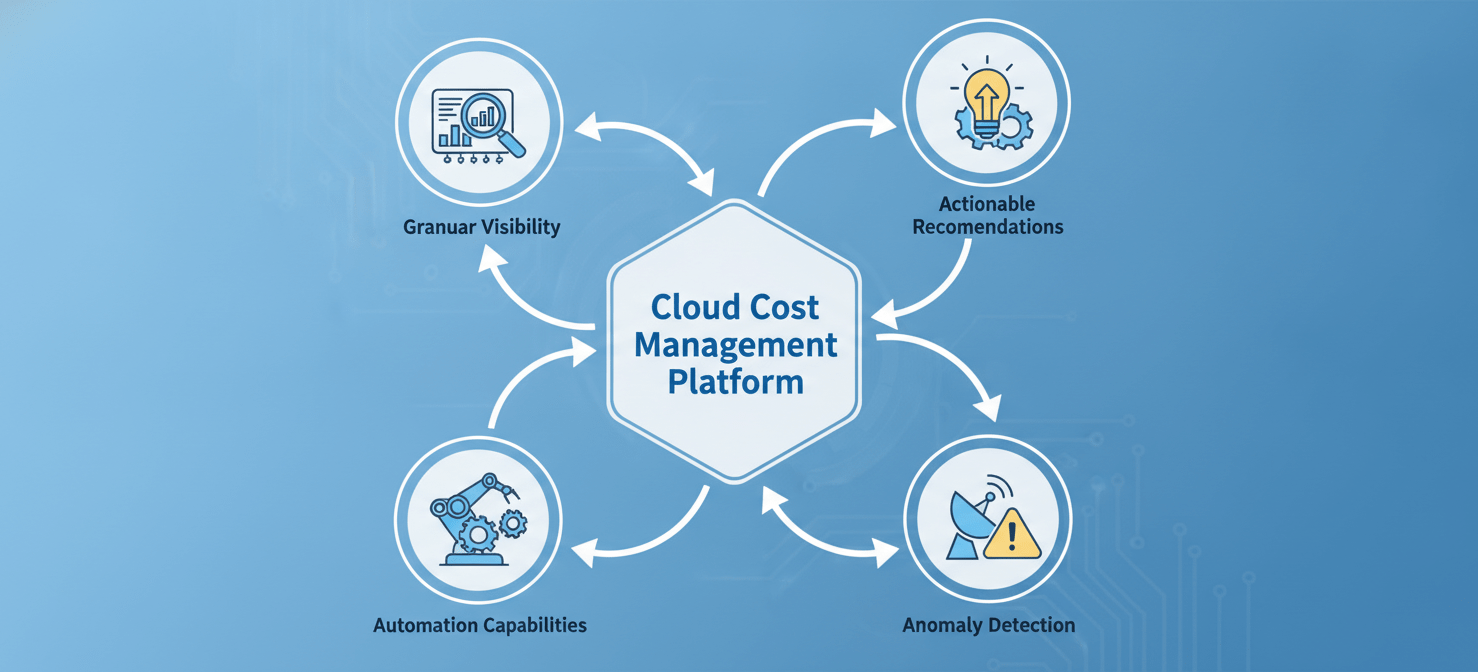
Granular Visibility and Cost Allocation
A fundamental requirement is the ability to see exactly where your money is going. The best tools ingest and normalize detailed billing data, allowing you to slice and dice costs by any business dimension that matters to you—team, project, product feature, or customer. This requires robust support for tagging and the ability to allocate shared costs intelligently. Without this granular visibility, true accountability is impossible.
Actionable Optimization Recommendations
Dashboards are passive; recommendations drive action. A good tool should proactively identify cost-saving opportunities. This goes beyond the basics offered by Azure Advisor. Look for platforms that provide:
- Rightsizing recommendations for a wide range of services, including VMs, databases, and storage.
- Commitment management features that analyze usage and recommend the optimal mix of Reserved Instances and Savings Plans.
- Idle and orphaned resource detection to clean up “zombie assets” that silently drain your budget.
Automation Capabilities
Manual optimization is a losing battle. The leading FinOps tools for Azure incorporate automation to execute on recommendations and manage resources continuously. Key automation features include:
- Automated Rightsizing: The ability to automatically apply resizing recommendations without manual intervention.
- Workload Scheduling: Automatically shutting down non-production environments (like development and testing) outside of business hours.
- Automated Commitment Management: Some advanced tools can automatically purchase and sell Reserved Instances to maintain optimal coverage as your usage patterns change.
Anomaly Detection and Alerting
Cost surprises are a common problem in the cloud. Anomaly detection uses machine learning to monitor your spending patterns and flag unexpected spikes in near real-time. This allows your team to investigate and remediate issues in hours, not weeks after the bill arrives. Alerts should be configurable and deliverable through channels like Slack or Microsoft Teams to ensure they reach the right people quickly.
How to Choose the Right Tool for Your Business
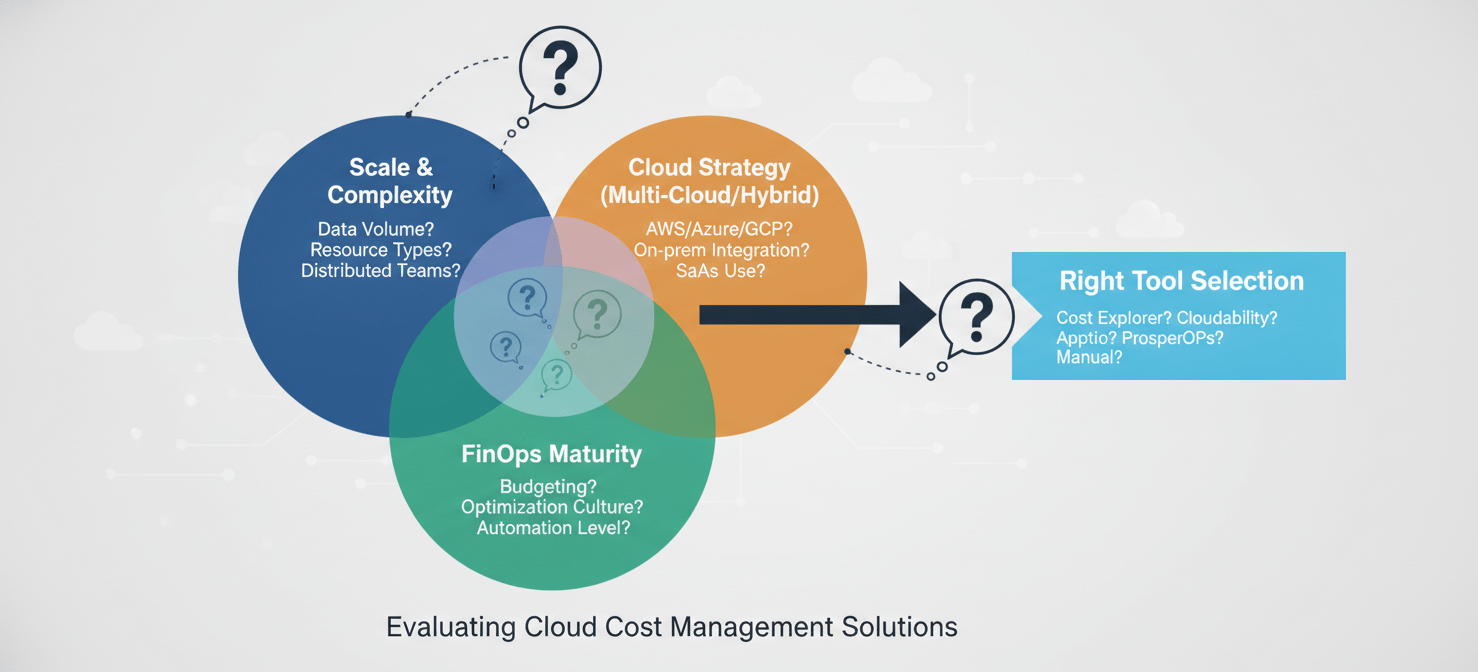
Selecting the right Azure cost management tool depends on your organization’s specific needs, scale, and maturity. There is no one-size-fits-all solution.
Assess Your Current Environment and Challenges
First, take stock of your situation.
- Scale and Complexity: How many Azure subscriptions do you manage? If you have fewer than 25 subscriptions and a relatively simple setup, the native Azure tools might be sufficient. For larger, more complex environments, a third-party tool is likely necessary.
- Cloud Strategy: Are you exclusively on Azure, or do you operate in a multi-cloud or hybrid environment? If you use AWS or GCP alongside Azure, a multi-cloud platform is essential for a unified view.
- Biggest Pain Points: Is your primary challenge a lack of visibility, uncontrolled spending by development teams, or inefficient management of commitments? Prioritize tools that directly address your most pressing problems.
Consider Your Team’s FinOps Maturity
Your organization’s experience with cloud financial management should guide your choice.
- Beginner: If you are just starting your FinOps journey, begin with Azure Cost Management and Azure Advisor. These tools are free and provide the foundational visibility needed to build basic cost awareness and hygiene practices.
- Intermediate: If you have established basic practices but struggle with manual tasks and reporting, look for a tool that offers more automation and sophisticated reporting. Platforms like Cloudability or Flexera can help you scale your efforts.
- Advanced: For mature FinOps teams that need to optimize complex workloads like Kubernetes or manage commitments dynamically, specialized tools like Kubecost or Spot.io are worth evaluating.
Evaluate Based on Key Criteria
When comparing tools, use a structured approach.
- Level of Automation: Does the tool just provide recommendations, or does it help you execute them?
- Visibility and Reporting: Can it provide clear, executive-ready reports and allocate costs in a way that makes sense for your business?
- Ease of Implementation: How much time and expertise are required to set up and configure the tool?
- Pricing Model: Is the tool priced as a percentage of your cloud spend, per seat, or based on resource hours? Ensure the pricing model aligns with your budget and won’t penalize you for growing your cloud usage.
Implementing a FinOps Culture with Your Chosen Tool
A tool alone won’t solve your cost problems. Sustainable Azure cost optimization requires a cultural shift toward shared accountability, a practice known as FinOps. This means creating a partnership between finance, engineering, and business teams to manage cloud spending collaboratively.
Establish Shared Accountability
The core principle of FinOps is that everyone who uses cloud resources shares responsibility for the cost.
- Empower Engineers: Your chosen tool should provide engineers with visibility into the cost of the resources they provision. When they can see the financial impact of their architectural decisions, they are empowered to build more cost-efficiently.
- Align Finance and Tech: Create a cross-functional FinOps team that meets regularly to review spending, analyze trends, and set goals. This ensures that financial objectives are integrated into the development lifecycle.
- Define Governance and Policies: Use your tool to enforce governance policies, such as mandatory tagging for all new resources. This ensures that cost data is clean and can be allocated accurately from the start.
Integrate Cost Management into Your Workflows
To make cost a first-class metric, it needs to be integrated into your existing processes.
- Budgeting and Forecasting: Use your tool’s forecasting capabilities to create more accurate cloud budgets. Track spending against these budgets in real-time and use alerts to stay on course.
- Reporting and Showback: Set up automated reports that are tailored to different stakeholders. Executive dashboards should show high-level trends, while team-specific reports should provide granular detail on the resources they own. This practice of “showback” drives accountability.
- Continuous Optimization: Treat cost optimization as an ongoing process, not a one-time project. Build a routine around reviewing recommendations from your tool, acting on them, and tracking the savings achieved.
Conclusion: Beyond Tools – A Continuous Process
Choosing from the best cloud cost management tools is a critical step, but it’s only one piece of the puzzle. The platform you select provides the necessary visibility and automation, but true Azure optimization is a continuous discipline. It’s a cultural practice that marries financial accountability with engineering innovation. The goal is not simply to cut costs, but to maximize the business value derived from every dollar spent in the cloud.
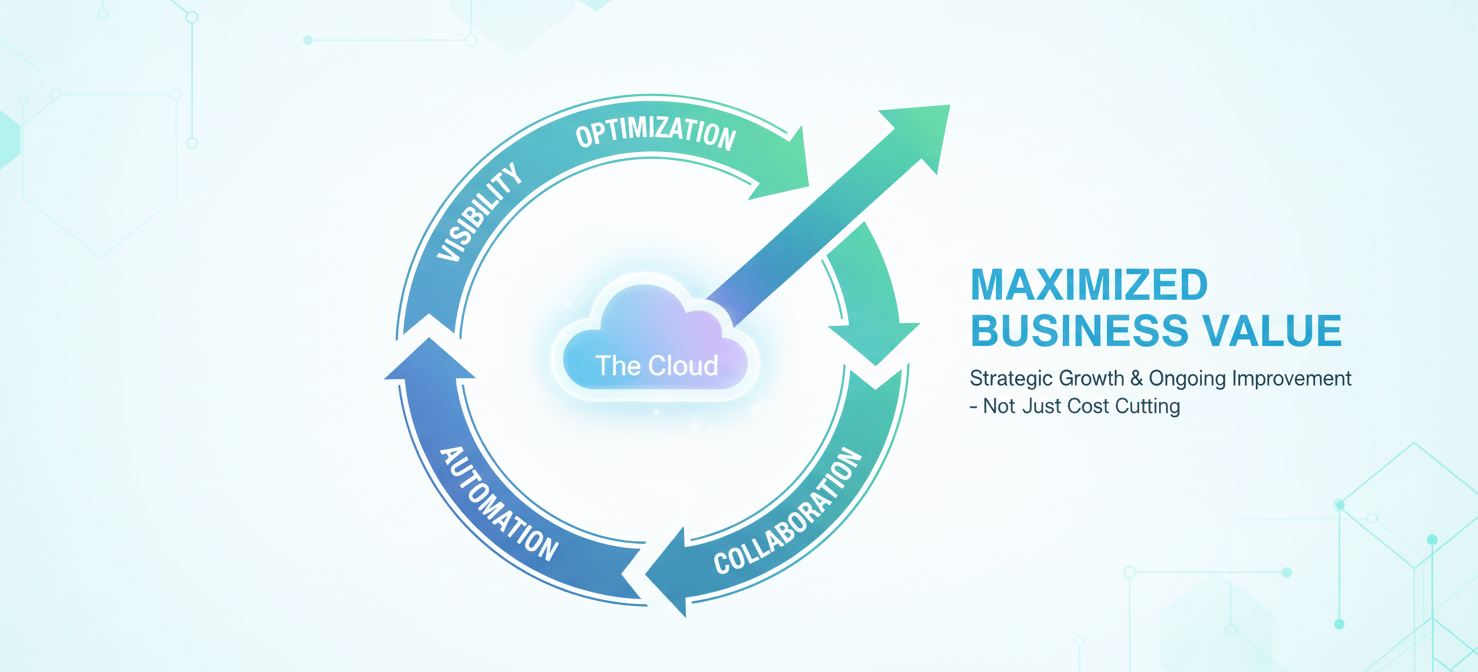
Your journey will start with the foundational capabilities of Azure’s native tools and may evolve to include sophisticated third-party platforms as your needs grow. However, the constant is the need for collaboration, shared ownership, and a relentless focus on efficiency. Without that cultural foundation, even the most advanced tool becomes just another dashboard. With it, you can turn your Azure investment into a well-oiled, cost-effective engine for growth. After all, the aim isn’t just to use the cloud, but to use it well.
To move beyond mere cost cutting and truly maximize the business value of your Azure investment, consider how a dedicated platform can empower your FinOps journey; you can easily start a free trial to experience its capabilities firsthand or book a demo for a personalized walkthrough.
 7-day free trial