



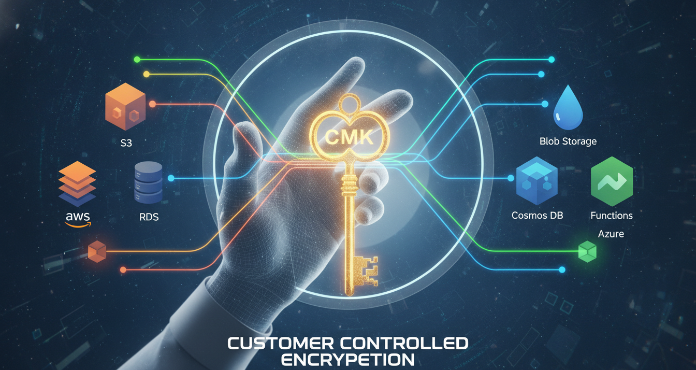
In the world of cloud computing, data encryption is not just a best practice; it’s a fundamental necessity. As organizations move more sensitive workloads to platforms like Amazon Web Services (AWS) and Microsoft Azure, the question of who holds the keys to that encrypted data becomes critical. While cloud providers offer robust default encryption, many businesses require a higher level of control for compliance and security. This is where cmk encryption comes into play, offering a way for you to manage your own cryptographic keys and, by extension, your data’s destiny. This guide provides a practical overview of using Customer-Managed Keys (CMKs) in both Azure and AWS, helping your team navigate the complexities of cloud key management.
Key takeaways
- Full Control: CMK gives you direct control over the lifecycle of your encryption keys, including creation, rotation, and revocation.
- Compliance and Auditing: Using your own keys helps meet stringent regulatory requirements and provides detailed audit trails of key usage through services like AWS CloudTrail.
- Separation of Duties: CMK enables a clear separation of roles between your security team, which manages keys, and the cloud provider, which manages the underlying infrastructure.
- Implementation in 4 Steps: A typical CMK setup in either Azure or AWS involves four main steps: creating a key vault/store, generating a key, assigning access policies to services, and configuring those services to use the key.
What is a Customer-Managed Key (CMK)?
A Customer-Managed Key (CMK) is a cryptographic key that you create, own, and manage within your own cloud environment. Instead of relying on the default encryption keys provided and managed by AWS or Azure (known as provider-managed keys), you use a key that is under your team’s exclusive control. This approach is often referred to as “Bring Your Own Key” (BYOK), although CMK more accurately describes the process where the key is generated and managed within the cloud provider’s key management service.
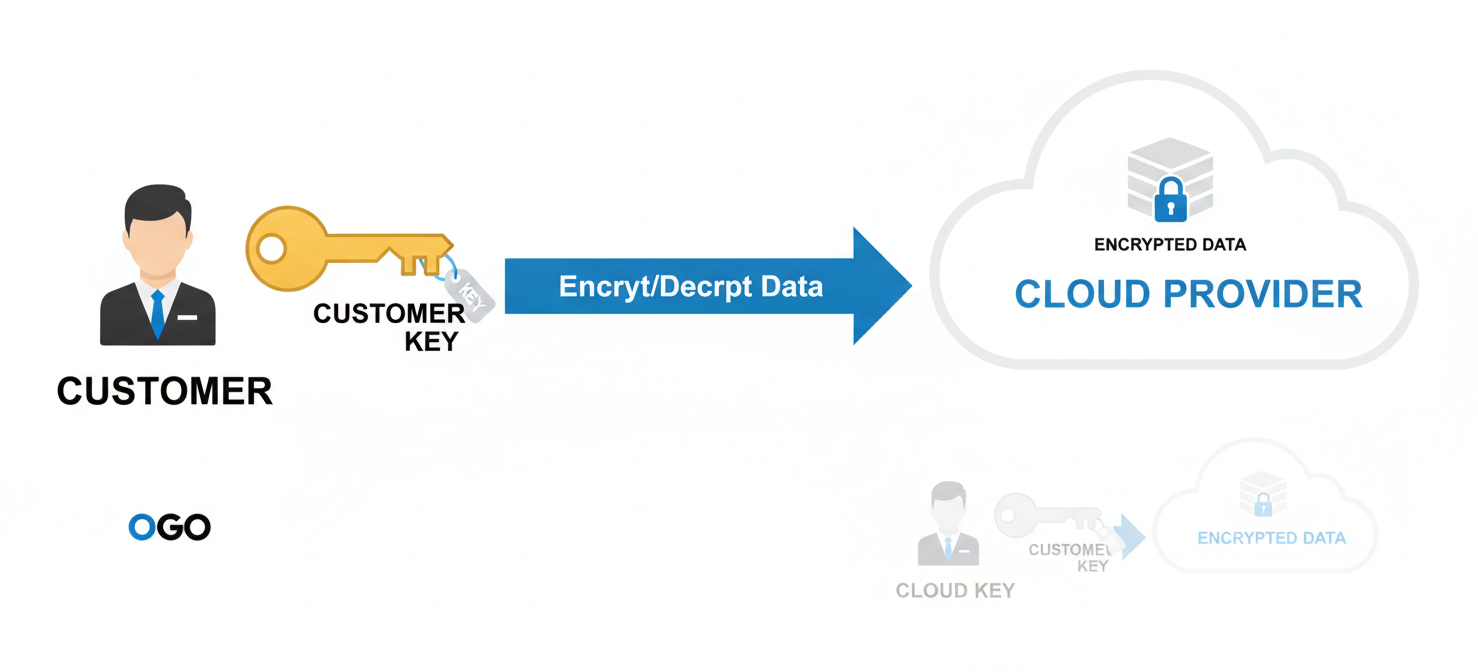
The core principle of CMK is that it separates key management from data management. The cloud service can use your key to perform encryption and decryption operations on your behalf, but it never has permanent, unmonitored access to the key itself. If you revoke access, disable, or delete the key, the associated data becomes inaccessible, a process sometimes called crypto-shredding. This gives you a powerful “kill switch” for your data.
Benefits of CMK Encryption for Your Data Security
Adopting a CMK strategy provides several significant advantages for your organization’s security posture. These benefits center on control, compliance, and enhanced data protection.
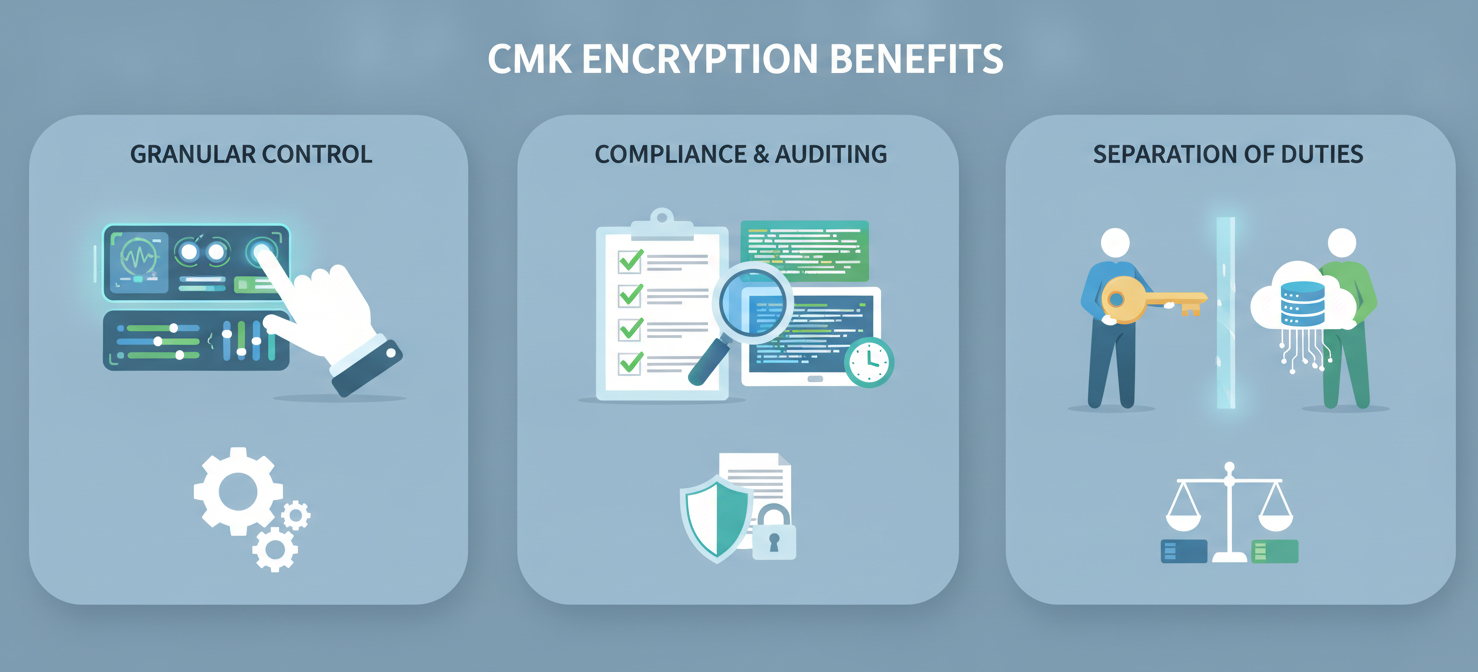
First and foremost, CMK gives you granular control over your data’s encryption. Your team dictates the entire lifecycle of the key, from its creation and rotation schedule to its eventual destruction. This level of control is crucial for organizations in highly regulated industries like finance, healthcare, and government, where demonstrating data sovereignty and control is often a legal requirement.
Furthermore, using CMKs helps you meet complex compliance mandates. Standards such as GDPR, HIPAA, and PCI DSS often require strict controls over data access and encryption. By managing your own keys, you can implement policies that align directly with these requirements. In addition, every use of your key is logged and auditable, providing a transparent record of who accessed your data and when.
Finally, CMK adds a powerful layer of defense. It allows for a clear separation of duties, ensuring that the entity storing the data (the cloud provider) is not the same entity that controls the master key. If you suspect a breach or need to lock down data immediately, you can revoke the key’s permissions, effectively rendering the data unreadable to anyone, including the cloud provider’s services.
How CMK Encryption Works in AWS with KMS
In Amazon Web Services, Customer-Managed Keys are managed through the AWS Key Management Service (KMS). KMS is a managed service that makes it easy to create and control the encryption keys used to encrypt your data.
The Role of AWS KMS
AWS KMS provides a centralized and secure location for your cryptographic keys. When you create a CMK in KMS, you are creating a logical representation of a key. You define its properties, including its alias, rotation policy, and, most importantly, its access policies. These policies dictate which users, roles, and AWS services are permitted to use the key for cryptographic operations like encryption and decryption.
The process works through a method called envelope encryption. When an AWS service needs to encrypt your data (for example, an object in an S3 bucket), it requests a unique data key from KMS. KMS uses your CMK to encrypt this data key and sends both the plaintext data key and the encrypted version back to the service. The service then uses the plaintext data key to encrypt your data and discards it, storing only the encrypted data and the encrypted data key alongside it. To decrypt, the service sends the encrypted data key back to KMS, which uses your CMK to decrypt it, returning the plaintext data key to the service to decrypt your data.
Implementing CMK in AWS
Setting up CMK encryption with AWS KMS generally follows these steps:
- Create a CMK: In the AWS KMS console, you create a new symmetric or asymmetric key. You will assign it an alias (a friendly name) and define its administrative and usage permissions through a key policy.
- Define Key Policies: The key policy is a critical document that explicitly states who can manage and use the key. You can grant permissions to specific IAM users, roles, or even other AWS accounts. It’s best practice to follow the principle of least privilege, granting only the necessary permissions.
- Configure AWS Services: Navigate to the specific service you want to protect (e.g., S3, EBS, RDS). In its encryption settings, you will choose KMS as the encryption method and select your newly created CMK from a list.
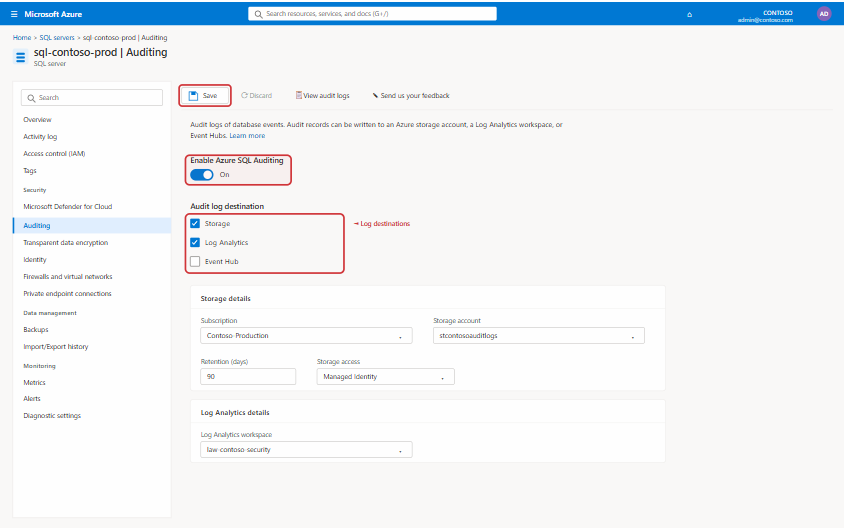
- Monitor and Audit: Use AWS CloudTrail to monitor all API calls made to KMS involving your CMK. This provides a detailed audit log of every time your key is used, by whom, and for what purpose.
Each CMK you create in AWS KMS costs a monthly fee, plus a small charge for API requests beyond the free tier. For current details, refer to the official AWS KMS pricing page.
Implementing CMK Encryption in Azure with Key Vault
Microsoft Azure’s primary service for managing cryptographic keys is Azure Key Vault. It serves a similar function to AWS KMS, providing a secure, centralized repository for your keys, secrets, and certificates.
The Role of Azure Key Vault
Azure Key Vault is designed to safeguard cryptographic keys and other secrets used by cloud applications and services. When you use CMK in Azure, you create or import a key into a Key Vault. This vault is a logical container protected by hardware security modules (HSMs). Azure offers different tiers, including a Premium tier that uses FIPS 140-2 Level 3 validated HSMs for maximum security.
Like AWS, Azure services that support CMK use an envelope encryption model. A service requests access to your key in Key Vault to wrap (encrypt) a data encryption key (DEK). This wrapped DEK is then stored with the encrypted data. For decryption, the service presents the wrapped DEK to Key Vault, which uses your CMK to unwrap it.
Implementing CMK in Azure
The process for setting up CMK encryption with Azure Key Vault is as follows:
- Create an Azure Key Vault: In the Azure portal, create a new Key Vault. It is critical to enable both “Soft Delete” and “Purge Protection” to prevent accidental or malicious deletion of your keys.
- Generate or Import a Key: Within the Key Vault, you can generate a new RSA or RSA-HSM key. You’ll specify its name, type, and size.
- Assign Access Policies: You must grant permissions for Azure services to use the key. This is typically done by creating a user-assigned managed identity for the service (e.g., Azure Storage) and assigning it a role like “Key Vault Crypto Service Encryption User” on the Key Vault’s access control (IAM) page. This role provides the necessary
get,wrapKey, andunwrapKeypermissions. - Configure Azure Services: In the settings for the desired service (like a Storage Account or Azure SQL Database), navigate to the encryption section. Here, you will select “Customer-managed keys,” specify your Key Vault, and choose the correct key and version.
Azure Key Vault pricing is based on the type of key (software-protected vs. HSM-protected) and the volume of operations. For the latest pricing, consult the official Azure Key Vault pricing page.
Best Practices for Managing Your Customer-Managed Keys
Simply creating a CMK is not enough; proper management is essential to maintain security and operational stability. Adhering to established best practices ensures that your keys remain secure and effective throughout their lifecycle.
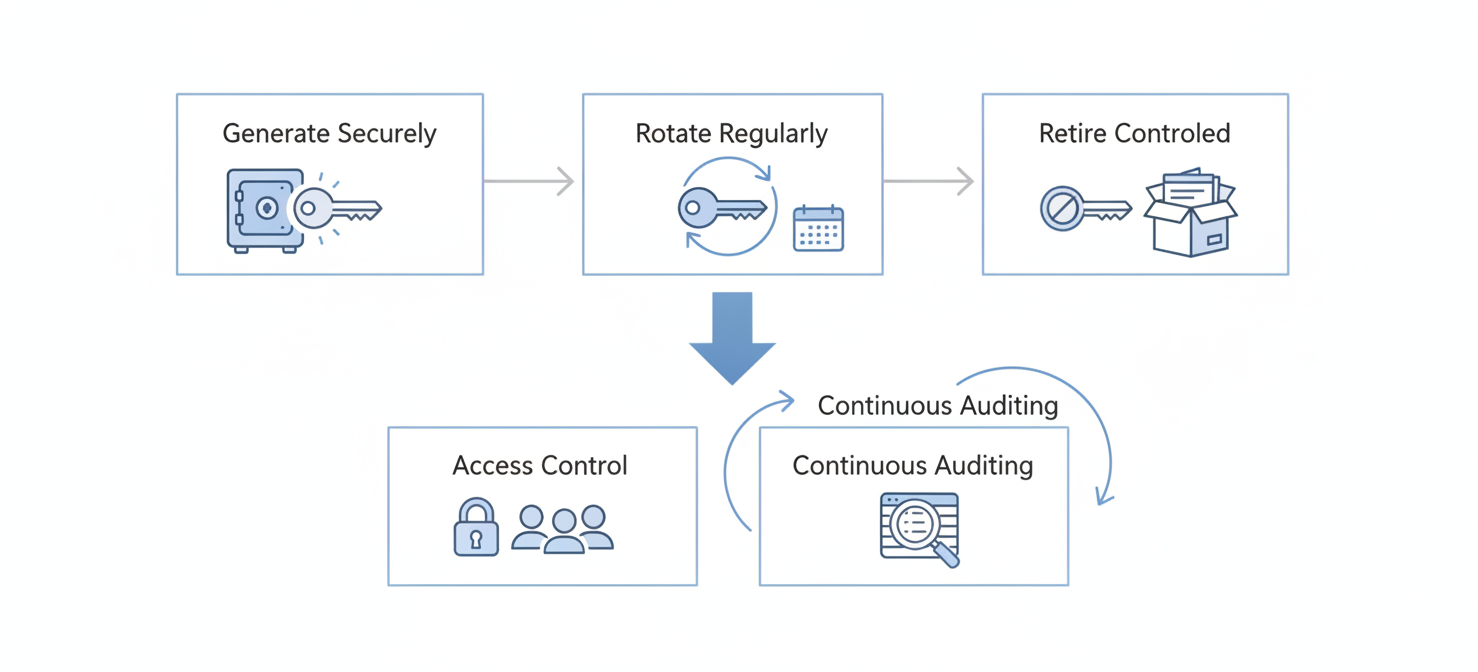
Key Lifecycle Management
A key’s lifecycle includes its generation, rotation, and eventual retirement.
- Secure Generation: Always generate keys using the strong, certified random number generators provided by AWS KMS and Azure Key Vault.
- Regular Rotation: Periodically rotate your keys by creating a new version and updating your services to use it. Both AWS KMS and Azure Key Vault offer automated key rotation features, which simplifies this process significantly. Key rotation limits the amount of data exposed if a single key version is ever compromised.
- Controlled Retirement: When a key is no longer needed, it should be disabled first, not immediately deleted. This provides a grace period to ensure no critical data is still encrypted with it before scheduling its final deletion.
Access Control and Auditing
Controlling who can use your keys is the cornerstone of CMK security.
- Least Privilege: Apply the principle of least privilege to all key policies. Grant only the minimum permissions required for a user, role, or service to perform its function. Avoid using wildcard permissions like
kms:*. - Separation of Duties: Divide key management responsibilities. For example, one role might have permission to create and rotate keys, while another only has permission to use them for encryption.
- Continuous Auditing: Regularly review the audit logs generated by AWS CloudTrail or Azure Monitor. Look for unusual or unauthorized access patterns, which could indicate a security issue.
CMK vs. Provider-Managed Keys: Which is Right for You?
The choice between using a Customer-Managed Key and a provider-managed key depends on your organization’s specific security requirements, compliance obligations, and operational overhead tolerance.
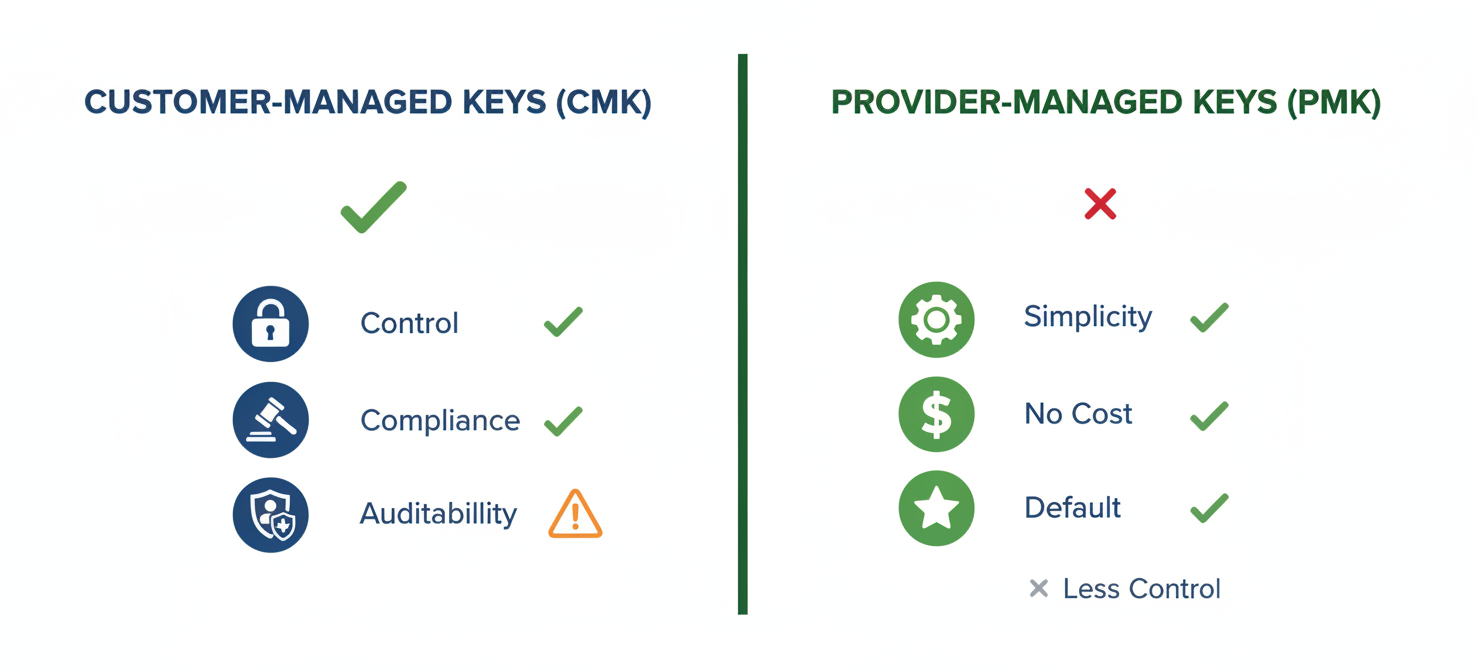
Provider-managed keys are the default option in both AWS and Azure. They are generated, managed, and rotated automatically by the cloud provider. This approach is simpler, requires no direct management from your team, and has no additional cost. For many workloads without strict regulatory demands, this level of security is perfectly adequate.
CMK encryption, on the other hand, is designed for scenarios where you need to prove ownership and control over the encryption process. Choose CMK if your organization must:
- Meet stringent compliance requirements (e.g., GDPR, HIPAA, PCI DSS).
- Implement custom key rotation policies.
- Have the ability to revoke key access instantly and render data inaccessible.
- Maintain a detailed, centralized audit trail of all key usage.
However, this control comes with increased responsibility. Your team is responsible for managing the key’s lifecycle and access policies. Mismanagement, such as accidentally deleting a key without a backup, could lead to permanent data loss.
Security Considerations and Potential Pitfalls
While CMK enhances security, it also introduces new responsibilities and potential risks that must be managed carefully. The most significant risk is the loss of the key. If a CMK is deleted and there is no backup, all data encrypted with that key is permanently and irretrievably lost. This is why enabling soft delete and purge protection in Azure Key Vault is mandatory for CMK configurations.

Another consideration is the operational overhead. Your team must have the expertise to manage key policies, rotation schedules, and audit logs correctly. An improperly configured key policy could either grant excessive permissions, undermining security, or be too restrictive, causing application failures.
Finally, be aware of the “control illusion.” While you control the CMK, this key is typically a Key Encryption Key (KEK) used to protect the Data Encryption Keys (DEKs) that actually encrypt the data. The cloud provider’s services still handle the DEKs. Although you can revoke access to the KEK, a sophisticated attacker who compromises the cloud provider’s internal systems could potentially access the DEK while it’s in use. Therefore, CMK is a powerful control but not an absolute guarantee against all threats.
Conclusion
For organizations serious about data protection in the cloud, mastering cmk encryption is a non-negotiable skill. It shifts the balance of power, placing the ultimate control over data access firmly in your hands. By leveraging AWS KMS and Azure Key Vault, your team can build a robust security framework that satisfies auditors, protects against unauthorized access, and provides a critical layer of defense for your most sensitive information. While the responsibility is greater, the control and peace of mind it affords are invaluable. After all, in the digital realm, holding the keys isn’t just about access—it’s about ownership.
To truly take command of your cloud data security and experience this level of control firsthand, consider exploring our platform with a free trial, or for a guided introduction to how our solutions integrate with AWS KMS and Azure Key Vault, you can book a demo with our experts.
 7-day free trial