



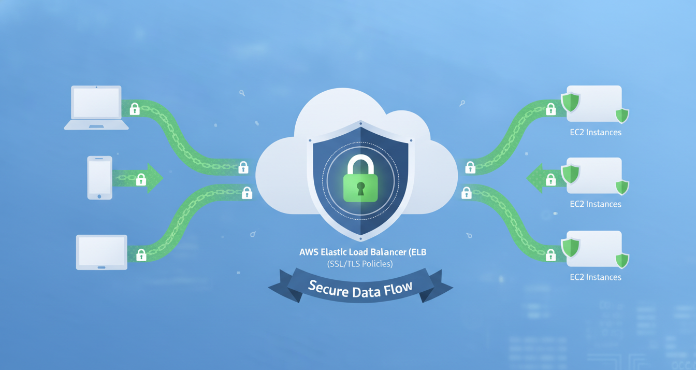
Properly configuring your AWS Elastic Load Balancer (ELB) is a critical layer in your application’s security posture. A key part of this configuration involves managing how your load balancer handles encrypted traffic. This is where elb ssl policies come into play, defining the specific protocols and ciphers your load balancer will use to negotiate secure connections with clients. Getting these policies right ensures that data in transit is protected against eavesdropping and other attacks, while also maintaining compatibility with the clients you need to support.
Key takeaways
- An ELB SSL policy is a combination of TLS/SSL protocols and ciphers that determines how a load balancer negotiates secure connections.
- AWS provides numerous predefined security policies, with the current recommended default for Application Load Balancers being
ELBSecurityPolicy-TLS13-1-2-Res-PQ-2025-09. - You can enforce specific security policies across your AWS organization using IAM condition keys, ensuring compliance with your security standards.
- Regularly auditing your policies, at least quarterly, is essential to ensure you are using the latest recommended settings and are not exposed to newly discovered vulnerabilities.
What Are ELB SSL Policies?
An ELB SSL policy, also known as a security policy, is a negotiation configuration that Elastic Load Balancing uses to establish secure connections between a client and the load balancer. This policy is a combination of two key components:
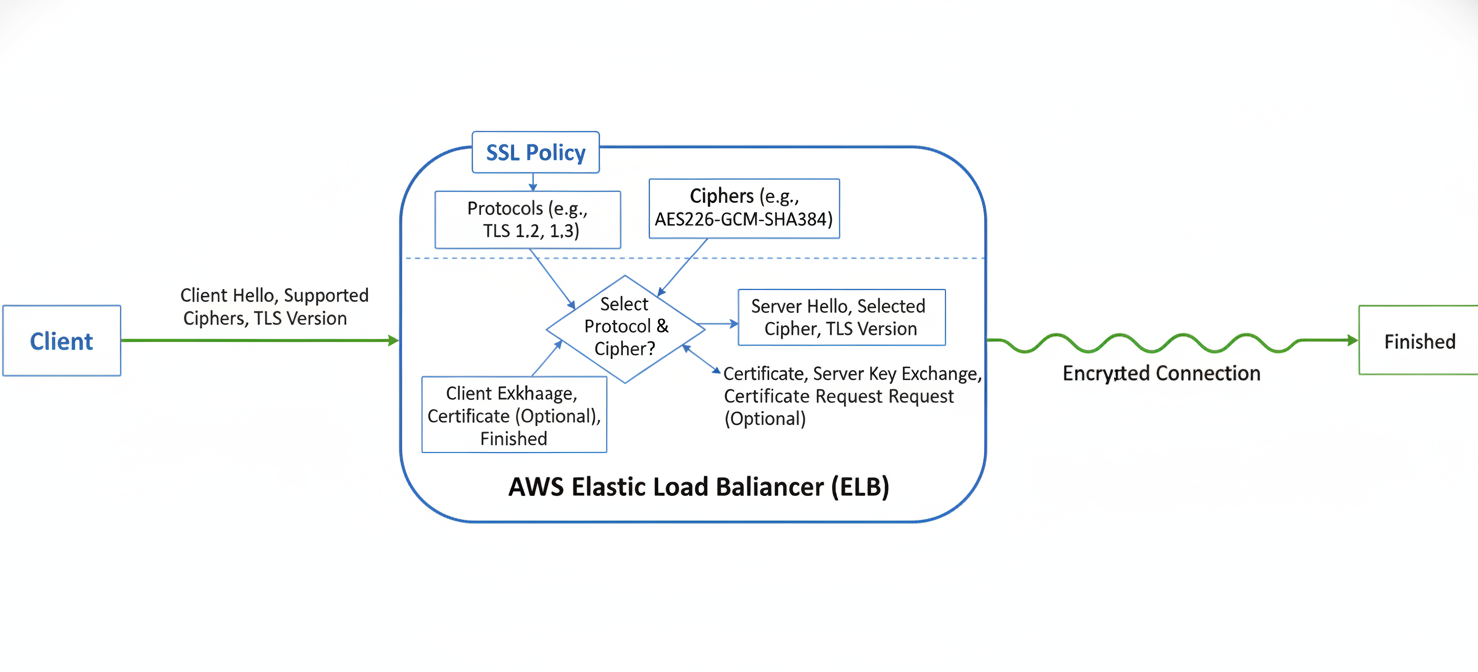
- Protocols: These are the rules for establishing a secure connection. Transport Layer Security (TLS) is the modern standard, having replaced the older Secure Sockets Layer (SSL). Policies define which versions of TLS (e.g., TLS 1.2, TLS 1.3) are permitted.
- Ciphers: A cipher is an algorithm used for encryption and decryption. The policy specifies a list of supported cipher suites, which are sets of algorithms used to secure network connections.
During the connection process, known as the TLS handshake, the client and the load balancer each present a list of protocols and ciphers they support. The load balancer then selects a matching protocol and cipher from its policy to create the secure connection. This ensures that all data passed between the client and your load balancer remains private and integral.
Predefined vs. Custom Security Policies
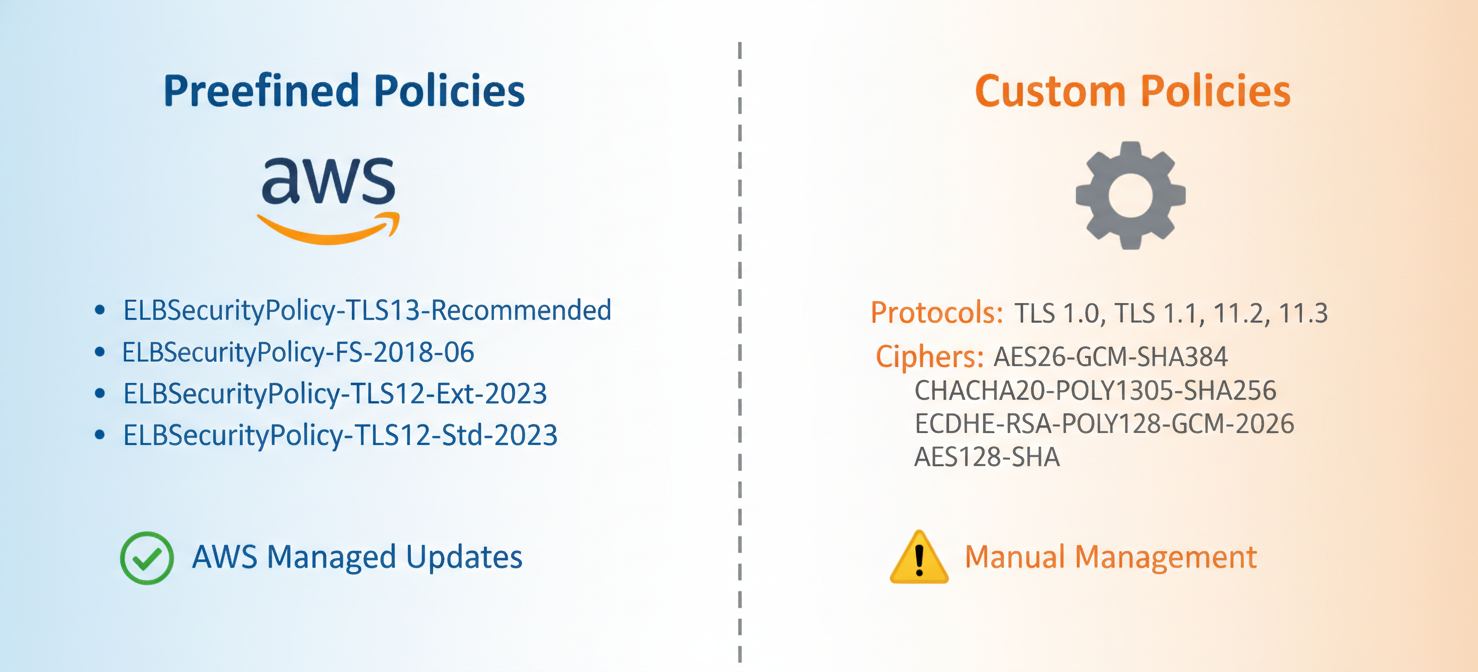
AWS offers two approaches for defining the security configurations for your load balancers: predefined and custom policies. Your choice between them depends on your specific security and compliance needs.
Predefined Policies
AWS provides a set of predefined security policies that are curated and managed by AWS. These policies are designed to meet common use cases and security best practices. For example, policies like ELBSecurityPolicy-TLS-1-2-2017-01 are configured to support TLS 1.2 while disabling older, less secure protocols. More modern policies, such as those supporting TLS 1.3, offer enhanced performance and security by using more efficient handshakes and only supporting ciphers that provide perfect forward secrecy.
Using a predefined policy is generally the recommended approach, as they are updated by AWS to reflect the latest security standards. This simplifies maintenance and helps ensure you are protected against emerging threats without needing to become a TLS expert yourself.
Custom Policies
For Classic Load Balancers, AWS allows you to create custom security policies. This gives your team granular control over the exact protocols and ciphers the load balancer will use. This can be necessary to meet strict compliance requirements, such as PCI or SOC, which may mandate specific cipher suites.
However, it’s important to note that Application Load Balancers (ALBs) and Network Load Balancers (NLBs) do not support custom security policies; you must use one of the predefined policies provided by AWS. When creating a custom policy for a Classic Load Balancer, you are responsible for ensuring that the selected protocols and ciphers are secure and meet your application’s needs.
How to Configure ELB SSL Policies in AWS
Configuring the SSL policy for your load balancer is a straightforward process handled through the AWS Management Console, AWS CLI, or Infrastructure as Code tools like CloudFormation. The process is typically done when creating or updating an HTTPS listener for your load balancer.
Step-by-Step Configuration via AWS Console
- Navigate to the EC2 Dashboard: Open the AWS Management Console and go to the EC2 service.
- Select Load Balancers: In the navigation pane, under “Load Balancing,” choose “Load Balancers.”
- Choose Your Load Balancer: Select the Application Load Balancer or Classic Load Balancer you wish to configure.
- Edit the Listener: Go to the “Listeners” tab. For the HTTPS listener (usually on port 443), select it and choose to edit its settings.
- Select the Security Policy: In the listener configuration, you will find a “Security policy” dropdown menu. From here, you can select the desired predefined policy. For example, you might choose a modern policy that supports TLS 1.3 for optimal security and performance.
- Save Changes: After selecting the policy, save the changes to apply them to your listener. The load balancer will immediately begin using the new policy for all new incoming connections.
This simple process allows you to quickly update your security posture as new, more secure policies become available.
Best Practices for Your ELB SSL Policies
To effectively secure your load balancer traffic, it’s not enough to simply set a policy and forget it. You should follow a set of best practices to maintain a strong security posture over time.
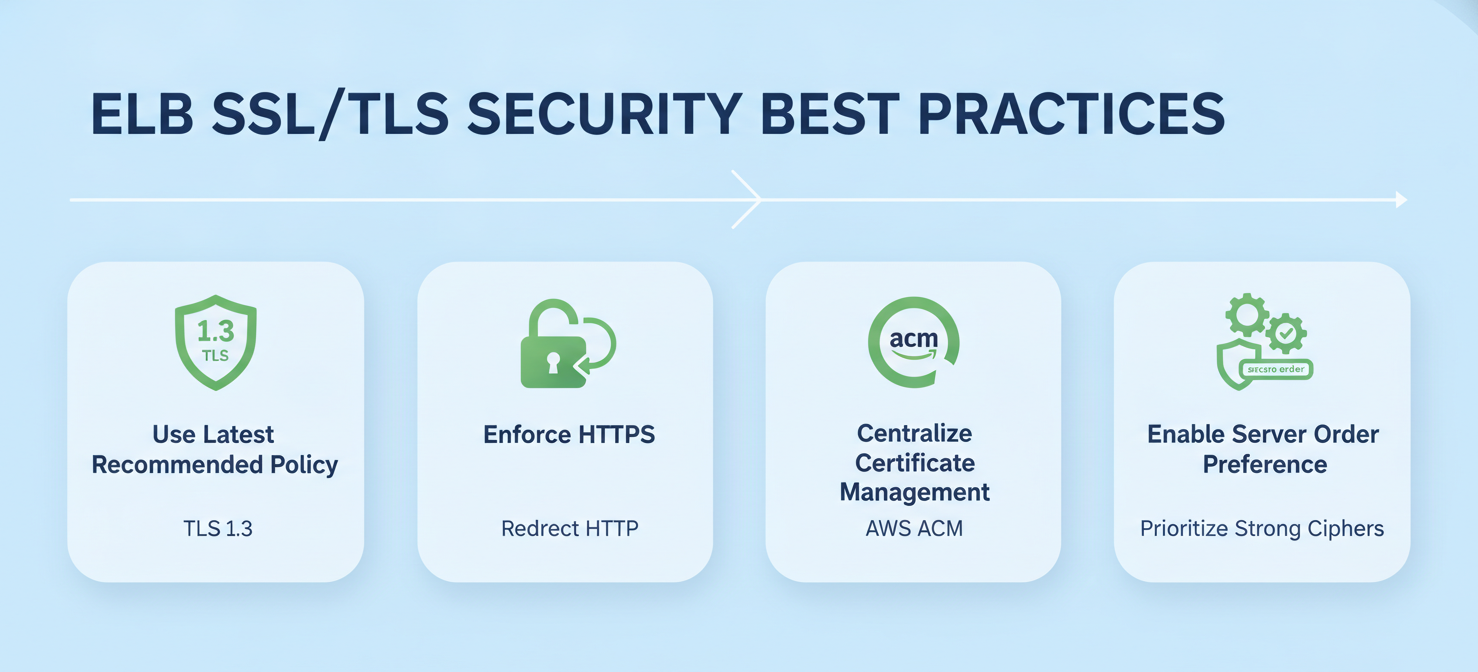
Use the Latest Recommended Predefined Policy
AWS regularly updates its predefined policies to incorporate stronger ciphers and disable protocols with known vulnerabilities. You should always aim to use the latest recommended policy that is compatible with your client base. For most modern applications, this means selecting a policy that enforces at least TLS 1.2 and preferably supports TLS 1.3. The ELBSecurityPolicy-TLS13-1-2-Res-PQ-2025-09 policy is the current default in the console and provides a strong balance of security and compatibility.
Enforce HTTPS and Redirect HTTP Traffic
Security starts with encryption. Always configure your load balancers with an HTTPS listener to encrypt traffic between clients and the load balancer. Furthermore, you should implement a redirection rule that automatically forwards all incoming HTTP requests to the HTTPS listener. This ensures that unencrypted communication is not allowed.
Centralize Certificate Management
Use AWS Certificate Manager (ACM) to provision, manage, and deploy your SSL/TLS certificates. ACM integrates seamlessly with Elastic Load Balancing, simplifying the process of attaching certificates to your listeners and automating certificate renewals. This reduces the risk of service interruptions due to expired certificates.
Enable Server Order Preference (For Classic Load Balancers)
When using a Classic Load Balancer, enabling the Server Order Preference option ensures that the load balancer selects the most secure cipher from its own list that is also supported by the client. By default, the load balancer might select a cipher from the client’s list, which could be less secure. Most modern predefined policies for Application Load Balancers already enforce a secure cipher order.
Auditing and Maintaining Your Security Policies
Security is an ongoing process, not a one-time configuration. Therefore, you must regularly audit and maintain your elb ssl policies to adapt to the evolving threat landscape.
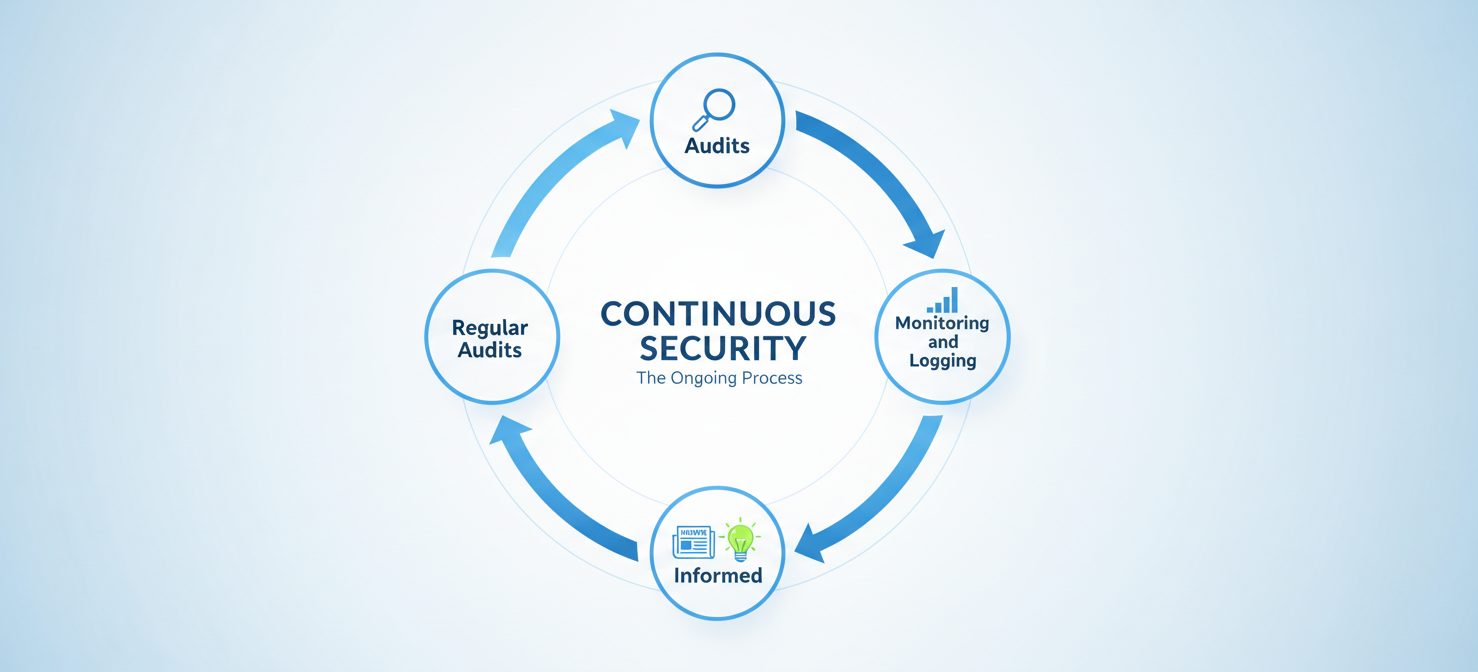
Regular Audits
Schedule periodic reviews of your load balancer configurations. This should be part of your team’s regular security checklist. During an audit, you should verify that all listeners are using a secure, up-to-date security policy. Tools like AWS Config can help automate these checks by using rules to verify that your load balancers comply with your chosen security policies.
Monitoring and Logging
Enable access logs for your load balancer. These logs capture detailed information about requests, including the TLS protocol and cipher that were negotiated for each connection. By analyzing these logs, you can identify if older clients are connecting with weak ciphers or outdated protocols. This data is invaluable for deciding when it’s safe to deprecate an older policy in favor of a more secure one.
Staying Informed
Keep up with AWS security bulletins and announcements. When AWS deprecates an older security policy or releases a new one, you should have a plan to assess its impact on your applications and update your configurations accordingly. This proactive approach ensures your applications remain protected against newly discovered vulnerabilities.
Conclusion
Effectively managing your elb ssl policies is a fundamental aspect of securing your applications on AWS. By choosing modern, predefined policies, you offload the complexity of TLS configuration to AWS, allowing your team to benefit from their security expertise. However, this doesn’t remove your responsibility. You must still regularly audit your configurations, monitor traffic, and stay informed about the latest security recommendations. Failing to maintain these policies is like leaving a digital side door unlocked; it’s an unnecessary risk in an environment where threats are constantly evolving. Therefore, make policy review a non-negotiable part of your operational rhythm.
To simplify the continuous management of your ELB SSL policies and maintain a strong security posture, you can start a free trial of our platform or book a demo to see how we streamline these critical tasks.
 7-day free trial