




While Google Cloud encrypts all data at rest by default, your organization may face compliance or security requirements that demand more direct control over encryption keys. This is where Customer-Managed Encryption Keys (CMKs) provide a critical capability. For teams that need to manage their own cryptographic keys, learning how to enable encryption with CMKs is an essential step toward securing cloud resources. This process gives you control over the keys used to protect data in services like Cloud Storage, BigQuery, and Compute Engine.
Key takeaways
- Direct Control: CMKs allow you to manage the lifecycle of your encryption keys, including creation, rotation, and destruction, separate from Google’s control.
- Enhanced Compliance: Using CMKs helps meet strict regulatory requirements by providing auditable proof of key access and usage.
- A 4-Step Process: Enabling CMK involves four main steps: creating a key ring, creating the key, granting permissions to a service account, and configuring a service to use the key.
- Granular Access: You can revoke access to data instantly by simply disabling or destroying the corresponding CMK, offering a powerful data control mechanism.
What Are Customer-Managed Encryption Keys (CMKs)?
Customer-Managed Encryption Keys (CMKs) are cryptographic keys that you create, own, and manage within Google’s Cloud Key Management Service (Cloud KMS). Instead of relying on Google to manage the keys that protect your data, CMKs put your team in the driver’s seat.
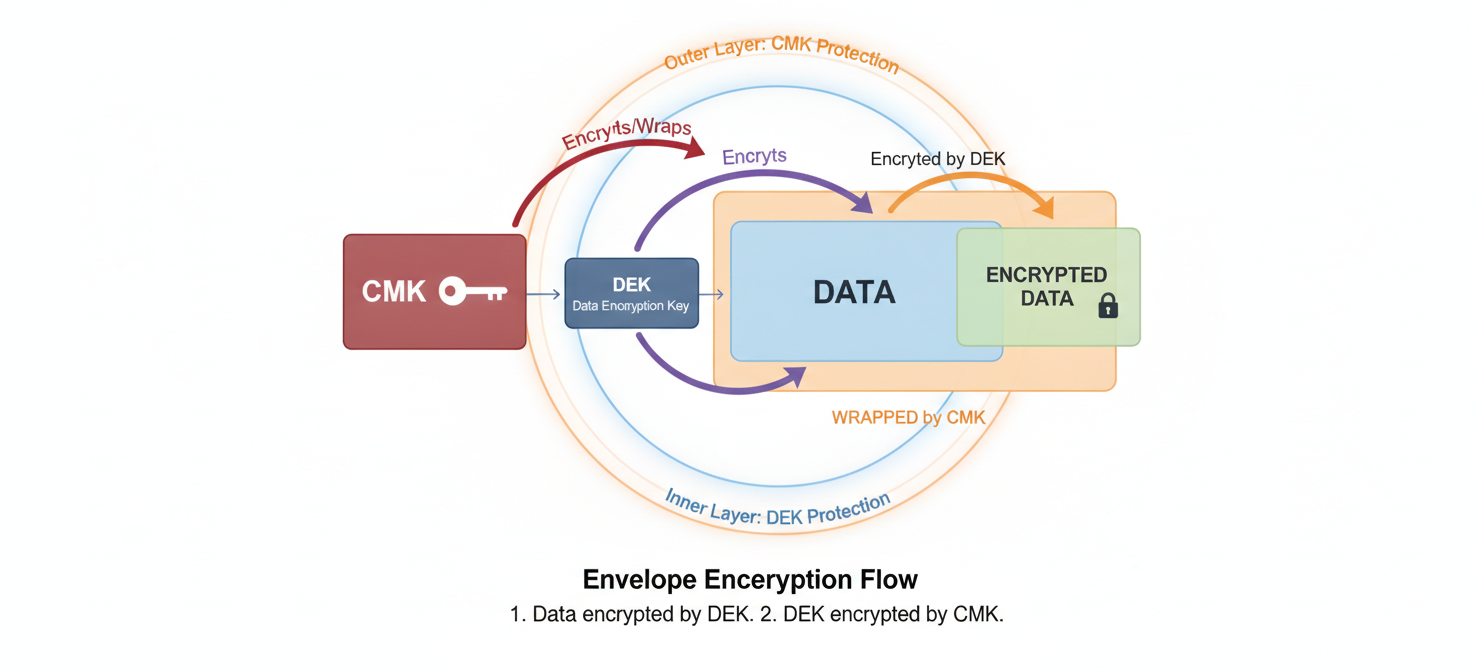
This approach uses a technique called envelope encryption. Your data is encrypted with a unique data encryption key (DEK). Then, that DEK is itself encrypted (or “wrapped”) by your CMK, which acts as a key encryption key (KEK). As a result, no one can access the underlying data without first having permission to use your CMK to decrypt the DEK. This provides a strong, auditable separation between your keys and your data.
Why Use CMKs Over Google-Managed Keys?
Google’s default encryption is robust and requires no setup. However, there are compelling reasons for your team to implement CMKs. The primary benefit is control. With CMKs, you are the ultimate arbiter of access to your data.
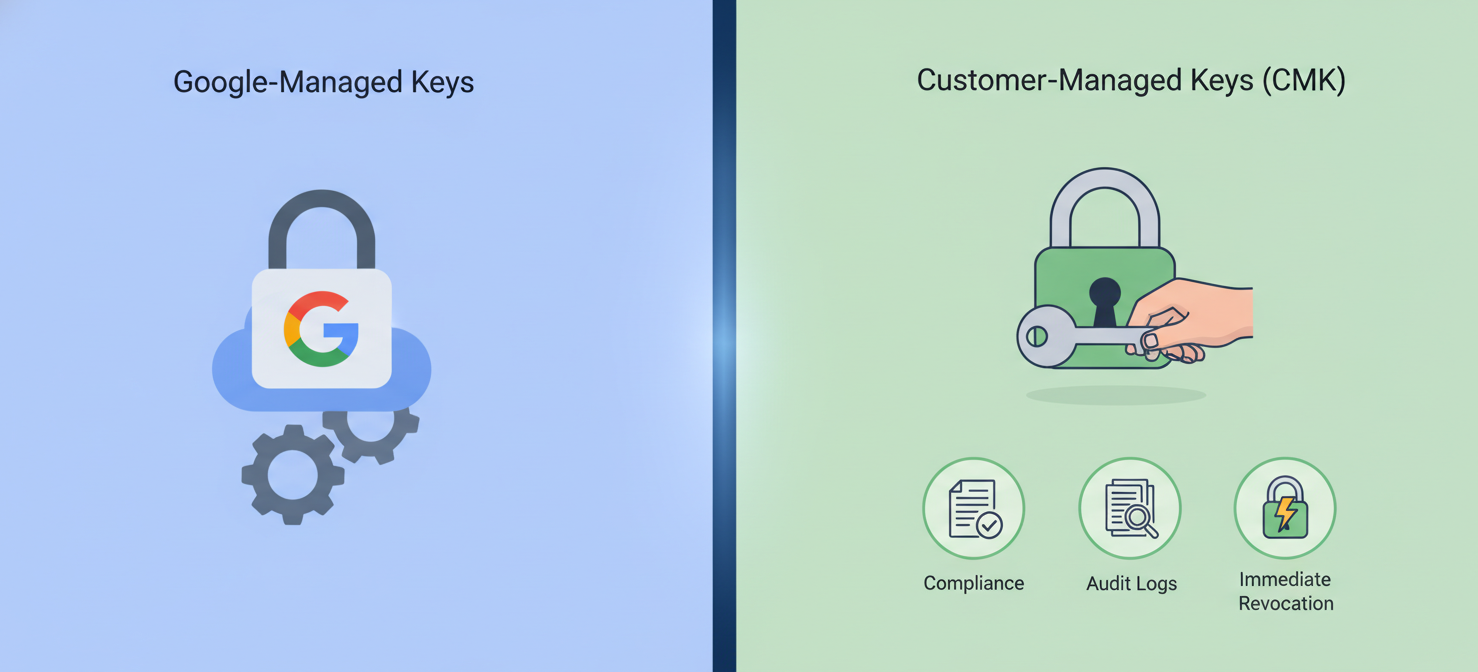
Furthermore, many industries operate under strict compliance frameworks like HIPAA, PCI DSS, or GDPR. These regulations often require organizations to maintain control over their own encryption keys and demonstrate a clear separation of duties. Using CMKs allows you to meet these requirements by providing detailed audit logs of every key operation. If you need to revoke access to a dataset, you can do so immediately by disabling or destroying the key, rendering the data cryptographically inaccessible to everyone, including Google services.
Prerequisites for Enabling CMK Encryption
Before you can start using CMKs, you need to ensure your Google Cloud environment is properly configured. These prerequisites are straightforward but essential for a smooth setup.
First, you must have a Google Cloud project with billing enabled. Next, you will need to enable the Cloud Key Management Service (KMS) API for that project. This can be done easily through the Google Cloud Console or via the gcloud command-line tool.
In addition, your user account needs the appropriate Identity and Access Management (IAM) permissions. To create and manage keys, you will need the [Cloud KMS](https://docs.cloud.google.com/kms/docs/key-management-service) Admin (roles/cloudkms.admin) role. This role provides full access to create key rings and keys, which are the fundamental components of the service.
How to Enable Encryption with CMKs: A Step-by-Step Guide
Once the prerequisites are met, you can proceed to enable encryption with CMKs. The process involves creating the key within Cloud KMS and then granting a specific Google Cloud service the permission to use it.
Step 1: Create a Key Ring
A key ring is a logical container for your keys. It helps you organize keys and manage their permissions collectively. Key rings are created in a specific geographic location, such as us-east1 or a global region. It is a best practice to create the key ring in the same location as the resources it will protect to minimize latency.
You can create a key ring through the Cloud Console under “Security” > “Key Management” or by using the gcloud CLI.
Step 2: Create a Cryptographic Key
With a key ring in place, you can now create the actual CMK. When creating a key, you will need to provide a name and specify its protection level. For most use cases, a software-backed key is sufficient. However, for highly sensitive data, you can opt for a key backed by a Hardware Security Module (HSM).
You can also configure an automatic rotation schedule. Regular key rotation is a security best practice that limits the potential impact of a compromised key. Cloud KMS can automatically generate a new version of your key at a specified interval, for example, every 90 days.
Step 3: Grant Permissions to the Service Account
This is the most critical step. For a service like Cloud Storage or BigQuery to use your CMK, its service agent must be granted permission. A service agent is a special, Google-managed service account that acts on behalf of the service.
You need to grant the service agent the Cloud KMS CryptoKey Encrypter/Decrypter (roles/cloudkms.cryptoKeyEncrypterDecrypter) role on the specific key you created. This permission allows the service to use your key to wrap and unwrap the data encryption keys for your resources, but it does not allow it to manage or delete the key.
Step 4: Configure a Service to Use the CMK
The final step is to configure a Google Cloud resource to use your new key. The method varies slightly depending on the service.
- For Cloud Storage: When creating a new bucket, you can specify the CMK under the encryption settings. You can also set a default CMK on an existing bucket.
- For BigQuery: You can specify a CMK at the dataset level. All new tables created within that dataset will automatically be protected by that key.
- For Compute Engine: When creating a persistent disk, you can select a CMK to encrypt the disk’s contents.
Over 40 Google Cloud services offer CMEK integration, allowing you to apply consistent key management policies across your environment.
Best Practices for Managing Your CMKs
Effectively managing your CMKs is just as important as enabling them. Adhering to best practices ensures your security posture remains strong over time.
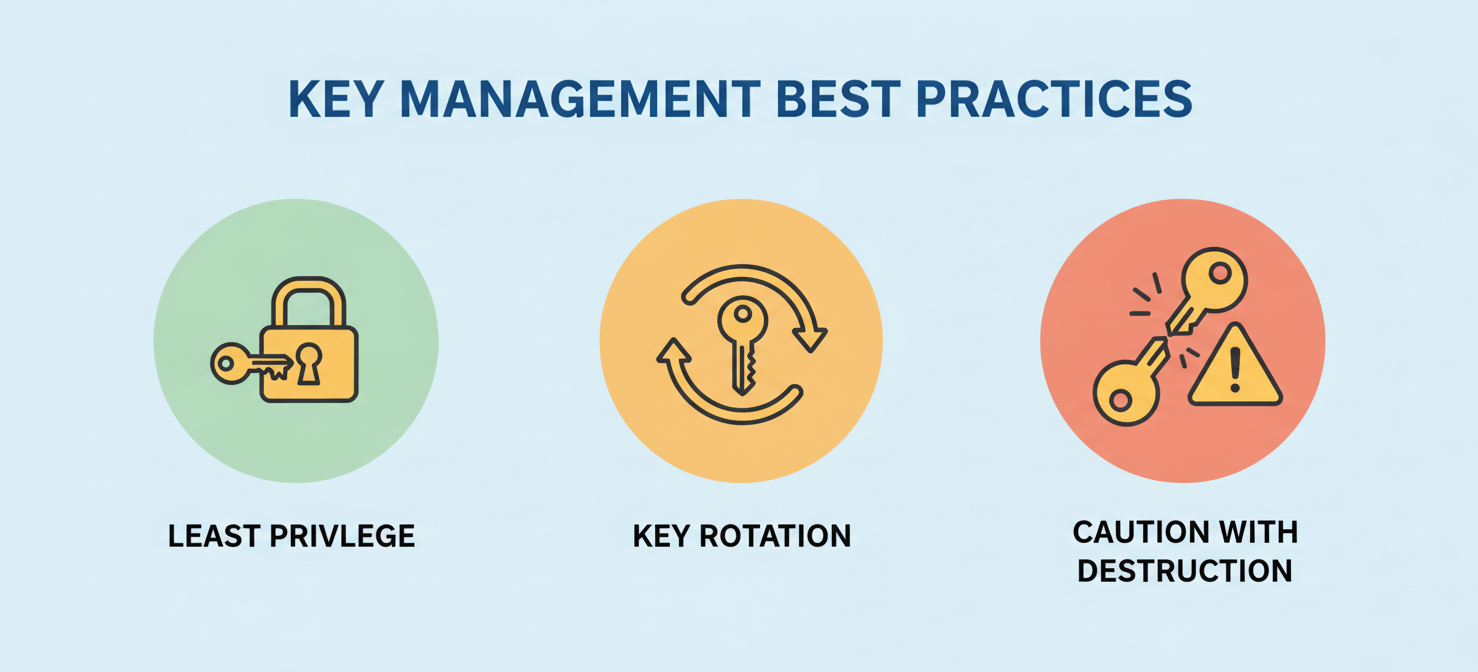
First, always follow the principle of least privilege when assigning IAM roles. Users who only need to administer services should not have permissions to manage encryption keys. Similarly, key administrators should not have broad permissions over the resources the keys protect.
Second, establish and enforce a key rotation policy. Automated rotation within Cloud KMS makes this simple to implement. For pricing, Google Cloud charges for each active key version per month, along with a small fee for cryptographic operations. For example, a standard software key version costs $0.06 per month.
Finally, be cautious with key destruction. Disabling a key temporarily revokes access, which is reversible. Destroying a key version is permanent. After a grace period, the key material is irrecoverably deleted, and any data encrypted with it is lost forever.
Auditing and Monitoring CMK Usage
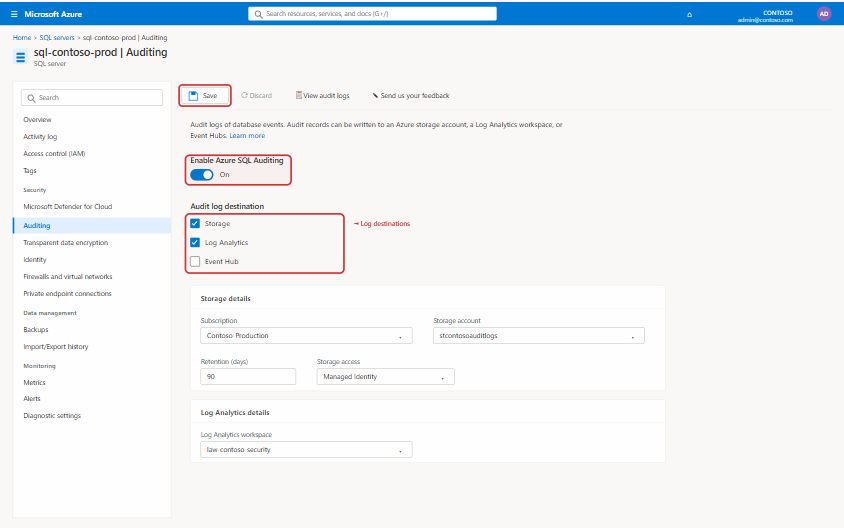
A major advantage of using CMKs is the detailed audit trail they provide. Cloud Audit Logs automatically capture all administrative actions and key usage operations performed on your Cloud KMS resources.
You can view these logs in the Logs Explorer to see who did what, to which key, and when. For example, you can filter for all decryption events on a specific key to monitor access to sensitive data. It is highly recommended to enable Data Access audit logs for Cloud KMS, as these provide the most granular usage information but are not enabled by default.
By setting up alerts based on specific log entries, your security team can be notified of unusual activity, such as a key being used by an unexpected identity or from an unfamiliar location. This proactive monitoring is essential for maintaining a robust security and compliance posture.
Conclusion
Moving from default encryption to customer-managed keys is a significant step in maturing your cloud security strategy. While Google’s default protections are strong, the need for direct control and auditable compliance often makes CMKs a necessity. The process to enable encryption with CMKs requires careful planning around permissions and key lifecycle management, but the payoff is substantial. By taking ownership of your cryptographic keys, you gain a powerful tool to protect your most sensitive data, meet stringent regulatory demands, and ensure that you, and only you, hold the keys to your digital kingdom. It adds a layer of administrative responsibility, but for critical workloads, that responsibility is not a burden—it’s a requirement.
To truly master your cloud security and compliance with CMKs, you can begin by exploring our platform through a free trial, or for a tailored walkthrough of our advanced key management capabilities, we invite you to book a personalized demo with our experts.
 7-day free trial