



Amazon Aurora offers remarkable performance and scalability, but its powerful features come with a complex, multi-vector pricing model. For FinOps leads and cost analysts, this complexity can obscure the true cost drivers, making accurate forecasting, allocation, and optimization a significant challenge. When engineering teams can provision database capacity with a few clicks, costs can spiral without clear financial guardrails. Effective FinOps for AWS RDS requires moving beyond high-level spending reports and embedding cost-aware practices directly into your database strategy, turning opaque bills into actionable intelligence for your chargeback and showback models.
This article provides a framework for managing Aurora costs at scale, focusing on the metrics and levers that matter most to a FinOps practitioner. You will learn how to establish clear visibility, implement effective rightsizing, make cost-conscious architectural decisions, and build governance to maintain control.
Key takeaways:
- Implement comprehensive tagging: The first and most critical step is tagging all RDS resources to enable accurate cost allocation for showback or chargeback.
- Switch to Graviton and gp3: Migrating to Graviton-based instances can improve price-performance by up to 40%, and switching to gp3 storage volumes can reduce storage costs significantly.
- Rightsize continuously: Use tools like AWS Compute Optimizer to analyze usage patterns over at least 30 hours and receive data-driven recommendations for instance and storage adjustments.
- Choose the right model: Aurora Serverless v2 is ideal for spiky, unpredictable workloads, but provisioned instances with Reserved Instances (RIs) offer a lower cost floor for steady-state production databases.
Why Aurora Costs Spiral (and How FinOps Can Help)
Aurora’s cost structure is more than just instance hours. Your monthly bill is a composite of compute, storage, I/O operations, backups, and data transfer fees. Each component scales independently, and without granular visibility, it’s easy to misdiagnose the source of rising costs. An increase in I/O operations, for example, might be invisible in a top-level view but can quietly double the cost of a cluster.

The primary drivers of uncontrolled Aurora spend often include:
- Overprovisioned Instances: Engineers, prioritizing performance and reliability, often select instance sizes based on peak load estimates, leading to significant waste during normal operations.
- Suboptimal Storage Configuration: Sticking with default storage types or failing to adjust provisioned IOPS can lead to paying for performance you don’t use.
- I/O-Heavy Workloads: In the standard Aurora pricing model, you pay per million I/O requests. Applications with high read/write activity can generate surprisingly high costs that aren’t directly tied to instance size.
- Idle Development/Staging Resources: Non-production environments are notorious for being left running 24/7, incurring costs without delivering value. Disabling Multi-AZ on these instances can immediately cut their cost in half.
- Snapshot Accumulation: Automated and manual snapshots can accumulate over time, leading to escalating backup storage costs that are often overlooked.
A FinOps approach addresses these challenges by creating a culture of cost accountability. Instead of treating database spend as a monolithic IT expense, you can empower engineering teams with the data they need to make cost-effective decisions. By implementing showback or chargeback models, you directly connect development choices to budget impact, incentivizing efficiency.
Foundational FinOps for AWS RDS: Visibility and Allocation
You cannot optimize what you cannot measure. The first step in any AWS database cost management strategy is to achieve complete, granular visibility into your Aurora spending. This is the foundation for accurate cost allocation, showback, and chargeback.
Implementing a Robust Tagging Strategy
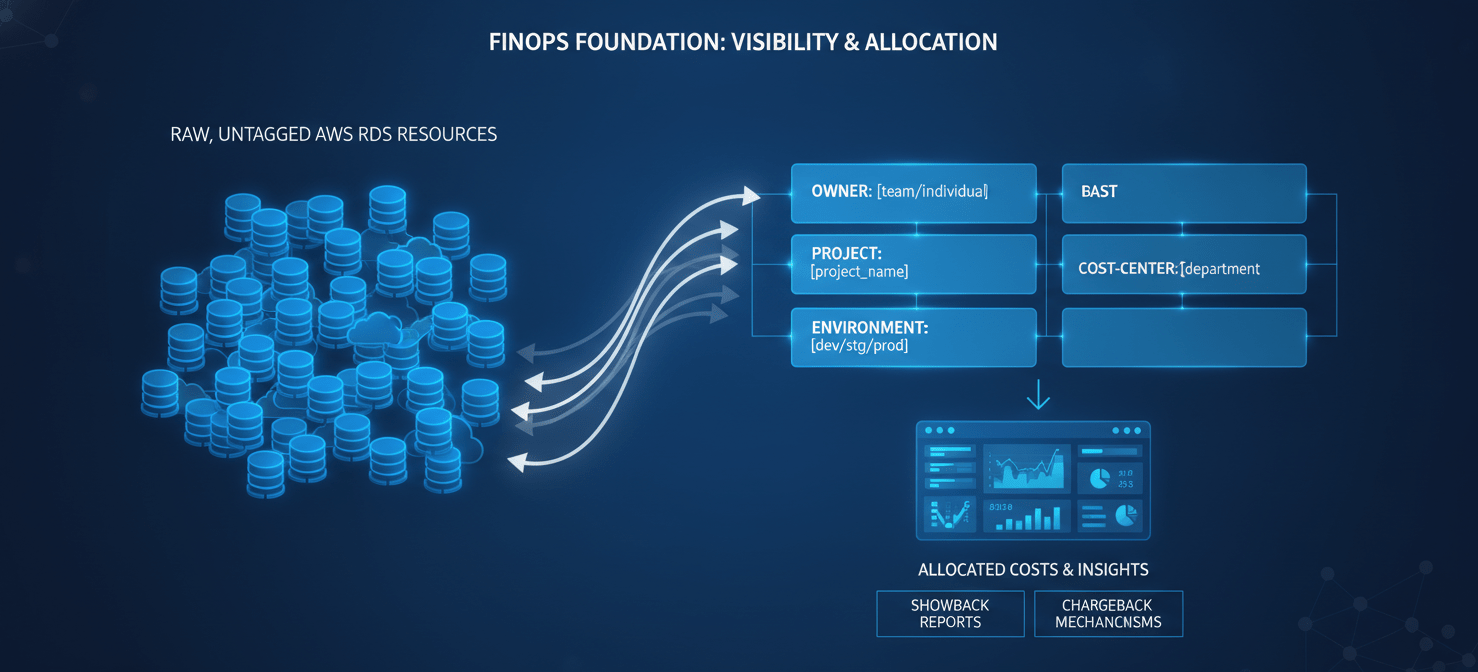
Cost allocation tags are the cornerstone of visibility. Without them, your AWS Cost and Usage Report (CUR) is just a list of resources, making it impossible to attribute costs to the correct team, project, or product.
Your tagging policy should be mandatory for all new and existing RDS resources. Essential tags include:
ownerorteam: Identifies the engineering team responsible for the resource.projectorapplication: Links the database to a specific product or service.environment: Differentiates betweenproduction,staging,development, andtest.cost-center: Assigns the resource to a specific financial budget.
Once tags are in place, activate them as cost allocation tags in the AWS Billing and Cost Management console. This allows you to filter and group costs in AWS Cost Explorer, creating detailed dashboards that form the basis of your showback or chargeback reports.
From Visibility to Accountability: Showback and Chargeback
With tagged cost data, you can implement a model for financial accountability.
- Showback: This model involves reporting cloud costs back to the relevant teams without actually billing them. It’s an informational tool designed to build awareness and encourage cost-conscious behavior. It’s often the first step in a FinOps journey, as it allows you to validate your allocation data before introducing financial penalties.
- Chargeback: This is a more mature model where you formally bill departments for their cloud resource consumption. It treats IT as a business service and creates direct financial ownership, providing a powerful incentive for teams to optimize their usage.
The choice between showback and chargeback depends on your organization’s culture and FinOps maturity. Many organizations begin with showback to build trust and then evolve to a chargeback model as their cost allocation practices mature.
Rightsizing and Elasticity: Matching Capacity to Demand
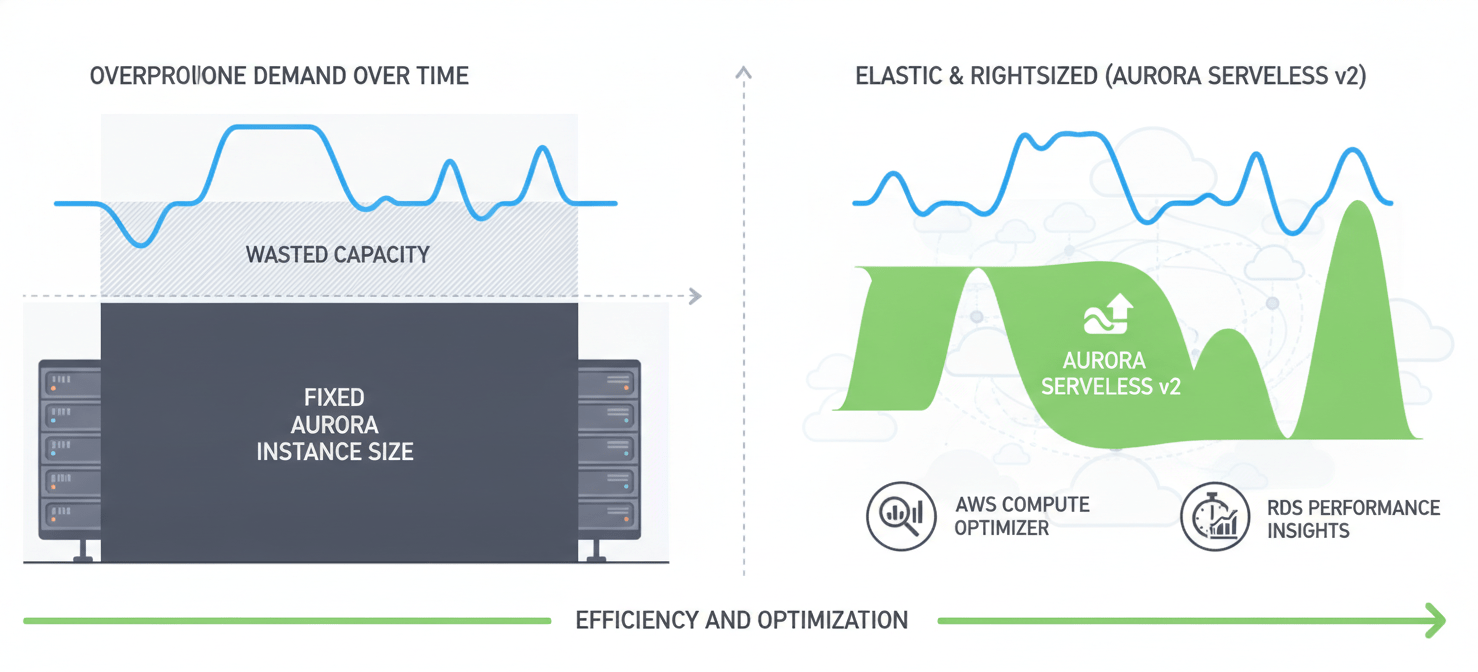
Overprovisioning is one of the largest sources of wasted cloud spend. Rightsizing is the process of continuously analyzing performance metrics and adjusting your Aurora instances and storage to match workload demand without compromising performance.
Leveraging AWS Tools for Rightsizing
AWS provides several tools to help you identify rightsizing opportunities:
- AWS Compute Optimizer: This service analyzes CloudWatch metrics to provide recommendations for your RDS instances. It can identify idle instances and suggest optimal instance types, helping you balance cost and performance. For idle Aurora databases, it may even recommend converting to Aurora Serverless v2 to minimize costs during inactive periods.
- Amazon RDS Performance Insights: This tool provides a visual dashboard of your database load, helping you identify performance bottlenecks and understand your database’s operational profile. While the first seven days of data retention are free, longer retention is available at an additional cost.
A key KPI for your team should be the “Rightsizing Score,” which measures the percentage of your instances that are correctly provisioned based on Compute Optimizer recommendations.
Choosing the Right Compute Model: Provisioned vs. Serverless
Aurora offers two primary compute models, each suited for different workload patterns.
- Provisioned Instances: This is the traditional model where you select a specific instance size and pay for it by the hour. For predictable, steady-state workloads (like most production databases), this model is often the most cost-effective, especially when paired with Reserved Instances (RIs), which can offer savings of up to 72% for a three-year commitment.
- Aurora Serverless v2: This model automatically scales capacity based on application demand, billing for consumed Aurora Capacity Units (ACUs). It’s an excellent fit for unpredictable, spiky, or intermittent workloads, such as development environments or applications with highly variable traffic. However, for consistent workloads, the higher per-unit cost can make it more expensive than a rightsized provisioned instance.
Your FinOps strategy should guide teams on which model to choose based on their workload’s predictability and utilization patterns.
Architectural Choices with a FinOps Lens
Beyond instance sizing, several architectural decisions have a direct and significant impact on your Aurora bill. Your role as a FinOps analyst is to ensure that engineering and architecture teams understand the cost implications of their choices.
The Graviton Advantage
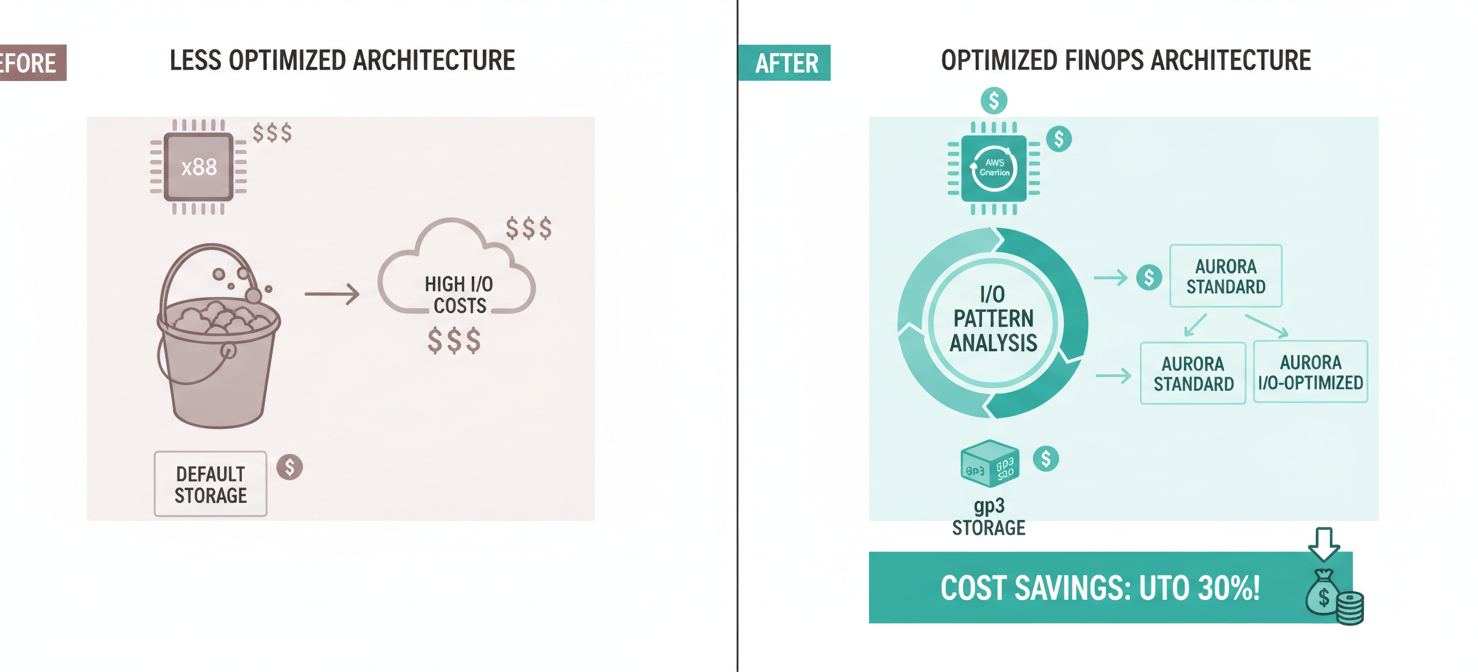
One of the most impactful changes you can make is migrating your Aurora clusters from x86-based instances (like the M5 or R5 families) to AWS Graviton-based instances (like R6g or R7g). Graviton processors are custom-built by AWS and offer significantly better price-performance. Migrating can yield up to a 40% improvement in price-performance with minimal effort, as it’s typically just an instance type change. This is a structural improvement that permanently lowers your cost basis.
Optimizing Storage and I/O
Aurora’s storage and I/O costs can be complex. There are two main configurations:
- Aurora Standard: This model charges a lower rate for storage (around $0.10 per GB-month) but adds a charge for every million I/O operations (around $0.20 per million requests). This is cost-effective for workloads with low to moderate I/O.
- Aurora I/O-Optimized: This model has a higher storage cost (around $0.225 per GB-month) and a higher instance price but eliminates the charge for I/O operations. According to AWS, this configuration is more cost-effective when I/O charges exceed 25% of your total Aurora bill.
Your team should analyze the I/O patterns of each cluster to determine the most economical storage configuration. AWS Compute Optimizer can also provide recommendations on when to switch between Standard and I/O-Optimized storage.
Furthermore, for general-purpose storage, migrating from older gp2 volumes to gp3 allows you to provision IOPS and throughput independently of storage size, preventing you from over-provisioning storage just to get the performance you need.
Advanced Strategies: Automation and Governance
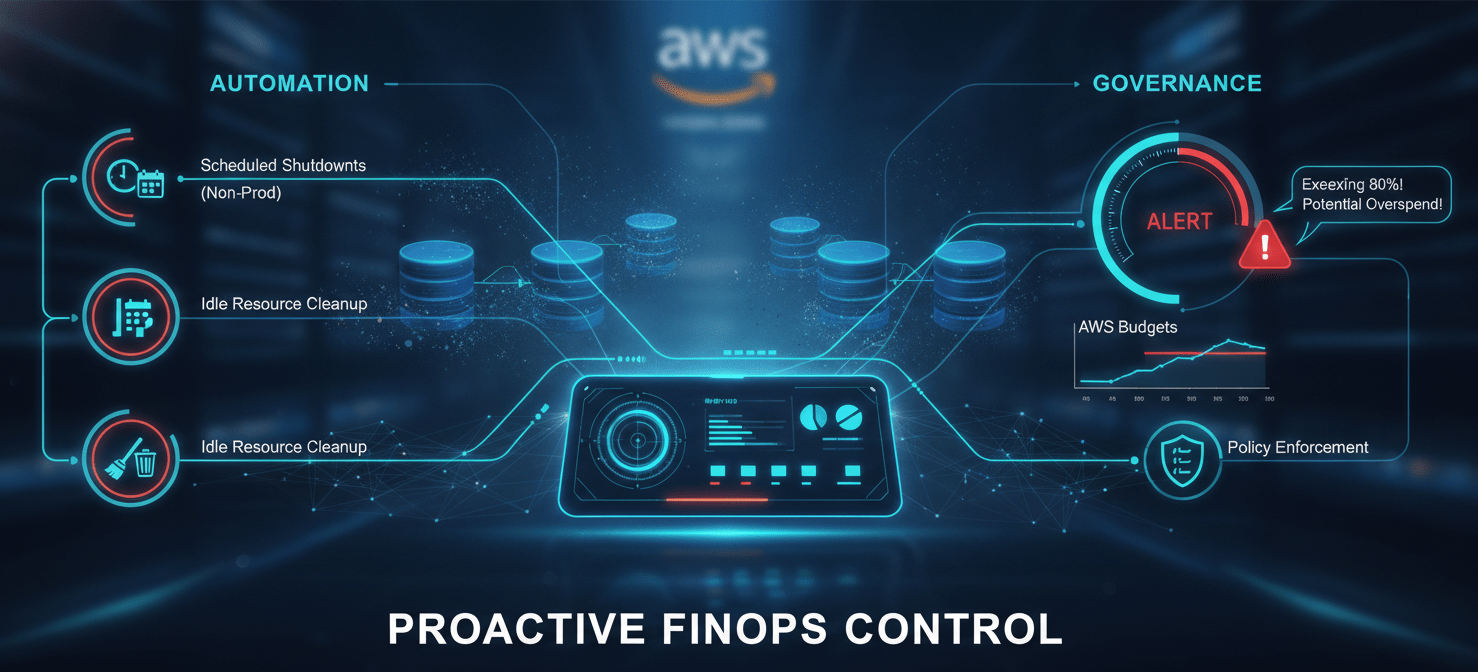
To manage Aurora costs effectively at scale, you need to move from manual analysis to automated governance.
Automating Cost-Saving Actions
Implement automation to enforce your cost optimization policies. For example:
- Scheduled Shutdowns: Use services like AWS Instance Scheduler to automatically stop non-production RDS instances outside of business hours.
- Idle Resource Cleanup: Create automated scripts or use third-party tools to detect and terminate unused RDS instances or unattached snapshots after a defined period. Policies can be set to identify instances with no connections and low CPU utilization for a month as candidates for shutdown.
- Policy Enforcement: Use AWS Config or custom Lambda functions to check for non-compliant resources (e.g., untagged instances, production databases without Multi-AZ, or dev instances with Multi-AZ) and automatically remediate them or alert the owners.
Establishing Budgets and Alerts
Use AWS Budgets to set spending targets for specific accounts, projects, or tags. Configure alerts that notify stakeholders via email or Slack when costs exceed a certain threshold or when a forecast predicts an overspend. This proactive approach allows teams to take corrective action before the end of the billing cycle, preventing budget blowouts.
Conclusion
Managing Aurora costs is not a one-time project but an ongoing discipline. For a FinOps lead, the goal is to transform cost management from a reactive, centralized function into a proactive, distributed responsibility. By establishing clear visibility through tagging, you create the foundation for meaningful showback or chargeback. By guiding teams on rightsizing, architectural choices, and the appropriate use of pricing models, you empower them to build efficient systems from the ground up. The ultimate success of FinOps for AWS RDS is not just about reducing the monthly bill; it’s about ensuring every dollar spent on your database infrastructure is directly traceable to business value. The alternative is a database bill that operates like a leaky faucet—a slow, steady drain that no one notices until the flood arrives.
To transform your AWS RDS cost management from a reactive burden into a strategic advantage, you can explore Binadox’s full capabilities with a free trial, or for a tailored discussion of your specific challenges, schedule a personalized demonstration.
 7-day free trial