



Understanding Google Kubernetes Engine costs is essential for managing your cloud budget effectively. GKE is a powerful service for deploying and managing containerized applications, but its pricing can be complex. Costs are influenced by your choice of cluster operation mode, the resources your workloads consume, and various other services like storage and networking. A clear grasp of these components is the first step toward optimizing your spending and avoiding unexpected charges on your monthly bill.
Key takeaways
- Every GKE cluster incurs a flat management fee of $0.10 per hour, though a monthly credit of $74.40 often covers the cost of one zonal or Autopilot cluster.
- GKE offers two modes: Standard, where you pay for the underlying virtual machine nodes you provision, and Autopilot, where you pay for the CPU, memory, and storage resources your pods request.
- Costs for persistent storage, network traffic (especially data leaving a region), and load balancers are billed separately and can become significant contributors to your total GKE spend.
Understanding Google Kubernetes Engine Costs
At its core, GKE pricing is composed of several distinct layers. The primary cost drivers are the compute resources that run your applications, but other factors play a significant role. Comprehending how these elements interact is crucial for any Google Kubernetes Engine cost analysis.
The main components of your GKE bill include:
- Cluster Management Fee: Google charges a flat fee for managing the Kubernetes control plane.
- Compute Resources: This is typically the largest portion of your bill and depends on the cluster’s mode of operation.
- Storage: Costs associated with persistent disks attached to your nodes.
- Networking: Charges for traffic, particularly data moving out of Google’s network or between regions.
GKE offers two distinct modes of operation—Standard and Autopilot—each with a different billing model that directly impacts how you pay for compute resources. In Standard mode, you have full control over the worker nodes, which are Compute Engine virtual machines. You pay for these VMs whether your applications are using their full capacity or not.
Conversely, Autopilot mode is a more hands-off approach where Google manages the underlying nodes for you. With Autopilot, you are billed for the specific CPU, memory, and ephemeral storage resources requested by your running pods. This model can be more cost-effective for workloads that are small, spiky, or have significant idle periods, as you avoid paying for unused node capacity.
How Cluster Configuration, Nodes, and Workloads Affect Costs
The way you configure your clusters and design your workloads has a direct and significant impact on your overall GKE spending. Your choices regarding cluster mode, node sizing, and workload resource requests are fundamental levers in k8s cost management.
GKE Standard vs. Autopilot Pricing Models
In GKE Standard mode, you are responsible for managing node pools, and you pay for the underlying Compute Engine VMs. This means you pay for the entire virtual machine’s vCPU and memory, regardless of whether your pods are utilizing all of those resources. The advantage here is greater control and potentially lower costs for large, stable workloads where you can achieve high node utilization. You can also make full use of cost-saving options like Spot VMs and Committed Use Discounts (CUDs) on the underlying Compute Engine instances.
In GKE Autopilot mode, Google abstracts away node management entirely. You pay for the resources your pods request, not the underlying VMs. This pay-per-pod model eliminates costs from idle node capacity, which is a common source of waste in Standard clusters. However, Autopilot may enforce minimum resource requests, meaning a very small pod could be billed for more resources than it actually requests. Autopilot is often cheaper for workloads with variable demand, as it automatically scales the underlying infrastructure without you paying for overprovisioned, idle nodes.
How Workload Sizing Affects GKE Costs
Properly sizing your workloads is critical for cost control. In both GKE modes, over-provisioning resources leads to wasted money.
In Autopilot, requesting more CPU or memory for a pod than it needs directly inflates your bill, as you are charged for the request, not the actual usage. In Standard mode, oversized pods can lead to inefficient “bin packing,” where nodes have stranded resources that cannot be used by other pods, forcing the cluster autoscaler to add more nodes than necessary. This results in paying for underutilized VMs.
Conversely, under-provisioning can cause performance issues, such as CPU throttling or out-of-memory errors, which can impact application reliability. The key is to right-size your pod requests based on actual historical usage, a core principle of effective Kubernetes cloud cost management.
Persistent Disks, Networking, and Cluster Management Charges
Beyond the primary compute costs of nodes or pods, several other charges contribute to your total GKE bill. These include the cluster management fee, persistent storage for stateful applications, and networking fees for traffic moving in and out of your cluster.
GKE Cluster Management Fees
Google charges a flat management fee of $0.10 per cluster per hour, which amounts to approximately $73 per month. This fee applies to all GKE clusters, regardless of their size, topology, or whether they are in Standard or Autopilot mode.
However, Google provides a free tier that offers a $74.40 monthly credit per billing account. This credit is sufficient to cover the management fee for one zonal or Autopilot cluster, effectively making your first cluster free in terms of management costs. The credit does not apply to regional clusters and any unused portion does not roll over.
GKE Node Costs for Persistent Disks
When your applications require persistent storage, GKE uses Compute Engine Persistent Disks. The cost of this storage is billed separately and depends on the type and amount of provisioned space. You are charged for the entire provisioned disk space, regardless of how much data you actually store on it.
Pricing varies by disk type, with options like Standard (HDD), Balanced, and SSD Persistent Disks offering different performance and cost profiles. For example, in the us-central1 region, Standard Persistent Disks cost around $0.04 per GB per month, while SSD Persistent Disks are priced at about $0.17 per GB per month.
GKE Compute Costs for Networking
Networking costs, particularly for egress (outbound) traffic, can be an overlooked but significant expense. While ingress (inbound) traffic to your cluster is generally free, data transfer out of your cluster incurs charges.
The rates depend on the destination of the traffic:
- Traffic to the same zone is free.
- Traffic to a different zone within the same region costs approximately $0.01 per GiB.
- Internet egress traffic rates vary by destination and volume, starting around $0.12 per GiB for North America after an initial free gigabyte.
High volumes of cross-zone or internet-bound traffic can quickly add up, making network cost analysis an important part of managing your Google Kubernetes Engine costs.
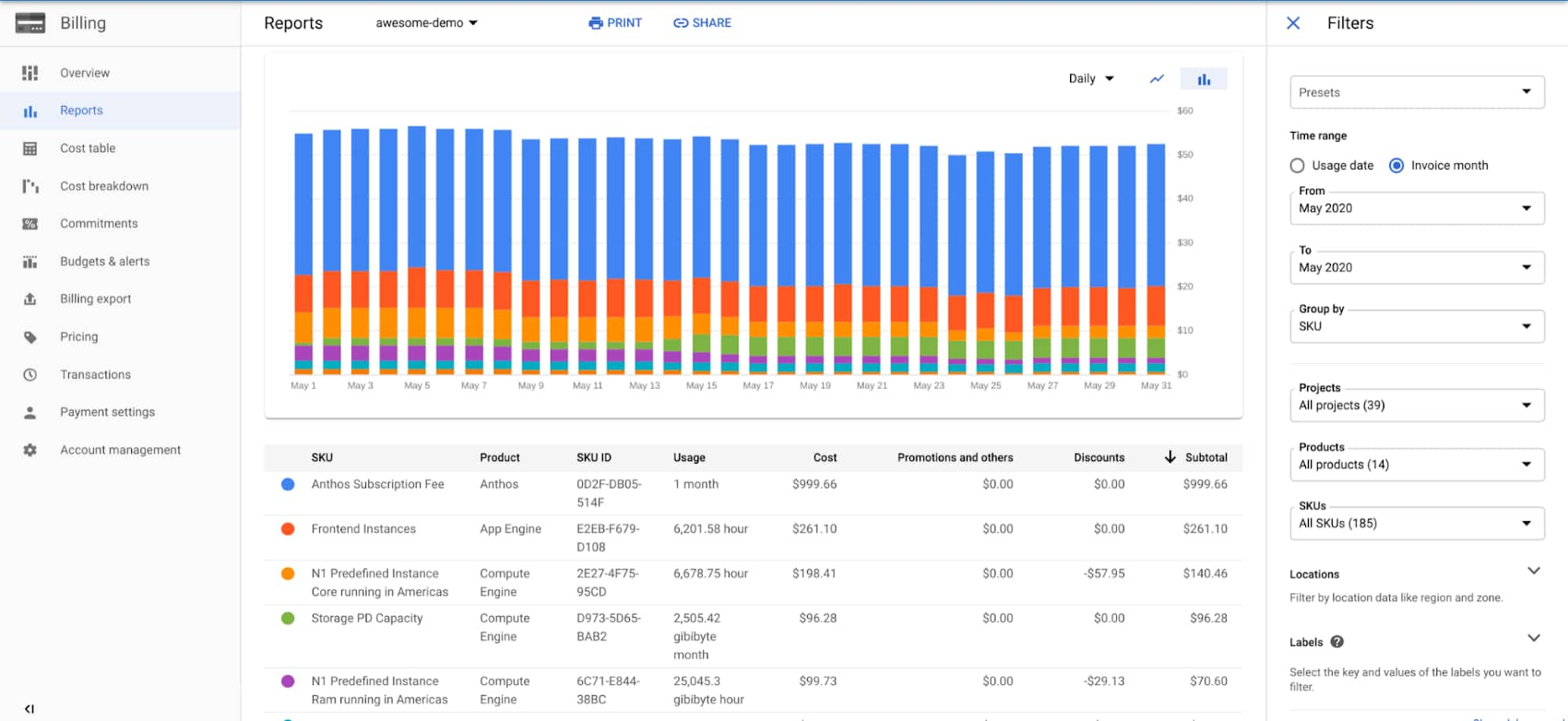
How to Interpret GKE-Related Billing SKUs and Usage
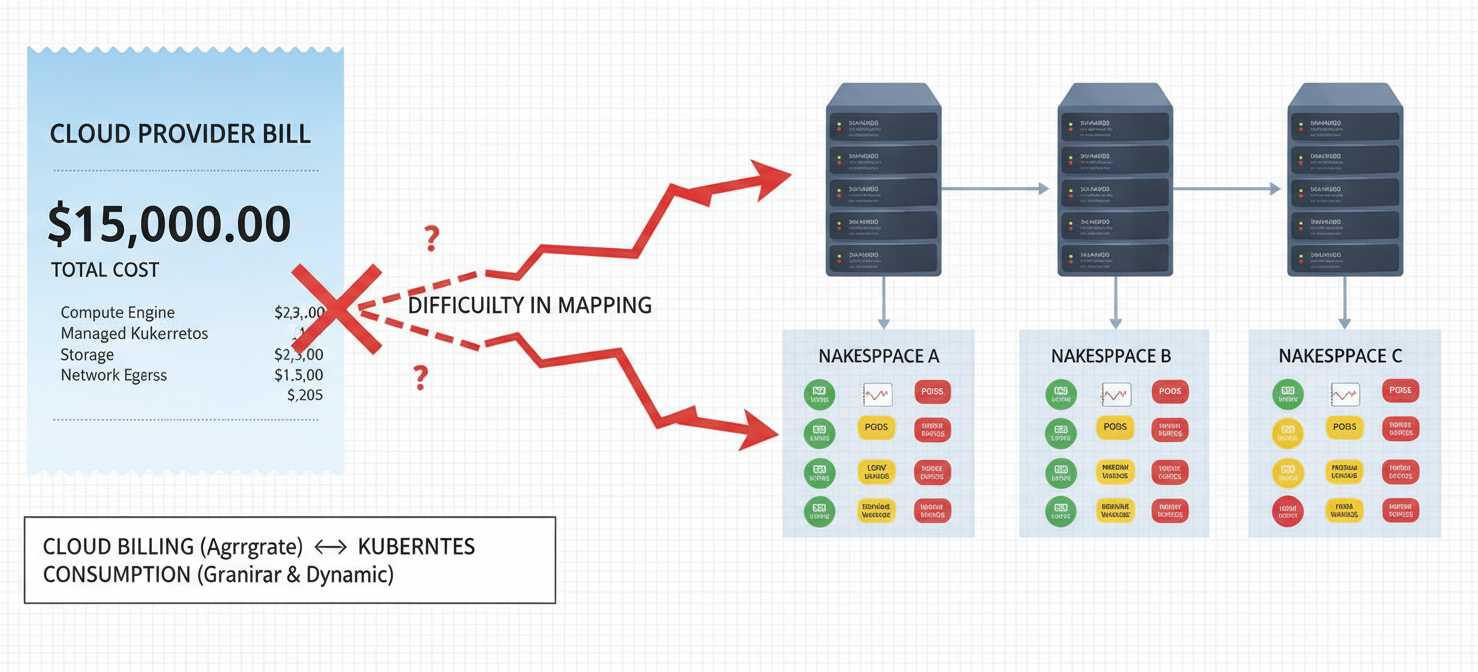
To effectively manage your GKE spending, you must be able to understand your Google Cloud bill. GKE costs are broken down into various Stock Keeping Units (SKUs) that represent specific resources. Enabling GKE cost allocation is a crucial step, as it provides a more granular view of spending by attributing costs to Kubernetes resources like namespaces and labels.
Without this feature, GKE costs often appear as a single, large expense, making it difficult to identify which teams or applications are driving spend. Once enabled, you can export your detailed billing data to BigQuery for in-depth analysis. This allows you to query your usage data and build dashboards to visualize spending trends.
Common GKE-related SKUs you might see on your bill include:
- Compute Engine: In Standard mode, this will represent the cost of your worker node VMs.
- GKE Autopilot vCPU/Memory: In Autopilot mode, you’ll see SKUs for the CPU and memory your pods request.
- Persistent Disk: These SKUs correspond to the storage volumes attached to your clusters.
- Cloud Load Balancing: Charges for any load balancers used to expose your services.
- Egress: SKUs related to network data transfer out of your clusters.
By analyzing these SKUs in conjunction with GKE cost allocation data, you can start to build a clear picture of where your money is going.
How to Identify Costly Clusters and Underused Resources
Once you have visibility into your GKE billing data, the next step is to identify areas of inefficiency. This process involves looking for clusters with high costs, as well as resources that are provisioned but not fully utilized.
A common source of waste in GKE Standard mode is low node utilization. If your nodes are consistently running at low CPU or memory usage, you are paying for capacity you don’t need. This can happen due to oversized nodes, poor bin packing, or workloads that have high resource requests but low actual usage. Tools that analyze utilization metrics can help pinpoint these underused node pools.
Another area to investigate is idle or abandoned resources. This can include unattached persistent disks or load balancers that are no longer associated with an active service. These “zombie” resources can accrue charges over time without providing any value. Regularly auditing your projects for such resources is a key practice in k8s cost management.
For Autopilot clusters, the focus shifts to rightsizing pod requests. Since you pay for what you request, pods that ask for significantly more CPU or memory than they consume are a direct source of waste. Analyzing the difference between requested resources and actual usage can reveal opportunities for optimization.
How Binadox Helps Analyze GKE Costs
While Google Cloud provides tools for billing analysis, specialized GKE cost management software like Binadox can offer deeper insights and automate many aspects of optimization. Binadox integrates with your Google Cloud billing data and GKE cost allocation to provide a clear, workload-centric view of your spending.
Binadox helps you visualize GKE costs broken down by cluster, namespace, and labels, making it easy to see which teams, applications, or environments are the biggest spenders. This level of granularity is essential for implementing effective chargeback or showback models within your organization.
Furthermore, the platform can help identify cost anomalies and underutilized resources automatically. For example, Binadox can flag GKE nodes with public IP addresses that may be unnecessary, representing both a security risk and a source of wasted cost. Its rightsizing recommendations analyze infrastructure utilization to help you eliminate overprovisioning and reduce waste. By providing actionable insights, Binadox helps DevOps and FinOps teams work together to control cloud spending without compromising performance.
Best Practices for Managing GKE Spending
Effectively managing your GKE spending requires a continuous, proactive approach. It’s not a one-time task but an ongoing practice of monitoring, analyzing, and optimizing.
Here are some best practices to keep your Google Kubernetes Engine costs in check:
- Enable GKE Cost Allocation: This is the foundational step for gaining visibility into your workload costs.
- Right-Size Resources: Continuously analyze the resource requests and limits of your pods and the size of your nodes to match actual usage. Avoid over-provisioning.
- Use Autoscaling Effectively: Implement both cluster autoscaling (for nodes) and pod autoscaling to ensure your infrastructure scales dynamically with demand, preventing you from paying for idle resources.
- Choose the Right Cluster Mode: Evaluate whether Standard or Autopilot mode is more cost-effective for your specific workloads. Autopilot often wins for spiky or small workloads, while Standard can be cheaper for large, stable applications with high utilization.
- Leverage Discounts: Make use of Committed Use Discounts for predictable, baseline workloads and Spot VMs for fault-tolerant applications to achieve significant savings on compute costs.
- Clean Up Unused Resources: Regularly audit your environment for orphaned persistent disks, unused load balancers, and idle clusters that are incurring unnecessary charges.
- Monitor Network Egress: Keep an eye on data transfer costs, especially traffic going across regions or out to the internet, as these can become a major expense.
By implementing these practices and using tools that provide deep visibility, you can gain control over your GKE spending and ensure you are getting the most value from your investment.
In conclusion, mastering Google Kubernetes Engine costs requires a detailed understanding of its multifaceted pricing structure. From the base cluster management fee to the nuanced differences between Standard and Autopilot compute billing, every choice has a financial impact. By diligently analyzing billing SKUs, rightsizing workloads, and cleaning up unused resources, your team can transform GKE from a potential budget black hole into a cost-efficient platform for innovation. Ultimately, effective Google Kubernetes Engine cost analysis isn’t about slashing spending indiscriminately; it’s about eliminating waste so you can invest more in what truly matters.
To gain complete control over your GKE spending and transform your cloud budget into a strategic asset, you can easily experience the benefits of a free Binadox trial or schedule a personalized demonstration to explore its capabilities firsthand.
 7-day free trial