



Amazon Web Services (AWS) offers Reserved Instances (RIs) as a way to significantly reduce your Amazon EC2 costs compared to On-Demand pricing. However, an RI is not a physical server; it’s a billing discount that you earn by committing to a certain level of usage for a one- or three-year term. Understanding how AWS applies Reserved Instances to your running EC2 instances is crucial for maximizing your savings. The process is automatic but follows a specific set of rules based on the attributes of your RIs and your running instances.
Key takeaways
- AWS automatically applies RI discounts to matching On-Demand instance usage every hour, starting with the account that purchased the RI.
- Regional RIs offer instance size flexibility, meaning a single RI for a larger instance can apply to multiple smaller instances within the same family.
- The application logic prioritizes matching attributes in a specific order, starting with tenancy, platform, and instance family.
- Zonal RIs provide a capacity reservation in a specific Availability Zone, whereas Regional RIs offer more billing flexibility across an entire region but no capacity guarantee.
The RI Matching Process: A Hierarchy of Rules
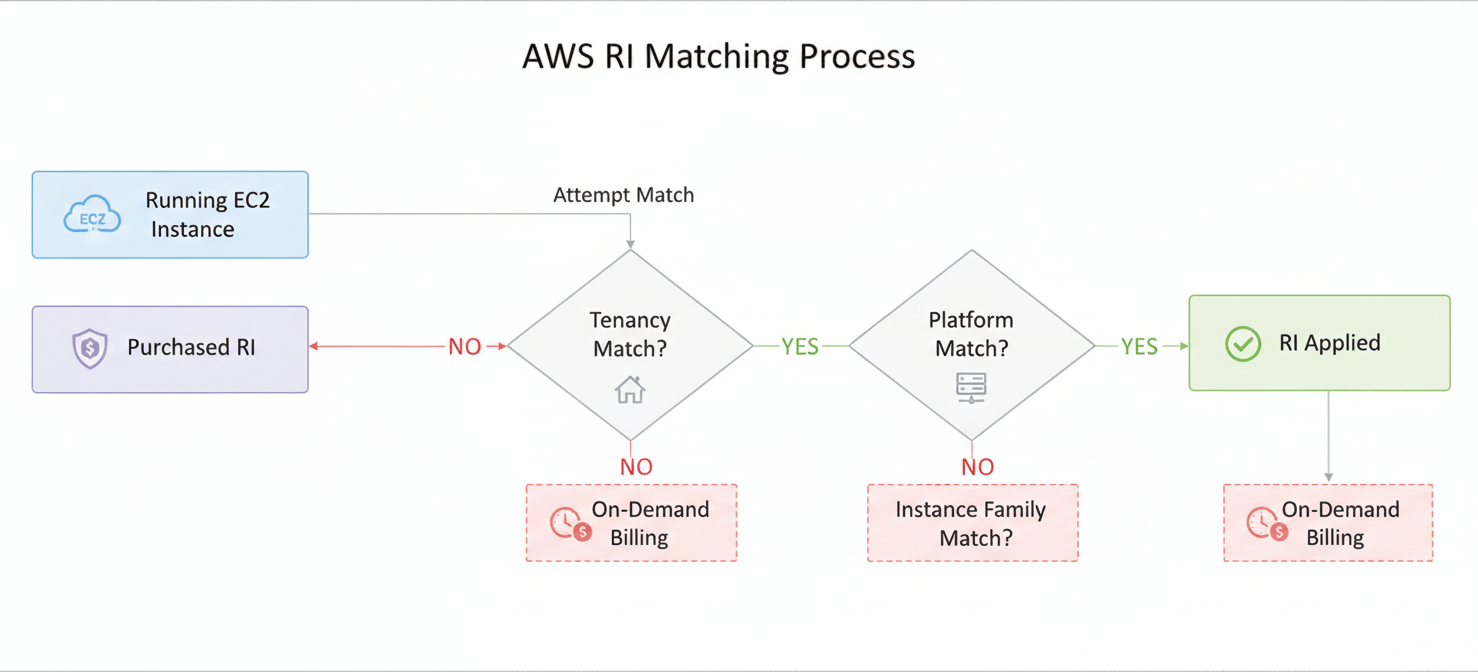
When AWS calculates your bill, it automatically checks your running On-Demand instances against your purchased RIs. For the discount to apply, the attributes of a running instance must match the specifications of your RI. This matching process is not random; it follows a clear hierarchy.
First, AWS looks for usage in the account that purchased the RI. If there’s no matching usage there, it then looks for eligible usage in any other account within your AWS Organization, provided you have consolidated billing enabled. This sharing capability allows you to centralize RI purchases and distribute the savings across your entire organization.
The primary attributes that must align for an RI discount to be applied are:
- Tenancy: Your RI must match the tenancy of the instance (shared, dedicated, or dedicated host).
- Platform: The operating system (e.g., Linux/UNIX, Windows) must match.
- Instance Family: The instance must belong to the same family (e.g., m5, c5) as the RI.
If these core attributes match, the RI can be applied. The process is seamless; you don’t need to manually assign an RI to a specific instance. AWS handles the application on the billing side automatically.
Instance Size Flexibility: How RIs Adapt to Your Needs
One of the most powerful features of Regional RIs is instance size flexibility. This feature applies to Linux/UNIX RIs with shared tenancy. It allows an RI for a specific instance size to apply to other sizes within the same instance family.
Normalization Factors Explained
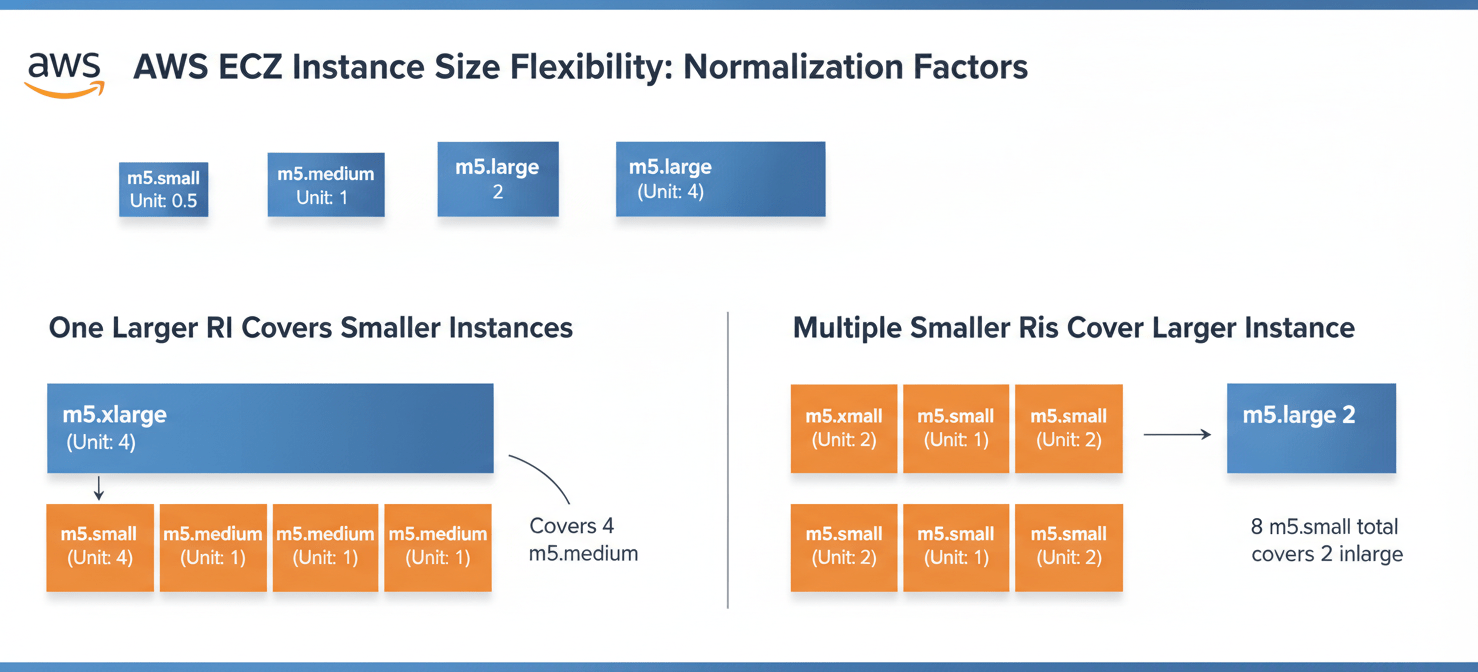
AWS uses a concept called a “normalization factor” to make this work. Each instance size within a family is assigned a unit value. For example, a large instance might have a factor of 4, an xlarge a factor of 8, and a 2xlarge a factor of 16.
This system provides significant reserved instance flexibility. For instance:
- An RI for one
m5.2xlarge(16 units) can cover twom5.xlargeinstances (2 x 8 units). - It could also cover four
m5.largeinstances (4 x 4 units). - Conversely, four
m5.largeRIs could combine to cover a singlem5.2xlargeinstance.
This flexibility means you don’t have to purchase an exact RI for every single instance size you run. Instead, you can purchase RIs that cover the total normalized units of an instance family, and AWS will apply the discount in the most economically advantageous way, starting with the smallest instance sizes first.
How AWS Applies Reserved Instances Within an Instance Family
When applying a size-flexible RI, AWS prioritizes applying the discount to the smallest instance size within the family first. This approach ensures that your RI benefit is maximized by covering as many running instances as possible. The system works to give you the lowest possible bill by applying your committed discount to eligible usage before charging any On-Demand rates.
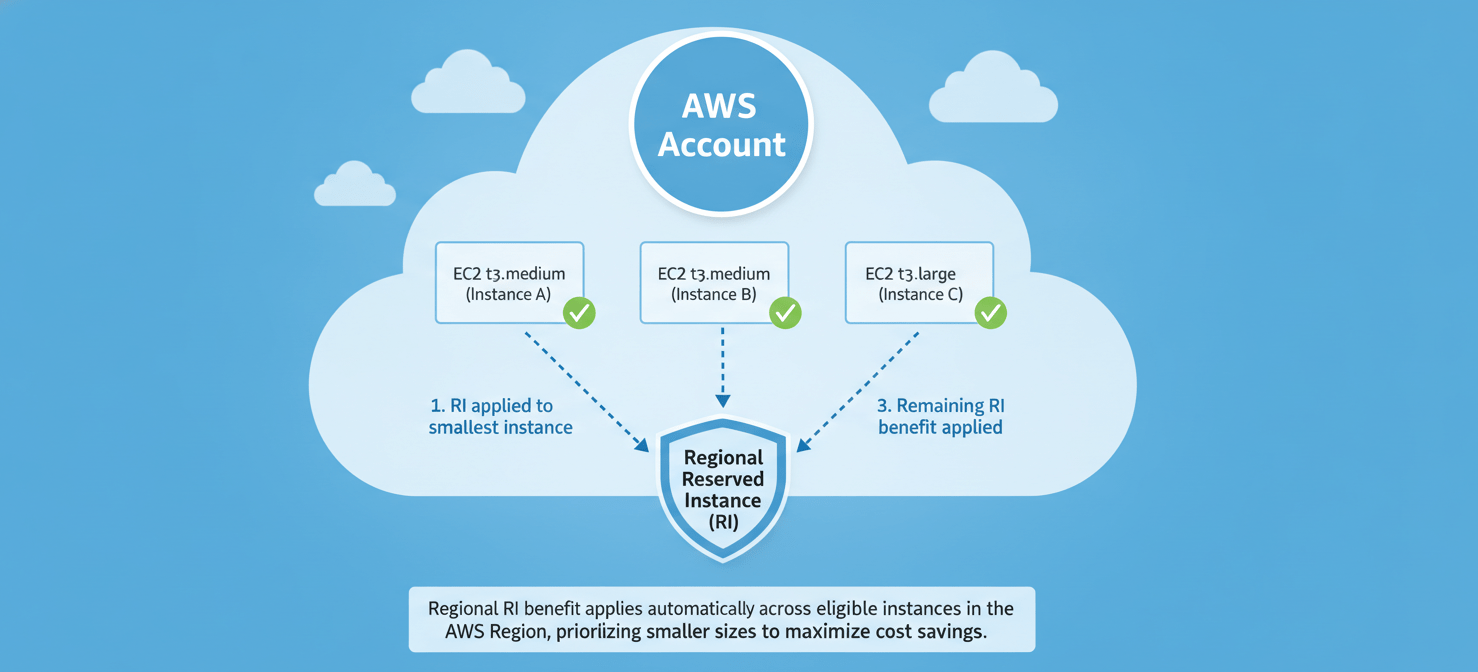
For example, imagine you have an RI for one t3.large instance and you are running one t3.medium and one t3.large instance. The t3.large RI has enough capacity to cover both. AWS will apply the benefit to the smaller t3.medium first and then apply the remaining benefit to the t3.large.
It’s important to note that this size flexibility does not apply to all RI types. It is specifically for Regional RIs running Linux/UNIX with shared tenancy. Zonal RIs, or RIs for Windows and other specific platforms, require an exact match of the instance size.
Scope and Other Considerations: Region vs. Availability Zone RIs
When you purchase an RI, you must choose its scope: Regional or Zonal. This choice has significant implications for how the RI is applied.
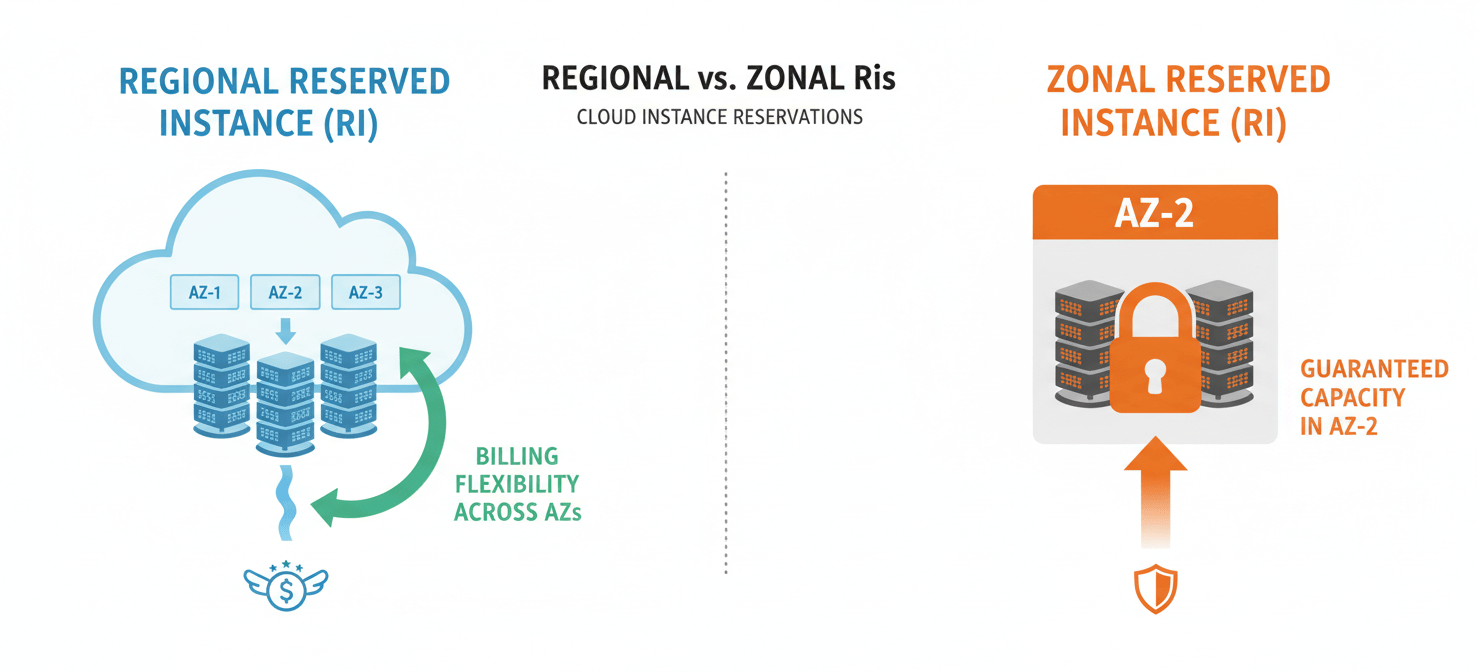
Regional RIs
A Regional RI applies to any matching instance usage within any Availability Zone (AZ) in the entire specified AWS Region. This provides tremendous flexibility, as you are not tied to a specific AZ. Furthermore, as discussed, Regional RIs for Linux with shared tenancy benefit from instance size flexibility. The trade-off, however, is that a Regional RI does not provide a capacity reservation. You get the billing discount, but there’s no guarantee you’ll be able to launch an instance in a specific AZ if it’s experiencing high demand.
Zonal RIs
A Zonal RI, by contrast, applies only to a specific Availability Zone that you select at the time of purchase. To get the discount, your running instance must match the RI’s attributes and be located in that exact AZ. Zonal RIs lack instance size flexibility; an RI for a t3.large will only apply to a t3.large. The key benefit of a Zonal RI is that it includes a capacity reservation, guaranteeing that you can launch a matching instance in that AZ whenever you need it.
In conclusion, understanding how AWS applies Reserved Instances is not just an academic exercise; it’s a critical part of effective cloud cost management. The system is designed to automatically maximize your savings by applying discounts based on a clear hierarchy of rules, from tenancy and platform down to instance size. By leveraging features like instance size flexibility with Regional RIs, you can cover a dynamic EC2 fleet without needing to purchase a specific RI for every permutation. The choice between a flexible Regional RI and a capacity-reserving Zonal RI ultimately depends on your team’s operational needs. Getting these choices right ensures your commitment translates into real savings, not just a line item on a bill.
To truly master your AWS costs and ensure your RI strategy delivers maximum value, consider exploring how Binadox can help optimize your cloud spend, or if you prefer a direct conversation about your specific needs, you can easily arrange a demonstration.
 7-day free trial