



The ease of signing up for a new Software-as-a-Service (SaaS) tool is a double-edged sword. While it empowers employees to find solutions and be productive, it also creates a sprawling, invisible network of applications outside of IT’s control. This “shadow IT” introduces serious security, compliance, and financial risks. The first step to regaining control is learning how to discover unmanaged SaaS that employees have purchased on their own. It requires a mix of financial detective work, technical analysis, and clear communication.
Key takeaways
- Shadow IT is pervasive; Gartner estimates it accounts for 30% to 40% of IT spending in large enterprises.
- You can start to discover unmanaged SaaS in 3 key steps: analyzing financial records, monitoring network traffic, and surveying employees.
- Unmanaged applications create significant security vulnerabilities, as they haven’t been vetted against company security standards.
- A long-term solution involves creating a clear SaaS usage policy and a streamlined process for employees to request new tools.
Why Unmanaged SaaS Is a Problem
When employees purchase and use SaaS applications without IT approval, they inadvertently expose the organization to a host of problems. These tools exist outside of your established security and governance frameworks, creating significant blind spots.

Security and Compliance Risks
Unvetted applications are a primary vector for security breaches. Since the IT department is unaware of these tools, they are not monitored for vulnerabilities or configured according to company security protocols. This can lead to data leaks, especially when employees use unauthorized cloud storage or file-sharing apps. Furthermore, using unapproved tools to handle personal data can violate regulations like GDPR or HIPAA, putting the business at risk of substantial fines. In fact, nearly half of all cyberattacks have been linked to shadow IT.
Financial Waste
Unmanaged SaaS leads to uncontrolled spending and wasted resources. A common issue is redundant licenses, where multiple departments or individuals purchase the same tool independently, missing out on volume discounts. It’s estimated that shadow IT can consume up to 40% of an organization’s SaaS budget. These costs often fly under the radar, hidden in expense reports and individual credit card statements. This “SaaS sprawl” makes it nearly impossible to forecast budgets accurately and leads to significant financial leakage from auto-renewals for unused or forgotten subscriptions.
Operational Inefficiency
From an operational standpoint, unmanaged applications create data silos and process inconsistencies. When different teams use different tools for similar functions—for example, multiple project management apps—it becomes difficult to maintain a single source of truth. These applications may not integrate with your core IT systems, disrupting workflows and making collaboration less efficient. This fragmentation complicates data management and can lead to duplicated effort as teams work with incompatible toolsets.
How to Discover Unmanaged SaaS
Finding applications that employees have purchased requires a multi-pronged approach. You can’t secure what you can’t see, so the primary goal is to achieve full visibility into your SaaS environment. Combining financial analysis with technical discovery methods will give you the most complete picture.
Analyze Financial Records
One of the most effective ways to find shadow IT is to follow the money. Many unmanaged SaaS subscriptions are paid for via employee expense reports or corporate credit cards.
- Review Expense Reports: Work with your finance department to scrutinize expense reports for recurring software subscription charges. Look for names of common SaaS vendors for project management, design, or collaboration tools.
- Audit Credit Card Statements: Analyze corporate credit card statements for payments to technology companies. Even small, recurring monthly charges can indicate an unmanaged subscription.
- Check Accounts Payable: Examine records in your accounts payable system for direct vendor payments that haven’t been routed through IT procurement.
Monitor Network and Web Traffic
Your network logs contain valuable clues about the applications your employees are using.
- Analyze Network Logs: Reviewing network traffic can reveal connections to the domains and IP addresses of known SaaS providers. Tools that analyze outbound connections can highlight popular but unsanctioned cloud services.
- Use a Cloud Access Security Broker (CASB): A CASB acts as a gatekeeper between your users and cloud services, providing visibility into which applications are being accessed. It can effectively spot logins to unapproved apps.
- Deploy Browser Extensions: A managed browser extension can provide deep visibility into all web activity, whether employees are on or off the corporate network. This method is highly effective at capturing logins to freemium apps and other services that might not generate network traffic visible to a CASB.
Leverage Existing Systems and Employee Knowledge
Sometimes the most direct path is to look at the systems you already manage or simply ask your employees.
- Check SSO and Identity Providers: Your Single Sign-On (SSO) system logs can show which applications employees are accessing with their corporate credentials. While this only covers apps connected to your SSO, it’s a great starting point for identifying officially sanctioned—and potentially some unsanctioned—tools.
- Conduct Employee Surveys: Send out surveys to department heads and team members asking them to list the tools they use regularly. Frame the request as an effort to better support their needs and ensure they have the best tools available, rather than a punitive audit.
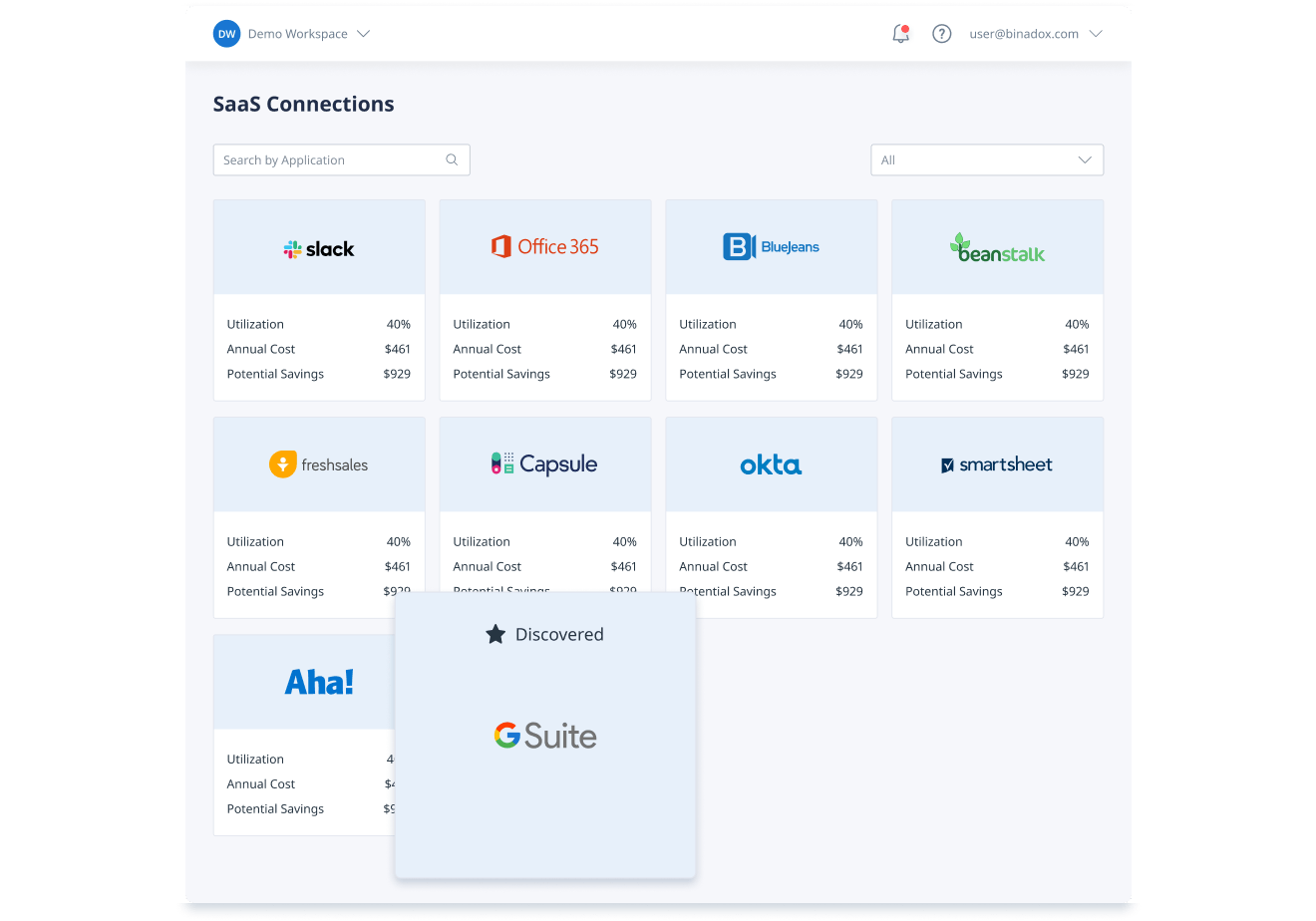
- Utilize a SaaS Management Platform (SMP): Specialized SMPs are designed to automate the discovery process. These platforms integrate with your financial systems, identity providers, and network tools to create a continuously updated inventory of all SaaS applications in your environment.
How to Prevent Shadow IT in the Future
Discovering unmanaged SaaS is only the first step. To prevent it from recurring, you need to address the root causes that lead employees to seek out their own solutions in the first place. Often, employees resort to shadow IT because official processes are too slow or the approved tools don’t meet their needs.

Create a Clear SaaS Governance Policy
A formal policy sets clear expectations for how SaaS applications should be requested, approved, and managed. This document should be easy for employees to understand and should outline the security and compliance requirements for any new tool. It should also define the roles and responsibilities for approving and managing SaaS subscriptions.
Your policy should cover key areas such as:
- An acceptable use policy that defines how employees can use company-approved services.
- Data security standards, specifying how sensitive information should be handled.
- A process for requesting and vetting new applications.
- Guidelines for subscription renewals and de-provisioning users who no longer need access.
Streamline the Application Request Process
If your official procurement process is slow and bureaucratic, employees will find ways to bypass it. Create a simple, transparent process for employees to request new tools. This could be a simple intake form or a dedicated channel in your internal communication platform. The key is to be responsive. Acknowledge requests quickly and provide a clear timeline for review and approval. When a tool is denied, explain the reasoning clearly, whether it’s due to security concerns, cost, or redundancy with an existing application.
Educate and Empower Employees
Finally, treat your employees as partners in your governance efforts. Educate them on the risks associated with unmanaged SaaS, focusing on security and data protection. When employees understand the “why” behind the policies, they are more likely to follow them. Create an approved application catalog that employees can browse for vetted, secure tools that meet their needs. This not only provides them with safe alternatives but also empowers them to make good choices while maintaining their productivity.
Conclusion
Tackling the challenge of unmanaged software requires a strategic and ongoing effort. The goal is not to eliminate employee choice but to channel it through a process that protects the organization. By implementing a systematic approach to discover unmanaged SaaS, you can eliminate critical security blind spots and get control over spiraling costs. The next step is to create a culture of shared responsibility where IT provides a framework of secure, approved tools and employees have a clear, easy path to get the software they need to succeed. Ignoring the problem is no longer an option; an unmanaged tool is an open exposure, and every unvetted sign-up is a roll of the dice.
Ready to eliminate your organization’s SaaS blind spots and regain control over your software ecosystem? You can easily start by trying the discovery free, or if you prefer a guided tour, book a 15-min demo with our experts.
 7-day free trial