



Amazon S3 provides durable and scalable object storage, but its costs can quietly escalate as data accumulates. Many teams face the challenge of reining in their S3 spending without resorting to deleting potentially valuable data. The key is not to store less, but to store smarter. Fortunately, you can implement several S3 cost optimization best practices to manage this growth. This article explores how to reduce S3 costs safely by leveraging intelligent tiering, lifecycle policies, and powerful monitoring tools, ensuring you only pay for what you truly need.
Key takeaways:
- Automate with Lifecycle Policies: Set up rules to automatically transition data to cheaper storage tiers after a specific period, such as moving objects to S3 Glacier Instant Retrieval after 90 days.
- Use S3 Intelligent-Tiering: For data with unknown or fluctuating access patterns, this storage class automatically moves objects between frequent and infrequent access tiers, saving up to 40% without manual intervention.
- Clean Up Incomplete Uploads: Implement a lifecycle rule to automatically delete incomplete multipart uploads after a set number of days (e.g., 7 days) to stop paying for hidden storage.
- Analyze with S3 Storage Lens: Use this free tool to get organization-wide visibility into your storage usage, identify cost-saving opportunities, and track data growth trends.
Why S3 Costs Creep Up (and How to Spot the Bloat)
S3 costs often grow unexpectedly for a few common reasons. The default storage class, S3 Standard, is designed for frequently accessed data and carries the highest price tag. As projects evolve, data that was once “hot” becomes “cold,” yet it often remains in this expensive tier, needlessly inflating your bill.
Another significant factor is the accumulation of non-current object versions. When S3 Versioning is enabled to protect against accidental deletions, every modification creates a new copy of an object. Without proper management, these old versions can silently double or even triple your storage footprint and costs.
Finally, incomplete multipart uploads can contribute to hidden expenses. When a large file upload fails, the partial data remains in your bucket, consuming space and incurring charges, even though it’s not visible in the console. Identifying these sources of bloat is the first step toward effective and safe S3 cleanup.
Transitioning Data to Cheaper Storage Tiers
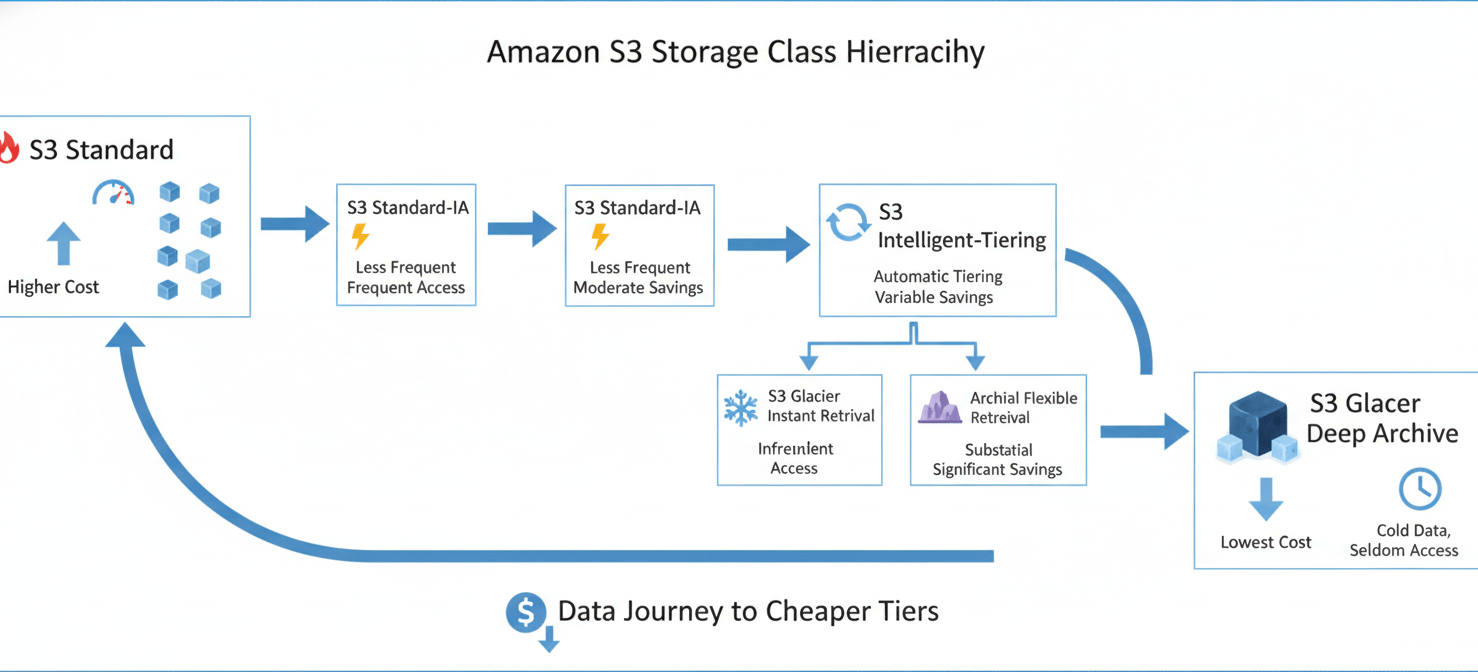
One of the most effective ways to cut S3 spending is by moving data to more economical storage classes. AWS offers a range of tiers designed for different access patterns, all providing the same high durability of 99.999999999%.
Understanding Your Options
- S3 Standard-Infrequent Access (S3 Standard-IA): Ideal for data accessed less than once a month but requires millisecond access when needed. It offers significant savings over S3 Standard but includes a per-GB retrieval fee.
- S3 Intelligent-Tiering: This class is perfect for data with unpredictable access patterns. It automatically moves objects between a frequent and an infrequent access tier based on usage, optimizing costs without performance impact or retrieval fees. There is a small monthly monitoring fee per object.
- S3 Glacier Instant Retrieval: Offers the lowest cost for data accessed only a few times a year but still requires immediate, millisecond retrieval. You can save up to 68% compared to S3 Standard-IA.
- S3 Glacier Flexible Retrieval & Deep Archive: These are the most cost-effective options for long-term archiving. S3 Glacier Flexible Retrieval is suitable for data that can be retrieved in minutes or hours, while S3 Glacier Deep Archive is for data that is rarely accessed and can tolerate a retrieval time of 12 hours or more.
By analyzing your data’s access patterns, you can make informed decisions about which storage class provides the right balance of cost and retrieval speed for your needs.
How to Reduce S3 Costs Safely with Lifecycle Policies
S3 Lifecycle policies are a powerful automation tool that can significantly reduce your storage costs with minimal effort. These rule-based policies automatically transition objects to more cost-effective storage tiers or expire them after a specified period. This “set it and forget it” approach ensures your data is always stored in the most appropriate tier based on its age.
Creating an Effective Lifecycle Policy
A typical lifecycle policy might involve the following transitions:
- Start in S3 Standard: New objects are created in the S3 Standard class for frequent access.
- Transition to Standard-IA: After 30 days, if the data is accessed less frequently, a lifecycle rule moves it to S3 Standard-IA.
- Move to Glacier Instant Retrieval: After 90 days, the data is transitioned to S3 Glacier Instant Retrieval for long-term storage with the option for instant access.
- Archive in Glacier Deep Archive: For data that needs to be retained for compliance but is almost never accessed, a final transition to S3 Glacier Deep Archive after a year can maximize savings.
You can configure these rules directly in the S3 Management Console by navigating to your bucket, selecting the “Management” tab, and creating a new lifecycle rule. This automated process is a cornerstone of S3 cost optimization best practices.
Using S3 Storage Lens for a Clearer Picture
You can’t optimize what you can’t see. Amazon S3 Storage Lens is a free analytics tool that provides organization-wide visibility into your object storage usage and activity. It offers an interactive dashboard with over 60 metrics to help you understand storage trends, identify outliers, and receive actionable recommendations for cost optimization.
With S3 Storage Lens, you can easily answer critical questions such as:
- Which buckets are growing the fastest?
- How much of my storage is comprised of non-current object versions?
- Are there any buckets with a high number of incomplete multipart uploads?
By drilling down into specific accounts, regions, or buckets, your team can pinpoint inefficiencies and make data-driven decisions. For example, the dashboard can highlight buckets that are prime candidates for a new lifecycle policy or for enabling S3 Intelligent-Tiering, turning insights directly into savings.
Cleaning Up Incomplete Multipart Uploads and Old Versions
Two of the most common sources of unnecessary S3 costs are incomplete multipart uploads and old object versions. Fortunately, both can be managed automatically and safely.
Handling Incomplete Multipart Uploads
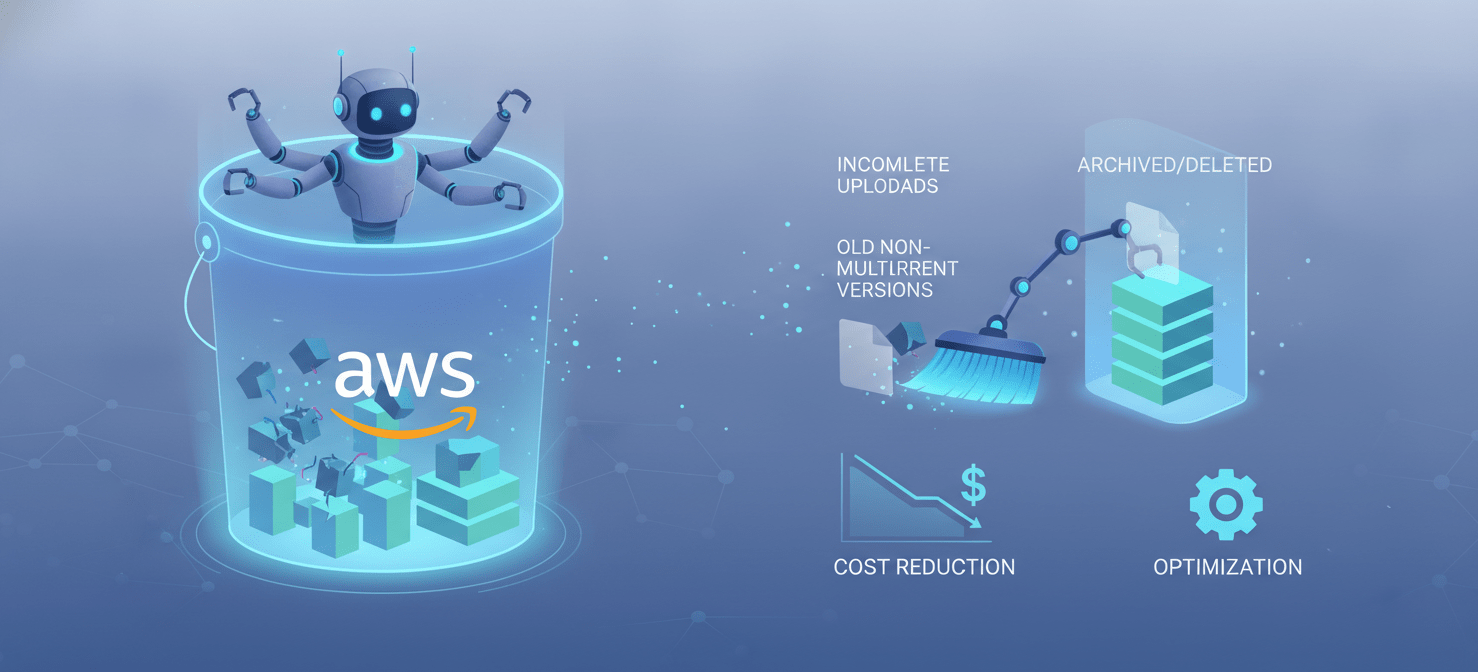
When a large file upload is interrupted, the parts that were successfully transferred remain in S3 and incur storage costs. The simplest way to handle this is to create a lifecycle rule that automatically aborts incomplete multipart uploads after a certain number of days. A 7-day rule is a common best practice, giving you a buffer to retry a failed upload without letting orphaned parts accumulate indefinitely.
Managing Non-Current Versions
S3 Versioning is a valuable feature for data protection, but it requires management to control costs. You can use lifecycle policies to manage these non-current versions effectively. For example, you can configure a rule to:
- Transition non-current versions to S3 Standard-IA after 30 days.
- Move them to S3 Glacier Flexible Retrieval after 60 days.
- Permanently delete them after 365 days, depending on your compliance and data retention needs.
This approach allows you to retain version history for recovery purposes while minimizing the long-term storage costs associated with it.
Conclusion
Controlling your AWS bill doesn’t require a crystal ball or the risky deletion of data. Instead, a methodical approach to storage management can yield significant savings. By understanding your data’s lifecycle, transitioning objects to cheaper storage tiers, and automating cleanup tasks, you can effectively reduce S3 costs safely. Tools like S3 Storage Lens provide the necessary visibility, while lifecycle policies and S3 Intelligent-Tiering do the heavy lifting. Ultimately, a well-configured S3 environment doesn’t just save money; it runs itself, freeing up your team to focus on more important tasks than manual bucket cleanup.
To truly master your S3 costs and free up your team, you can begin a free trial with Binadox to put these principles into practice, or simply schedule a demonstration to learn more about how it can streamline your optimization efforts.
 7-day free trial