



AWS Savings Plans offer a flexible way to reduce your cloud spend by committing to a consistent amount of compute usage, potentially lowering costs by up to 72% compared to On-Demand pricing. However, extracting maximum value requires more than just the initial purchase. To truly optimize your costs, you need a clear strategy to manage AWS Savings Plans throughout their lifecycle. This involves tracking their expiration, handling renewals effectively, and knowing when and how to upgrade your commitments as your usage patterns evolve. Without a proactive approach, you risk coverage gaps that lead to higher On-Demand spending or over-commitment that wastes money.
Key takeaways
- Set Expiration Alerts: Use AWS Cost Management to set up email alerts 1, 7, 30, or 60 days before a Savings Plan expires to ensure you have ample time to act.
- Queue Renewals: To prevent coverage gaps, you can queue a new Savings Plan purchase to activate the moment your existing one expires.
- Analyze Before Committing: Leverage the AWS Cost Explorer Savings Plans recommendations, which analyze your usage over the last 7, 30, or 60 days to suggest an optimal commitment level.
- Embrace Incremental Upgrades: You cannot modify an existing Savings Plan; instead, you purchase additional plans to cover increased usage, creating a layered portfolio of commitments.
Understanding the AWS Savings Plan Lifecycle
Every AWS Savings Plan follows a straightforward lifecycle: purchase, active use, and expiration. Once you purchase a plan for a one- or three-year term, it becomes active, and AWS automatically applies the discounts to eligible compute usage up to your hourly commitment. Any usage beyond that commitment is billed at standard On-Demand rates.
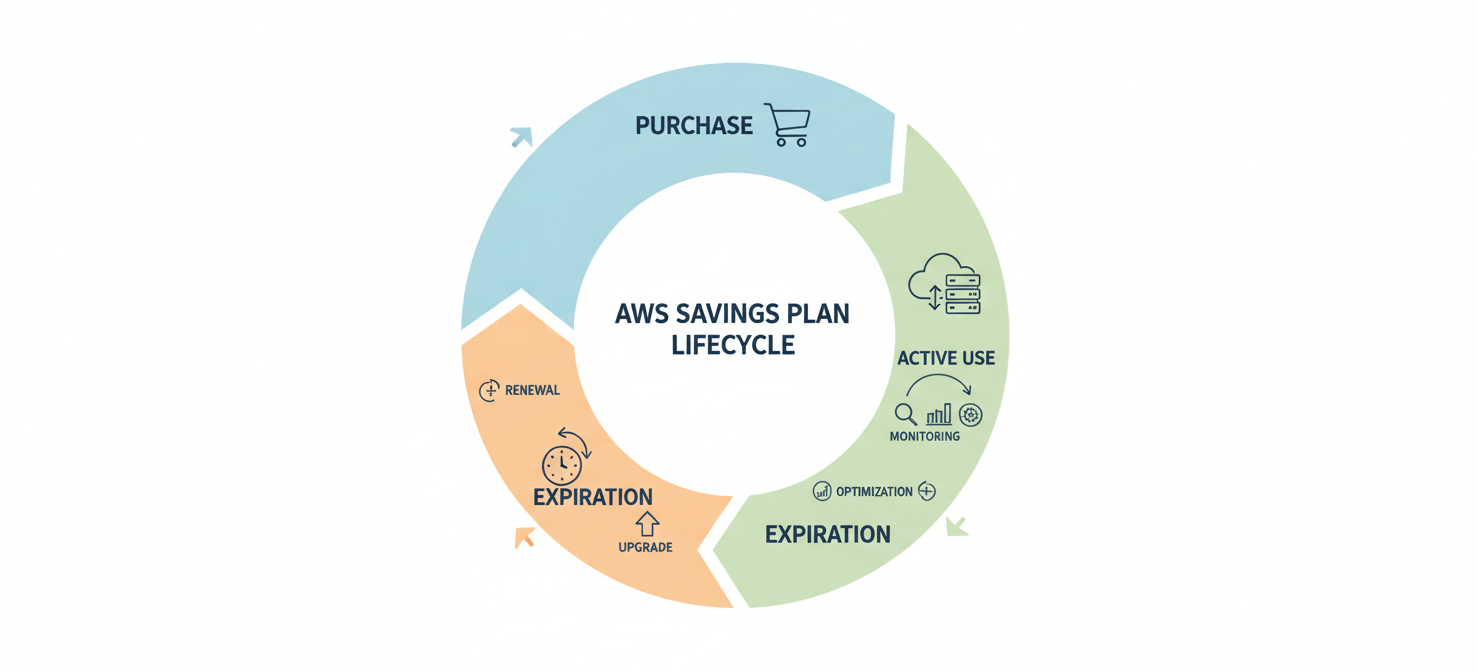
The key challenge in managing the AWS Savings Plan lifecycle is aligning these fixed-term commitments with your organization’s dynamic cloud usage. As applications grow, workloads shift, or infrastructure is modernized, your baseline compute spend will change. Consequently, a plan purchased six months ago may no longer be sufficient.
It is crucial to understand that Savings Plans cannot be modified or canceled after purchase. This inflexibility makes proactive management essential. Your goal is to maintain high utilization of your committed spend while ensuring adequate coverage for your ongoing usage. This process involves continuous monitoring and planning for the two most important events in the lifecycle: renewal and upgrade.
How to Track Savings Plan Expiration and Utilization
Effectively managing your Savings Plans begins with visibility. You must know when your plans expire and how well they are being used. Neglecting expiration dates can lead to a sudden and significant increase in your AWS bill as discounts vanish.
Monitoring with AWS Cost Management
The primary tool for this is the AWS Cost Management console.
- Savings Plans Inventory: This page provides a complete list of all your purchased Savings Plans, including their start and end dates, hourly commitment, and current status. Regularly reviewing the inventory is the first step to track savings plan expiration.
- Utilization and Coverage Reports: AWS Cost Explorer offers detailed reports that show what percentage of your commitment is being used (utilization) and what percentage of your eligible spend is covered by Savings Plans (coverage). High utilization (ideally near 100%) means you are getting the full value of your commitment.
Setting Up Expiration Alerts
To avoid being caught by surprise, you should configure automated alerts. AWS allows you to receive email notifications 1, 7, 30, or 60 days before a plan’s expiration date. These alerts can be sent to up to 10 email recipients, ensuring your finance and operations teams are aware of upcoming deadlines. You can set these up by navigating to the Savings Plans Overview page in the console and managing your alert subscriptions.
The Renewal Process: When and How to Act
When a Savings Plan approaches its expiration date, you have a few options: let it expire, renew it with the same commitment, or renew it with an adjusted commitment. Letting a plan expire is only advisable if the workloads it covered are being decommissioned. For most scenarios, renewal is necessary to maintain cost savings.
The best practice is to ensure continuous coverage by queuing a new Savings Plan to start precisely when the old one ends. This prevents any gap where your compute usage would revert to more expensive On-Demand pricing.
Here is the recommended renewal workflow:
- Analyze Current Usage: Before renewing, use the Savings Plans Recommendations feature in AWS Cost Explorer. This tool analyzes your historical usage (over 7, 30, or 60 days) and suggests an optimal hourly commitment based on real data. Your needs may have changed, so blindly renewing the same commitment amount is not always the best strategy.
- Queue the Purchase: From the Savings Plans Inventory page, you can select an active plan and choose the “Renew Savings Plan” action. This automatically creates a new plan in your cart with the same configuration, scheduled to start one second after the original plan expires.
- Adjust and Confirm: In the cart, you can adjust the hourly commitment of the queued plan based on your analysis from step one before submitting the order.
This simple process ensures a seamless transition and locks in your savings for the next term.
Upgrading Your Savings Plans: A Strategic Approach
Your business is not static, and neither is your cloud footprint. As you launch new services or scale existing ones, your baseline compute usage will likely increase. Since you cannot modify an existing Savings Plan, the strategy for “upgrading” is to purchase additional plans that stack on top of your current commitments.

For example, if you have a $50/hour commitment but your steady-state usage has grown to $70/hour, you would purchase a new $20/hour Savings Plan. This creates a layered portfolio of plans, often with different expiration dates. While this might seem complex, it offers a degree of flexibility. Staggered expirations allow you to make smaller, more frequent adjustments to your total commitment level.
When considering an upgrade, always start with data. Use the recommendations in AWS Cost Explorer to validate the need for a higher commitment. The tool can help you model different scenarios and estimate the potential savings of an additional purchase.
How to Manage AWS Savings Plans with Automation
For organizations with large and complex environments, managing a portfolio of Savings Plans manually can become a significant burden. As your needs grow, you may need to coordinate purchases across multiple accounts or integrate renewals into internal approval workflows.
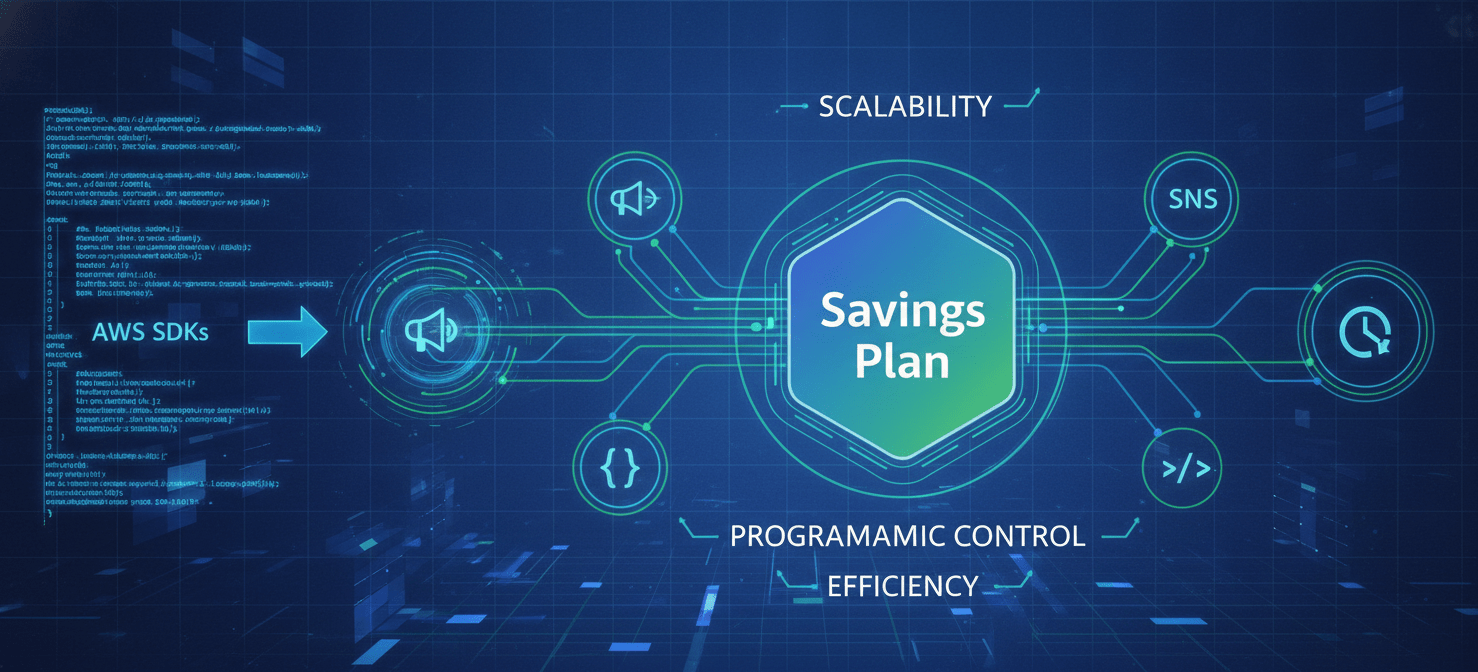
In these scenarios, automation is key. The entire AWS Savings Plan lifecycle can be managed programmatically using the AWS CLI and SDKs. You can build scripts or use infrastructure-as-code tools to:
- Periodically fetch Savings Plan recommendations via the API.
- Automate the purchase of new or renewal plans.
- Integrate with notification systems like Amazon SNS to create custom alerting workflows.
- Use Amazon EventBridge to trigger actions based on Savings Plan lifecycle events, such as an upcoming expiration.
This programmatic approach allows you to enforce best practices, reduce manual effort, and ensure your cost optimization strategy scales with your cloud environment.
Conclusion
Successfully managing AWS Savings Plans is an ongoing cycle of analysis, action, and monitoring. It is not a “set it and forget it” activity. By using the tools AWS provides, such as Cost Explorer recommendations and expiration alerts, you can stay ahead of renewals and make data-driven decisions. When your usage grows, remember that upgrades are handled by adding new, smaller commitments rather than altering existing ones. For those operating at scale, automating these workflows is the most effective way to manage the aws savings plan lifecycle. Ultimately, a well-managed portfolio of Savings Plans is less about chasing the highest possible discount and more about maintaining consistent, predictable, and efficient cloud spending.
To truly master your AWS Savings Plans and ensure continuous cost efficiency without the manual burden, you can explore Binadox’s capabilities by trying it free or arrange a personalized demonstration of how our platform can automate your optimization strategy.
 7-day free trial