



Transport Layer Security (TLS) is the standard protocol for keeping an internet connection secure and safeguarding any sensitive data being sent between two systems. When you see a padlock icon in your browser’s address bar, you’re seeing TLS in action. However, not all TLS versions offer the same level of protection. Setting a secure minimum TLS version is a critical step in protecting your cloud applications and data from eavesdropping and tampering. This article explores why older TLS versions are risky and provides practical steps for configuring a modern, secure TLS policy for your cloud environments.
Key takeaways
- TLS 1.2 is the baseline: Your systems should enforce a minimum TLS version of 1.2. Older versions like TLS 1.0 and 1.1 have known vulnerabilities and are considered insecure.
- Plan for TLS 1.3: While TLS 1.2 is the current minimum, you should actively plan to support and prefer TLS 1.3 for its superior security and performance benefits.
- Compliance demands it: Major regulatory standards, including PCI DSS, now mandate the use of TLS 1.2 or higher for transmitting sensitive data.
- Cloud providers are enforcing it: Major cloud platforms like AWS have already updated their API endpoints to require at least TLS 1.2, making this a technical necessity, not just a best practice.
What is TLS and Why Do Versions Matter?
Transport Layer Security (TLS) is a cryptographic protocol designed to provide secure communication over a computer network. It is the successor to the now-deprecated Secure Sockets Layer (SSL). The primary purpose of TLS is to ensure privacy and data integrity between communicating applications, such as a web server and a browser, or a server and another server.
TLS works through a process called a “handshake,” where two systems establish a secure connection. During this handshake, they agree on the version of the protocol to use, select cryptographic algorithms, and authenticate each other. Once the handshake is complete, all data transferred between them is encrypted.
However, the security of this process depends heavily on the TLS version used. Over time, researchers discover vulnerabilities in older protocol versions. As a result, the Internet Engineering Task Force (IETF) releases new versions to address these weaknesses and introduce stronger cryptographic methods.
A Brief History of TLS Versions
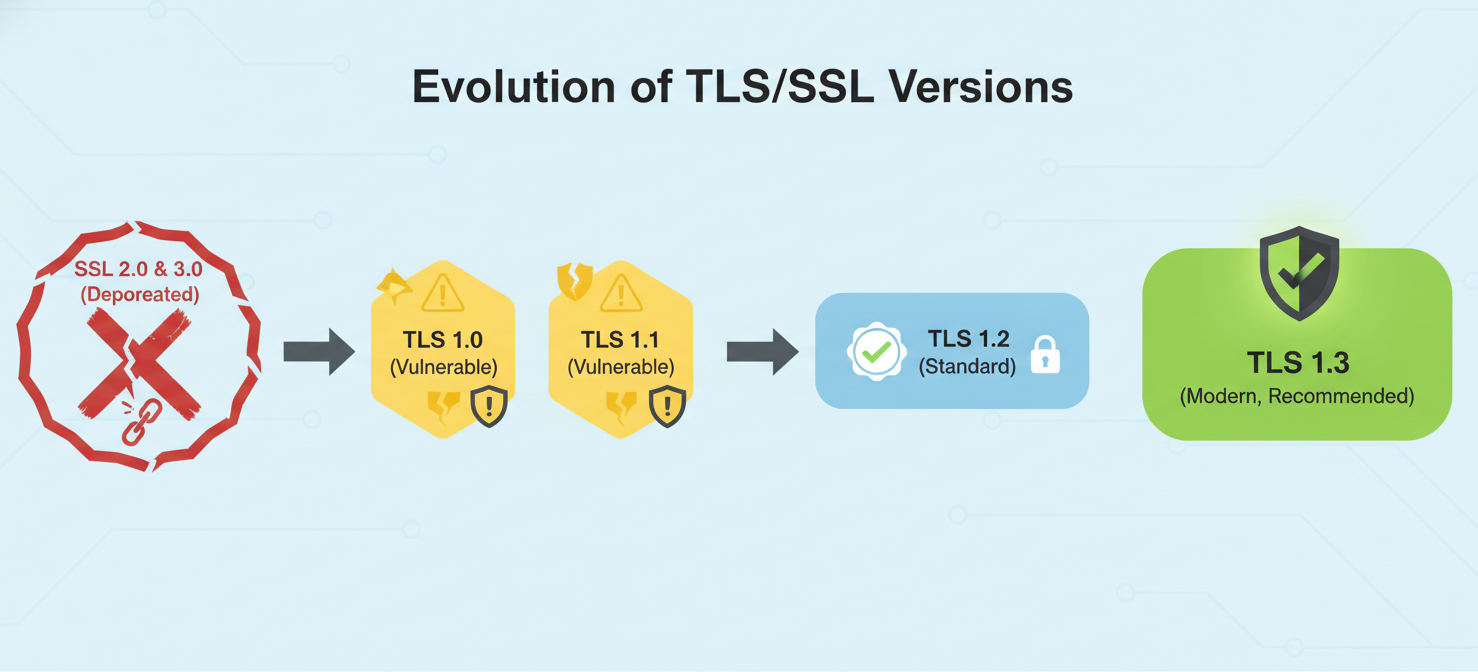
- SSL 2.0 & 3.0 (Mid-1990s): The original protocols developed by Netscape. Both are now considered completely insecure and have been deprecated for years due to major vulnerabilities.
- TLS 1.0 (1999): The first version from the IETF, based on SSL 3.0. It has since been found to have significant security flaws.
- TLS 1.1 (2006): A minor update that addressed some of the issues in TLS 1.0. However, it still supports weak cryptographic algorithms and was never widely adopted.
- TLS 1.2 (2008): This version introduced major security improvements, including support for modern authenticated encryption (AEAD) ciphers. For over a decade, it has been the industry standard for secure communications.
- TLS 1.3 (2018): The latest version, which offers significant enhancements in both security and performance. It removes obsolete and insecure features from older versions and streamlines the handshake process, making connections faster and more secure.
The Security Risks of Outdated TLS Versions
Continuing to support older TLS versions like 1.0 and 1.1 exposes your systems and users to serious security risks. These protocols are vulnerable to a range of well-known attacks that can allow an attacker to decrypt and even modify sensitive traffic.
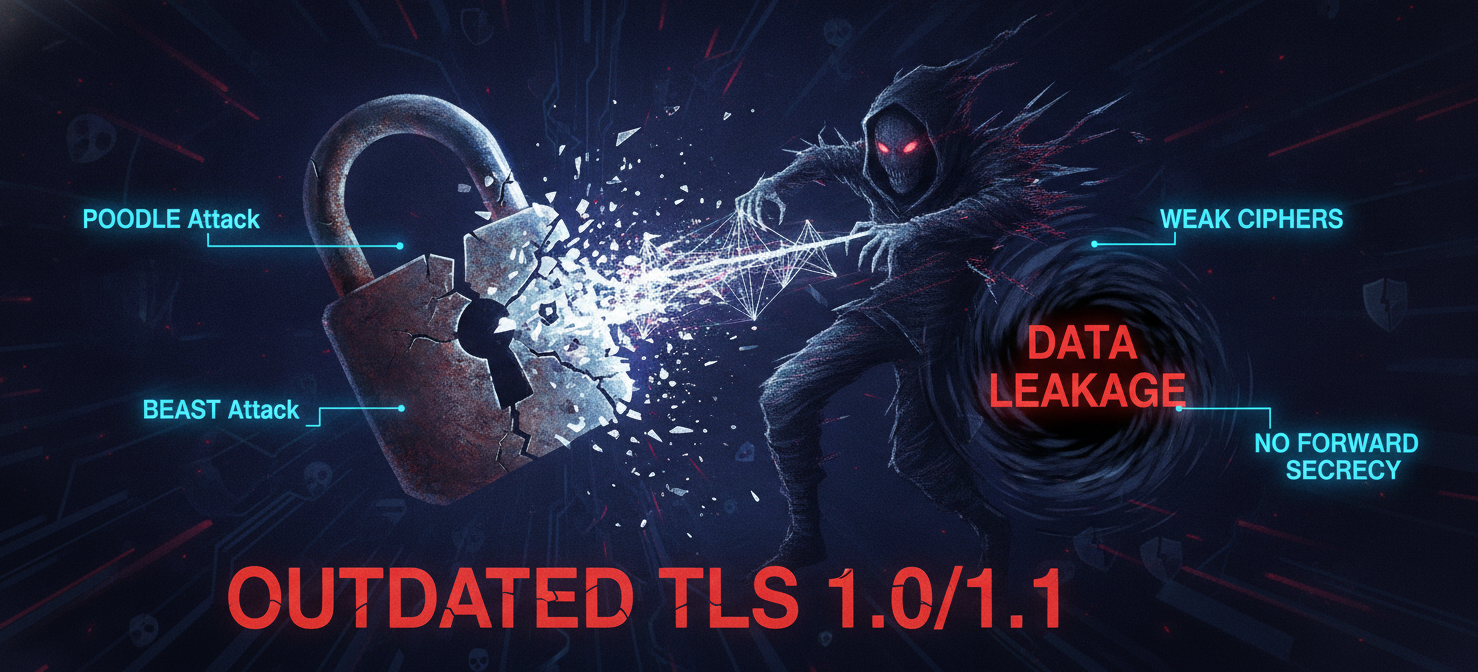
Key vulnerabilities in TLS 1.0 and 1.1 include:
- Weak Cryptography: These older versions support outdated and weak encryption algorithms and cipher suites, such as MD5 and SHA-1, which are no longer considered secure against modern computing power.
- POODLE Attack: This attack allows an attacker to decrypt sensitive information, like session cookies, by forcing a connection to downgrade to the obsolete SSL 3.0 protocol.
- BEAST Attack: The Browser Exploit Against SSL/TLS (BEAST) is an attack against TLS 1.0 that allows an attacker to decrypt parts of an encrypted session.
- Lack of Forward Secrecy: Many cipher suites available in TLS 1.0 and 1.1 do not provide forward secrecy. This means if an attacker records encrypted traffic and later compromises the server’s private key, they can decrypt all past conversations. TLS 1.3 mandates forward secrecy.
Because of these documented vulnerabilities, major standards bodies and technology companies have officially deprecated TLS 1.0 and 1.1. For example, the Payment Card Industry Data Security Standard (PCI DSS) explicitly forbids the use of SSL and early TLS for transmitting cardholder data, requiring TLS 1.2 or higher.
What is the Recommended Minimum TLS Version?
The clear industry consensus is that TLS 1.2 should be the minimum TLS version configured for any system handling sensitive data. This is not just a recommendation but a requirement for many compliance frameworks. The National Institute of Standards and Technology (NIST) requires government systems to support TLS 1.2 and has directed agencies to be ready to support TLS 1.3.
While TLS 1.2 is the required minimum, your team should aim higher. TLS 1.3 is the new gold standard. It offers superior security by removing legacy algorithms and provides a faster handshake process, which improves performance. Therefore, the best practice is to configure your servers to support both TLS 1.2 and TLS 1.3, but to prefer TLS 1.3 whenever the client supports it.
How to Implement a Secure TLS Policy
Implementing a secure TLS policy involves configuring your cloud services, load balancers, and application servers to reject connections using outdated protocols.
- Audit Your Current Configuration: First, you need to identify which TLS versions your services currently support and use. Most cloud providers offer tools to help with this. For example, AWS CloudTrail logs can show the TLS version used in API requests, which helps identify clients using outdated protocols.
- Update Server Configurations: Next, update the configuration on your web servers, load balancers, and other endpoints. For a service like an Azure Storage Account, you can directly configure the minimum required TLS version in the settings.
- Enforce Policies on Cloud Services: Cloud providers allow you to set policies on services like Content Delivery Networks (CDNs) and load balancers. For instance, Cloudflare allows users to set a minimum TLS version for their domains, recommending TLS 1.2 for sites with stringent security needs and TLS 1.3 for the best security.
- Test and Monitor: After applying the new configuration, it is crucial to test your applications thoroughly to ensure that legitimate clients are not blocked. Monitor your logs for TLS handshake failures, which could indicate that a client application needs to be updated to support a modern TLS version.
Cloud Provider Support and Enforcement
Major cloud providers have been actively pushing customers to adopt modern TLS versions. They recognize that the security of their platform depends on the secure configuration of the services running on it.
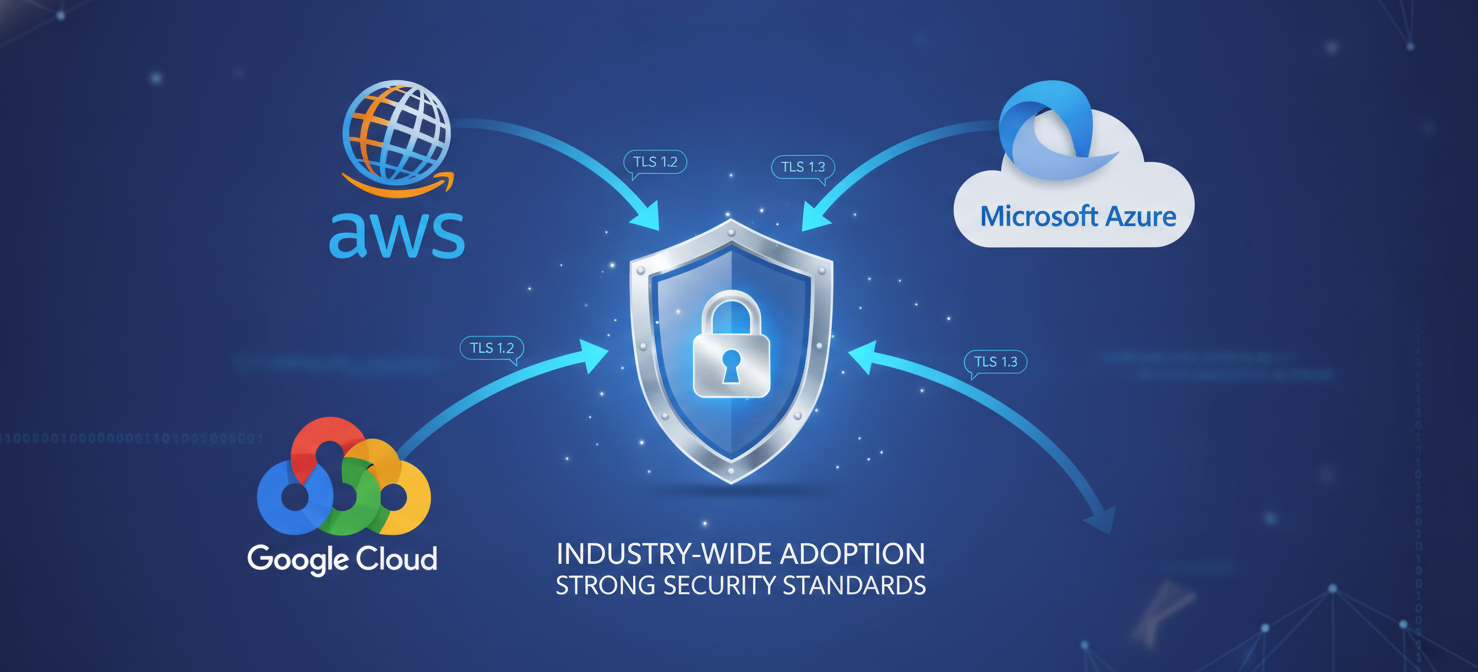
- Amazon Web Services (AWS): As of June 2023, AWS requires a minimum of TLS 1.2 for all API endpoint connections across all regions, including AWS GovCloud (US). This means any custom client software connecting to AWS services must be updated.
- Microsoft Azure: Azure is also phasing out support for older protocols. Azure Resource Manager, the management service for Azure, will stop supporting protocols older than TLS 1.2. Azure Storage allows users to enforce a minimum TLS version on their accounts, with TLS 1.2 being the recommended minimum.
- Google Cloud: Google Cloud, like its competitors, has deprecated older TLS versions across its services. For example, Google Cloud Load Balancing allows you to define SSL policies that specify a minimum TLS version and a profile of allowed cipher suites.
This widespread enforcement means that maintaining a secure minimum TLS version is no longer optional for cloud users; it is a technical requirement for continued service operation.
Conclusion
The evolution of encryption protocols is a constant response to an ever-changing threat landscape. The days of treating TLS 1.0 and 1.1 as acceptable are long gone. These protocols are riddled with known vulnerabilities that have been systematically addressed in newer versions. For any organization operating in the cloud, setting a minimum TLS version of 1.2 is a foundational security control. It protects data in transit, meets critical compliance requirements, and ensures your services remain accessible as cloud providers phase out legacy protocol support. The next step, already underway, is the broader adoption of TLS 1.3. Failing to keep pace is not just a matter of missing out on performance gains; it’s a deliberate choice to accept unnecessary risk. In the world of cloud security, you don’t get points for supporting antiques.
To proactively safeguard your data and ensure compliance, you can explore our platform’s capabilities by starting a free trial, or for a tailored walkthrough of how we can secure your cloud environment, book a demo with our specialists.
 7-day free trial