



Managing your organization’s software licenses can feel like a moving target, especially when it comes to Microsoft. With evolving product bundles, shifting agreement structures, and periodic price adjustments, a simple renewal is rarely simple. A strategic approach to your microsoft license renewal is no longer just good practice; it’s essential for controlling costs and ensuring your technology stack aligns with your business goals. This process requires foresight, detailed analysis, and a clear understanding of how your team actually uses the tools you pay for.
Key takeaways
- Price Hikes Are Here: As of July 1, 2026, prices for most Microsoft 365 Business, Enterprise, and Frontline plans have increased, with hikes ranging from 5% to over 40% on certain plans.
- Start Planning Early: Don’t wait until the last minute. Begin your renewal assessment and strategy discussions at least 3-9 months before your current agreement expires to allow ample time for analysis and negotiation.
- Optimization is Key: Most organizations overspend on licensing. A thorough audit of active versus inactive accounts and aligning license tiers (e.g., E1, E3, E5) to actual user needs can uncover significant savings.
- NCE Changes Everything: The New Commerce Experience (NCE) has fundamentally altered commitment terms, cancellation policies, and billing options, making flexibility a premium feature.
The Shifting Landscape of Microsoft Licensing
For over a decade, Microsoft 365 pricing remained remarkably stable. However, that predictability has ended. Since 2022, businesses have faced a series of significant adjustments driven by currency fluctuations and, most importantly, the introduction of the New Commerce Experience (NCE).

Understanding the New Commerce Experience (NCE)
Launched in 2022, the NCE is a licensing platform that streamlines how Microsoft 365, Dynamics 365, and other cloud services are purchased and managed. It was designed to simplify licensing and provide cost savings for long-term commitments. However, it also introduced stricter rules that impact your renewal strategy:
- Term Commitments: You can choose monthly or annual terms. Annual commitments offer better pricing but significantly reduce flexibility.
- Cancellation Window: You have a very limited window—typically just seven days after a new or renewed subscription starts—to cancel or reduce seat counts. After that, you are locked in for the remainder of the term.
- The Price of Flexibility: Choosing a monthly term for maximum flexibility comes at a premium, costing about 20% more than an annual commitment.
Recent and Upcoming Price Hikes
Microsoft has implemented several price increases, with a major update taking effect on July 1, 2026. These changes affect most commercial suites, including Enterprise, Business, and Frontline plans. For example, Microsoft 365 E3 saw an 8% increase, while Office 365 E3 went up by 13%.
For organizations on Enterprise Agreements (EA), this increase is compounded by the removal of traditional volume discounts, which could push the effective cost increase closer to 20%. Existing customers will see the new pricing upon their next renewal date after July 1, 2026.
Proactive Strategies for Microsoft License Renewal
A successful microsoft license renewal hinges on early and thorough preparation. Waiting until the last minute is a recipe for overspending and accepting unfavorable terms. Microsoft itself often begins the renewal conversation six to nine months in advance, so your internal planning should start even earlier.

Conduct a Comprehensive Audit
The first step is to understand exactly what you have and how it’s being used. A detailed audit should be the foundation of your renewal strategy.
- Analyze Active vs. Inactive Users: It’s common for licenses to remain assigned to former employees. Systematically identify and reclaim these licenses. Many organizations find that setting a policy to review accounts after 60 or 90 days of inactivity is an effective way to manage this.
- Assess License Tiers: Not every user needs the premium features of an E5 license. Analyze usage patterns to determine who truly needs advanced security, Power BI Pro, or other premium tools. Downgrading users from E5 to E3, or E3 to E1, based on their roles and actual software use can yield substantial savings.
- Review Add-On Subscriptions: Check for redundant or underutilized add-ons like Visio, Project, or separate security products. Often, the functionality you need is already included in a higher-tier license you’re paying for elsewhere.
Align Licensing with Your Business Roadmap
Your renewal is an opportunity to ensure your Microsoft investment supports your future goals.
- Workforce Changes: If your company is growing, locking in a one- or three-year subscription can protect you from future price increases. Conversely, if you anticipate downsizing or have a fluctuating workforce (e.g., seasonal workers), the flexibility of monthly commitments through a Cloud Solution Provider (CSP) might be more cost-effective, despite the 20% premium.
- Technology Needs: Are you planning a move to the cloud, enhancing your security posture, or adopting new AI tools like Copilot? Your renewal is the time to ensure your licensing plan includes the necessary components, such as Microsoft Defender, Purview, or Intune.
Uncovering Cost Savings Through License Optimization
True microsoft 365 license optimization is an ongoing process, not a one-time cleanup project. The goal is to continuously align subscriptions with real-world usage, ensuring you pay only for what you need.
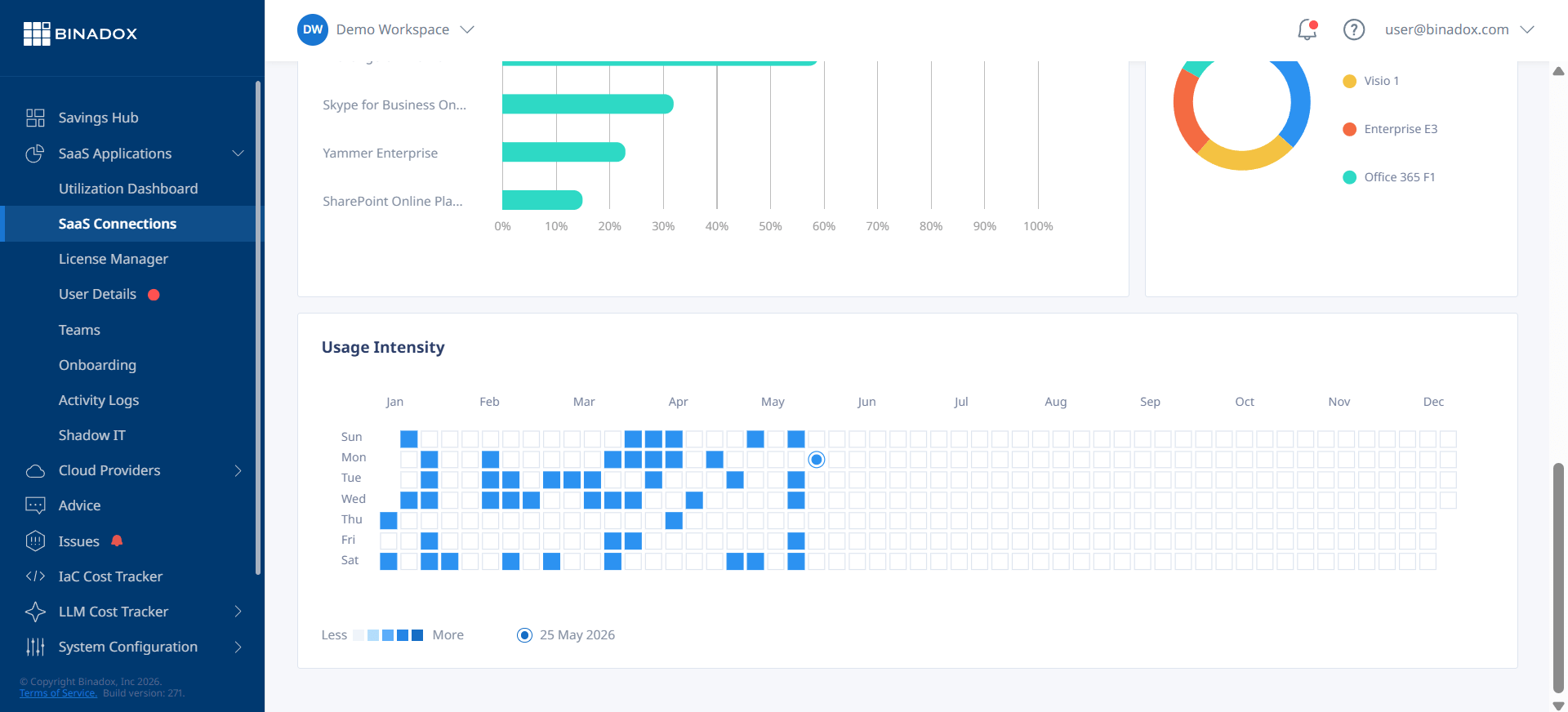
The biggest source of waste is often not inactive accounts, but oversized licenses assigned to active employees who don’t use the premium features. For example, assigning an E5 license to a user who only needs email and Office apps is a significant and unnecessary expense.
Right-Sizing and Reharvesting
A practical approach involves two key strategies:
- Reclaim and Reharvest: Begin by identifying all unused licenses from departed employees or inactive accounts. Move these licenses into a central pool so they can be quickly reassigned to new hires without purchasing new seats.
- Downgrade Where Possible: Create a decision matrix that maps job roles to the appropriate license tier. For instance, frontline workers may only need F1 or F3 licenses, while standard information workers might be fully served by an E1 or E3 plan. This data-driven approach prevents overspending and ensures employees have the tools they need without excess.
The Art of the Deal: How to Negotiate Your Microsoft Renewal
Negotiating with Microsoft requires a strategy built on data, a clear understanding of your alternatives, and precise timing. Over-focusing on the discount percentage is a common mistake; favorable terms and program choices can deliver more value.

Key Negotiation Tactics
- Leverage Your Data: A strong negotiation position is built on accurate, independent data about your license consumption and future needs. Use the insights from your audit to challenge Microsoft’s assumptions and justify your requested license counts and types.
- Understand Microsoft’s Priorities: Microsoft’s sales teams are compensated based on selling certain “scorecard” products. Knowing which products are strategic priorities for Microsoft (like Azure consumption or specific security suites) can give you leverage.
- Don’t Wait Until Year-End: The old advice of waiting until the end of Microsoft’s fiscal quarter or year to get the best deal is no longer true. Microsoft now incentivizes earlier renewals to avoid backlogs, meaning you may find more flexibility outside of peak periods.
- Separate Your Agreements: If you have a large Enterprise Agreement, try to negotiate your Unified Support contract at a different time. When these agreements are bundled, Microsoft can use leverage from one to force unfavorable terms on the other.
Common Pitfalls to Avoid
Navigating a renewal can be complex, and several common missteps can lead to overspending or inflexible contracts.
- Allowing Auto-Renewal Without Review: The easiest path is often the most expensive. Letting your subscription auto-renew without a thorough review means you’re likely paying for unused or oversized licenses.
- Ignoring the CSP vs. EA Decision: For many years, the Enterprise Agreement (EA) was the standard for large organizations. However, the Cloud Solution Provider (CSP) program offers greater flexibility, especially for companies with fewer than 2,400 users. An EA locks you into a three-year term, while CSP allows for monthly adjustments.
- Misunderstanding NCE Cancellation Policies: The NCE’s strict seven-day window for changes is unforgiving. Once that window closes, you are financially committed for the entire term, whether you use the licenses or not.

Conclusion
The era of predictable, set-and-forget Microsoft renewals is over. Rising prices and the rigid framework of the New Commerce Experience demand a more strategic and disciplined approach. A successful microsoft license renewal is no longer a simple procurement task but a critical financial and operational exercise. By starting early, conducting a meticulous audit of your actual usage, and negotiating from a position of data-backed confidence, you can navigate the changes effectively. Fail to prepare, and you risk locking your organization into a year or more of unnecessary spending—a costly mistake in an environment where every budget line is under scrutiny.
Given the complexities of Microsoft license renewals, a data-driven approach is paramount for cost control; to gain these insights and streamline your optimization efforts, you can try Binadox free, or book a demo to explore its comprehensive features.
 7-day free trial