



Is your current Mobile Device Management (MDM) solution still the right fit? As your organization evolves, the MDM that once met your needs might now be a source of excessive spending or operational friction. The prospect of changing platforms can seem daunting, but a careful evaluation often reveals significant long-term advantages. For many IT leaders, the process of switching MDM solutions for cost savings and improved efficiency is a strategic necessity, not just a technical adjustment. This analysis will break down the costs, benefits, and key considerations to help you determine if a switch is the right move for your team.
Key takeaways
- Total Cost of Ownership (TCO) is Key: Look beyond monthly license fees. TCO includes implementation, training, maintenance, and hidden operational costs.
- Migration Costs Are Manageable: Switching vendors can incur one-time migration costs, but these are often offset by long-term savings.
- ROI Can Be Substantial: Organizations often see a return on investment of 200-400% within the first year of implementing a better-fitting MDM solution.
- Planning is Everything: A successful migration hinges on a clear, phased plan that covers everything from pre-migration assessment to post-migration validation.
The True Cost of Your Current MDM
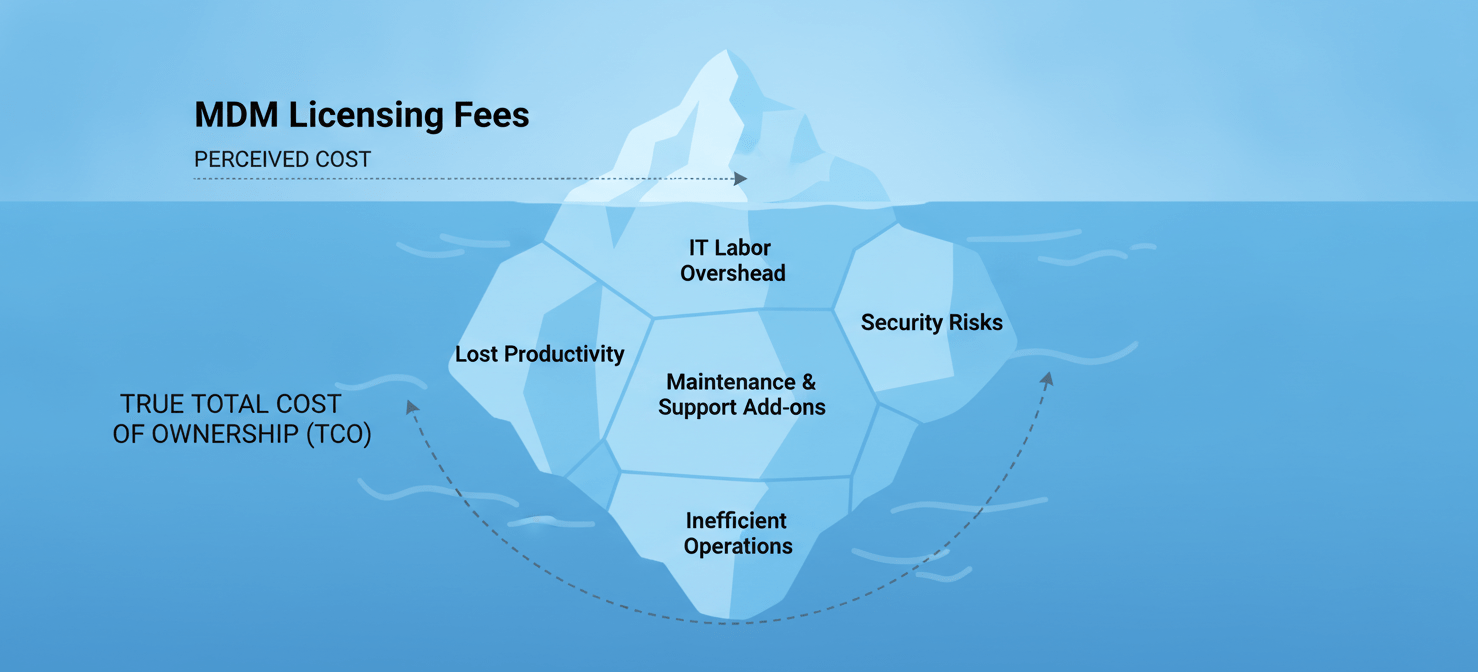
Before you can evaluate a new solution, you must understand the total cost of ownership (TCO) of your existing one. This goes far beyond the obvious licensing fees. Many of the real costs are indirect and embedded in your team’s daily operations.
Direct Costs
Direct costs are the most straightforward to identify. They are the line items you see on invoices from your vendor.
- Licensing Fees: This is the most visible cost, typically billed per device or per user. Industry benchmarks show that organizations spend between $3.25 and $9 per device per month on MDM licensing alone.
- Support and Maintenance: Does your contract include premium support, or is it an add-on? These fees can increase your TCO significantly.
- Add-on Features: Many vendors lock advanced capabilities like compliance reporting or advanced automation behind higher-priced tiers or sell them as separate modules.
Indirect Costs
Indirect costs are less obvious but can have a much larger financial impact. These costs are tied to operational inefficiencies and risks associated with a sub-optimal MDM.
- IT Labor: How much time does your IT team spend on manual device configuration, troubleshooting, and resolving support tickets? If an IT admin spends one hour manually configuring each of 100 devices at an hourly rate of $50, the initial setup cost is $5,000. An inefficient MDM inflates this cost over the entire device lifecycle.
- Lost Productivity: When employees experience device issues, their work stops. An MDM that causes friction or downtime has a direct, negative impact on business output.
- Security and Compliance Risks: An inadequate MDM can lead to security vulnerabilities. The cost of a single data breach, including fines and reputational damage, can be enormous.
Direct and Indirect Costs of Switching
Migrating to a new MDM solution is an investment that comes with its own set of costs. A thorough analysis requires you to account for both the upfront expenses and the operational adjustments your organization will need to make.
Direct Migration Costs
These are the one-time expenses directly related to the migration project.
- New Licensing Fees: You will need to purchase licenses for the new MDM solution. Some vendors may offer promotional pricing for new customers switching from a competitor.
- Migration Services: While some migrations can be handled in-house, complex environments may require professional services from the new vendor or a third-party consultant. These services can range from a few thousand dollars to over $15,000, depending on the scale.
- Parallel Operations: During the transition, you may need to run both the old and new MDM systems simultaneously, which could mean paying for two sets of licenses for a short period.
Indirect Migration Costs
These costs are related to the internal effort and operational changes required for a successful transition.
- Staff Training: Your IT team and potentially your end-users will need training on the new platform. This represents a cost in terms of both training fees and time spent away from other duties.
- Internal Labor: Your team will dedicate significant time to planning, testing, and executing the migration. This includes re-creating configuration profiles, testing policies, and managing the device re-enrollment process.
- Potential Downtime: A well-planned migration should minimize disruption, but there is always a risk of downtime or user-facing issues during the transition.
Switching MDM Solutions for Cost: A Step-by-Step Analysis
Making a decision based purely on sticker price is a common mistake. A proper cost-benefit analysis requires a structured approach to compare your current solution with potential replacements. This involves looking at specific pricing models, such as Atera vs Intune pricing, and understanding how different platforms cater to different needs, like the Intune vs Jamf cost comparison for mixed or Apple-only environments.
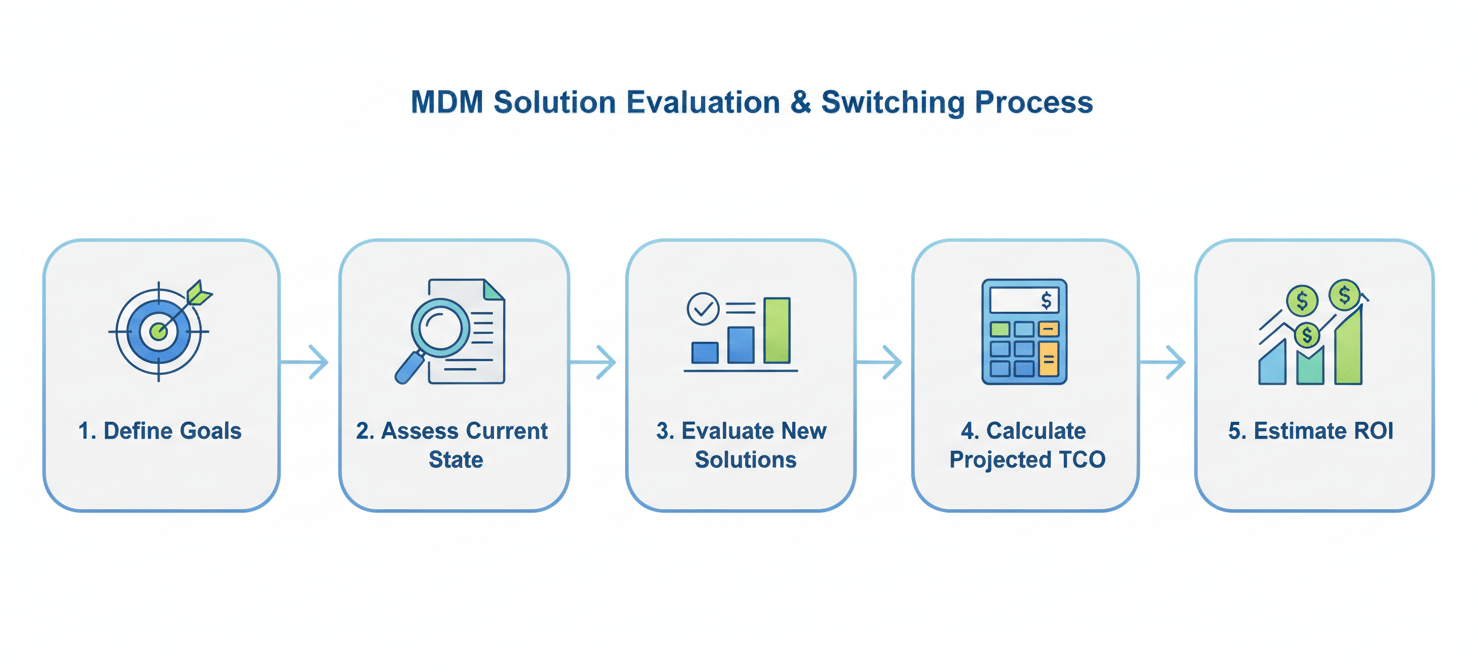
- Define Your Goals: Start by identifying what is driving the potential switch. Are you looking for lower licensing fees, reduced IT overhead, better security features, or improved scalability? Your goals will guide your evaluation criteria.
- Assess Your Current State: Conduct a thorough audit of your existing MDM environment. Document your current costs (both direct and indirect), identify pain points, and list the features you rely on.
- Evaluate New Solutions: Research and shortlist potential MDM vendors that align with your goals. For example, if you manage a large number of endpoints with a small IT team, a per-technician pricing model like Atera’s might be highly cost-effective. If your organization is heavily invested in the Microsoft ecosystem, the cost of Intune may already be bundled with your existing Microsoft 365 licenses, making it a financially attractive option.
- Calculate Projected TCO: For each shortlisted vendor, calculate the projected TCO over a three-year period. This should include licensing, implementation, training, and any anticipated changes in IT workload.
- Estimate ROI: Compare the projected TCO of the new solution with the TCO of your current MDM. The difference represents your potential savings. Calculate the return on investment (ROI) by dividing the total net benefits by the total costs of the switch.
Potential Benefits and ROI
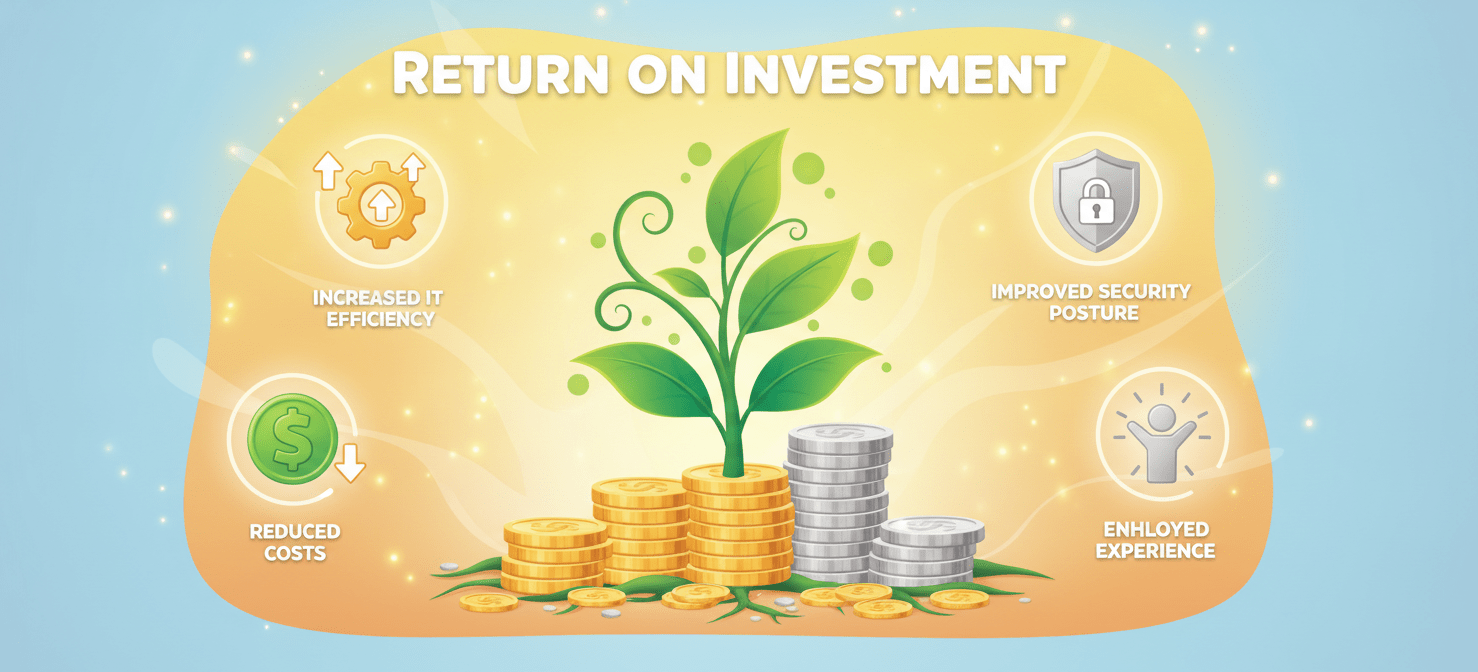
The primary benefit of switching MDM solutions is often cost savings, but the advantages extend much further. A modern, efficient MDM can deliver a significant return on investment by improving security, productivity, and operational agility.
Tangible Benefits
- Reduced Licensing Costs: This is the most direct financial gain. Moving to a platform with a more favorable pricing model can yield immediate savings. For instance, a switch could save thousands annually purely on licensing fees.
- Increased IT Efficiency: Automation is a key benefit of modern MDM. Automating tasks like device enrollment, configuration, and patch management can reduce the time IT spends on manual work by over 25 hours per month.
- Lower Support Costs: A more intuitive and reliable MDM can lead to fewer support tickets and faster resolution times, directly reducing IT labor costs. Some organizations save between $1,250 and $15,000 annually per 50 devices on support tickets alone.
Intangible Benefits
- Improved Security Posture: A new MDM may offer more robust security features, such as better encryption enforcement, automated compliance checks, and faster patching. This reduces the risk of costly data breaches.
- Enhanced Employee Experience: A seamless and reliable device experience improves employee satisfaction and productivity. A good MDM works in the background without creating friction for the user.
- Greater Scalability: The right MDM solution can grow with your business, easily accommodating an increasing number of devices without a linear increase in management overhead.
Most organizations that switch to a more suitable MDM find that the payback period is surprisingly short, often within 6 to 12 months.
The Migration Process: Planning for a Smooth Transition
A successful MDM migration is built on a foundation of careful planning and clear communication. Rushing the process can lead to technical issues, user frustration, and unforeseen costs. A phased approach is crucial for a smooth transition.
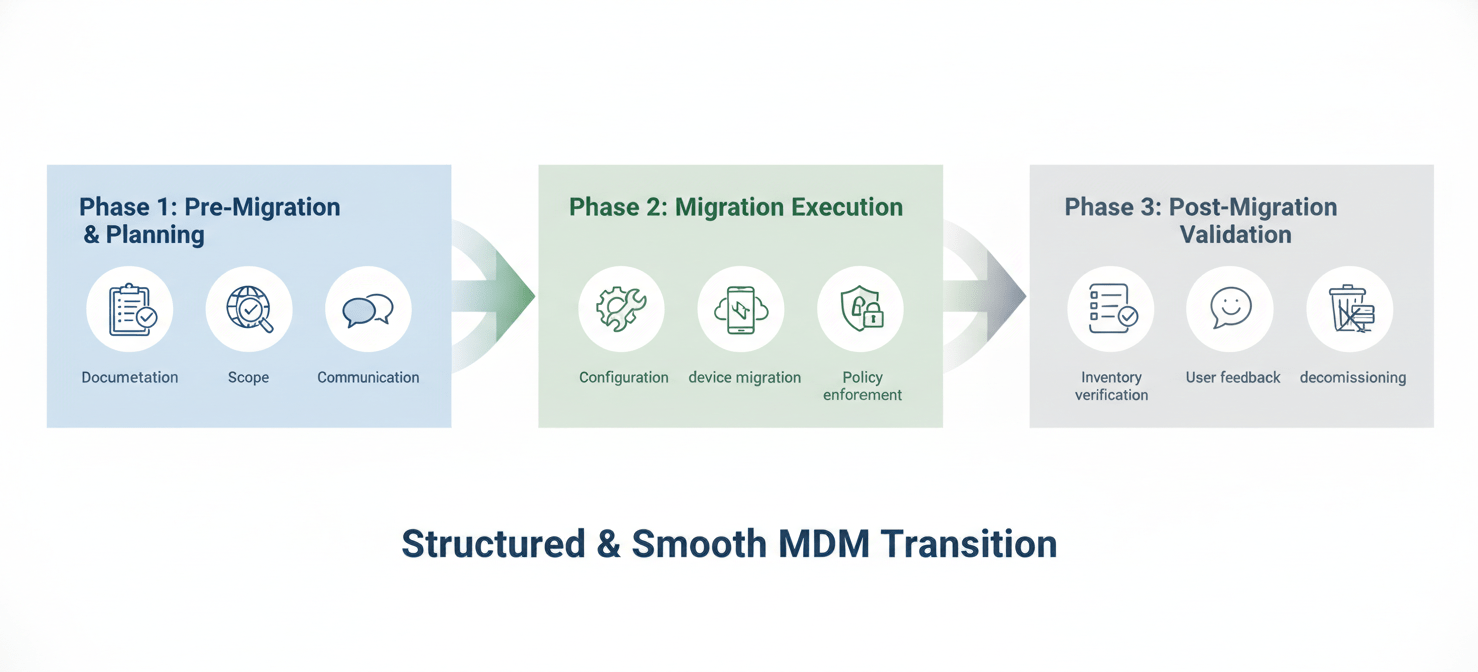
Phase 1: Pre-Migration and Planning
This initial phase is the most critical. It involves a detailed assessment of your current environment and the creation of a comprehensive migration plan.
- Document Everything: Review and document all existing workflows, security policies, and device configurations.
- Define Scope and Timeline: Break the migration down into manageable stages. A pilot program with a small group of test users is essential to identify and resolve any issues before a full-scale rollout.
- Communicate with Stakeholders: Ensure that everyone, from IT staff to end-users, understands the timeline, what to expect, and where to go for help.
Phase 2: Migration Execution
This is the active phase where devices are moved to the new platform.
- Configure the New MDM: Set up the new environment by re-creating all necessary profiles, policies, and app catalogs.
- Migrate Users and Devices: Begin by migrating user profiles first, followed by the devices themselves. This typically involves unenrolling devices from the old MDM and re-enrolling them in the new one.
- Enforce Security Policies: As devices are enrolled, verify that all security policies, such as password requirements and data encryption, are correctly applied.
Phase 3: Post-Migration Validation
After the migration is complete, the final phase focuses on validation and support.
- Verify Device Inventory: Compare the device inventory in the new MDM with your records to ensure all devices have been successfully migrated.
- Gather User Feedback: Actively solicit feedback from users to identify and address any lingering issues with app access or device functionality.
- Decommission the Old System: Once you have confirmed that the new MDM is stable and fully functional, you can safely decommission the old platform.
Conclusion
Deciding on switching MDM solutions for cost is more than a simple price comparison; it’s a strategic evaluation of total cost, operational efficiency, and future scalability. The numbers often speak for themselves—while there are upfront costs to migration, the long-term ROI from reduced IT workload, lower licensing fees, and enhanced security is compelling. The key is to move beyond the sticker price and analyze the full TCO. A well-planned migration, though an investment of time and resources, can eliminate hidden costs and position your organization with a more agile and secure device management foundation. In the end, sticking with an inefficient solution is often the most expensive choice of all.
If you’re ready to explore how a modern MDM can transform your operations and reduce costs, you can easily arrange a demonstration with our experts or explore your free Binadox trial to see the difference firsthand.
 7-day free trial