



It’s a familiar scenario for many teams: the monthly cloud invoice arrives, and the total is significantly higher than anticipated. This sudden cloud bill spike can strain budgets and create tension between finance and engineering departments. The key to controlling these costs is to understand their origin. Therefore, learning how to effectively troubleshoot cloud cost spikes is no longer a niche skill but a crucial business practice. This article provides a clear, step-by-step guide to identifying the root causes of a high cloud bill and preventing future surprises.
Key takeaways
- Identify the Source: The first step is always to use your cloud provider’s native tools, like AWS Cost Explorer or Azure Cost Management, to pinpoint which service, region, or resource tag is responsible for the surge.
- Common Culprits: Most cost spikes trace back to a few common issues: misconfigured resources, forgotten or “zombie” assets left running, unexpected data transfer fees, or inefficient resource scaling.
- Automate and Alert: Don’t rely on manual bill reviews. Instead, implement automated anomaly detection and budget alerts to get notified of unusual spending patterns within 24-48 hours, not weeks later.
- Optimize Proactively: Once the immediate issue is resolved, focus on long-term health by rightsizing resources, cleaning up unused assets, and applying cost allocation tags to assign ownership.
What Causes a Cloud Bill Spike?
Unexpected cloud costs rarely appear without a reason. They are typically symptoms of underlying issues in how resources are managed, configured, or monitored. Understanding these common causes is the first step toward diagnosing your own spending anomalies.
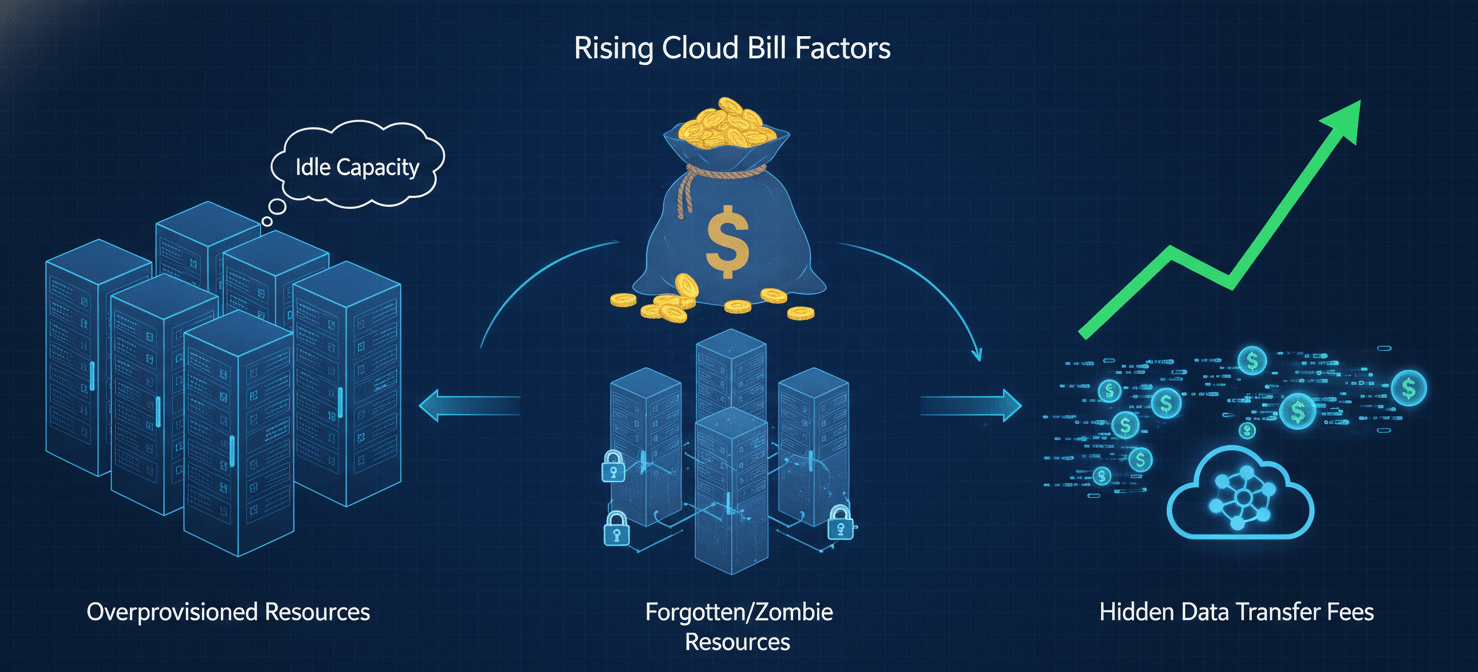
Misconfigured and Overprovisioned Resources
One of the most frequent drivers of a high cloud bill is misconfiguration. This can manifest in several ways. For example, an autoscaling group might be configured with an overly aggressive scaling policy, causing it to provision more instances than necessary during a minor traffic increase. Similarly, developers might provision virtual machines or storage volumes that are far larger than the workload requires, a practice known as overprovisioning. This “just-in-case” approach leads to paying for idle capacity that provides no value.
Forgotten and “Zombie” Resources
Cloud environments are dynamic, with resources being created and destroyed constantly. However, without diligent cleanup, this can lead to “zombie” or orphaned resources. These are assets—like test servers, unattached storage volumes, or old database snapshots—that were created for a specific purpose but never decommissioned. They continue to run in the background, silently accumulating charges month after month. This issue is especially common in development and testing environments where resources are spun up for short-term tasks and then forgotten.
Hidden Data Transfer and Egress Fees
Data transfer costs are often overlooked until they appear as a significant line item on an invoice. While inbound data transfers to a cloud provider are often free, moving data out (egress) or between different regions or availability zones typically incurs a fee. Architectures with heavy inter-service communication across regions or those that serve large amounts of data to the public internet can generate substantial egress charges that surprise teams who were only tracking compute and storage costs.
How to Troubleshoot Cloud Cost Spikes
When you’re faced with an unexpectedly high bill, a systematic approach is essential. Panicked, random changes can make the problem worse. Follow these steps to methodically identify and address the root cause of the spending increase.
Step 1: Use Native Cloud Cost Management Tools
Your first line of defense is the suite of cost analysis tools provided by your cloud vendor. These platforms are designed to give you visibility into your spending and help you identify trends and anomalies.
- For AWS users, AWS Cost Explorer is the primary tool. It allows you to visualize, understand, and manage your AWS costs and usage over time. You can filter and group data by service, region, member account, or cost allocation tags to isolate the source of a spike.
- On Microsoft Azure, Azure Cost Management + Billing provides similar capabilities. You can use its cost analysis features to break down spending by subscription, resource group, or tags and identify any unusual patterns compared to historical data.
- Google Cloud Platform (GCP) users can leverage Cloud Billing reports and the cost analysis tools within the console. For more advanced analysis, you can export your billing data to BigQuery to run detailed queries.
Step 2: Enable Anomaly Detection
While manual analysis is useful for investigating a past spike, proactive monitoring is better. All major cloud providers offer machine learning-powered anomaly detection services that automatically monitor your spending patterns and alert you when something deviates from the norm.
- AWS Cost Anomaly Detection uses historical data to learn your unique spending patterns and flags any unusual increases, often within 24 hours. You can set up alerts to be sent via email or Amazon SNS.
- Azure Cost Management includes an anomaly detection feature that notifies you of unusual spending in your subscriptions.
- Google Cloud also offers anomaly detection to flag unexpected spikes in project-level spending.
These tools help you catch a cloud bill spike early, reducing the time a misconfiguration or error can run up charges.
Step 3: Audit Resource Tags and Ownership
Once your cost analysis tools point you to a specific service or resource group, the next step is to determine who is responsible. This is where a consistent resource tagging strategy becomes invaluable. Tags are metadata labels that you can assign to your cloud resources, allowing you to categorize them by project, team, or environment.
By filtering your cost reports by tags, you can quickly see which team’s resources are driving the cost increase. This eliminates finger-pointing and allows you to go directly to the source. If you don’t have a comprehensive tagging policy in place, the investigation will be much more difficult. In that case, you may need to manually inspect resources to determine their purpose and owner.
How to Prevent Future Cost Spikes
Fixing the immediate problem is only half the battle. The real goal is to implement practices and guardrails that prevent future billing surprises. This involves a combination of technical solutions and cultural changes.
Implement Budgets and Automated Alerts
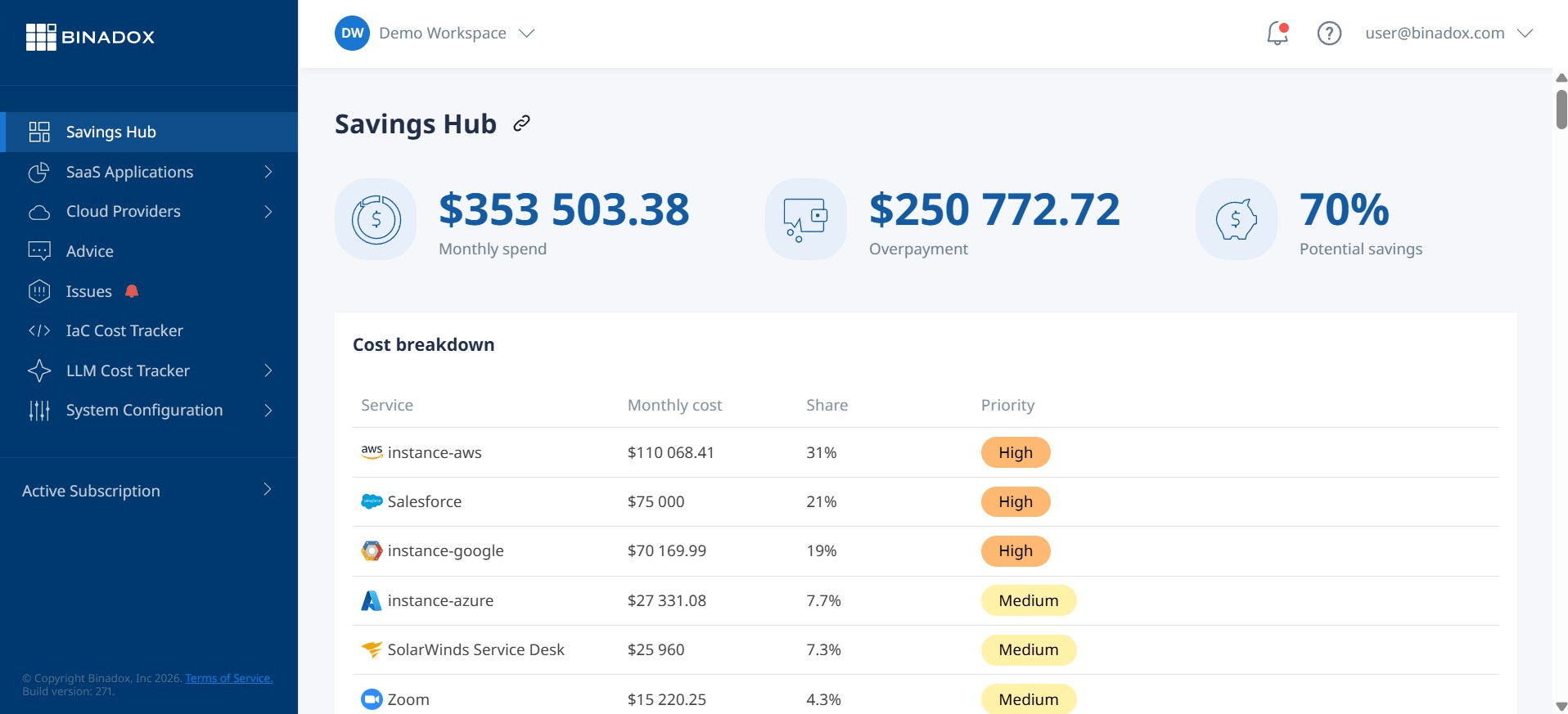
Beyond anomaly detection, you should set explicit budgets for your cloud spending. Cloud provider tools allow you to create budgets for specific accounts, projects, or tags and configure alerts that notify you when your spending exceeds certain thresholds (e.g., 50%, 75%, and 100% of the budgeted amount). This acts as a safety net, ensuring that even if anomaly detection misses a gradual cost increase, you’ll still be notified before spending gets completely out of hand.
Regularly Right-Size and Clean Up Resources
Proactive resource management is one of the most effective ways to control costs. This involves two key activities:
- Rightsizing: Regularly analyze the utilization metrics (CPU, memory, etc.) of your virtual machines and other resources. If a resource is consistently underutilized, resize it to a smaller, cheaper instance type.
- Cleanup: Implement a process for regularly identifying and decommissioning idle and orphaned resources. This can be done manually through audits or automated with scripts that flag resources that haven’t been used in a certain period.
Foster a Culture of Cost Awareness
Ultimately, cloud cost management is a shared responsibility. Finance, operations, and engineering teams must collaborate to ensure that cloud resources are used efficiently. Encourage developers to think about the cost implications of their architectural decisions. Furthermore, make cost visibility a part of your team’s regular workflow by incorporating cost reports into dashboards and team meetings. When everyone has ownership over their slice of the cloud bill, you create a powerful incentive to be more efficient.
Conclusion
Confronting a massive cloud bill can be a frustrating experience, but it doesn’t have to be a recurring one. The key to escaping this cycle is to move from a reactive to a proactive stance. By leveraging the cost analysis and anomaly detection tools your provider offers, you can quickly troubleshoot cloud cost spikes when they occur. However, the long-term solution lies in establishing robust governance practices. Implementing automated alerts, regularly optimizing resources, and fostering a culture of cost accountability will transform your cloud spending from a source of stress into a predictable and manageable expense. After all, the cloud is supposed to scale your business, not your anxiety.
To transform your cloud spending into a predictable and manageable expense, you can easily pick a time to discuss tailored strategies, or if you’re ready to implement proactive solutions, begin exploring Binadox’s capabilities with a complimentary trial.
 7-day free trial