




In the rush to build and deploy applications, development teams often provision cloud resources outside of official IT channels. This practice, known as Shadow IT, creates significant security vulnerabilities. One of the most critical risks that arises is unrestricted Azure database access, where sensitive data is left exposed without proper oversight or security controls. When databases are configured to allow broad network access, they become prime targets for malicious actors. This article explores the connection between Shadow IT and exposed databases, the tangible risks involved, and the practical steps your team can take to regain control and secure your data.
Key takeaways
- Shadow IT, the use of unsanctioned applications and services, is a primary cause of misconfigured and exposed Azure databases.
- A single misconfigured firewall rule can expose a database to the entire internet, inviting automated attacks like brute-force attempts and credential stuffing.
- Failing to comply with data protection regulations like GDPR due to data exposure can result in fines of up to €20 million or 4% of your company’s global annual revenue.
- Implementing a defense-in-depth strategy using Azure-native tools like Microsoft Entra ID, Network Security Groups, and Privileged Identity Management is crucial for mitigating these risks.
The Link Between Shadow IT and Unsecured Databases
Shadow IT happens when employees use hardware, software, or cloud services without the IT department’s knowledge or approval. This often occurs because teams feel official IT processes are too slow and they need to move quickly to meet deadlines. For example, a developer might spin up a new Azure SQL Database for a temporary project, intending to secure it later but forgetting to do so.
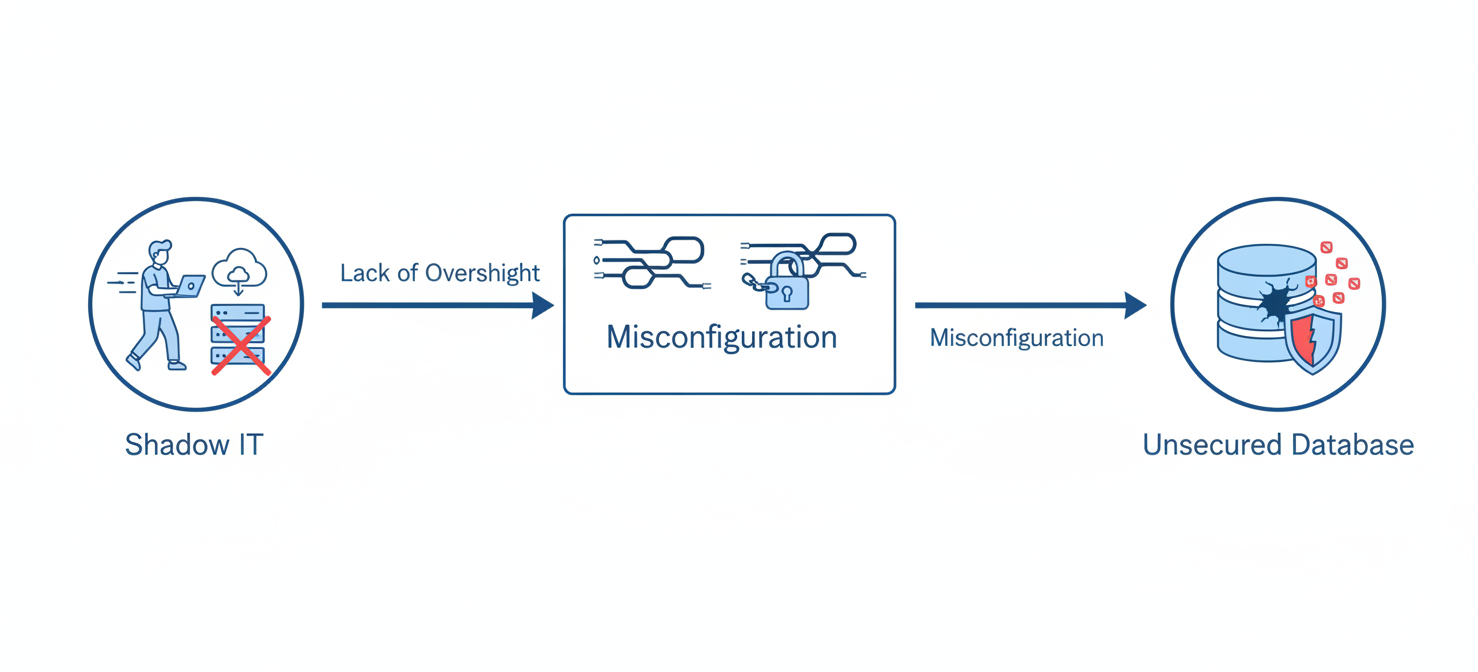
This convenience comes at a high cost. Unsanctioned resources are, by definition, unmanaged. They exist outside of standard security policies, patching cycles, and monitoring tools. Research indicates that a significant portion of employees—as high as 41% in some studies—acquire or build tools outside of IT’s view. When these tools include databases, the risk multiplies. A database created in the shadows is unlikely to have the proper firewall rules, access controls, or encryption settings applied, leaving it vulnerable.
Common Misconfigurations
The most common and dangerous misconfigurations often stem from convenience. One is setting a firewall rule to allow traffic from any IP address (0.0.0.0/0). Another is enabling the “Allow Azure services and resources to access this server” option. Many users mistakenly believe this setting restricts access to their own Azure resources. In reality, it opens the database to any service running anywhere within the vast Azure cloud, including those operated by attackers. These settings turn a database into an open target for internet-wide scanners searching for vulnerabilities.
Data Breach and Compliance Risks of Unrestricted Azure Database Access
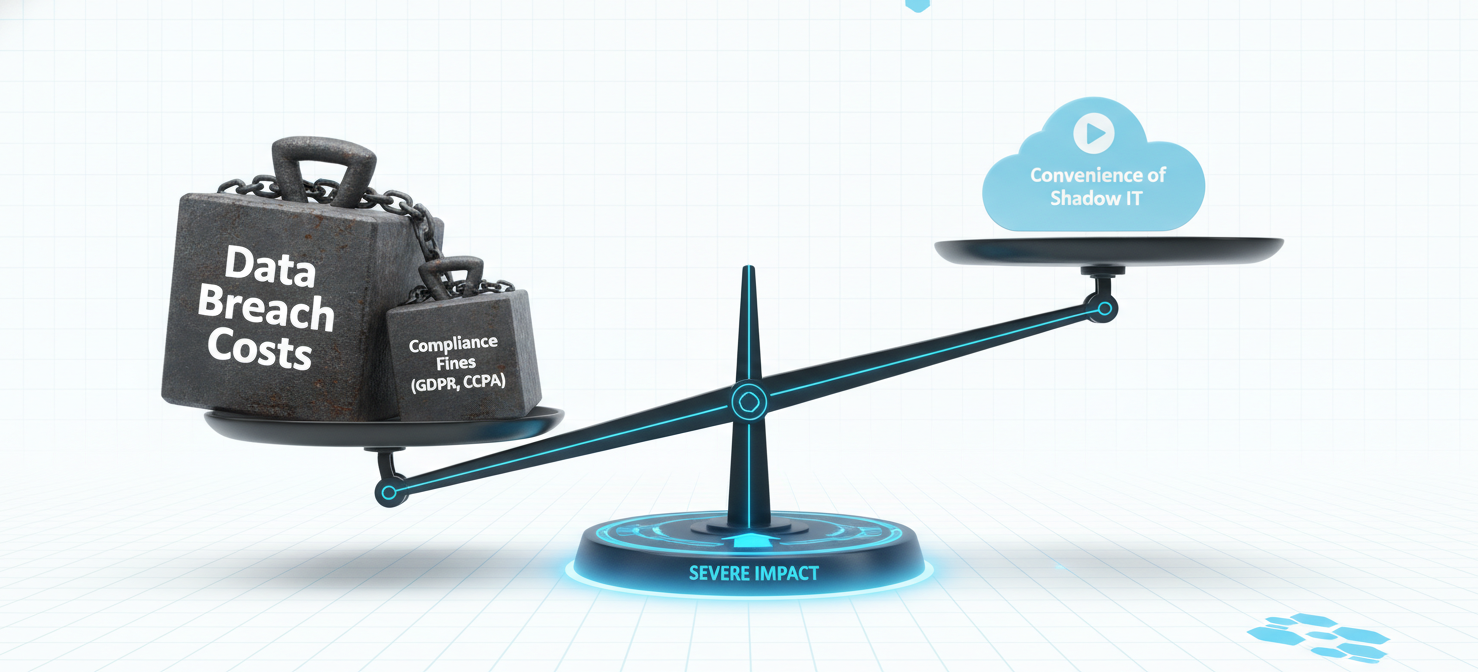
The consequences of an exposed database range from operational disruption to severe financial penalties. Unrestricted Azure database access creates a direct path for attackers to exfiltrate sensitive data, inject ransomware, or use the compromised database as a launchpad to move deeper into your network.
The High Cost of a Breach
Even unsuccessful attacks consume valuable database resources, leading to inflated Azure bills for processing malicious traffic. A successful breach is far more costly. The average cost for organizations that fail to comply with data protection regulations is a staggering $14.82 million. This figure doesn’t just include fines; it also accounts for business disruption, revenue loss, and reputational damage that can erode customer trust.
Navigating the Regulatory Minefield
Data privacy laws like the General Data Protection Regulation (GDPR) and the California Consumer Privacy Act (CCPA) impose strict rules on how personal data is handled. A database left open to the public is a clear violation of these regulations. GDPR fines can reach up to €20 million or 4% of a company’s global annual revenue, whichever is higher. Regulators have demonstrated they are not afraid to issue significant penalties, making compliance a critical business function. Shadow IT makes proving compliance nearly impossible, as you cannot protect data you are not aware of.
How to Discover and Remediate Shadow IT Databases
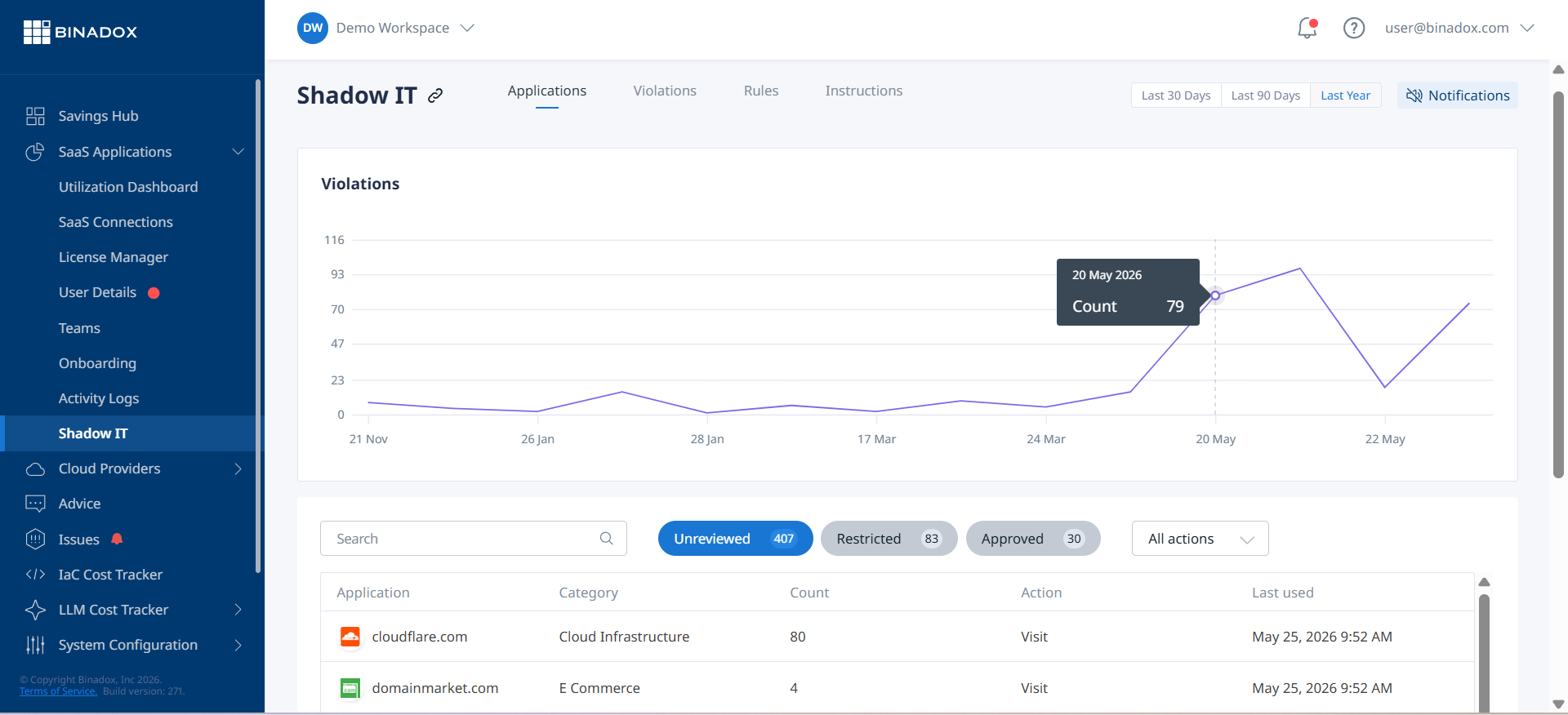
You can’t secure what you can’t see. The first step in mitigating the risks of Shadow IT is to discover these hidden resources. This requires a multi-faceted approach that goes beyond simply scanning your known subscriptions.
Discovery Techniques
- Network Traffic Analysis: Monitoring outbound network traffic can help identify connections to unknown or unauthorized database endpoints.
- Identity and Access Logs: Reviewing logs from identity providers like Microsoft Entra ID can reveal authentication attempts to unsanctioned applications and databases.
- Cloud Access Security Brokers (CASBs): These tools are designed to discover and monitor cloud service usage, consolidating signals from various sources to provide a unified inventory of sanctioned and unsanctioned apps.
- SaaS Management Platforms: Specialized platforms can integrate with identity providers and expense systems to continuously detect new applications as they enter the environment.
Once discovered, these rogue databases must be brought under central IT governance. This involves assessing their purpose, identifying the owner, and applying standard security policies. In many cases, the data can be migrated to a properly secured and managed database instance, and the shadow resource can be decommissioned.
Best Practices for Securing Azure Databases
Preventing unrestricted access requires a proactive, defense-in-depth strategy. This involves securing the network perimeter, implementing strong identity controls, and continuously monitoring for threats.
Harden Access Controls
The principle of least privilege should be the foundation of your access control strategy. Grant users and applications only the permissions they absolutely need to perform their functions.
- Use Microsoft Entra ID (formerly Azure Active Directory): Instead of using SQL logins with passwords, leverage Microsoft Entra ID for identity-based authentication. This allows you to centrally manage database users and enforce policies like Multi-Factor Authentication (MFA).
- Implement Role-Based Access Control (RBAC): Azure RBAC allows you to assign granular permissions at different scopes, such as the server, database, or even specific tables.
- Leverage Privileged Identity Management (PIM): For administrative roles, use Azure PIM to provide just-in-time (JIT) access. This service enables users to request elevated permissions for a limited time, with an approval workflow, which significantly reduces the risk of standing privileged access.
Secure the Network Perimeter
Never expose a database directly to the public internet if it can be avoided.
- Configure Firewall Rules: Restrict access to only trusted IP address ranges. Avoid broad rules that allow traffic from
0.0.0.0/0. - Use Network Security Groups (NSGs): NSGs act as a virtual firewall for resources within an Azure Virtual Network (VNet). You can apply NSGs to the subnet hosting your database to control inbound and outbound traffic based on IP address, port, and protocol.
- Utilize Private Endpoints: For the highest level of security, use Azure Private Endpoints. This assigns a private IP address from your VNet to the Azure SQL Database, ensuring that traffic never traverses the public internet.
Enable Advanced Security and Monitoring
Azure provides powerful tools to help you protect, detect, and respond to threats.
- Enable Microsoft Defender for SQL: This service detects anomalous activities that could indicate a threat, such as SQL injection or brute-force attacks, and provides security alerts.
- Use Transparent Data Encryption (TDE): TDE encrypts your data at rest and is enabled by default for new Azure SQL databases. For greater control, you can use customer-managed keys stored in Azure Key Vault.
- Enable Auditing: Configure SQL Auditing to log database events to an Azure Storage account or Log Analytics workspace. This provides a trail for investigating suspicious activity and helps meet compliance requirements.
Conclusion
The convenience of the cloud makes it easy for well-intentioned teams to create resources outside of established security perimeters. However, this convenience can lead to significant vulnerabilities, particularly in the form of unrestricted Azure database access. The risks—ranging from data breaches and ransomware to massive compliance fines—are too great to ignore. By combining robust discovery methods to illuminate Shadow IT with a layered security strategy built on Azure’s native controls, you can enforce strong governance. Ultimately, securing your data requires moving away from a reactive posture and proactively managing access, hardening network boundaries, and monitoring for threats. The alternative is leaving your most valuable assets exposed, waiting for an automated scanner to find the door you accidentally left open.
To move beyond reactive security and proactively secure your Azure databases, you can start a free trial to experience how our platform brings Shadow IT into view, or book a demo for a tailored walkthrough of its capabilities.
 7-day free trial