




Microsoft SQL Server is a powerful database system, but its security is a critical concern. When access controls are too broad, it creates significant vulnerabilities. Failing to properly manage permissions can lead to unrestricted MS SQL access, exposing your sensitive data to serious threats. This article breaks down the risks associated with overly permissive access and provides a clear, step-by-step guide to securing your database environment.
Key takeaways
- Principle of Least Privilege: The core of SQL Server security is granting users and applications only the minimum permissions necessary to perform their tasks.
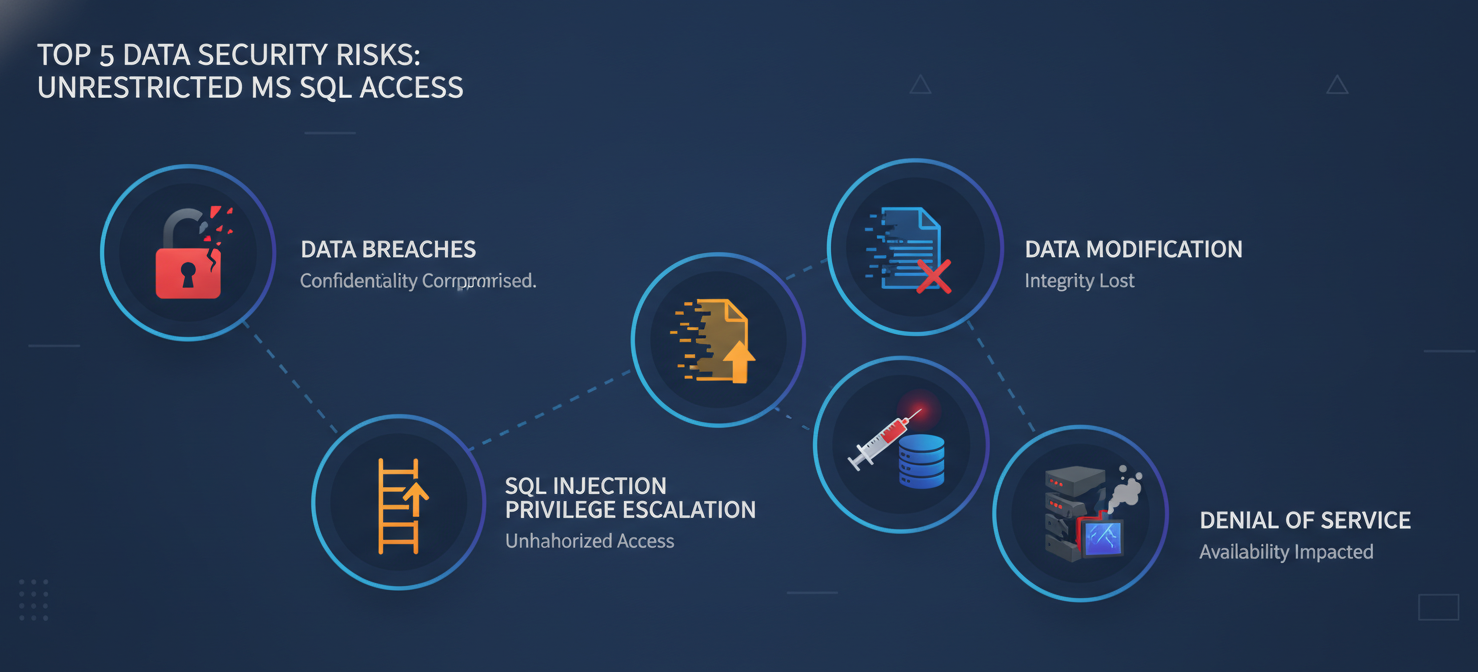
- Top 5 Risks: The primary dangers of unrestricted access include data breaches, unauthorized data modification, privilege escalation, SQL injection attacks, and denial-of-service.
- 4-Step Solution: Fixing vulnerabilities involves a four-step process: auditing current permissions, revoking excessive rights, implementing role-based access control, and enabling robust auditing features.
- Human Error is a Factor: A significant percentage of data breaches, approximately 60% to 95%, involve human error, such as misconfiguration or weak password management.
What Is Unrestricted MS SQL Access?
Unrestricted MS SQL access refers to a security misconfiguration where user accounts, service accounts, or applications have excessive permissions beyond what they need. This often means accounts have broad administrative rights, such as sysadmin or db_owner, when they only require the ability to read from specific tables.
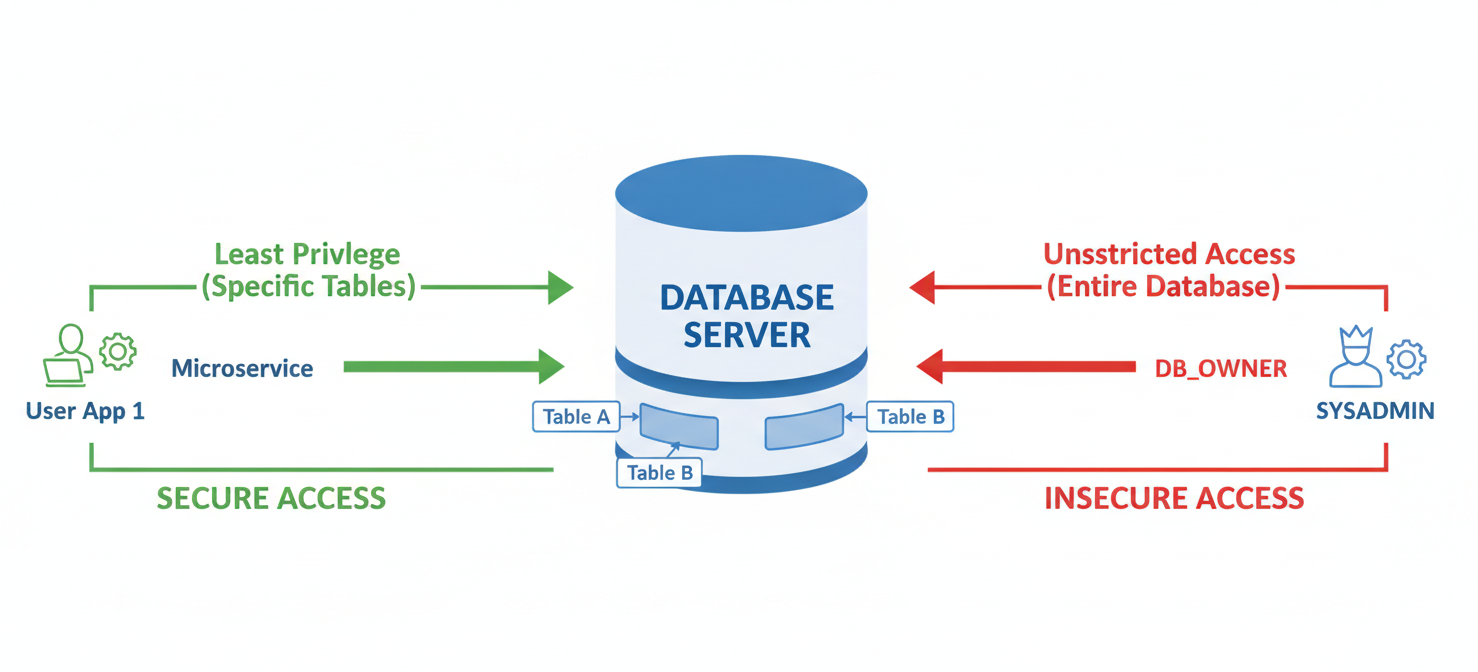
This problem typically arises from a few common scenarios:
- Default Settings: Using default user roles and permissions without customizing them.
- Convenience Over Security: Granting wide-ranging access to developers or applications to avoid troubleshooting permission-related issues.
- Permission Creep: Users accumulate more permissions over time as their roles change, but old, unnecessary permissions are never revoked.
The fundamental issue is a violation of the Principle of Least Privilege (PoLP). This security concept dictates that any user, program, or process should have only the bare minimum privileges necessary to perform its function. When PoLP is ignored, the attack surface of your database expands dramatically.
The Top 5 Data Security Risks of Unrestricted MS SQL Access
Leaving database access wide open is not just a theoretical problem; it has tangible and severe consequences. The risks range from data theft to complete system compromise.
1. Data Breaches and Exfiltration
The most direct risk is unauthorized access to sensitive information. If an account with broad SELECT permissions is compromised, an attacker can potentially read and exfiltrate entire databases. This could include customer details, financial records, and other confidential data. Misconfigured databases are a leading cause of massive data breaches, sometimes exposing billions of records.
2. Unauthorized Data Modification or Deletion
An attacker with excessive write permissions can alter or delete critical data. This can lead to data corruption, financial fraud, or the disruption of business operations. Imagine a compromised account changing bank account numbers in a payment table or deleting entire customer order histories.
3. Privilege Escalation
When an attacker gains access to an account with overly broad permissions, they can often use those permissions to gain even greater control. For example, some database permissions might allow an attacker to execute operating system commands, effectively escaping the database environment and compromising the underlying server. This turns a database issue into a full-blown network breach.
4. SQL Injection Attacks
While SQL injection is an application-level vulnerability, its impact is magnified by unrestricted database permissions. If the database user account connected to a web application has administrative rights, a successful SQL injection attack could allow an attacker to do anything from dropping tables to creating new admin users. Conversely, if the account follows the principle of least privilege, the damage from the same attack would be severely limited.
5. Denial of Service (DoS)
Attackers with high-level permissions can execute resource-intensive queries that consume all available CPU, memory, or disk I/O, effectively crashing the database server. This prevents legitimate users and applications from accessing the database, leading to service outages and business disruption.
How to Detect Unrestricted Access Vulnerabilities
Before you can fix the problem, you need to identify where the vulnerabilities are. This requires a systematic audit of your SQL Server environment.
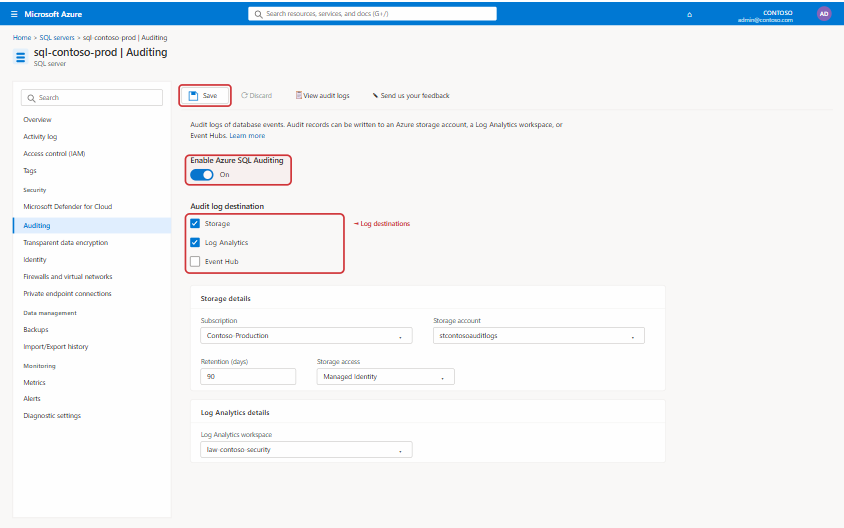
Performing a Permissions Audit
A thorough audit is the first step. You need to review all logins, users, roles, and the specific permissions assigned to them at both the server and database levels.
You can start this process using SQL Server Management Studio (SSMS) or by running T-SQL queries against system catalog views like sys.server_principals, sys.database_principals, and sys.database_permissions. The goal is to create a clear map of “who can do what” across all your databases.
Identifying High-Risk Accounts
Pay special attention to accounts with powerful roles. Look for:
sysadminrole membership: Accounts in this role have complete control over the SQL Server instance.db_ownerrole membership: These accounts can do anything within a specific database.CONTROL SERVERorCONTROL DATABASEpermissions: These provide sweeping abilities that should be rarely granted.- Service accounts with excessive rights: The account used to run the SQL Server service itself should have only the minimum necessary OS-level privileges.
Reviewing these high-privilege accounts should be a priority. Question why each account needs that level of access and whether a more restricted role would suffice.
Step-by-Step Guide to Fixing Unrestricted MS SQL Access
Once you have identified the vulnerabilities, you can take concrete steps to remediate them. This process involves revoking unnecessary permissions and implementing a more secure, role-based model.
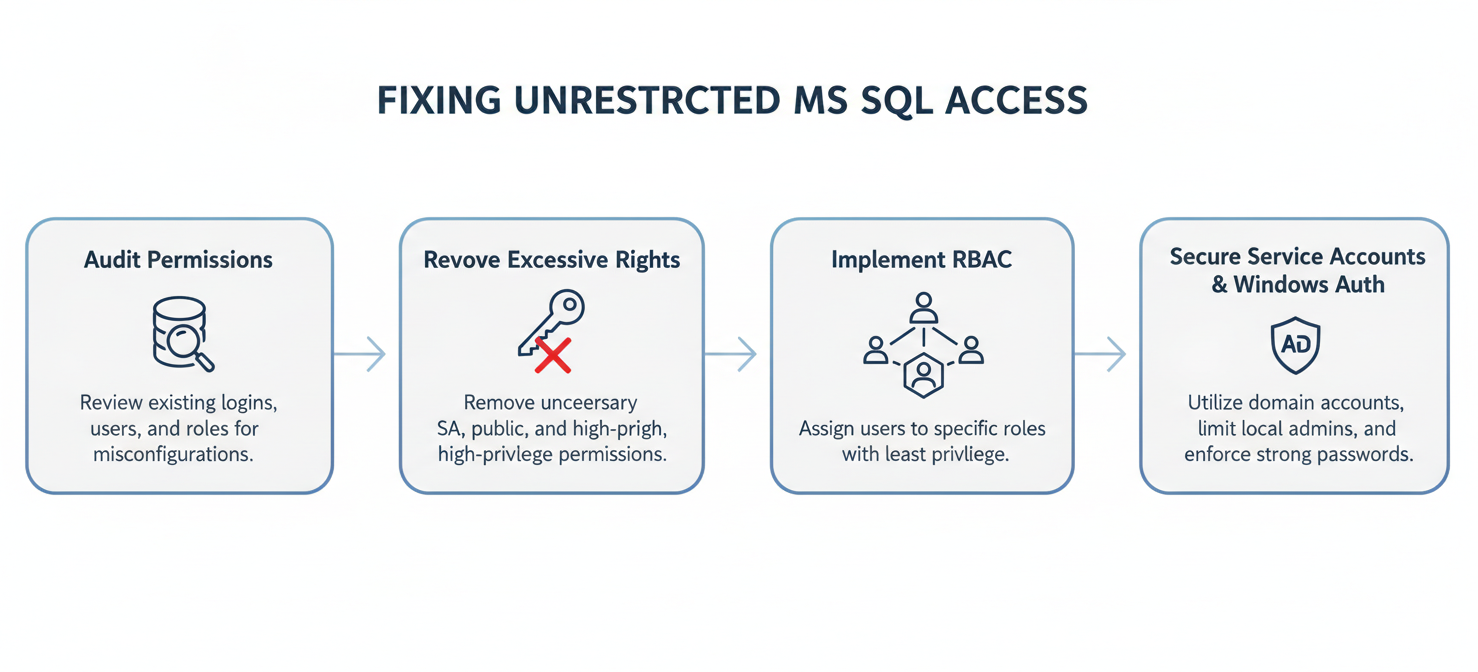
Step 1: Revoke Excessive Permissions
Begin by removing any permissions that are not strictly necessary. This is the most direct application of the principle of least privilege.
- Remove users from powerful fixed roles like
sysadminanddb_ownerunless absolutely required for their job function. - Use the
REVOKEcommand to take away specific object-level permissions (e.g.,SELECT,INSERT,DELETE) that a user or role does not need. - Disable or delete old or unused user accounts to reduce the number of potential entry points.
Step 2: Implement Role-Based Access Control (RBAC)
Instead of assigning permissions directly to individual users, create custom database roles for different job functions. For example, you might create roles like FinanceReadOnly, SalesAppWriter, or HR_Admin.
Grant the minimum necessary permissions to these roles. Then, assign users to the appropriate roles. This approach simplifies permission management and ensures that users only have the access required for their specific responsibilities. When a user changes jobs, you can simply move them to a new role instead of manually reconfiguring individual permissions.
Step 3: Secure Service Accounts
Ensure that the Windows accounts used to run SQL Server services (like the Database Engine and SQL Server Agent) are not overly privileged. These accounts should not be local or domain administrators. Whenever possible, use managed service accounts (MSAs) or group managed service accounts (gMSAs) to improve credential management.
Step 4: Use Windows Authentication
Whenever possible, use Windows Authentication instead of SQL Server Authentication. Windows Authentication leverages Active Directory for user management, which provides stronger password policies, account lockout mechanisms, and centralized administration. This makes it easier to manage user access and de-provision accounts when employees leave the organization.
Best Practices for Ongoing MS SQL Server Security
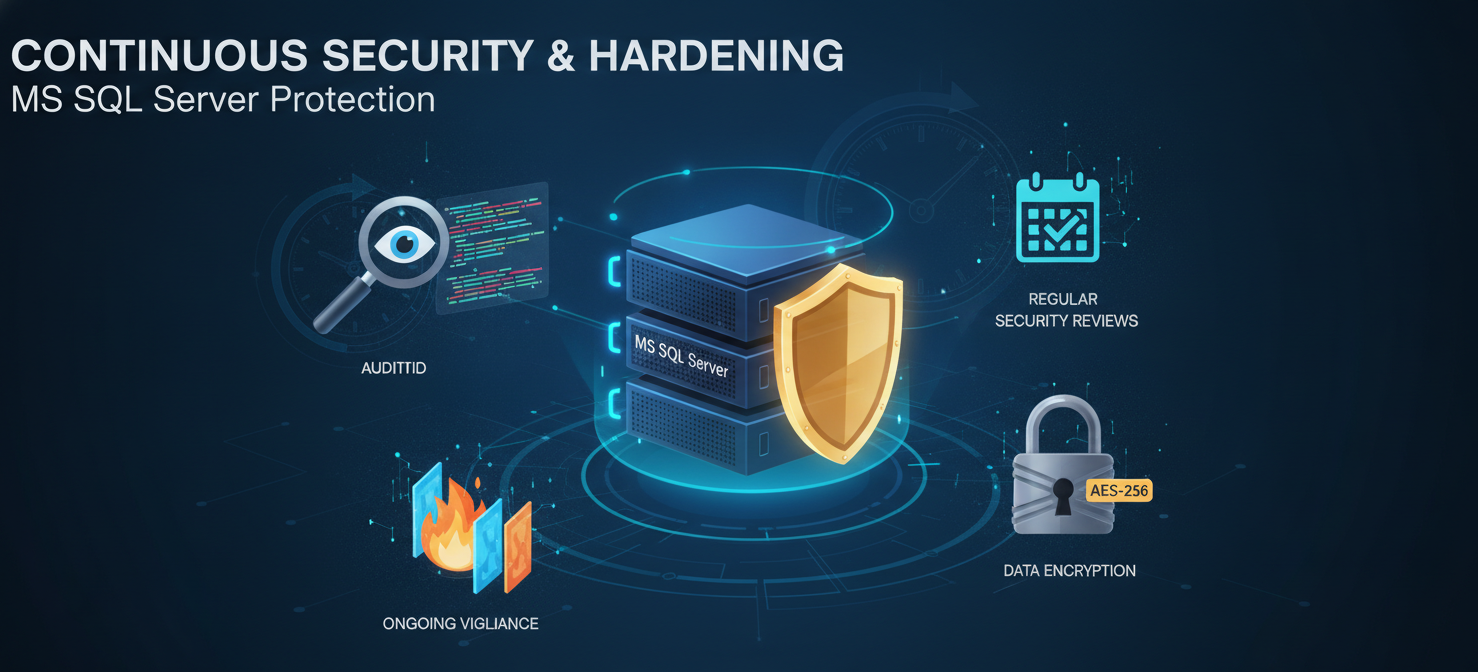
Fixing unrestricted access is not a one-time project. It requires ongoing vigilance and adherence to security best practices to prevent permissions from becoming overly permissive again.
Regularly Audit and Monitor
Continuously monitor for security-related events. Use SQL Server Audit to track login attempts, permission changes, and access to sensitive data. Schedule regular permission reviews (e.g., quarterly or semi-annually) to ensure the principle of least privilege is maintained.
Harden the Server and OS
Security extends beyond just database permissions. Ensure the underlying operating system is hardened by applying security patches promptly and disabling unnecessary services. Use a firewall to restrict network access to the SQL Server, allowing connections only from trusted application servers and administrative workstations. The default port for SQL Server, TCP 1433, is a common target for attackers and should not be exposed to the internet.
Encrypt Data
Protect data both at rest and in transit. Use Transparent Data Encryption (TDE) to encrypt the database files on disk, and enforce TLS encryption for all client connections to prevent eavesdropping on the network. For highly sensitive information, consider column-level encryption features like Always Encrypted.
Keep Software Updated
Running outdated and unpatched versions of SQL Server exposes your system to known vulnerabilities. Regularly apply the latest service packs and cumulative updates from Microsoft to protect against exploits.
Conclusion
Leaving the doors to your database wide open is an invitation for disaster. The convenience of granting broad permissions is vastly outweighed by the severe risks of data breaches, system compromise, and operational disruption. By diligently addressing unrestricted MS SQL access, you move from a reactive to a proactive security posture.
The solution is straightforward but requires commitment: audit your permissions, revoke what isn’t needed, and build a security model based on the principle of least privilege. This isn’t just about checking boxes on a security checklist; it’s about fundamentally protecting one of your organization’s most valuable assets. After all, a database is only as secure as its weakest permission.
To move beyond reactive fixes and ensure your database is truly secure against unrestricted access, you can easily experience how our solution helps by starting a free trial or discover its full potential when you book a demo with our team.
 7-day free trial