



Azure Management Groups are a powerful tool for organizing subscriptions and applying governance at scale. They allow you to create a hierarchy that reflects your organization’s structure, making it easier to manage policies and access. However, when it comes to financial oversight, many teams discover significant Azure management group cost reporting limitations. Understanding these shortcomings is crucial for accurate financial planning and avoiding unexpected cloud spend.
*Key takeaways:
- Data Latency: Cost and usage data is not real-time; it can be delayed by 8 to 24 hours, and sometimes longer for certain services.
- Incomplete Data: Exports at the management group level often exclude crucial data points like purchases (reservations, savings plans) and amortized costs.
- Agreement Type Incompatibility: Full cost management features at the management group scope are not supported for all agreement types, most notably the Microsoft Customer Agreement (MCA).
Data Latency and Freshness Gaps
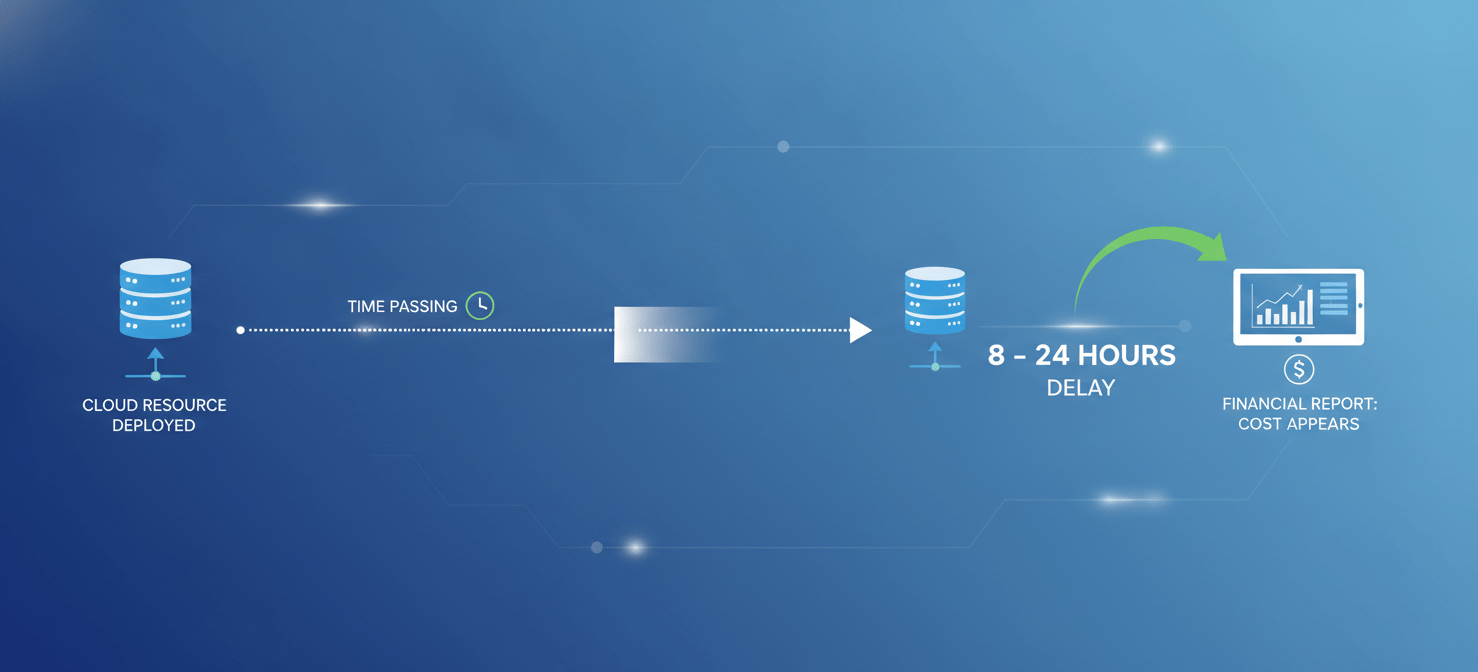
One of the most immediate challenges teams face is that cost data is not available in real-time. There is an inherent delay in how Azure processes and displays usage information.
How Long is the Delay?
For most subscriptions, you can expect a delay of between 8 and 24 hours for cost and usage data to appear in Cost Management. For some pay-as-you-go subscriptions or third-party Marketplace services, this delay can extend up to 72 hours. This means that if a team deploys a large, expensive resource, you might not see the financial impact until the next business day. This lag complicates efforts to catch budget overruns as they happen, turning cost management into a reactive, rather than proactive, exercise.
Furthermore, even when data does appear, the estimated charges for the current billing period are updated only about six times per day. This is not a live stream of your spending. For teams that need to make quick decisions based on cost, this delay is a significant hurdle.
Incomplete Cost Data in Exports
While viewing costs in the Azure portal is useful for a high-level overview, most organizations rely on data exports for detailed analysis, chargeback, and integration with other financial systems. Unfortunately, this is another area with notable Azure management group cost reporting limitations.
When you configure a data export at a management group scope, you might assume you’re getting a complete picture of all costs within that hierarchy. However, these exports often come with significant exclusions. Specifically, exports for management groups typically only support usage charges.
This means critical cost components are often missing, including:
- Purchases: One-time charges for services like Azure Reservations and Savings Plans are not included.
- Amortized Costs: The ability to see the effective daily cost of your reservations spread out over their term is not supported in these exports.
- Multiple Currencies: Exports at the management group level do not support multiple currencies.
As a result, the data your finance team exports may not accurately reflect your total cloud spend, leading to confusion and incorrect financial modeling.
Inconsistent Support Across Agreement Types
Not all Azure customers have the same experience with cost management at the management group level. The functionality available to you depends heavily on your billing agreement with Microsoft.
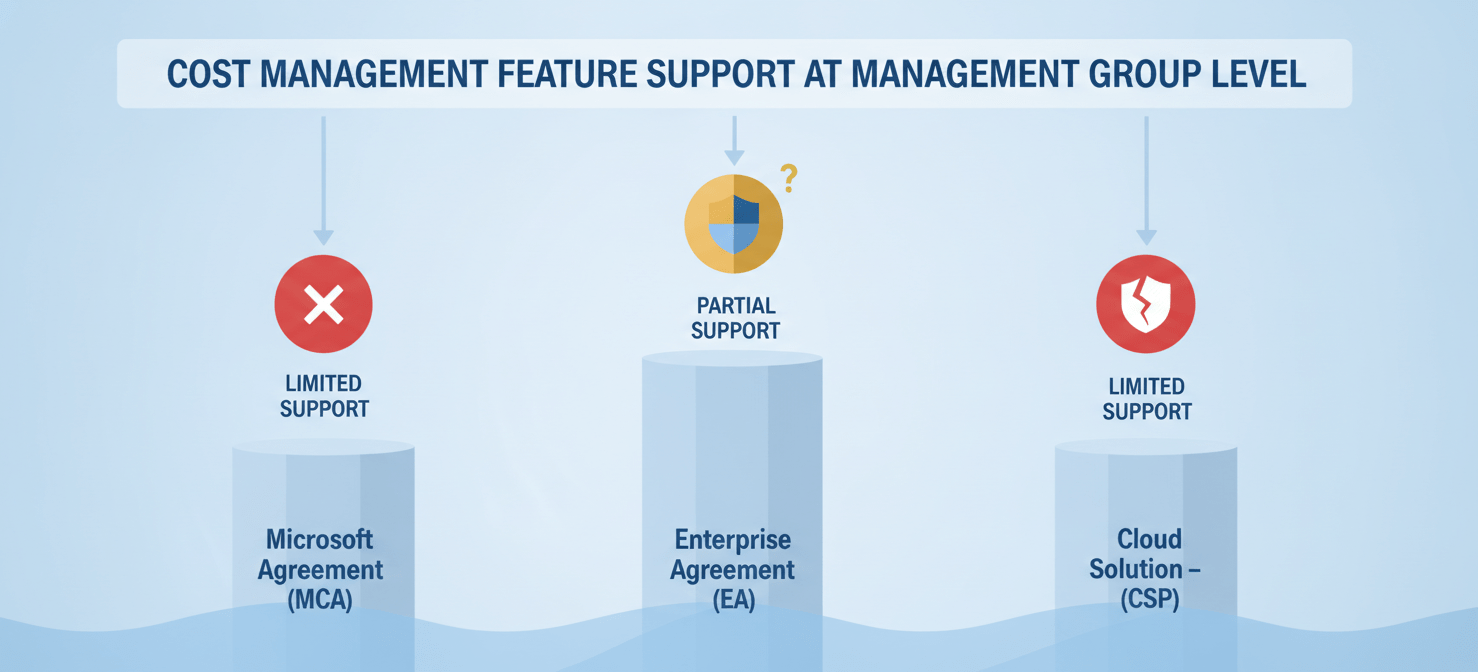
The most significant limitation is for customers under a Microsoft Customer Agreement (MCA). For these accounts, cost management features like Cost Analysis, Budgets, and Exports do not fully support the management group scope. This is a major drawback for modern enterprises that are increasingly on MCA plans. Similarly, customers under a Cloud Solution Provider (CSP) agreement also face limitations, as management groups are not supported in CSP scopes for cost management.
While customers with an Enterprise Agreement (EA) have better support, even they face the data export limitations mentioned previously (no purchases or amortized costs). This inconsistency means that as your organization’s billing structure evolves, your cost reporting capabilities can change unexpectedly.
Challenges with Tagging and Cost Allocation
A robust tagging strategy is the foundation of effective cost allocation. Tags allow you to assign costs to specific departments, projects, or environments. However, relying on tags for management group reporting has its own set of problems.
Tag Inheritance Isn’t a Silver Bullet
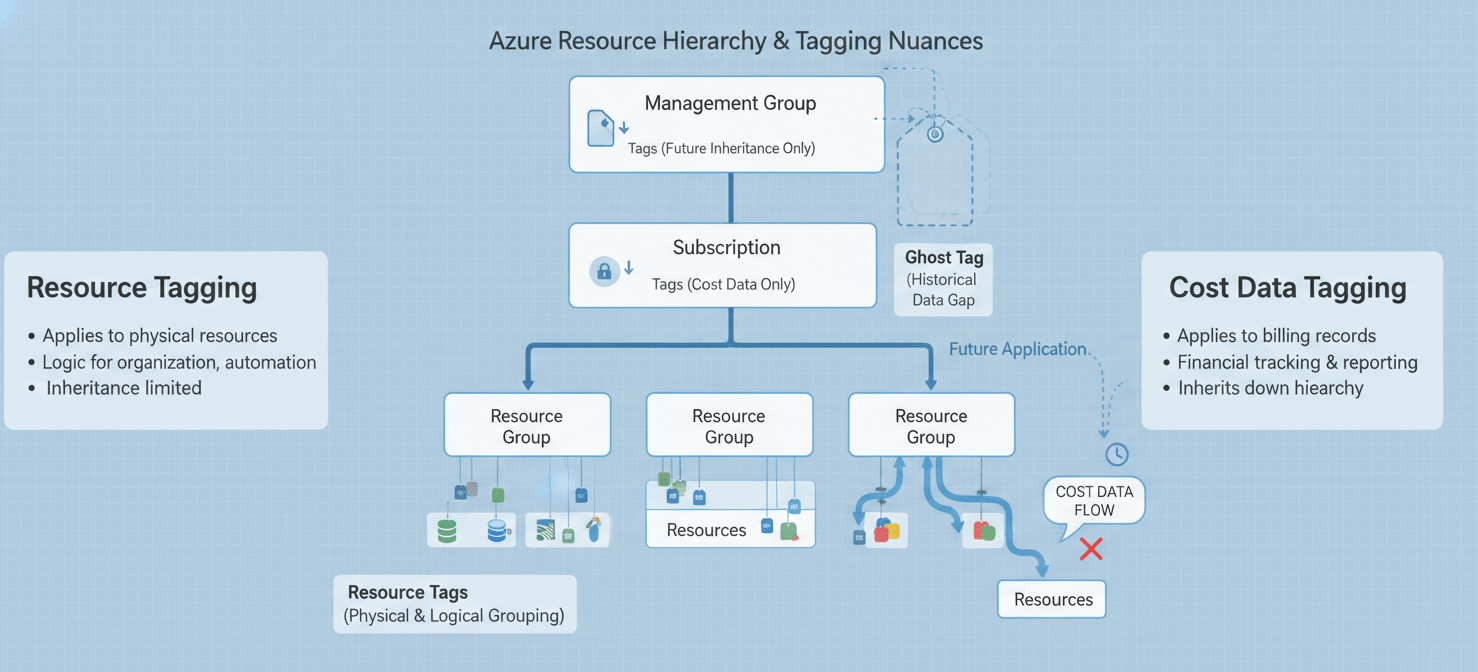
Azure offers a tag inheritance feature that can apply subscription or resource group tags to the cost data of child resources. While helpful, this feature has limitations. First, the inheritance only applies to cost data; the tags are not physically applied to the resources themselves. This means other tools, like Azure Policy, won’t see them.
Second, the inheritance is not retroactive. When you enable it, it only applies to usage data going forward, typically after a delay of up to 24 hours. It does nothing to fix historical data that lacks proper tagging. Finally, you cannot apply tags directly to management groups themselves; they can only be applied to subscriptions, resource groups, and resources. This forces you to manage your cost allocation strategy at lower levels of the hierarchy.
Azure Management Group Cost Reporting Limitations: Navigating the Export Maze
For organizations that need to consolidate cost data from multiple subscriptions under different agreement types (e.g., a mix of EA, MCA, and Pay-As-You-Go), the process is far from straightforward. You cannot create a single export at a management group level that combines costs from these different billing scopes.
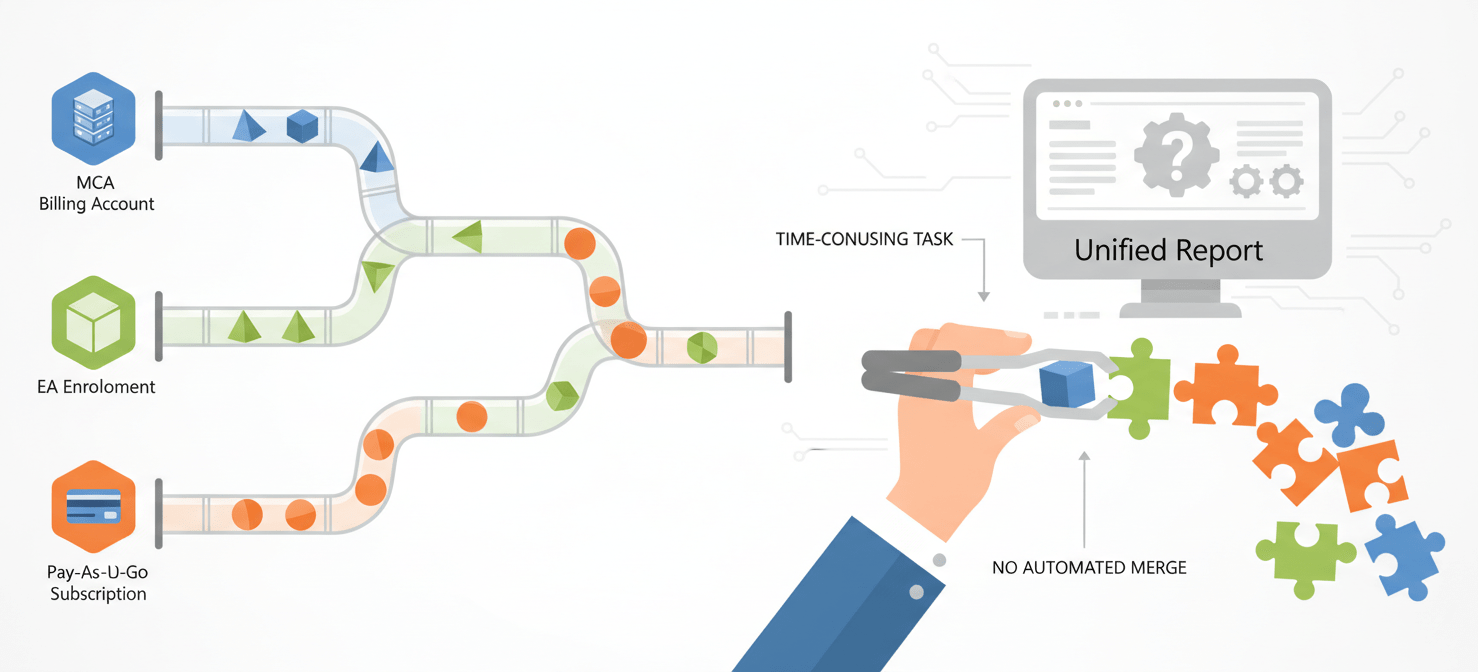
Instead, your team must configure separate exports for each billing scope:
- For MCA: Create an export at the Billing Account or Billing Profile scope.
- For EA: Create an export at the Enrollment scope.
- For Pay-As-You-Go: You are limited to creating exports for each individual subscription.
This fragmentation requires significant manual effort or custom automation to combine the separate data files into a single, unified view of your organization’s total cloud spend. It adds complexity and introduces potential points of failure in your financial reporting process.
Conclusion
While Azure Management Groups provide an essential framework for governance and organization, it’s clear they are not a complete solution for financial reporting. The platform’s native tools present several Azure management group cost reporting limitations, from data delays that hinder proactive management to incomplete data exports that can mislead financial analysis. The inconsistent experience across different billing agreements further complicates matters, forcing teams to build workarounds. Ultimately, achieving true financial clarity requires acknowledging where the native tools fall short and planning a strategy that accounts for data latency, fragmented exports, and the nuances of your specific billing agreement. Relying on the portal alone is an invitation for end-of-month surprises.
To truly overcome these Azure management group cost reporting limitations and gain complete financial clarity, you can explore how Binadox addresses these challenges by starting your free trial or arranging a personalized demonstration.
 7-day free trial