



Understanding your cloud bill can often feel like trying to read a foreign language. For teams using Amazon Web Services, the variety of pricing models presents both an opportunity and a challenge. This guide focuses on decoding AWS Reserved Instance pricing, a model designed to offer significant savings over standard On-Demand rates. By committing to a specific amount of usage for a one or three-year term, you can substantially lower your operational costs. However, navigating the options requires a clear strategy.
Key takeaways:
- Reserved Instances (RIs) can provide a significant discount of up to 72% compared to On-Demand pricing for consistent, long-term workloads.
- You must choose between Standard RIs, which offer the highest discounts but are less flexible, and Convertible RIs, which allow you to change instance families.
- Your payment choice—All Upfront, Partial Upfront, or No Upfront—directly impacts your discount level and initial cash outlay.
- Despite the introduction of Savings Plans, RIs remain highly relevant for specific use cases, particularly for ensuring capacity in a specific Availability Zone.
What Are AWS Reserved Instances (RIs)?
At its core, an AWS Reserved Instance (RI) is a billing discount. Instead of paying by the hour with no commitment, you are essentially making a reservation for a set period. In exchange for this commitment, Amazon gives you a much lower hourly rate. Think of it like a gym membership: a monthly pass is cheaper per visit than paying for a single day pass every time you go.
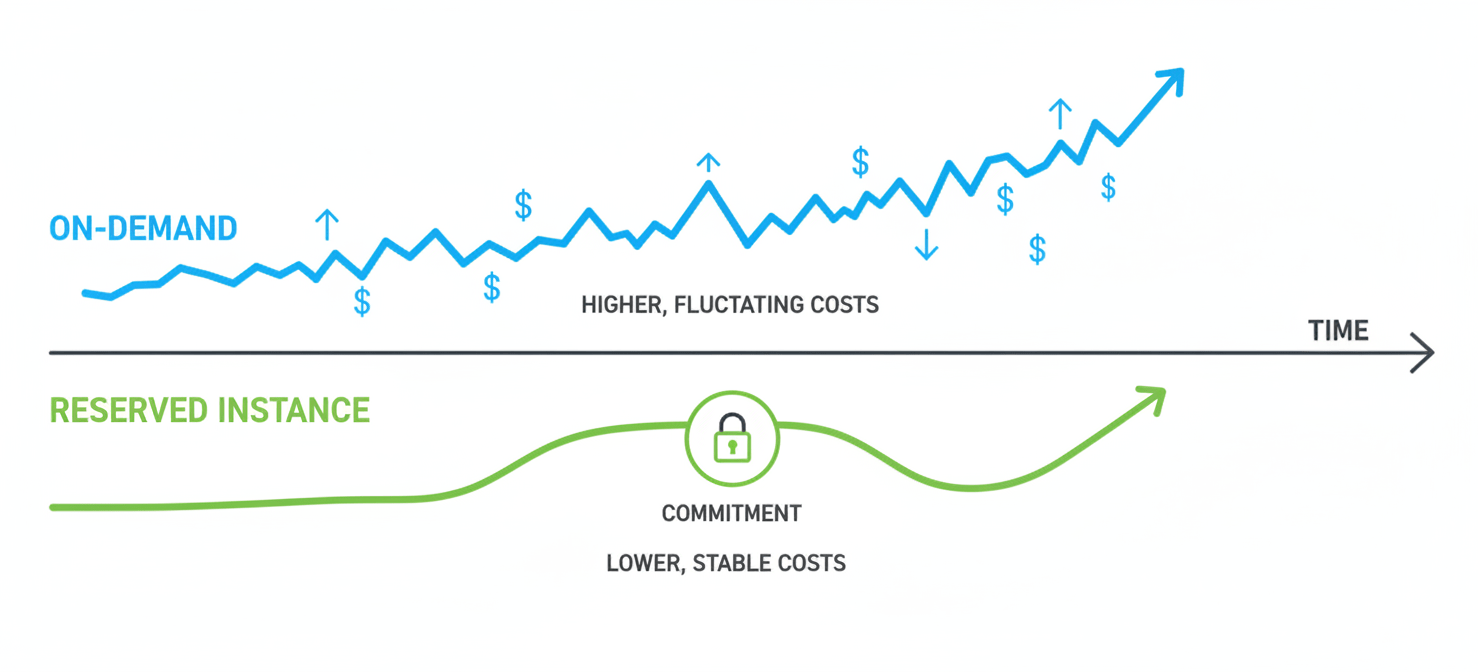
This model is designed for workloads with predictable, steady-state usage. For example, if you have a web server or a database that needs to run 24/7 for the next year, an RI is an ideal fit. You commit to using a specific instance type (like a t3.medium) in a particular region for a one or three-year term. As a result, AWS rewards that predictable demand with a lower price point.
However, this commitment is the central trade-off. While RIs offer substantial savings, they reduce flexibility. Your team must be confident in its long-term infrastructure needs to fully benefit from the model.
How Does AWS Reserved Instance Pricing Work?
The mechanics of AWS Reserved Instance pricing are straightforward. When you purchase an RI, the discount is automatically applied to any matching instance usage in your account. For example, if you buy a c5.large Reserved Instance in the us-east-1 region, the discounted rate will apply to any c5.large instance running in that region.
The discount applies on a per-second basis. AWS continuously checks your running instances against your active RIs. If a match is found, the lower RI rate is billed for that usage. If you run more instances than you have reservations for, the additional instances are simply billed at the standard On-Demand rate. Therefore, you can mix and match pricing models without penalty.
Regional vs. Zonal RIs
A key distinction is whether your RI is regional or zonal. A regional RI applies its discount to any matching instance in any Availability Zone (AZ) within that region. This offers flexibility. However, it does not provide a capacity reservation. In contrast, a zonal RI applies to a specific AZ and, in return, gives you a capacity reservation, ensuring you can launch that instance type even when the AZ is under high demand.
Reserved Instance vs. On-Demand Pricing: The Core Trade-Off
The primary difference between reserved instance vs on demand pricing is commitment versus flexibility. On-Demand pricing is the ultimate pay-as-you-go model. You pay for compute capacity by the hour or second with no long-term commitments. This is perfect for spiky, unpredictable workloads or for short-term development and testing.
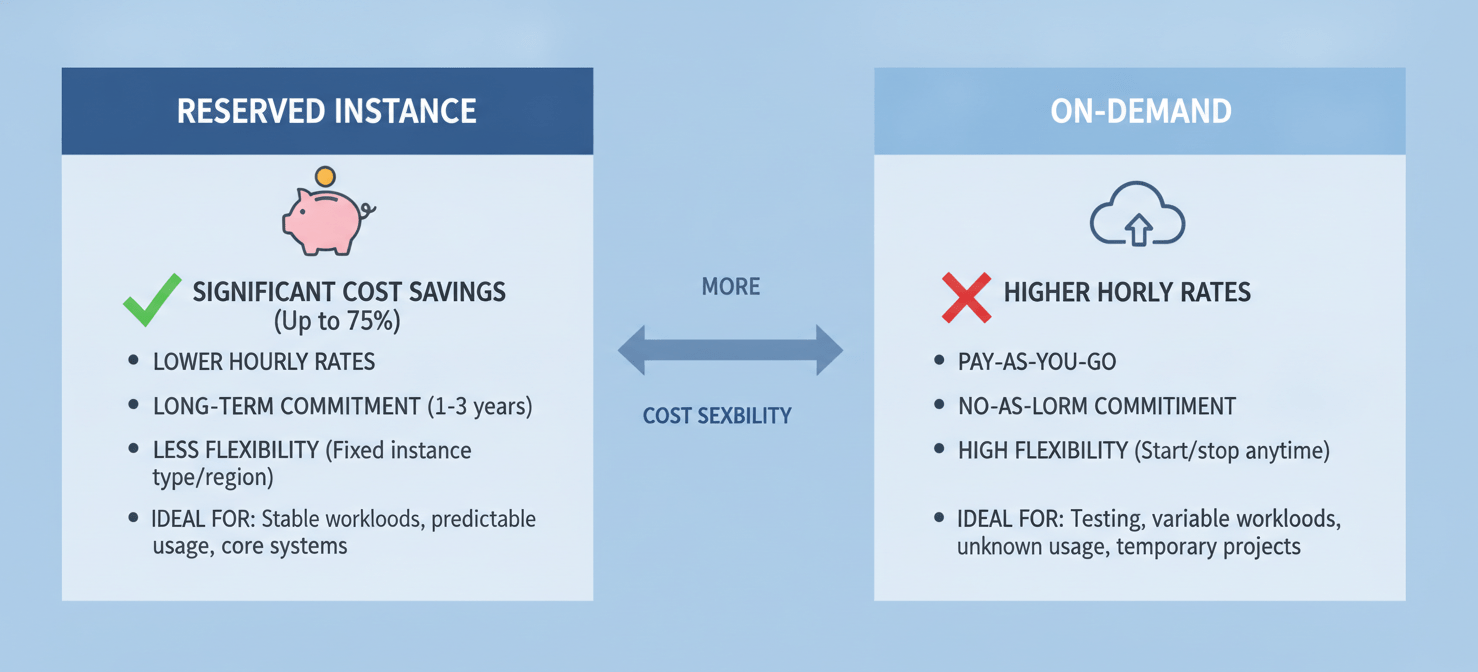
Reserved Instances sit on the opposite end of the spectrum. By committing to a one or three-year term, you can achieve significant savings. According to AWS, this discount can be as high as 72% compared to On-Demand rates. The trade-off, however, is a loss of flexibility. If your needs change and you no longer require the instance you reserved, you are still obligated to pay for it for the remainder of the term.
Therefore, the choice depends entirely on your workload’s predictability. For a stable production application, the cost savings from an RI are compelling. For a new, unproven service where demand is unknown, the flexibility of On-Demand is safer.
Standard vs. Convertible RIs: Which Is Right for You?
AWS offers two main classes of Reserved Instances: Standard and Convertible. The choice between them hinges on how much flexibility your team needs.
Standard RIs
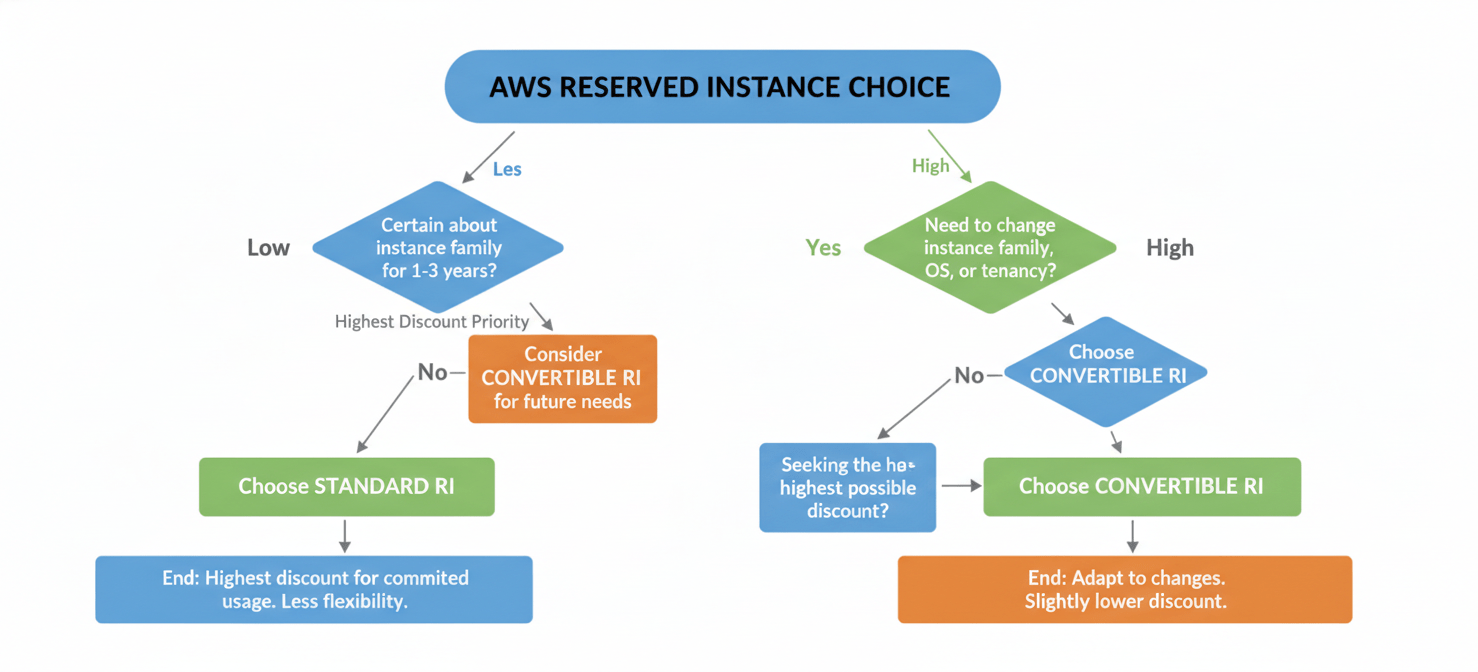
Standard RIs offer the highest discount but are the most restrictive. You commit to a specific instance family, size, and operating system. While you can modify some attributes like the Availability Zone or instance size within the same family (a feature known as instance size flexibility), you cannot change the instance family itself. For example, you could change a c5.large reservation to two c5.medium instances, but you could not change it to an m5.large. Standard RIs are best for extremely stable workloads where you are certain the instance family will not change for the entire term.
Convertible RIs
Convertible RIs provide a lower discount but offer significantly more flexibility. With a Convertible RI, you can exchange your reservation for another one with different attributes, including a new instance family, operating system, or tenancy. This process is straightforward and does not involve any fees, though you may need to make a true-up payment if the new RI has a higher value. This option is ideal for teams that need to adapt to new technologies or whose application architecture may evolve during the commitment term.
Choosing Your Payment Option: All Upfront, Partial, or No Upfront
After selecting your RI type, you must choose a payment option. This decision affects both your cash flow and the total discount you receive.
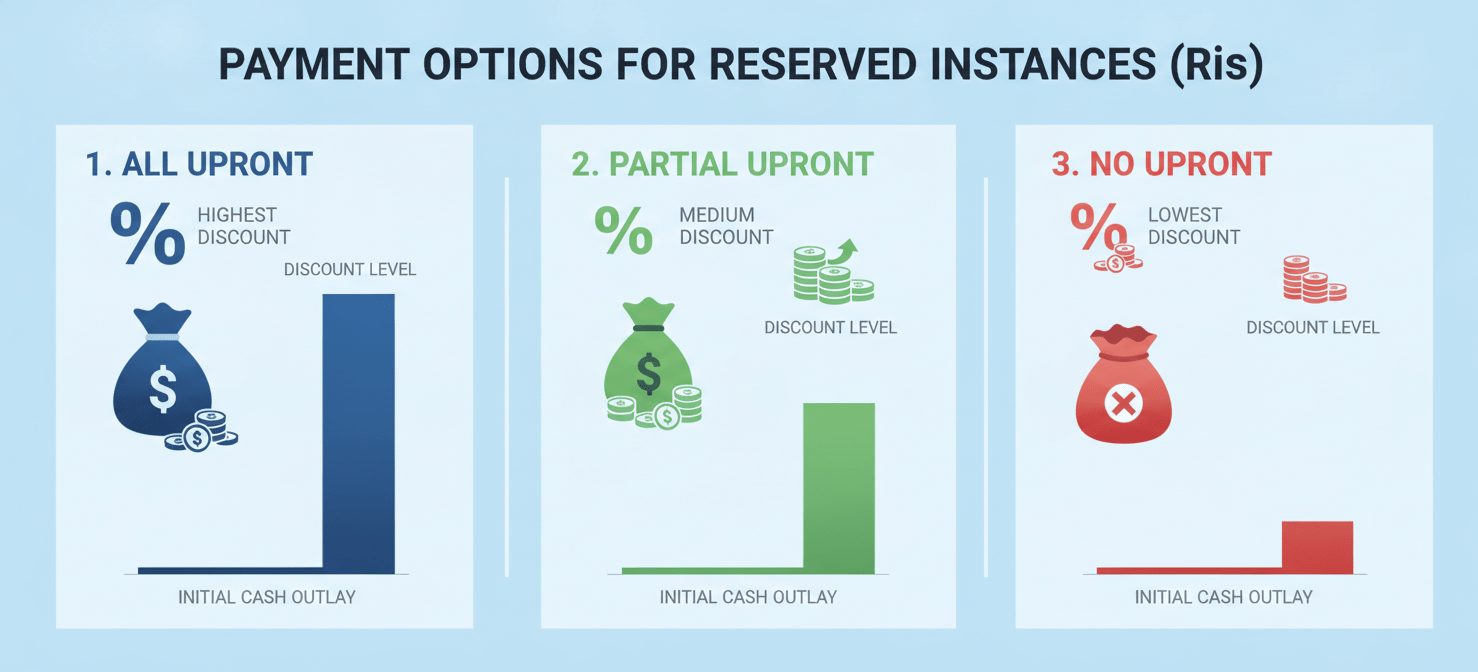
- All Upfront (AURI): You pay for the entire reservation in one large, upfront payment. This option provides the largest discount. It is suitable for organizations that have the available capital and want to maximize their savings.
- Partial Upfront (PURI): You pay a portion of the cost upfront and then pay the remainder in monthly installments over the term. This balances the discount with a smaller initial cash outlay.
- No Upfront (NURI): You pay for the reservation in monthly installments with no upfront cost. This option offers the smallest discount but is the easiest on your budget, as it requires no initial capital expenditure.
The best choice depends on your organization’s financial strategy. An AWS RI cost calculator or the AWS Pricing Calculator can help model the total cost for each option.
Are Reserved Instances Still Relevant with Savings Plans?
AWS later introduced Savings Plans, another pricing model that offers discounts in exchange for a usage commitment. Savings Plans provide more flexibility than RIs. Instead of committing to a specific instance type, you commit to a certain amount of hourly spend (e.g., $10/hour) for a one or three-year term. This discount automatically applies to any EC2 or Fargate usage up to your commitment, regardless of instance family, size, or region.
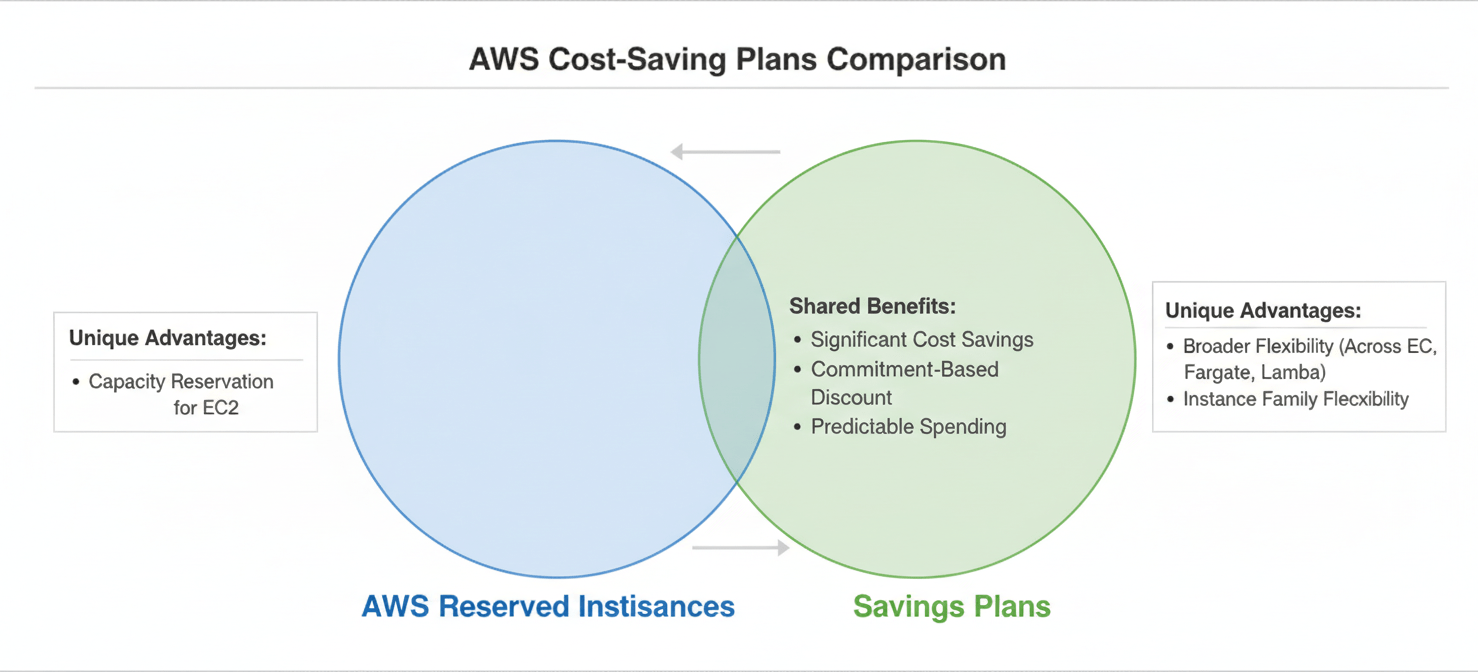
So, are RIs obsolete? Not entirely. While Savings Plans have become the default choice for many due to their flexibility, RIs still have a crucial role. Their most significant advantage is the optional capacity reservation available with zonal RIs. If guaranteeing your ability to launch a specific instance type in a specific Availability Zone is critical for your application’s availability, a zonal RI is the only way to secure that guarantee. Furthermore, some services, like Amazon RDS, still rely heavily on the Reserved Instance model for discounts.
How to Choose the Right Reserved Instance for Your Workload
Selecting the correct RI requires careful analysis of your usage patterns and future needs. First, use tools like AWS Cost Explorer to analyze your historical instance usage. Identify workloads that have been running consistently for at least a month, as these are prime candidates for reservations.
Next, forecast your future needs. Does your team plan to migrate to a new instance family soon? If so, a Convertible RI would be a safer bet than a Standard RI. If your workload is exceptionally stable and has been running on the same instance family for years, a Standard RI will yield the greatest savings.
Finally, consider your financial preferences. Use the AWS Pricing Calculator to compare the total cost and effective hourly rate for the All Upfront, Partial Upfront, and No Upfront options. This data will allow you to make an informed decision that aligns with both your technical requirements and your budget.
In conclusion, mastering AWS Reserved Instance pricing is less about finding a secret formula and more about diligent analysis. It requires a clear-eyed assessment of your workload’s stability and a realistic forecast of your future needs. While the flexibility of Savings Plans is attractive, ignoring Reserved Instances entirely means leaving potential savings and valuable capacity reservations on the table. The right choice is not about picking the universally “best” option, but about picking the one that best fits your specific, and sometimes stubbornly unique, operational reality.
To gain deeper insights into your specific AWS usage and unlock further savings, consider connecting with our team to explore a personalized demonstration or begin your cost optimization journey with a complimentary Binadox trial.
 7-day free trial