



The AWS Marketplace offers a vast digital catalog of software from independent vendors, making it easy to find, test, and deploy solutions on AWS. While this provides incredible flexibility, it also introduces a new layer of complexity to your monthly bill. Understanding and managing AWS third party billing is crucial for any team looking to control costs and prevent budget overruns. These charges, originating from various vendors and with different pricing models, can quickly lead to unexpected expenses if not monitored closely.
Key takeaways:
- Third-party software charges are consolidated into your monthly AWS bill but are itemized separately, often under the “AWS Marketplace” billing entity.
- Proactively use at least 3 distinct AWS cost management tools—such as AWS Budgets, Cost Explorer, and Cost and Usage Reports—to track and analyze Marketplace spending.
- Implement governance through IAM policies and service control policies (SCPs) to control who can subscribe to new products.
- Regularly review and audit all active subscriptions to identify and terminate unused or underutilized software.
How AWS Marketplace Charges Appear on Your Bill
When you subscribe to a product from the AWS Marketplace, the associated fees are integrated directly into your regular AWS invoice. This simplifies procurement by consolidating payments, but it’s important to know where to look for these specific line items. Your bill will include charges for both the third-party software and the underlying AWS infrastructure services (like EC2 or S3) that the software runs on.
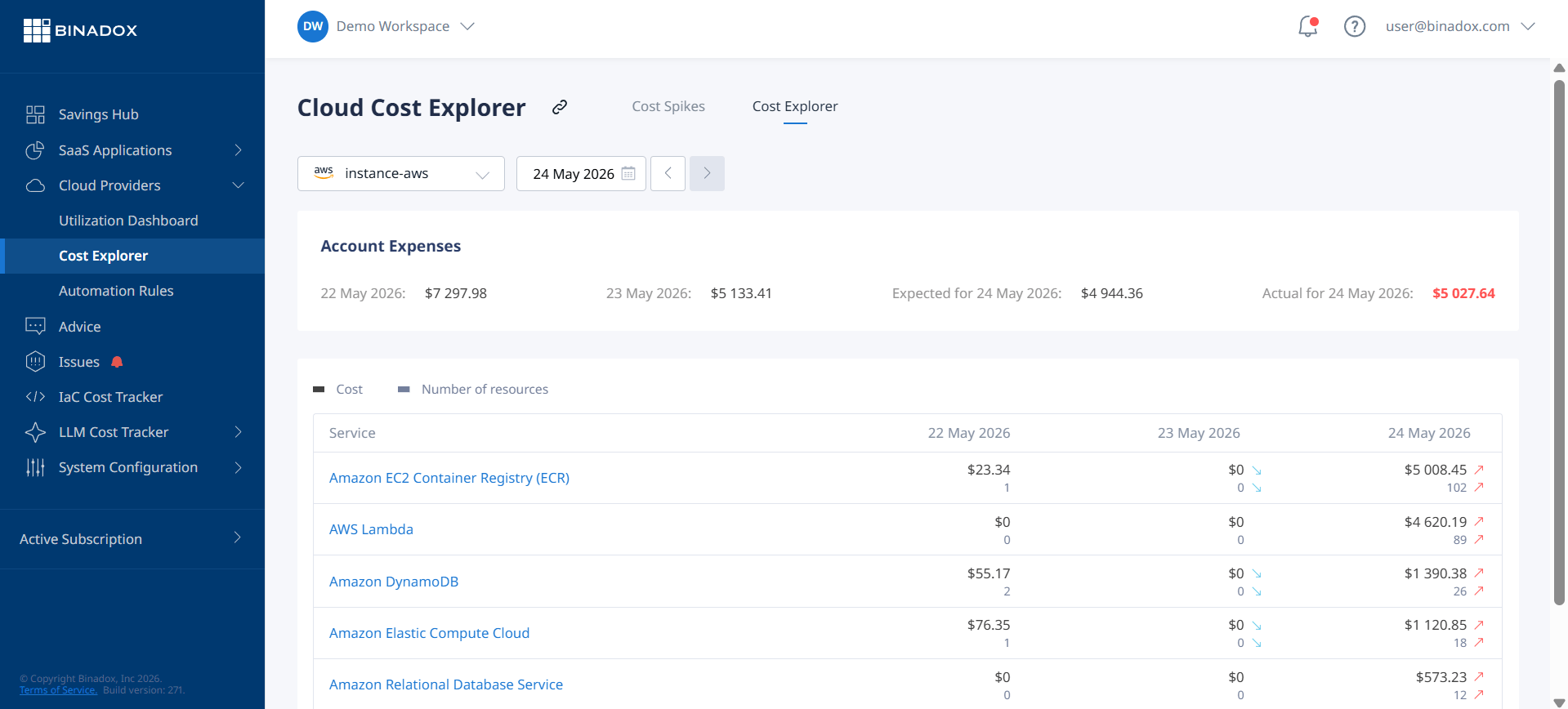
For example, if you run a third-party security application on an EC2 instance for 500 hours, your bill will show two separate charges: one from the software vendor for the application usage and another from AWS for the EC2 instance hours.
These charges are typically itemized under a distinct section of your bill. In tools like AWS Cost Explorer, you can isolate these expenses by filtering by the “Billing Entity” and selecting “AWS Marketplace”. This allows you to see a clear breakdown of costs from third-party vendors, separate from your direct AWS service usage. Pricing models can vary widely, from hourly rates for Amazon Machine Images (AMIs) to monthly or annual SaaS subscriptions, usage-based metering, and negotiated private offers.
Proactive Strategies to Prevent Billing Surprises
The most effective way to manage AWS Marketplace charges is to prevent surprises before they happen. This requires a combination of clear governance, diligent procurement processes, and open communication within your team.
Establish Clear Governance and Procurement Policies
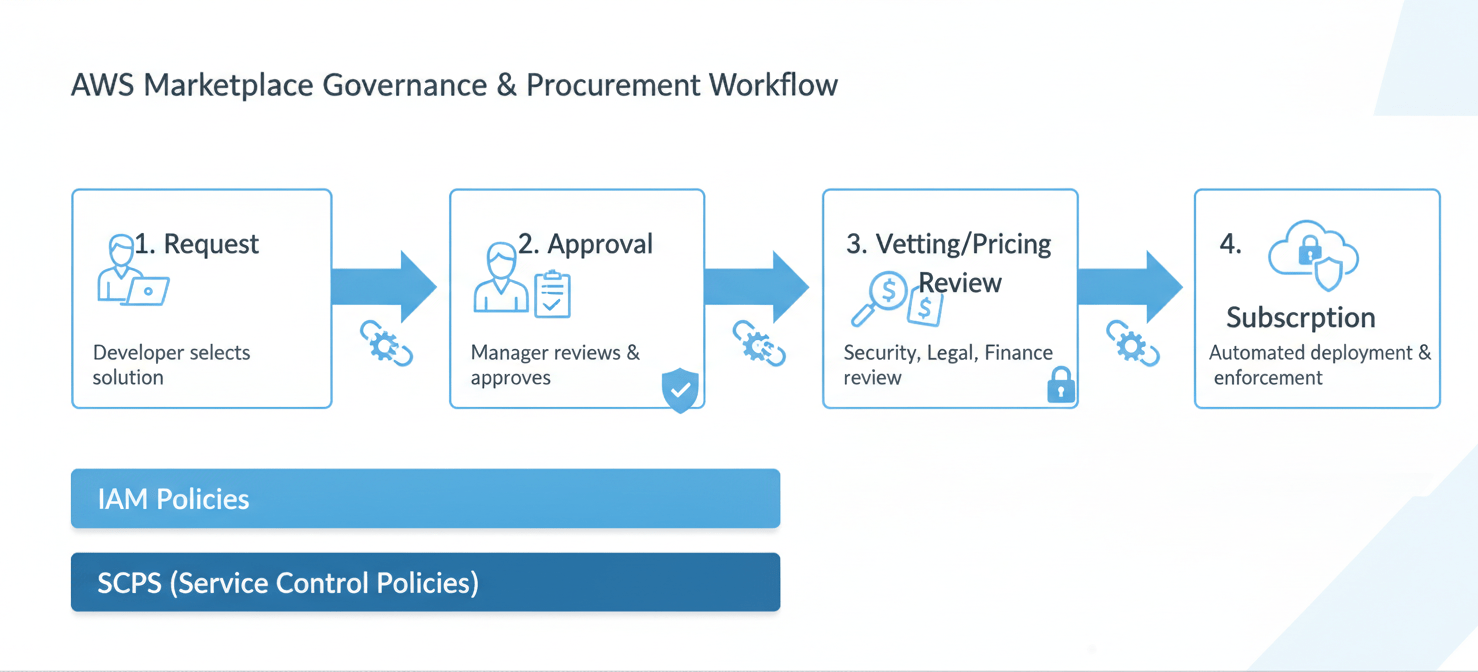
First, you need to control who has the authority to purchase software. Use AWS Identity and Access Management (IAM) to restrict permissions for subscribing to Marketplace products. You can create specific policies that grant subscription rights only to designated individuals or roles, such as a procurement manager or team lead. For larger organizations, AWS Organizations allows you to apply Service Control Policies (SCPs) to prevent member accounts from making unauthorized purchases.
In addition, establish an internal procurement workflow. This process should require developers and engineers to justify the need for new software, analyze its potential cost, and receive formal approval before subscribing. This simple step ensures that every purchase is intentional and aligned with your budget.
Vet Software and Understand Pricing Models
Before subscribing to any product, your team should thoroughly investigate its pricing structure. Does it charge per hour, per user, or based on data volume? Are there additional infrastructure costs to consider? Many products offer free trials, which are an excellent way to evaluate a solution’s utility and estimate its operational cost without commitment.
Pay close attention to renewal terms. Many annual subscriptions auto-renew by default. Keep a centralized record of all subscriptions, their renewal dates, and the responsible owner. This prevents you from paying for another year of a tool that is no longer needed.
Tools for Monitoring AWS Third Party Billing
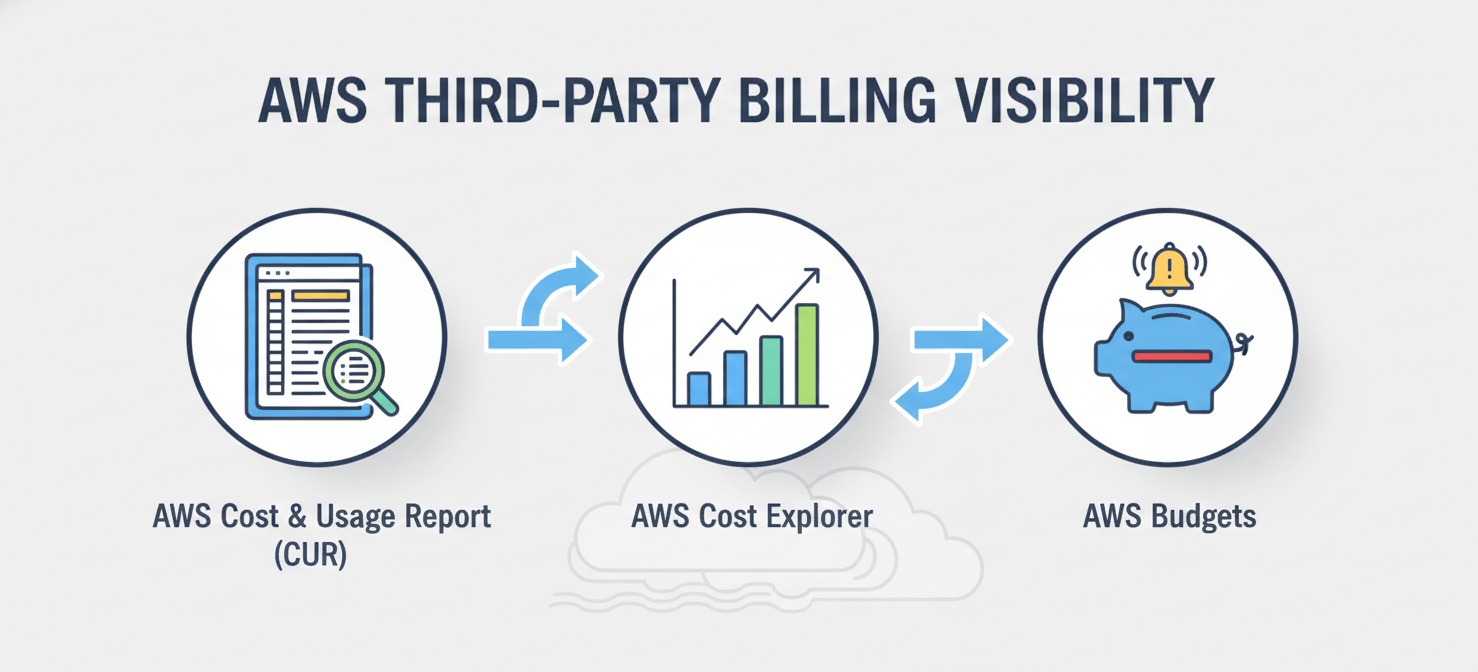
AWS provides a suite of tools designed to give you deep visibility into your spending. Leveraging these services is essential for effective management of AWS third party billing.
AWS Cost Explorer
AWS Cost Explorer is an interface that lets you visualize and analyze your costs and usage over time. To track marketplace spending, use the “Billing Entity” filter and select “AWS Marketplace”. You can then group the data by different dimensions, such as “Service” to see costs per product or “Linked Account” to see which accounts are incurring the charges. Saving this view as a custom report allows you to quickly check on third-party software spend at any time.
AWS Budgets
With AWS Budgets, you can set custom cost and usage thresholds and receive alerts when your spending exceeds (or is forecasted to exceed) your budget. You can create a specific budget just for AWS Marketplace charges by again using the “Billing Entity” filter. For example, you can set a monthly budget for all Marketplace software and receive an email or SNS notification when spending reaches 80% of the allocated amount. This provides an early warning system to prevent overspending.
AWS Cost and Usage Report (CUR)
For the most granular data, the AWS Cost and Usage Report (CUR) is the definitive source. This report provides detailed line items for all your AWS charges, including Marketplace software, and delivers it to an Amazon S3 bucket you specify. While more complex to analyze directly, the CUR is invaluable for detailed cost allocation, especially when used with business intelligence tools like Amazon QuickSight or third-party cost management platforms. You can identify Marketplace charges in the bill/BillingEntity column of the report.
Responding to Unexpected AWS Marketplace Charges
Even with proactive measures, surprises can happen. When you discover an unexpected AWS AMI subscription cost or a higher-than-anticipated charge, it’s important to act methodically.
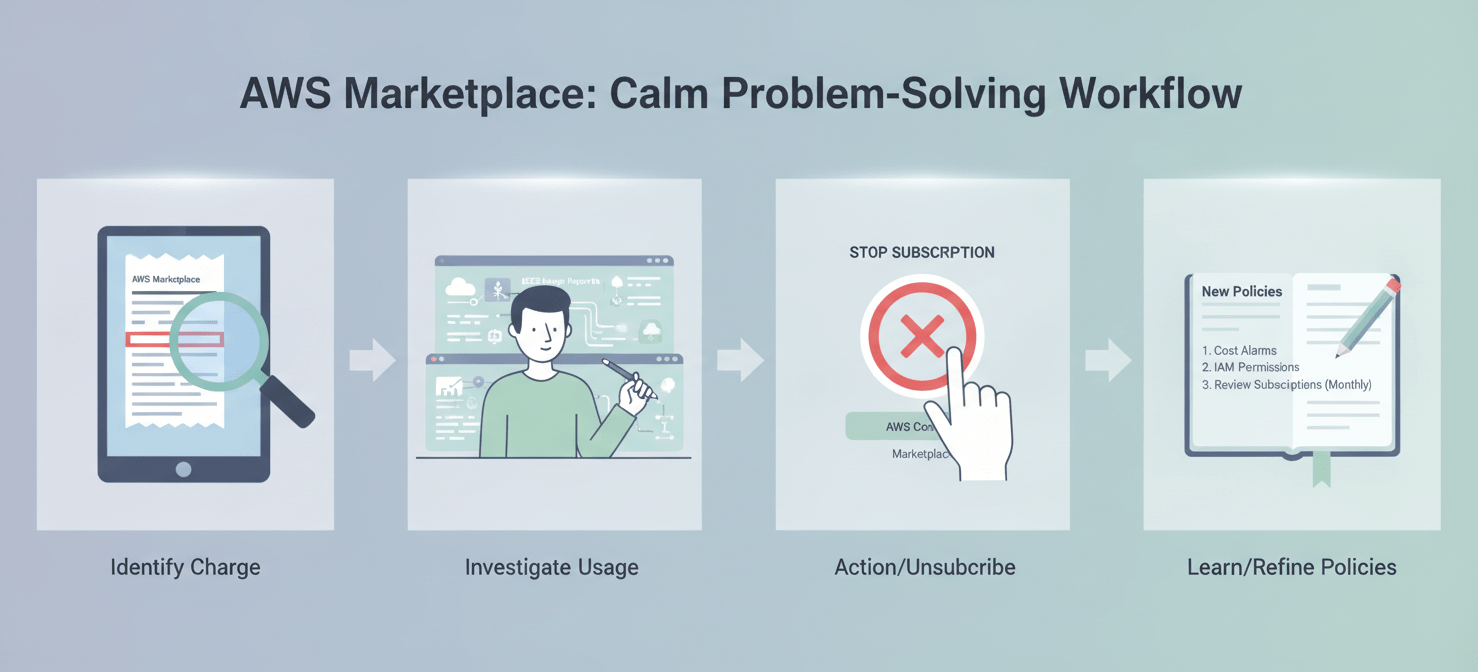
First, use AWS Cost Explorer to isolate the charge. Identify the specific product, the timeframe of the charge, and the account that initiated the subscription. This will help you understand the source of the cost.
Next, investigate the usage. Was a developer testing a new tool and forgot to terminate it? Did a production system scale up unexpectedly, leading to higher usage-based fees? Talk to the relevant team members to understand the context behind the charge.
If the charge is from a product that is no longer needed, unsubscribe from it immediately through the AWS Marketplace console. For subscriptions with long-term contracts, you may need to contact the vendor to discuss cancellation options, though this is not always possible.
Finally, treat the incident as a learning opportunity. Conduct a brief post-mortem to determine why your proactive controls failed. Was the procurement policy not followed? Were budget alerts ignored? Use the findings to refine your governance and monitoring processes to prevent similar issues in the future.
Conclusion
Managing AWS Marketplace and third-party software costs doesn’t have to be a source of constant anxiety. By combining clear governance policies with the powerful visibility tools AWS provides, you can effectively control your spending. The key is to move from a reactive to a proactive stance. Instead of discovering unexpected costs at the end of the month, you can track them in near-real-time and make informed decisions. Ultimately, a well-managed approach to AWS third party billing ensures you can leverage the vast software ecosystem of the Marketplace without jeopardizing your budget. After all, the only thing worse than a surprise party is a surprise invoice.

If you’re ready to gain complete control over your AWS third-party billing and avoid future surprises, you can experience Binadox through a free trial or schedule a personalized demonstration of its capabilities.
 7-day free trial