



Committing to a one- or three-year AWS Savings Plan can reduce your compute costs by up to 72%, but choosing the right hourly spend commitment is critical. Over-commit, and you pay for capacity you don’t use; under-commit, and you leave significant savings on the table. Therefore, a careful calculation of your aws savings plan commitment is not just a suggestion—it’s a financial necessity for any team serious about cloud cost optimization. This guide provides a clear, step-by-step process to find that optimal number.
Key takeaways
- Use AWS Cost Explorer Recommendations: Start by analyzing the recommendations in AWS Cost Explorer, which uses your historical usage over the last 7, 30, or 60 days to suggest an initial commitment.
- Analyze Your Baseline Usage: Don’t rely solely on recommendations. Instead, you should perform a detailed analysis of your stable, predictable, hour-by-hour compute usage to find your true baseline.
- Factor in Future Plans: Adjust your baseline commitment to account for upcoming migrations, new application launches, or rightsizing efforts that will change your compute footprint.
- Start Conservatively and Iterate: It’s often best to commit to covering around 80% of your baseline usage initially. You can always purchase additional Savings Plans later as your usage patterns become more predictable.
Understanding the Different Types of Savings Plans
Before you can calculate a commitment, you must first understand the tools at your disposal. AWS offers several types of Savings Plans, each with distinct levels of flexibility and discount potential. Your choice here directly impacts how you should approach your calculation.
Compute Savings Plans
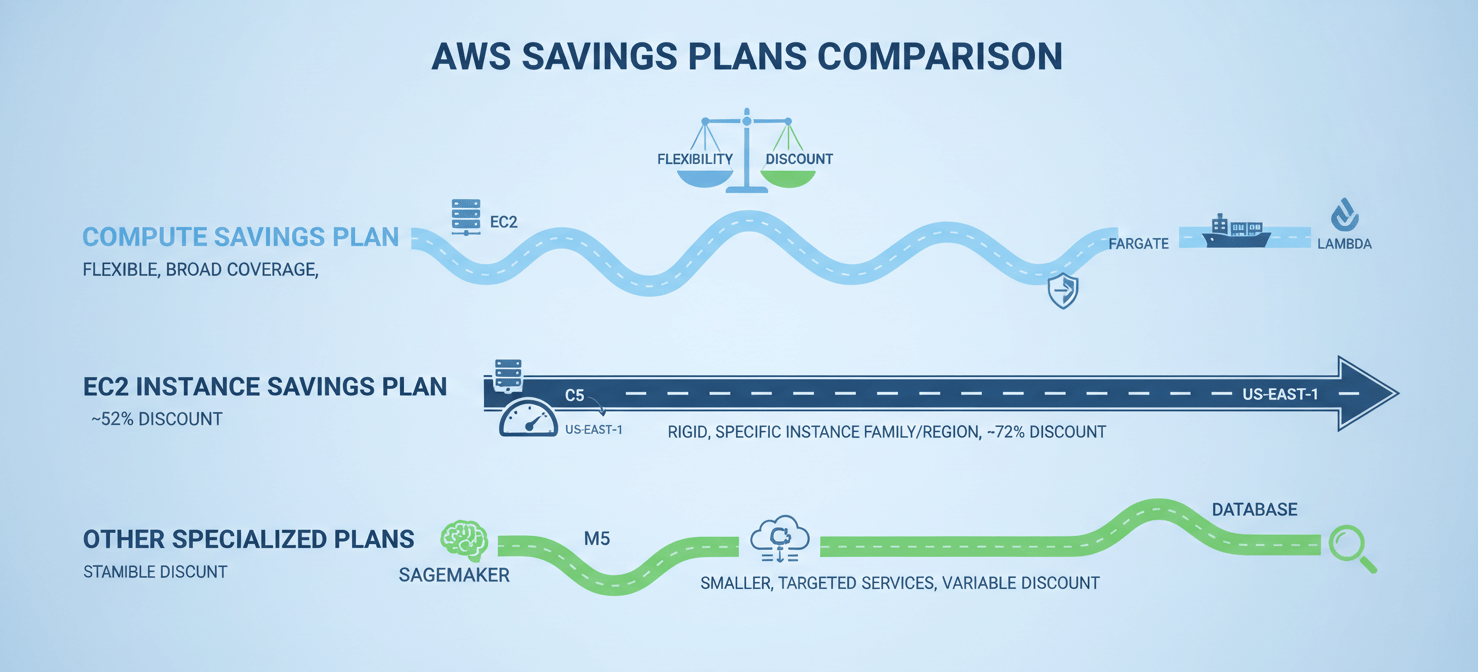
Compute Savings Plans are the most flexible option. They automatically apply to EC2 instance usage regardless of region, instance family, size, operating system, or tenancy. Furthermore, they also cover usage for AWS Fargate and AWS Lambda. This flexibility makes them an excellent choice for dynamic environments where workloads might shift between different compute services or regions. In exchange for this adaptability, they offer a slightly lower maximum discount, topping out at 66% compared to On-Demand rates.
EC2 Instance Savings Plans
For workloads with high stability and predictability, EC2 Instance Savings Plans provide the deepest discounts—up to 72% off On-Demand prices. However, this comes with a significant trade-off: you must commit to a specific instance family within a single AWS Region (e.g., m5 in us-east-1). While you retain flexibility across instance sizes (like m5.large to m5.4xlarge), operating systems, and tenancy within that family and region, the commitment is much more rigid than a Compute Savings Plan. This makes them ideal for stable, long-running applications where the underlying infrastructure is not expected to change.
Other Specialized Plans
AWS also offers more targeted plans, such as SageMaker Savings Plans for machine learning workloads and Database Savings Plans for various database services. These operate on similar principles, offering discounts in exchange for a usage commitment on their respective services. While this article focuses on the more general compute plans, the calculation methodology can be adapted for these as well.
How to Analyze Your Historical Usage with AWS Cost Explorer
The foundation of any good savings plan is a deep understanding of your past consumption. AWS Cost Explorer is the primary tool for this analysis, providing the data and recommendations needed to make an informed decision.
Leveraging AWS Recommendations
Your first stop should be the Savings Plans Recommendations page within the AWS Cost Management Console. Here, AWS analyzes your historical On-Demand usage over a lookback period you can set to 7, 30, or 60 days. Based on this data, it suggests an hourly commitment that it calculates would maximize your savings.
The recommendation engine will show you:
- Recommended Hourly Commitment: The suggested dollar-per-hour spend.
- Estimated Monthly Savings: The projected amount you would save compared to On-Demand pricing.
- Term and Payment Options: You can toggle between 1-year and 3-year terms and see how “All Upfront,” “Partial Upfront,” and “No Upfront” payment options affect your savings.
While these recommendations are an excellent starting point, they are backward-looking and may not capture the full context of your operations. For example, a recent workload launch might not be fully reflected in a 30-day lookback period.
Performing a Deeper Dive
To refine the recommendation, you must dig into the hourly usage data yourself. The goal is to identify your “always-on” or baseline compute spend—the minimum level of usage that you consistently run every hour of every day.
- Set the Right Filters: In Cost Explorer, set the time range to the last 30 or 60 days. Group the data by “Hourly” and filter for the specific services covered by Savings Plans (e.g., EC2-Instances, Fargate, Lambda).
- Identify the Baseline: Look at the cost graph and find the lowest point of your hourly On-Demand spend. Spikes in usage are not good candidates for Savings Plan coverage, as the commitment applies every single hour. Any unused portion of your hourly commitment does not roll over.
- Exclude Anomalies: Be sure to exclude any one-time events or anomalous usage spikes from your analysis. You are looking for the most predictable, stable portion of your spending.
This manual analysis helps you find a more realistic baseline than the simple average that the recommendation tool might lean on. Committing to this stable baseline is the safest and most effective way to ensure high utilization of your Savings Plan.
How to Factor in Future Needs and Growth
A Savings Plan is a long-term commitment, so your calculation must account for more than just historical data. You need to adjust your baseline commitment based on your team’s roadmap for the next one to three years.
Accounting for Growth and New Workloads
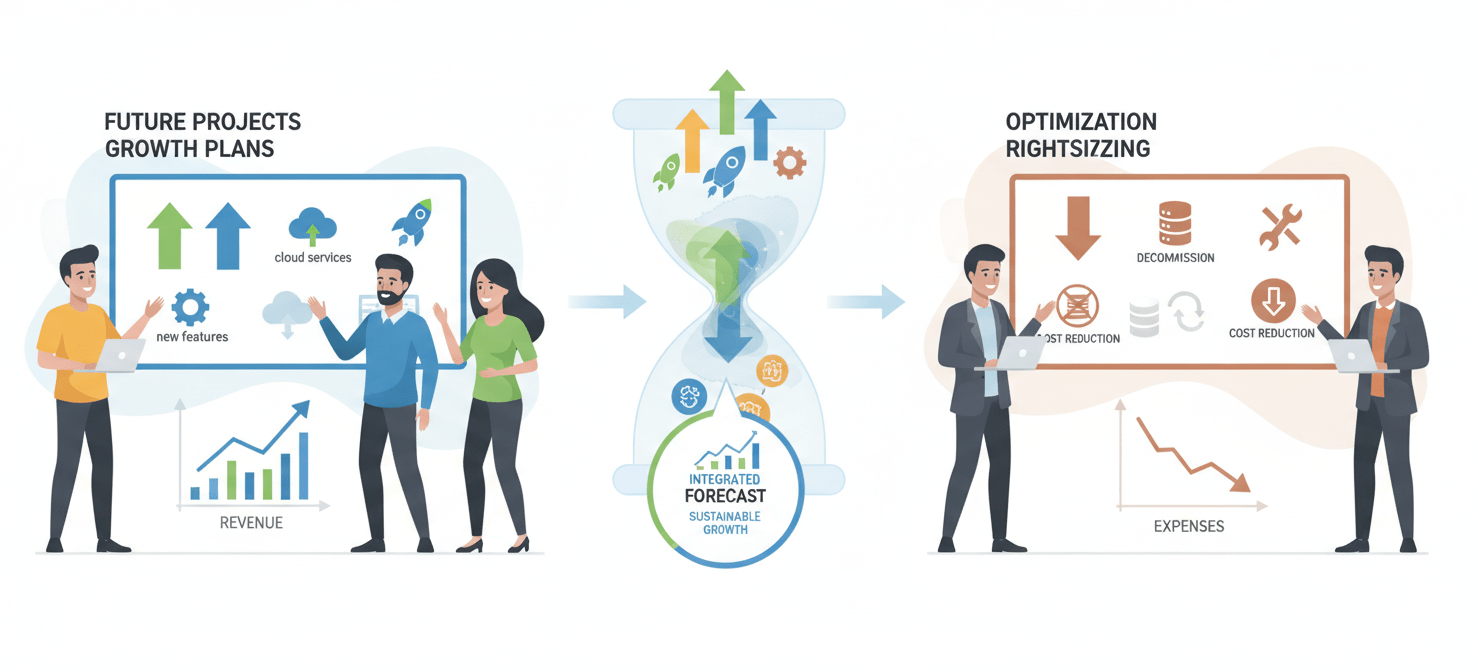
First, consult with your development and operations teams about any planned projects.
- Are you launching a new application?
- Is a major feature release expected to increase traffic?
- Are you planning to migrate more services to the cloud?
Use the AWS Pricing Calculator to estimate the compute costs associated with these new initiatives. Add a conservative estimate of this new, stable usage to your previously identified baseline. This ensures your commitment will cover new, permanent workloads from day one.
Adjusting for Modernization and Optimization
Conversely, you must also account for plans that could reduce your compute spend.
- Rightsizing Efforts: Are you actively rightsizing over-provisioned instances? This will lower your baseline usage.
- Modernization: Are you migrating from EC2 instances to more efficient serverless architectures like Fargate or Lambda? A flexible Compute Savings Plan can accommodate this, but your overall spend might change.
- Decommissioning Services: Are any legacy applications being retired?
If you anticipate significant cost optimization work, it’s wise to be more conservative with your commitment. You might, for instance, calculate your baseline and then commit to only 80-90% of that amount, leaving a buffer for reductions. You can always purchase an additional, smaller Savings Plan later once your usage stabilizes at a new, lower level.
How to Finalize Your AWS Savings Plan Commitment
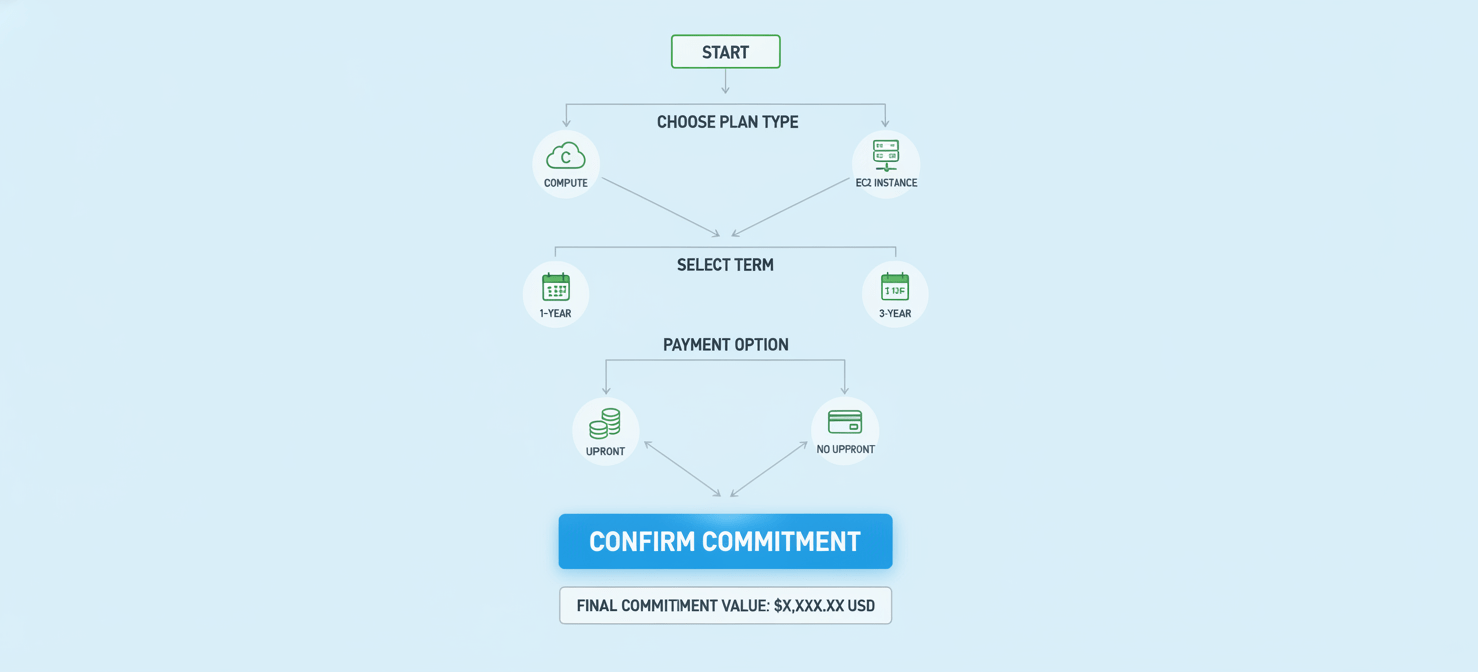
With your historical analysis and future plans in hand, you can now bring it all together to finalize your optimal savings plan commitment. This involves choosing your plan type, term length, and payment option, and then making a final, calculated commitment.
Choosing the Right Mix of Plans
You are not limited to a single Savings Plan. A common strategy is to layer different plans to maximize savings and flexibility.
- EC2 Instance Savings Plans: Use these for your most stable and predictable workloads where you are confident the instance family and region will not change. This captures the highest possible discount.
- Compute Savings Plans: Use a broader Compute Savings Plan to cover the rest of your baseline usage. This provides a safety net, allowing your teams to innovate and change infrastructure without losing discount coverage.
Selecting the Term and Payment Option
- Term Length (1 vs. 3 years): A 3-year term offers a significantly higher discount than a 1-year term. However, it requires a high degree of confidence in your long-term usage forecast. If your architecture is rapidly evolving, a 1-year term is a safer choice.
- Payment Option: AWS offers three payment options: All Upfront, Partial Upfront, and No Upfront. Paying all upfront provides the largest discount but requires a significant capital expenditure. The No Upfront option has the lowest discount but preserves cash flow, aligning costs with your monthly operational budget.
Making the Commitment
After weighing all these factors, you arrive at your final number. Start with your historically identified baseline, adjust for confirmed future growth, and then reduce it slightly to create a safety buffer for optimization or unexpected changes. For example, if your stable baseline is $50/hour and you anticipate new workloads adding $10/hour, your target is $60/hour. A conservative commitment might be 80% of that, or $48/hour.
Enter this final number as your hourly commitment. Remember that you can’t modify or cancel a Savings Plan after purchase, so measure twice and commit once.
Conclusion
Calculating your optimal aws savings plan commitment is less about finding a single magic number and more about a disciplined process of analysis and forecasting. By starting with the data-driven recommendations in AWS Cost Explorer, performing your own deep dive to find your true baseline, and intelligently adjusting for future plans, you can move beyond guesswork. This allows your team to secure substantial discounts without the risk of a costly, underutilized commitment. The goal is not to cover 100% of your usage—spikes are best left to On-Demand pricing. Instead, the aim is to cover your predictable, rock-solid baseline. Get that right, and you’ve successfully turned a fixed infrastructure cost into a strategic financial advantage.
To truly master your cloud costs and ensure your AWS Savings Plan commitment is always optimized, you can explore Binadox’s capabilities with a free trial or schedule a personalized demo to see our platform in action.
 7-day free trial