



Effectively managing cloud spend requires timely and accurate financial data. For teams relying on Microsoft’s cloud, this often means programmatically pulling usage and cost details through Azure’s APIs. However, this direct access can lead to an unexpected roadblock: hitting an API rate limit. Understanding how to handle the Azure API rate limit cost data challenge is crucial for maintaining consistent financial reporting and optimization efforts. When your scripts or tools make too many requests in a short period, Azure will temporarily block you, a process known as throttling, to ensure service stability for all users. This can disrupt your cost analysis pipelines and leave your team in the dark.
Key takeaways
- Azure Resource Manager (ARM) APIs, which include Cost Management, have a tenant-level limit of 12,000 read requests per hour.
- Implement an exponential backoff strategy for retries, waiting progressively longer after each “429 Too Many Requests” error.
- Proactively manage API calls by caching data locally and designing queries to be as efficient as possible, requesting only the data you need.
- Use Azure Monitor to create alerts that notify your team when API request rates approach established throttling limits.
Understanding Azure API Rate Limits
Azure, like most cloud platforms, implements rate limits on its APIs to prevent abuse and ensure service availability and performance for all customers. These limits restrict the number of API calls a user or application can make within a specific timeframe. When you exceed this limit, the API responds with an HTTP status code of 429, indicating “Too Many Requests.”
These limits are generally applied at the tenant or subscription level. For Azure Resource Manager (ARM), which governs the Cost Management APIs, throttling is based on the number of requests per hour. According to Microsoft’s documentation, the default limit for tenant-level read requests is 12,000 per hour, and for subscription-level reads, it is 1,200 per hour. It is important to understand that these limits are shared across all users and services operating within that scope. Therefore, a single misconfigured script can impact your entire organization’s ability to interact with Azure resources.
When a limit is exceeded, Azure includes a Retry-After header in the 429 response. This header provides the number of seconds your application should wait before attempting to send another request. Ignoring this guidance and immediately retrying will likely result in continued throttling.
Why Cost Data APIs Are Prone to Throttling
Extracting financial data often involves complex and frequent queries, making cost-related APIs particularly susceptible to throttling. Several factors contribute to this, creating a perfect storm for hitting usage quotas.
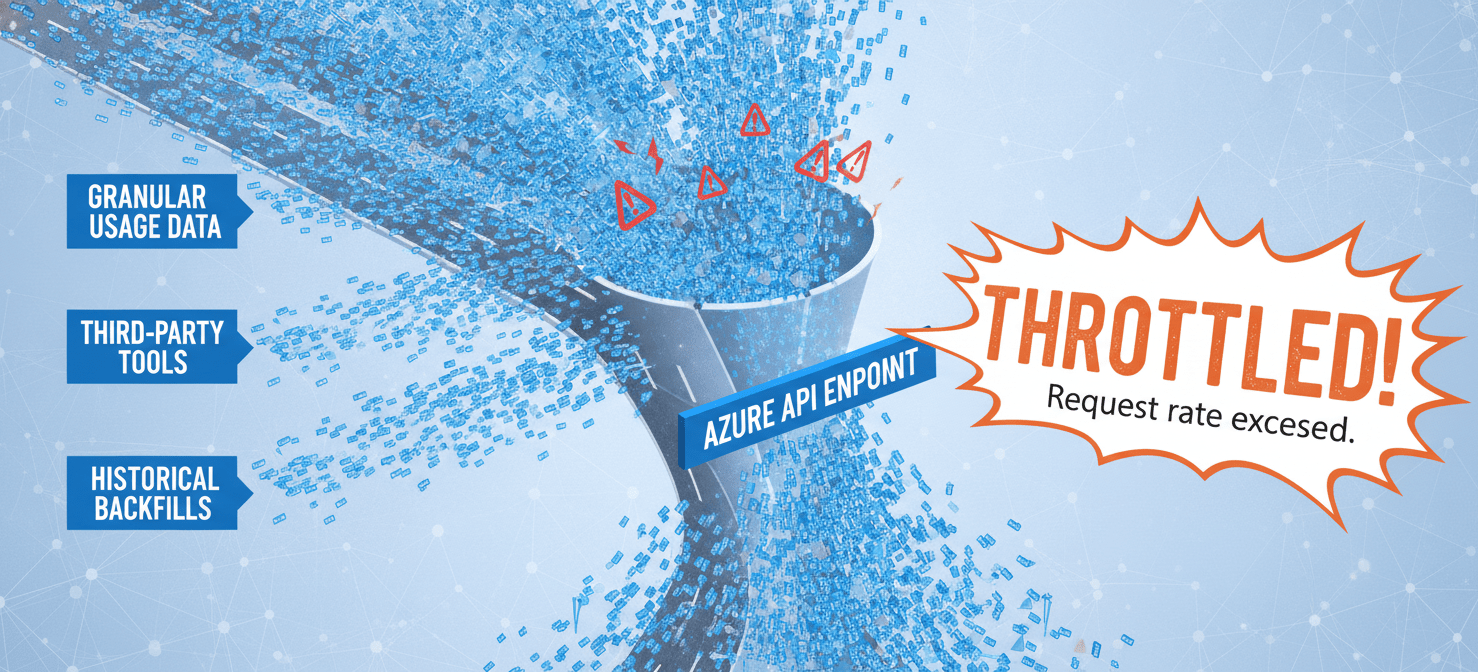
First, cost data can be granular. Your team might need to pull detailed usage records for thousands of resources across multiple subscriptions daily. This process often involves iterating through different scopes or resource groups, with each iteration firing one or more API calls. As a result, the total number of requests can escalate quickly.
In addition, many organizations use third-party cost management tools or custom-built solutions that poll Azure for data at regular intervals. If not configured carefully, these tools can generate a high volume of background requests. For example, a dashboard that refreshes every few minutes for multiple users can create a significant, sustained load on the API endpoints. This is a common cause of azure cost management api throttling.
Furthermore, initial data loads or historical backfills are particularly intensive. When you first set up a cost reporting system, you may need to retrieve several months or even years of historical data. This type of bulk data extraction can easily exhaust your hourly request limit in a matter of minutes, leading to the dreaded azure api too many requests error.
Strategies to Handle Azure API Rate Limit Cost Data
Instead of treating rate limits as an error, you should view them as a predictable part of interacting with the Azure platform. A robust application anticipates throttling and handles it gracefully. Here are several effective strategies.
Implement Exponential Backoff
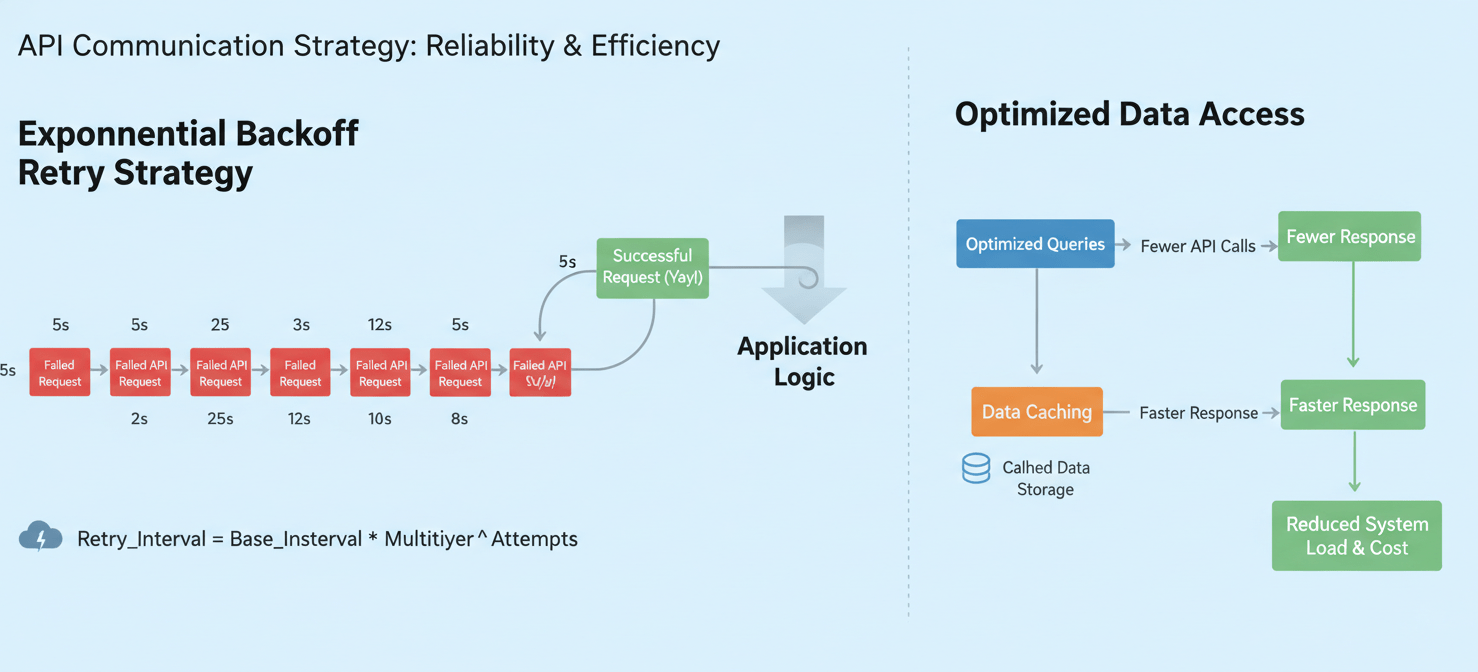
The most fundamental strategy is to implement a proper retry mechanism with exponential backoff. When your application receives a 429 status code, it should not immediately retry the request. Instead, it should pause for a specified duration.
An exponential backoff algorithm increases the wait time between retries after each consecutive failure. For instance, you might wait 5 seconds after the first failure, 25 seconds after the second, and so on. Crucially, you should always respect the Retry-After header provided in the API response if it is present, as it gives the most accurate wait time. This approach prevents your application from contributing to the problem while it waits for the throttling window to pass.
Optimize and Cache API Calls
Proactive optimization can significantly reduce the number of API calls you make in the first place. Before making a request, consider whether you truly need real-time data. Caching results locally for a reasonable period can prevent redundant calls for data that has not changed.
You should also design your queries to be as efficient as possible. For example, use filters to request only the specific data you need rather than pulling a large dataset and filtering it on your end. If you need to query across multiple scopes, bundle them where the API allows, or structure your logic to run sequentially with built-in delays to avoid large bursts of simultaneous requests.
Use Asynchronous Operations and Scheduled Exports
For large data exports, such as retrieving a full month’s worth of cost details, it is better to use asynchronous patterns. The Cost Management APIs provide ways to generate and download reports. This pattern involves initiating an export job with one API call and then polling periodically (at a much lower frequency) to check its status. Once the report is ready, you can download it with a single request.
For recurring needs, Azure allows you to schedule exports of your cost data to an Azure Storage account on a daily, weekly, or monthly basis. This is the most efficient method, as it offloads the data generation to Azure’s backend. Your application then only needs to interact with Azure Storage, which has different and generally more lenient usage limits than the ARM APIs.
Proactive Monitoring and Alerting
You should not wait for your applications to fail before you realize you have a throttling problem. Proactive monitoring is essential for managing your API usage and staying under the limits.
Azure Monitor provides the tools you need to track your API request rates. You can create dashboards to visualize the number of requests being made against your subscriptions and tenants over time. By analyzing these trends, you can identify which applications or users are generating the most traffic and determine if their behavior is expected.
Furthermore, you can configure alerts in Azure Monitor to notify your team when API request counts approach the established limits. For example, you could set an alert to trigger when the number of hourly requests exceeds 80% of the 12,000-request quota. This early warning gives your team time to investigate and mitigate the issue before actual throttling occurs, preventing disruptions to your cost management workflows.
Conclusion
Dealing with the Azure API rate limit cost data is not about finding a way to bypass the limits, but about designing your applications to work intelligently within them. Throttling is a feature, not a bug, designed to protect the platform’s stability. By implementing smart retry logic like exponential backoff, optimizing your queries, caching data, and leveraging scheduled exports, you can build a resilient and efficient cost management pipeline. Proactive monitoring provides the final piece of the puzzle, giving you the visibility to act before a limit is ever breached. Ultimately, a well-architected solution respects the platform’s constraints, ensuring your financial data flows reliably without causing self-inflicted outages.
To truly master your cloud spend and avoid API bottlenecks, consider how a dedicated solution can streamline your data access; you can explore the full capabilities with a free Binadox trial or arrange a personalized demonstration of its features.
 7-day free trial