



Understanding your cloud spend is fundamental to financial health in a cloud-native world. However, a monthly total is not enough; you need to know what you are spending day by day to catch anomalies and optimize effectively. For teams running on Microsoft’s cloud, effective daily cloud cost tracking is the key to preventing budget overruns. Azure provides the tools to get this data, but you need to know where to look and how to configure them to deliver actionable insights instead of just noise.
Key takeaways
- Use Cost Analysis for Daily Views: Azure’s built-in Cost Analysis tool can be set to a daily granularity to visualize spending trends and identify spikes.
- Automate with Exports: For integration with other systems, you can create a scheduled export that runs daily, sending detailed cost data to an Azure Storage account.
- Set Up in 5 Steps: You can configure a daily cost export to a storage account through the Azure portal in as few as five steps.
- Leverage Tags for Granularity: To get the most out of daily tracking, apply tags to your resources; this allows you to filter and group costs by project, team, or environment.
Why Daily Cloud Cost Tracking is Crucial
A monthly invoice tells you what you have already spent. In contrast, daily cost tracking tells you what you are spending right now, which allows your team to be proactive. Sudden spikes in spending, often caused by a misconfigured resource or unexpected usage, can be caught and remediated within 24 hours instead of festering for weeks. This rapid feedback loop is essential for maintaining budget discipline.
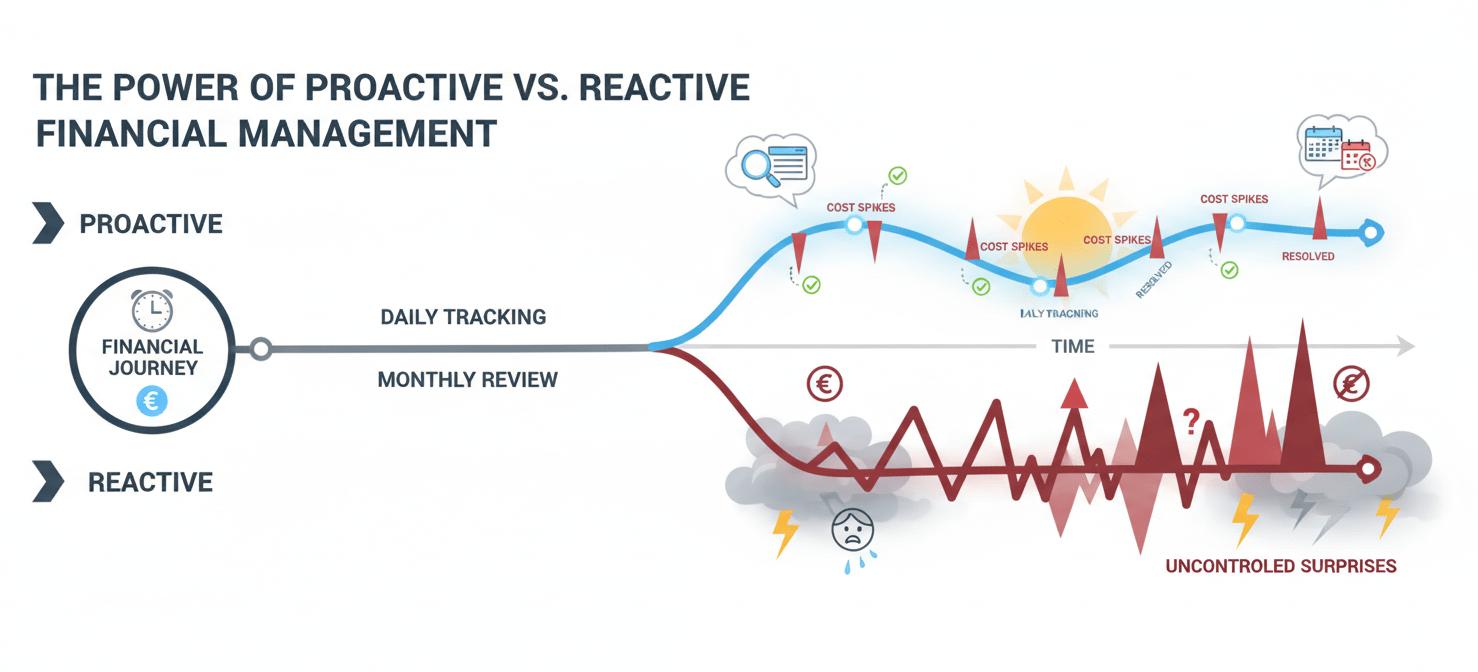
Furthermore, daily data helps you understand the rhythm of your cloud consumption. For instance, you can see how costs fluctuate between weekdays and weekends or during specific events like a product launch. This level of detail is invaluable for accurate forecasting and capacity planning. By analyzing these trends, you can make more informed decisions about resource allocation and optimization strategies.
Accessing Granular Cost Data in Azure
Azure’s primary tool for this purpose is Azure Cost Management + Billing, available directly in the Azure portal. It provides a suite of features to help you visualize, analyze, and manage your cloud expenses.
Using the Cost Analysis Tool
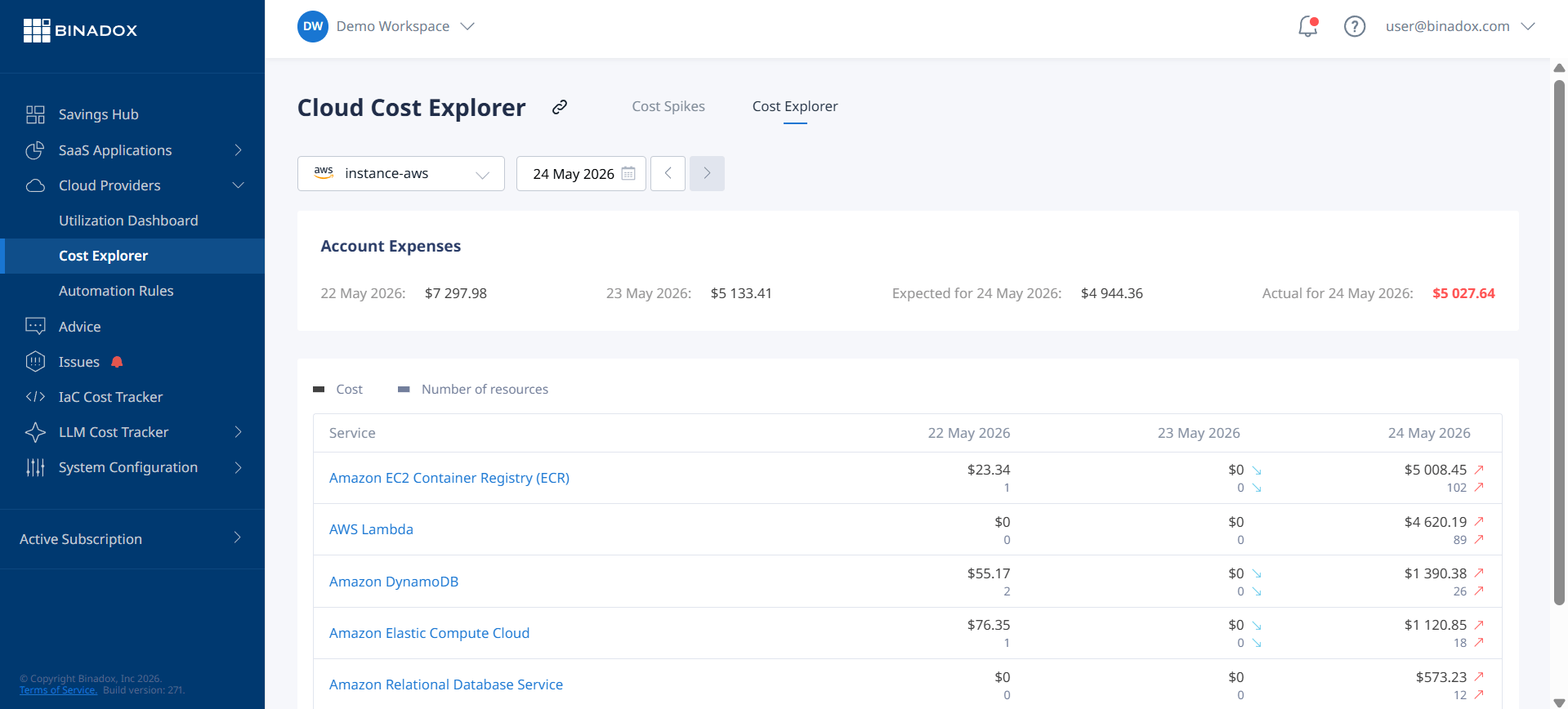
The first stop for most users should be the Cost Analysis feature. This interactive tool allows you to break down your spending across various dimensions. To get a daily view, simply navigate to Cost Analysis, select your desired scope (like a subscription or resource group), and change the “Granularity” setting to “Daily”.
From there, you can apply filters and groupings to dissect the data. For example, you can group by “Service name” to see which Azure services are contributing most to your daily spend or by “Resource” to pinpoint specific virtual machines or databases. If you have a consistent tagging strategy, you can also group by tags to see costs allocated to different projects or teams.
Creating Custom Views
While the default views are helpful, the real power of Cost Analysis comes from creating and saving custom views tailored to your needs. You might create a view that shows the daily costs of all resources tagged as “production” or another that tracks the spend of a specific development team. Saving these views provides quick, repeatable access to the insights that matter most to your team.
Automating Azure Daily Cost Data Exports
Interactive analysis in the portal is useful, but many organizations need to integrate cost data into other systems, such as a data warehouse or a business intelligence tool like Power BI. For this, Azure’s scheduled Exports feature is the recommended solution.
An export allows you to automatically deliver detailed cost data to an Azure Storage account on a recurring basis. You can configure an export to run daily, delivering a CSV or Parquet file with the previous day’s month-to-date costs. This provides a reliable, automated way to get your hands on the raw data for offline analysis, custom reporting, or financial reconciliation.
Setting up a daily export is straightforward:
- Navigate to Cost Management + Billing in the Azure portal.
- Select Exports from the menu and click Add.
- Give the export a name and choose the export type, such as “ActualCost”.
- Set the schedule to “Daily export of month-to-date costs”.
- Configure the storage destination by selecting a storage account and container.
Once created, the export will run automatically, ensuring you always have fresh data ready for your internal systems. The cost for the storage itself is typically minimal, as the export files are relatively small.
Comparing Azure and GCP Cost Reporting
When evaluating cloud providers, the ease of accessing and interpreting cost data is a significant factor. Both Azure and Google Cloud Platform (GCP) offer robust tools, but they have different strengths.

Azure Cost Management is often praised for its strong integration with enterprise structures and governance models. Its views map cleanly to concepts like management groups and subscriptions, which is familiar to organizations already invested in the Microsoft ecosystem. The native integration with Power BI is also a major advantage for many companies.
In contrast, GCP’s cost reporting shines when paired with BigQuery. By exporting billing data to BigQuery, teams with strong data analysis skills can run highly customized and complex queries. While this offers immense flexibility, it generally requires more initial setup and data expertise to achieve the same level of reporting that Azure might offer out of the box. For straightforward daily tracking and budget alerts, both platforms are highly capable.
Conclusion
Ignoring your cloud bill until the end of the month is a recipe for financial surprises. Implementing a system for daily cloud cost tracking is not a luxury but a necessity for any team serious about FinOps and budget management. Azure provides the necessary tools, from the interactive Cost Analysis interface for quick checks to automated Exports for deep, offline analysis. By leveraging these features, you can gain a granular understanding of your daily spend, catch issues before they escalate, and ultimately make smarter decisions about your cloud resources. After all, you cannot optimize what you do not measure, and in the cloud, the meter is always running.
To truly master your cloud finances and prevent unexpected overruns, leveraging specialized tools beyond native Azure capabilities can provide even deeper insights; you can always connect with an expert to discuss your specific needs or begin your journey with a free Binadox trial today.
 7-day free trial