



For finance and procurement leaders, Microsoft 365 is a significant and recurring line item in the operational budget. It’s an essential platform for productivity, but its complexity can obscure the true return on investment. The key is to move beyond viewing it as a fixed cost and instead manage it as a dynamic asset. A proactive approach to license management can yield substantial savings and ensure that every dollar spent on the platform is directly contributing to business value. Calculating your Microsoft 365 license ROI is the first step toward optimizing this critical enterprise expenditure.
Key takeaways
- Right-size relentlessly: As much as 20-35% of M365 budgets are wasted on oversized or unused licenses; regularly auditing usage against user roles is critical.
- Automate governance: Implement group-based licensing and automated offboarding workflows to reclaim licenses from inactive users instantly, preventing budget leakage.
- Consolidate and save: A Forrester study found that consolidating legacy tools into Microsoft 365 E5 can save an estimated $86.25 per user monthly, delivering a 190% ROI over three years.
- Negotiate from data: Use detailed usage analytics during your Enterprise Agreement (EA) renewal to challenge assumptions and secure terms based on actual need, not historical precedent.
Understanding the True Cost of Your M365 Licenses
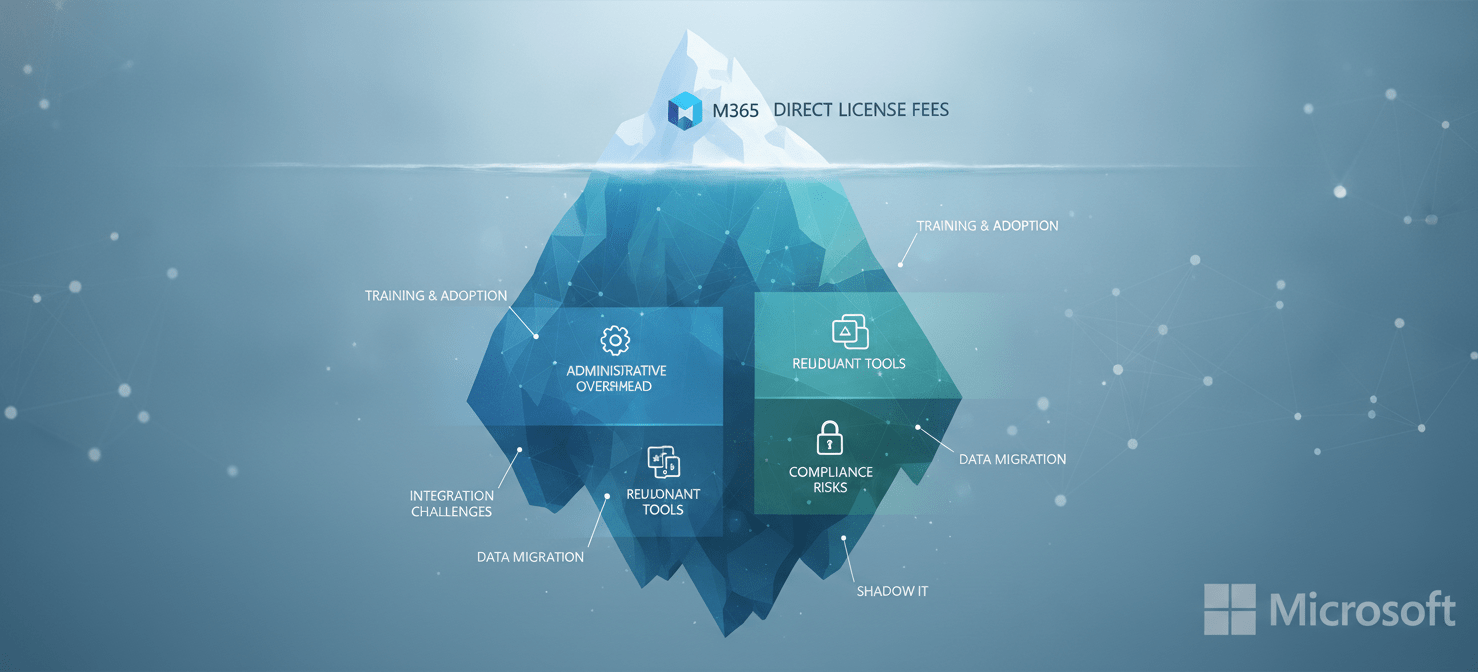
The sticker price of a Microsoft 365 license is only the beginning of its Total Cost of Ownership (TCO). To accurately assess your investment, you must look beyond the per-user, per-month fee and account for both direct and indirect expenditures.
Direct Costs Beyond the Subscription Fee
The most visible cost is the license itself, with enterprise plans like Microsoft 365 E3 and E5 having significant price differences. For instance, the jump from E3 to E5 can be substantial, and justifying that increase requires a clear understanding of which employees need the advanced security and compliance features exclusive to the higher tier.
Furthermore, many organizations purchase add-on licenses for applications like Power BI Pro, Visio, or Teams Phone functionality. These costs accumulate quickly and must be tracked on a per-user basis to understand the fully-loaded cost of enabling specific roles within the company.
Indirect and Hidden Costs
Indirect costs are less obvious but can significantly impact the overall budget. These include:
- Administrative Overhead: The time your IT team spends managing, assigning, and reclaiming licenses is a real operational cost. Without efficient processes, this manual effort can become a major drain on resources that could be allocated to more strategic initiatives.
- Redundant Third-Party Tools: Many companies pay for external software that duplicates functionality already included in their M365 subscription. For example, paying for separate solutions for e-signature, file sharing, or endpoint security when those capabilities exist within your current license tier is a direct hit to the bottom line.
- Compliance and Security Risks: An improperly licensed user can create significant compliance gaps. Conversely, under-licensing by not providing necessary security features to high-risk users can expose the organization to costly data breaches. A Forrester study on M365 E5 Compliance found it could reduce the risk of a data breach by 30-40%.
A comprehensive TCO analysis provides the true baseline for calculating your return on investment. It shifts the focus from a simple procurement exercise to a strategic financial management decision.
How to Accurately Calculate Your Microsoft 365 License ROI
Calculating the ROI of your Microsoft 365 investment requires a formula-based approach that balances quantifiable cost savings with productivity gains. The basic formula is straightforward: ROI = (Net Profit / Cost of Investment) x 100. The challenge lies in accurately quantifying the variables.

Step 1: Quantify the “Gain”
The “gain” from your investment is a combination of hard cost savings and softer productivity improvements.
- Hard Cost Savings (Tool Consolidation): The most direct financial benefit comes from eliminating redundant third-party applications. Start by inventorying all software that overlaps with M365 capabilities. This includes tools for video conferencing, cloud storage, data analytics, and security. Sum the annual costs of these retired tools. A Forrester analysis found that consolidating solutions with Microsoft 365 E5 saved a composite organization $23.2 million over three years.
- Productivity and Efficiency Gains: While harder to measure, productivity is a major component of the ROI. This can be quantified by estimating time saved. For example, if a new collaborative feature saves an employee two hours per month, you can translate that into a dollar value based on their loaded salary. Surveys and time-tracking studies can provide the data needed for these calculations.
- Risk Reduction: Quantify the financial impact of improved security and compliance. This can be calculated by assessing the potential cost of a data breach and multiplying it by the reduction in risk probability provided by M365’s advanced security features.
Step 2: Calculate the Total Cost of Investment
As detailed in the previous section, this is your Total Cost of Ownership (TCO). It must include all direct license fees, add-ons, implementation costs, training expenses, and ongoing administrative overhead.
Step 3: Putting It All Together
Once you have quantified the gains and the total costs, you can plug them into the ROI formula. For example:
- Annual Gain: $500,000 (tool consolidation) + $300,000 (productivity gains) + $150,000 (risk reduction) = $950,000
- Annual TCO: $700,000
- Net Profit: $950,000 – $700,000 = $250,000
- ROI: ($250,000 / $700,000) * 100 = 35.7%
This calculation provides a defensible metric that can be used to justify the investment and track performance over time.
Strategies for M365 Budget Optimization
Effective M365 budget optimization is not a one-time project but a continuous process of monitoring, analyzing, and adjusting. The goal is to eliminate waste and ensure that licensing aligns precisely with organizational needs.
Conduct Regular License Audits
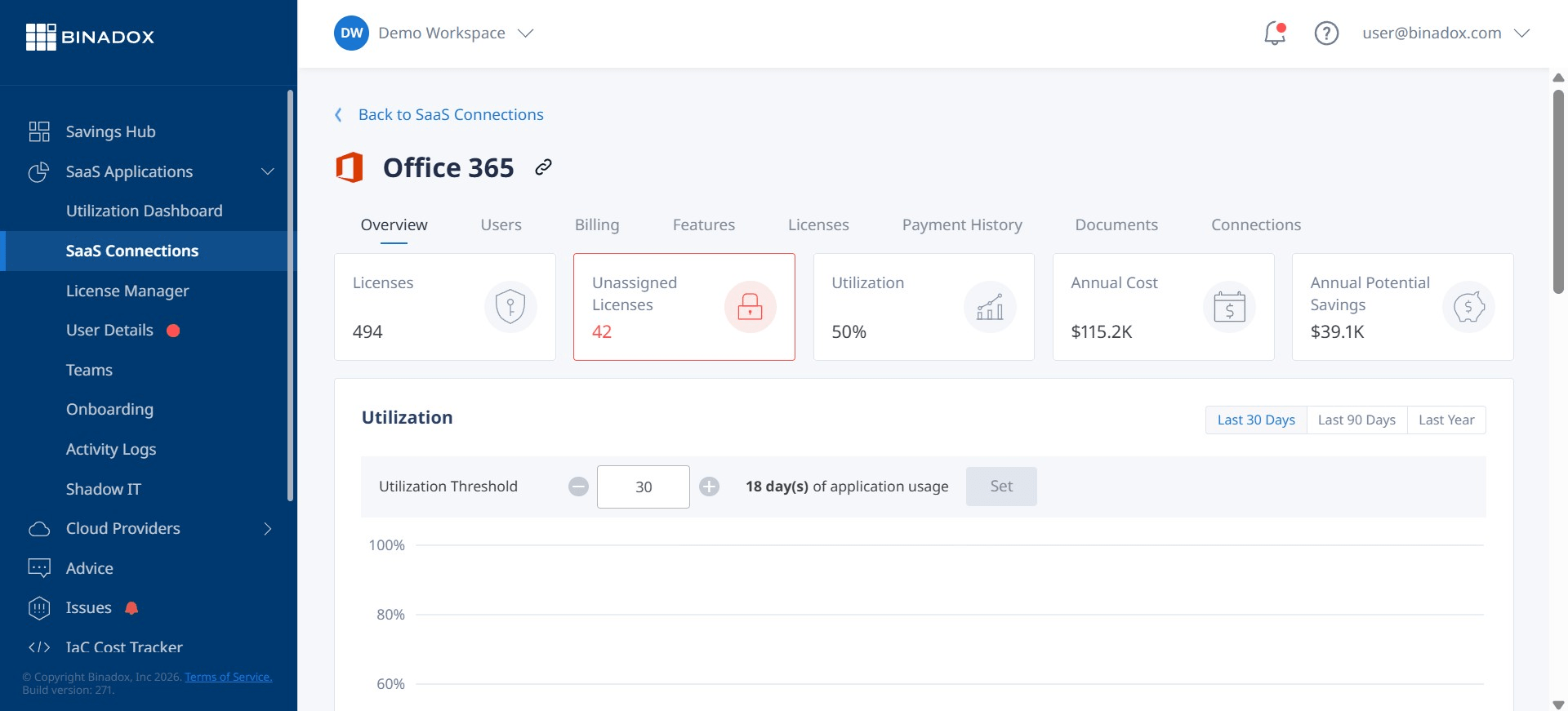
The foundation of any cost-saving initiative is a thorough audit of your current license landscape. You cannot optimize what you cannot see. The primary objective is to identify all instances of waste, which typically fall into several categories:
- Inactive Licenses: These are licenses assigned to users who have not accessed any M365 service within a defined period, such as 30 or 60 days.
- Unassigned Licenses: Often referred to as “shelfware,” these are licenses that have been purchased but never assigned to a user.
- Oversized Licenses: This is one of the most common forms of waste, where a user is assigned a premium license (e.g., E5) but only uses the basic features found in a lower-cost tier (e.g., E3 or Business Premium).
The Microsoft 365 Admin Center provides native tools to get started, but specialized third-party software can offer deeper insights and automate the discovery process.
Right-Sizing Licenses to User Roles
Once you have identified waste, the next step is to “right-size” your licenses. This involves creating user profiles or personas based on job function and technology requirements. For example:
- Frontline Workers: May only need basic email and Teams access, making an F-series license more appropriate.
- Knowledge Workers: Typically require the full suite of Office applications and collaboration tools found in an E3 license.
- Executives and IT/Compliance Teams: Often need the advanced security, analytics, and voice capabilities included in an E5 license.
By matching license tiers to these roles, you can significantly reduce costs without impacting productivity.
Automate License Reclamation and Governance
Manual license management is inefficient and prone to error. Automation is key to sustainable M365 budget optimization.
- Automate Offboarding: Integrate your M365 environment with your HR systems. When an employee leaves the company, their license should be automatically reclaimed and returned to the available pool.
- Group-Based Licensing: Utilize Microsoft Entra ID (formerly Azure AD) to assign licenses based on group membership. When a user is added to a specific department or role-based group, the appropriate license is automatically assigned. This eliminates manual provisioning and ensures consistency.
Automating these processes transforms license management from a reactive, manual task into a proactive, efficient system that prevents budget leakage before it happens.
Vendor Management and Contract Negotiation Levers
Your Microsoft Enterprise Agreement (EA) is not a fixed document; it is a negotiable contract. Approaching your renewal with a data-driven strategy is critical to securing favorable terms and pricing.

Leverage Usage Data as a Negotiation Tool
The most powerful tool in your negotiation arsenal is your own usage data. Before entering discussions with Microsoft, you should have a precise understanding of:
- Which license tiers are most utilized.
- How many licenses are inactive or oversized.
- The adoption rate of specific features within each license tier.
This data allows you to negotiate from a position of strength. Instead of accepting a renewal based on historical purchase numbers, you can present a case based on actual, current needs. If your audit reveals that 20% of your E5 licenses are underutilized, you have a strong argument for reducing your commitment in that tier.
Timing and Preparation are Crucial
Effective negotiation begins long before the renewal date. It is recommended to start your internal review and planning 9 to 12 months in advance. This provides ample time to conduct a thorough usage audit, identify optimization opportunities, and build a clear negotiation strategy. Rushing the process plays into the vendor’s hands and limits your ability to secure the best possible terms.
Understand the Competitive Landscape
While Microsoft 365 is deeply embedded in most enterprises, it is important to understand your alternatives for specific functionalities. If you are paying for add-ons or premium features that are not being fully utilized, exploring best-of-breed alternatives can create negotiation leverage. The goal is not necessarily to switch vendors but to demonstrate that you have options and are committed to maximizing the value of your software spend.
Forecasting and Long-Term M365 Budgeting
Moving beyond reactive license management requires a forward-looking approach to budgeting and forecasting. This ensures that your M365 spend aligns with your organization’s strategic goals and financial plans.
Building a Predictive Model
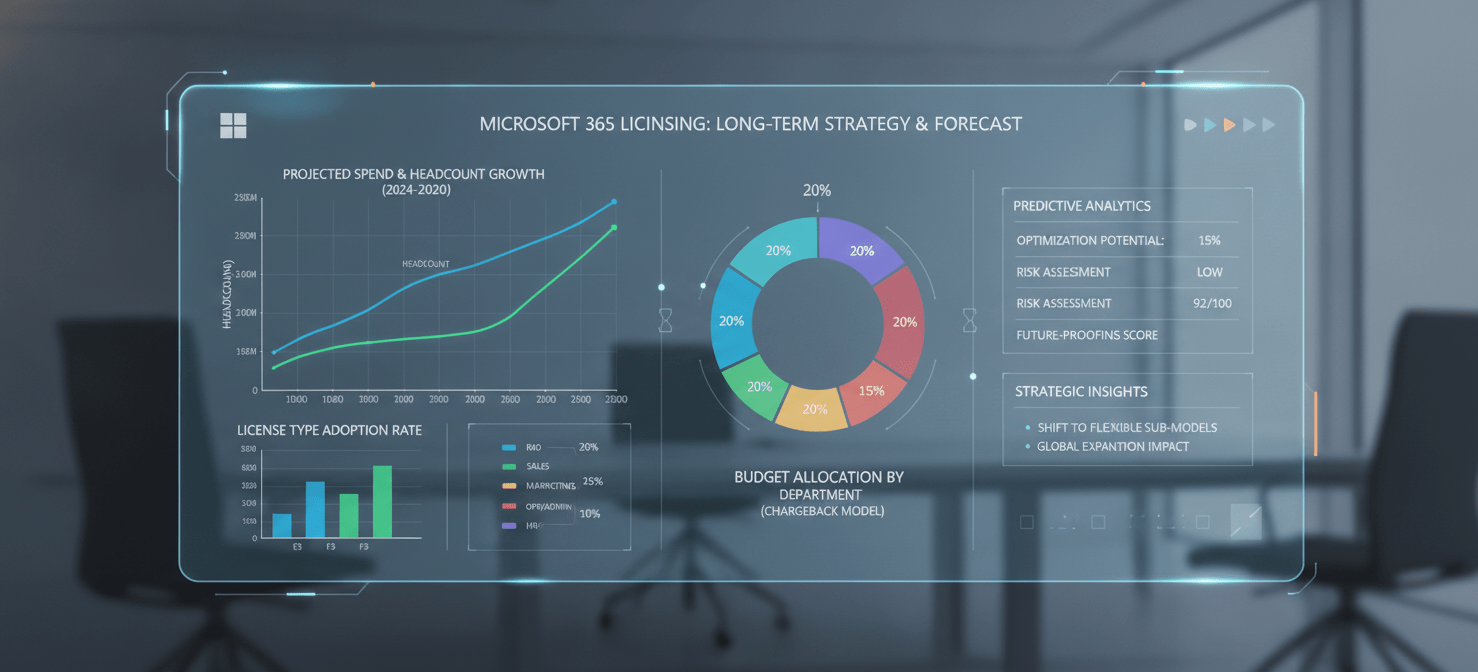
A robust forecasting model should incorporate several key inputs:
- Headcount Projections: Work closely with HR and finance to get accurate hiring and attrition forecasts. This will allow you to predict future license demand with greater accuracy.
- Business Initiatives: Are there upcoming projects or departmental expansions that will require new or different types of licenses? For example, a new data analytics team will likely require Power BI Pro licenses.
- Technology Roadmap: Understand the IT roadmap and how it might impact M365 usage. A planned rollout of a new security feature might justify an upgrade to a higher license tier for a subset of users.
By integrating these data points, you can create a more predictable and defensible M365 budget, avoiding unexpected true-up costs at the end of your contract term.
The Role of Chargeback Models
For larger organizations, implementing a chargeback or showback model can significantly improve financial accountability. By allocating license costs back to the business units or departments that use them, you create visibility and incentivize leaders to take ownership of their team’s software consumption.
A chargeback system makes departmental heads active partners in cost optimization. When they see the direct budgetary impact of an unused E5 license, they are more likely to ensure that their team’s licensing aligns with actual needs.
Conclusion
Treating your Microsoft 365 subscription as a fixed, unavoidable cost is a direct path to budget overruns and diminished returns. The platform is a dynamic asset, and managing it requires the same financial rigor applied to any other significant capital investment. By systematically analyzing your true costs, accurately calculating your return, and implementing disciplined strategies for optimization and negotiation, you can transform this major operational expense into a well-managed driver of business value. Ultimately, achieving a strong Microsoft 365 license ROI is not about spending less; it’s about spending smarter. The data to do so is already in your tenant, waiting to be turned into a more defensible budget.
To turn your M365 data into actionable insights and start optimizing your spend today, you can create your free Binadox account or book a demo to see how our platform can transform your license management strategy.
 7-day free trial