



Your team migrated to Amazon Aurora Serverless v2 expecting cost savings from its auto-scaling capabilities, but the monthly bill tripled instead. This scenario is surprisingly common. While Serverless v2 offers incredible flexibility for variable workloads, a misunderstanding of its pricing model can lead to significant sticker shock. An unexpected Aurora Serverless v2 cost increase often stems from a few key factors that differ fundamentally from both provisioned instances and the previous Serverless v1. This article breaks down why your costs might be escalating and provides concrete steps to diagnose and fix the problem.
Key takeaways
- Minimum Capacity is Key: Your cluster’s minimum Aurora Capacity Unit (ACU) setting is a primary cost driver. A seemingly small minimum of 2.0 ACUs can cost over $1,500 annually per cluster if left running.
- v2 is Not v1: The pricing model for v2 is entirely different from v1. ACUs in v2 cost twice as much as in v1, and v2 does not automatically pause, leading to continuous charges.
- I/O Can Be a Hidden Cost: With the Aurora Standard configuration, you are charged per I/O operation. For applications with high traffic, these charges can easily exceed compute costs.
- Monitor ACU Utilization: Use Amazon CloudWatch to track your
ServerlessDatabaseCapacityandACUUtilizationmetrics. If your utilization is consistently low, your minimum capacity is likely too high.
The Shift from v1 to v2: A New Pricing Model
The first step in understanding your bill is recognizing that Aurora Serverless v2 is not just an incremental update to v1; it’s a complete redesign of the architecture and, consequently, the pricing. The core of the aurora v1 vs v2 cost difference lies in how they handle scaling and idle time.
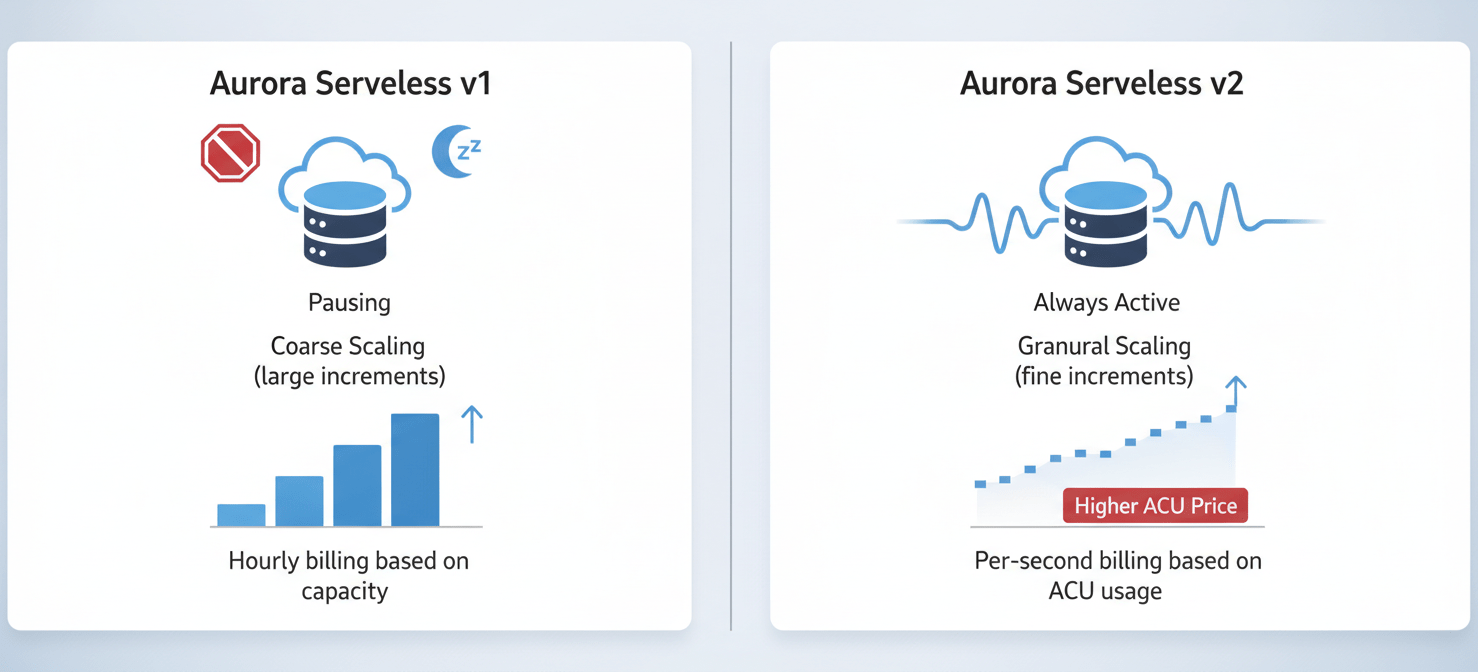
Aurora Serverless v1 was known for its ability to “scale to zero.” After a period of inactivity, it could pause itself, effectively stopping all compute charges. This made it genuinely cost-effective for intermittent workloads like development and test environments. However, this process could introduce “cold start” latency when a new connection arrived.
Aurora Serverless v2 eliminates this cold start problem by remaining active at all times. Instead of pausing, it scales capacity up and down in fine-grained increments based on real-time load. This capacity is measured in Aurora Capacity Units (ACUs), where one ACU represents about 2 GiB of memory plus associated CPU and networking.
The key differences are:
- No More Pausing: Serverless v2 does not automatically pause by default. It continuously runs at or above a minimum configured capacity, which means you are always paying for some level of compute.
- Granular, Instant Scaling: Where v1 scaled by doubling capacity (e.g., from 4 to 8 ACUs), v2 scales incrementally (e.g., from 4 to 4.5 ACUs). This provides a much faster and more responsive experience but means the system is constantly adjusting and billing on a per-second basis.
- Higher ACU Price: An ACU-hour in Serverless v2 costs roughly double what it did in v1 (e.g., $0.12/ACU-hour versus $0.06/ACU-hour). While v2 is more efficient, the baseline rate is higher.
This “always-on” model is a fundamental shift. If your team moved from v1 assuming similar behavior, the continuous compute charges from a non-zero minimum capacity are a likely source of your cost increase.
Why Your Aurora Serverless v2 Cost Increase Is Happening
With the new pricing model in mind, several common culprits are likely behind a sudden Aurora Serverless v2 cost increase. These issues often relate to configuration choices that, while seemingly minor, have a major impact on your monthly bill.
The Minimum Capacity Trap
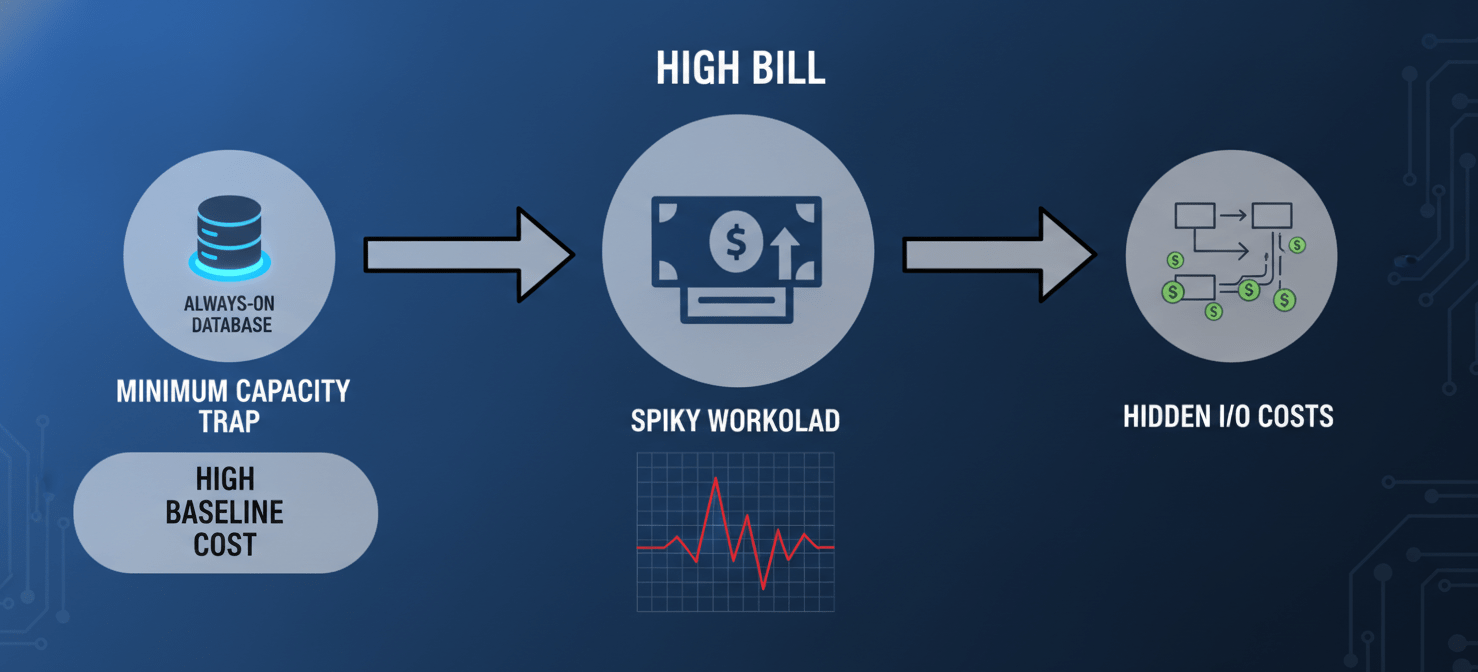
The most frequent cause of an unexpected cost spike is the min_capacity setting. When you configure a Serverless v2 cluster, you define a minimum and maximum number of ACUs. The database will never scale below this minimum setting.
Many teams set a minimum of 2, 4, or even 8 ACUs to ensure fast response times, underestimating the cost implication. For example, a minimum capacity of just 2.0 ACUs, at a rate of $0.12 per ACU-hour, translates to a constant charge of $0.24 per hour. Over a 30-day month, that single setting creates a baseline cost of over $170, regardless of actual usage. For non-production environments that are idle overnight and on weekends, this is pure waste.
The Perils of a Spiky Workload
Aurora Serverless v2 is marketed for spiky and unpredictable workloads, and it handles them brilliantly from a performance perspective. From a cost perspective, however, the story is more complex. Because v2 scales instantly and bills per second, it captures the full cost of every single spike.
If your application has frequent, sharp bursts of activity, Serverless v2 will rapidly scale up to meet the demand and then scale down. You pay for that peak capacity for the exact duration it’s used. For workloads that are consistently busy, a provisioned instance with Reserved Instance pricing may actually be cheaper than paying the on-demand rate for constantly high ACU usage.
The Hidden Cost of I/O Operations
Another major factor in Aurora Serverless v2 pricing is how you’re billed for I/O. By default, Aurora clusters use the “Standard” configuration, where you pay a lower rate for storage but are billed for every million I/O requests (reads and writes).
For an I/O-intensive application, these charges can accumulate rapidly and even surpass your compute costs. AWS offers an alternative called “I/O-Optimized,” where you pay a higher price for storage and ACUs but have zero charges for I/O operations. According to AWS, if your I/O charges exceed 25% of your total Aurora bill, switching to I/O-Optimized can save you up to 40%. Many teams are simply unaware of this option or haven’t analyzed their I/O patterns to see if it makes sense for them.
Diagnosing the Problem: Tools and Techniques
To get your costs under control, you first need to pinpoint exactly where the money is going. Guesswork is not a strategy. Fortunately, AWS provides the tools you need to perform a thorough diagnosis.
First, use AWS Cost Explorer. This is your primary tool for financial analysis. Filter your view to the Amazon RDS service and group by “Usage Type.” This will break down your bill into its core components. Look for line items related to ACU usage (e.g., Region-Aurora:ACU-Hour) and I/O (Region-RDS:StorageIOUsage). This view will quickly tell you if your problem is excessive compute capacity or a high volume of I/O operations.
Next, dive into Amazon CloudWatch. This is where you can correlate cost with performance. The two most important metrics for an Aurora Serverless v2 cluster are:
ServerlessDatabaseCapacity: This metric shows the exact number of ACUs your cluster is using at any given moment.ACUUtilization: This shows your ACU usage as a percentage of the maximum capacity you’ve configured.
By graphing ServerlessDatabaseCapacity over a week, you can visualize your workload patterns. Do you see it dropping to your configured minimum and staying there for long periods? If so, your minimum is too high. Do you see it constantly hitting the maximum? You may need to raise the cap or optimize your queries. It is important to note, however, that CloudWatch averages data over time, so for precise billing calculations, it’s a monitoring tool, not an accounting tool.
Finally, analyze your I/O patterns using the VolumeReadIOPs and VolumeWriteIOPs metrics in CloudWatch. This data will help you decide whether the Standard or I/O-Optimized storage configuration is more cost-effective for your workload.
Strategic Cost Optimization: Taming the Beast
Once you’ve diagnosed the source of the cost overruns, you can take specific, strategic actions to optimize your spending.
Right-Size Your Minimum Capacity
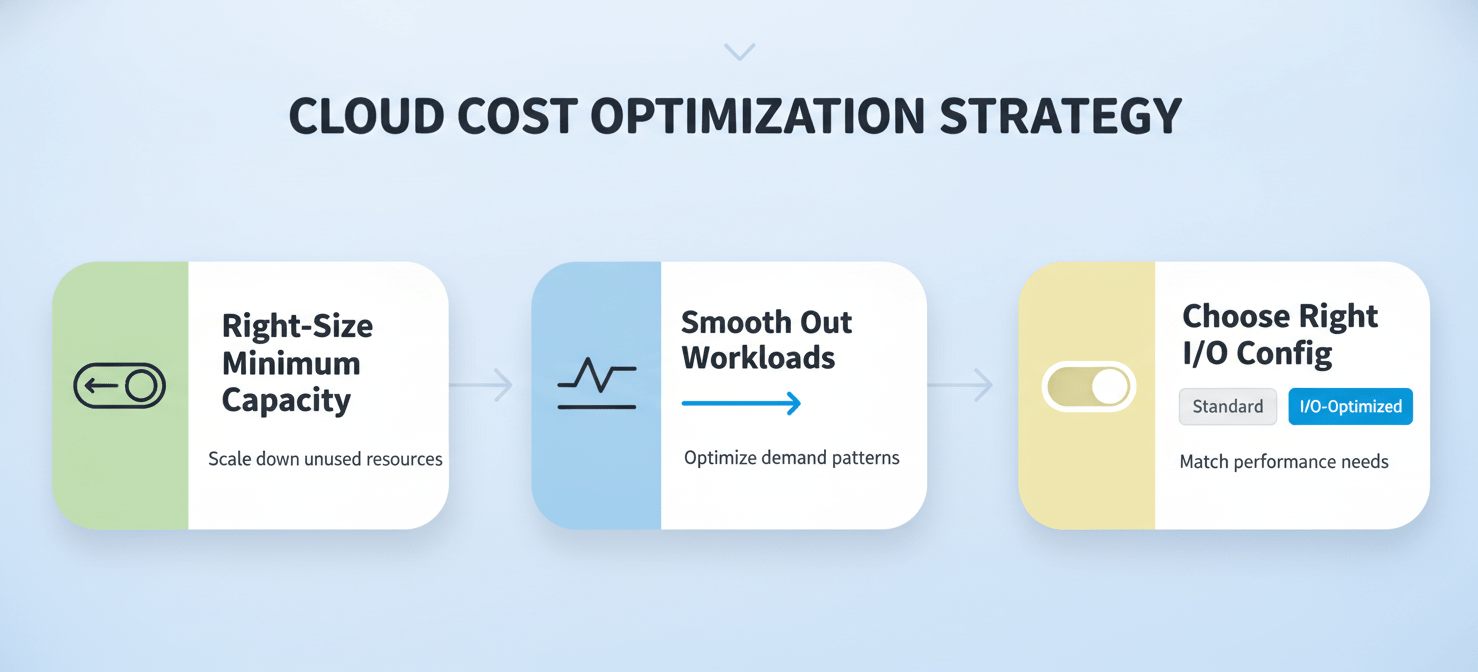
For non-production environments like development, testing, and staging, the minimum capacity should be set to the lowest possible value, which is 0.5 ACUs. This simple change can reduce baseline costs by 75% or more compared to a minimum of 2 ACUs. For production, analyze your CloudWatch metrics to find the true baseline usage during off-peak hours and set your minimum just above that. Avoid setting a high minimum just to handle potential spikes; that’s what the auto-scaling is for.
Smooth Out Your Workloads
If your application generates frequent, unnecessary spikes, it will drive up costs. Investigate the source of this activity.
- Batch Processing: Can you consolidate batch jobs to run less frequently? Instead of running a resource-intensive process every five minutes, perhaps it can run every hour.
- Connection Pooling: Ensure your application is using database connections efficiently. Services like the RDS Proxy can help manage connection pooling, though be aware that the proxy itself has a cost.
- Query Optimization: Poorly written queries can consume excessive CPU and I/O. Use tools like Aurora’s Performance Insights to identify and optimize expensive queries.
Choose the Right I/O Configuration
The decision between Standard and I/O-Optimized storage is a mathematical one.
- Use Cost Explorer to determine your I/O costs for the last month.
- Calculate what your ACU and storage costs would have been under the I/O-Optimized pricing model (which has higher rates).
- If the I/O-Optimized total is lower, make the switch. Remember, this is purely a billing change and does not impact performance or require downtime.
By systematically applying these diagnostic and optimization techniques, you can transform Aurora Serverless v2 from a budget liability into the cost-effective, scalable database it was designed to be.
Conclusion
Discovering a threefold Aurora Serverless v2 cost increase is a jarring experience, but it’s almost always a solvable problem. The issue rarely lies with the service itself, but rather with a mismatch between its “always-on, finely-grained” billing model and workload configurations carried over from a different paradigm. The culprits are typically a minimum capacity set too high for idle periods, unexamined I/O charges that spiral out of control, or spiky workloads that are expensive by nature. By using tools like Cost Explorer and CloudWatch to understand your actual usage patterns, you can make informed, data-driven decisions. Adjusting your minimum ACUs, optimizing your I/O configuration, and smoothing out application workloads are not one-time fixes but an ongoing discipline. Ultimately, taming the serverless beast isn’t about finding a magic bullet; it’s about treating database capacity as the metered utility it now is.

To truly treat your database capacity as the metered utility it is and proactively manage your Aurora Serverless v2 costs, you can schedule a personalized demonstration of our platform or begin a complimentary Binadox trial to start optimizing today.
 7-day free trial