



Navigating the world of Microsoft licensing can often feel complex, but it is essential for securely managing corporate devices. For organizations that allow iPhones to access company resources, understanding Intune and Azure AD P1 licensing is a critical first step. These two services work together to provide robust mobile device management (MDM) and secure access controls. Without the correct licenses, your organization’s data could be at risk, and you might miss out on key features that protect both your users and your network. This article breaks down what each license offers and why you likely need both for a comprehensive iPhone management strategy.
Key takeaways
- Two Halves of a Whole: Intune provides the device and application management (MDM/MAM), while Azure AD Premium P1 provides the identity and access control, most notably Conditional Access.
- User-Centric Licensing: Licenses are typically assigned per user, not per device. A single user license covers all their devices, including their iPhone, laptop, and tablet.
- Bundles Offer Value: Most organizations acquire these licenses through bundles like Enterprise Mobility + Security (EMS) E3 or Microsoft 365 E3, which is often more cost-effective than buying them standalone.
- Conditional Access is Key: The combination of Intune and Azure AD P1 allows you to enforce Conditional Access policies, which can, for example, block an iPhone from accessing corporate email if it doesn’t meet your security standards.
What is Microsoft Intune?
Microsoft Intune is a cloud-based service that focuses on endpoint management. Think of it as the tool that lets your IT team manage devices and applications. For iPhones, this means you can configure settings, enforce security policies, and deploy applications without needing physical access to the device.
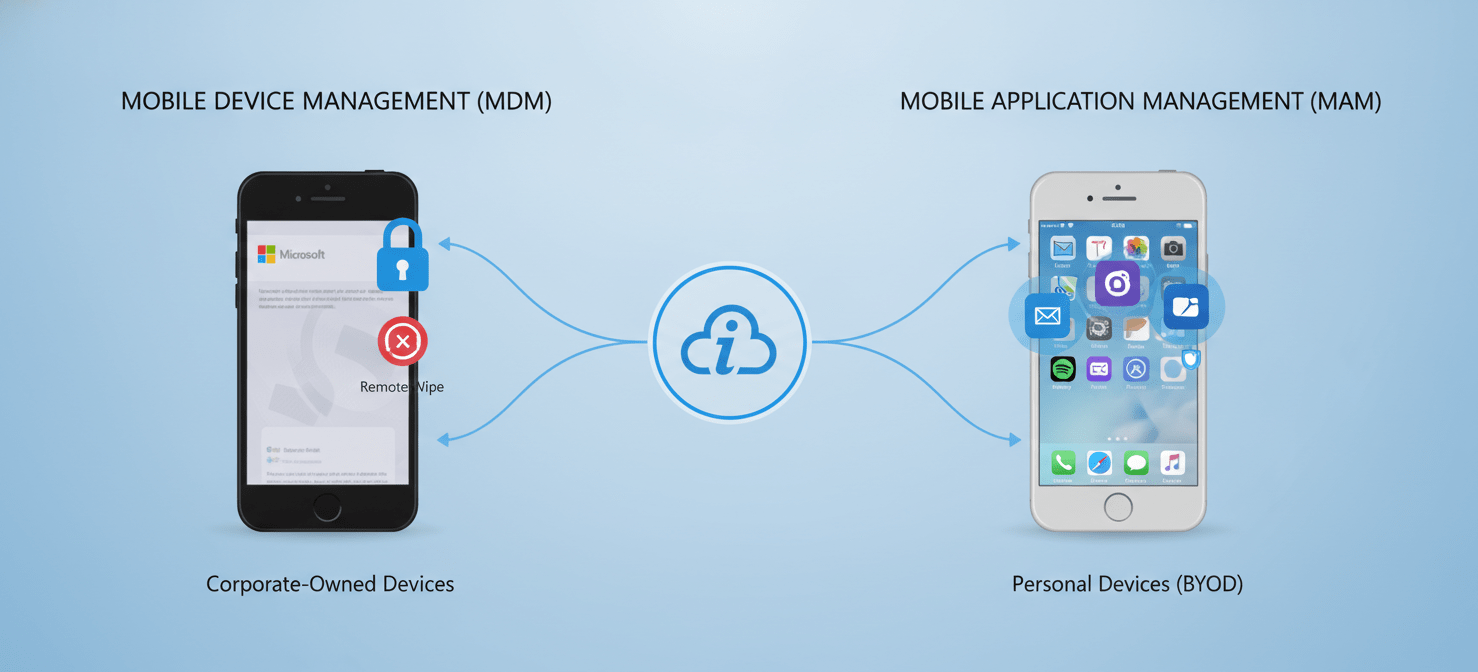
Intune’s capabilities are divided into two main areas:
- Mobile Device Management (MDM): This is for devices owned by the organization. With MDM, you have full control over the device. You can enforce passcodes, encrypt data, and even wipe the device remotely if it’s lost or stolen. This is ideal for corporate-issued iPhones.
- Mobile Application Management (MAM): This is designed for personal devices, a scenario often called Bring Your Own Device (BYOD). MAM allows you to manage and protect corporate data within specific applications without taking full control of the user’s phone. For example, you can prevent users from copying data from their Outlook app and pasting it into a personal app.
A standalone Intune license is required for any user or device that benefits from the service. Most businesses get Intune as part of a larger subscription bundle, such as Microsoft 365 E3 or Enterprise Mobility + Security (EMS) E3.
What is Azure AD Premium P1?
Azure Active Directory (Azure AD), now part of Microsoft Entra, is Microsoft’s cloud-based identity and access management service. While a free version of Azure AD is included with many Microsoft subscriptions, the premium versions unlock more powerful security features.
Azure AD Premium P1 (P1) is the first paid tier and provides critical features for managing a modern, mobile workforce. Its most important feature, when it comes to iPhone management, is Conditional Access.
The Power of Conditional Access
Conditional Access acts as a gatekeeper for your corporate resources. It uses “if-then” statements to enforce security policies in real-time. For example, you can create a policy that says:
- IF a user is trying to access Microsoft 365,
- AND they are using an iPhone,
- THEN they must use multi-factor authentication and the device must be marked as “compliant” by Intune.
This capability is what connects the device management world of Intune with the identity management world of Azure AD. An Azure AD P1 license is the minimum requirement to use Conditional Access.
Why You Need Both: Intune and Azure AD P1 Licensing
While Intune and Azure AD P1 can be purchased separately, their real power comes from using them together. Intune manages the health and security of the iPhone itself, while Azure AD P1 uses that information to make smart decisions about who gets access to what.
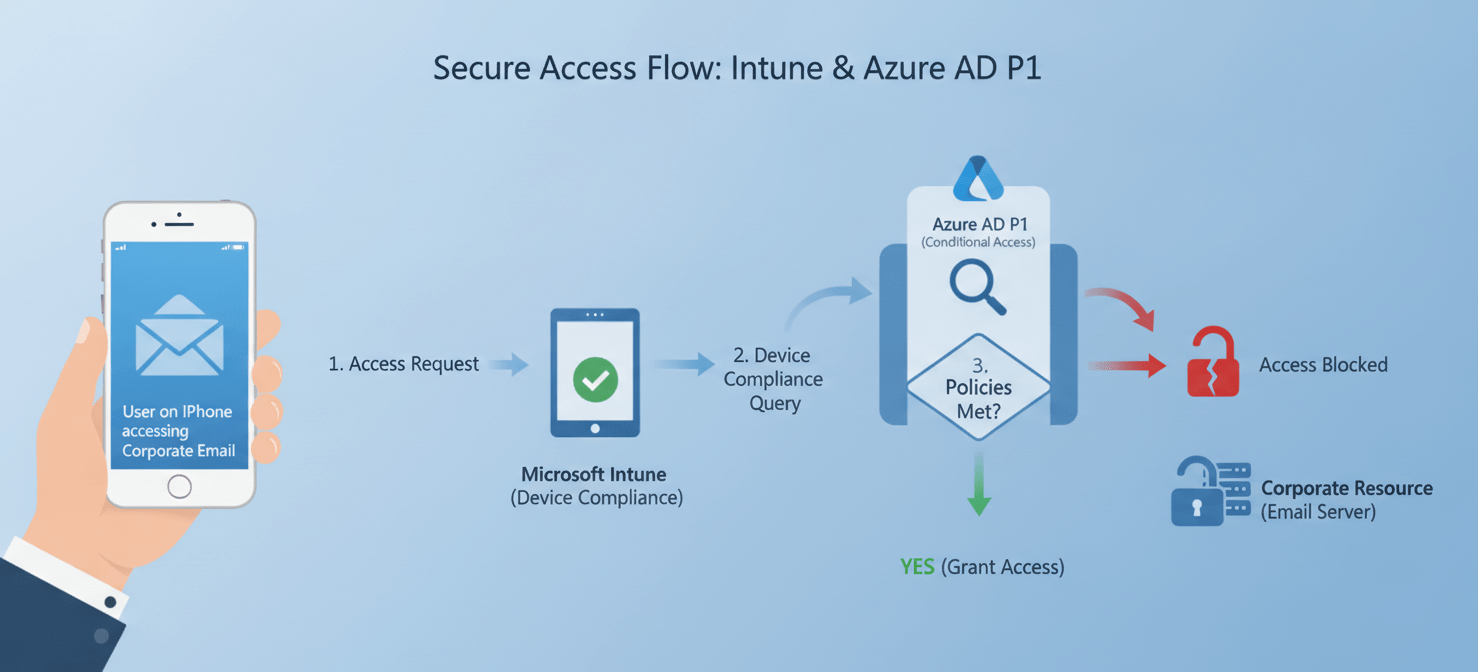
Here’s a practical example:
- Your team uses Intune to set a compliance policy that requires all iPhones to have a six-digit PIN and be running the latest version of iOS.
- An employee tries to log into their corporate email on their iPhone.
- Azure AD’s Conditional Access policy checks the signal from Intune.
- If Intune reports that the iPhone is compliant (it has the required PIN and iOS version), the user is granted access.
- However, if the iPhone is not compliant, Conditional Access can block access until the user fixes the issue.
Without Intune, Azure AD has no way of knowing the security posture of the device. And without Azure AD P1, Intune can manage the device, but it can’t enforce access rules based on that management. Therefore, the combination provides a robust, identity-driven security solution.
How Licensing Works for iPhones
Microsoft’s licensing model is primarily user-based. This means you typically assign a license to a user, and that license covers all the devices they use, whether it’s an iPhone, a Windows laptop, or an Android tablet. This simplifies management significantly.
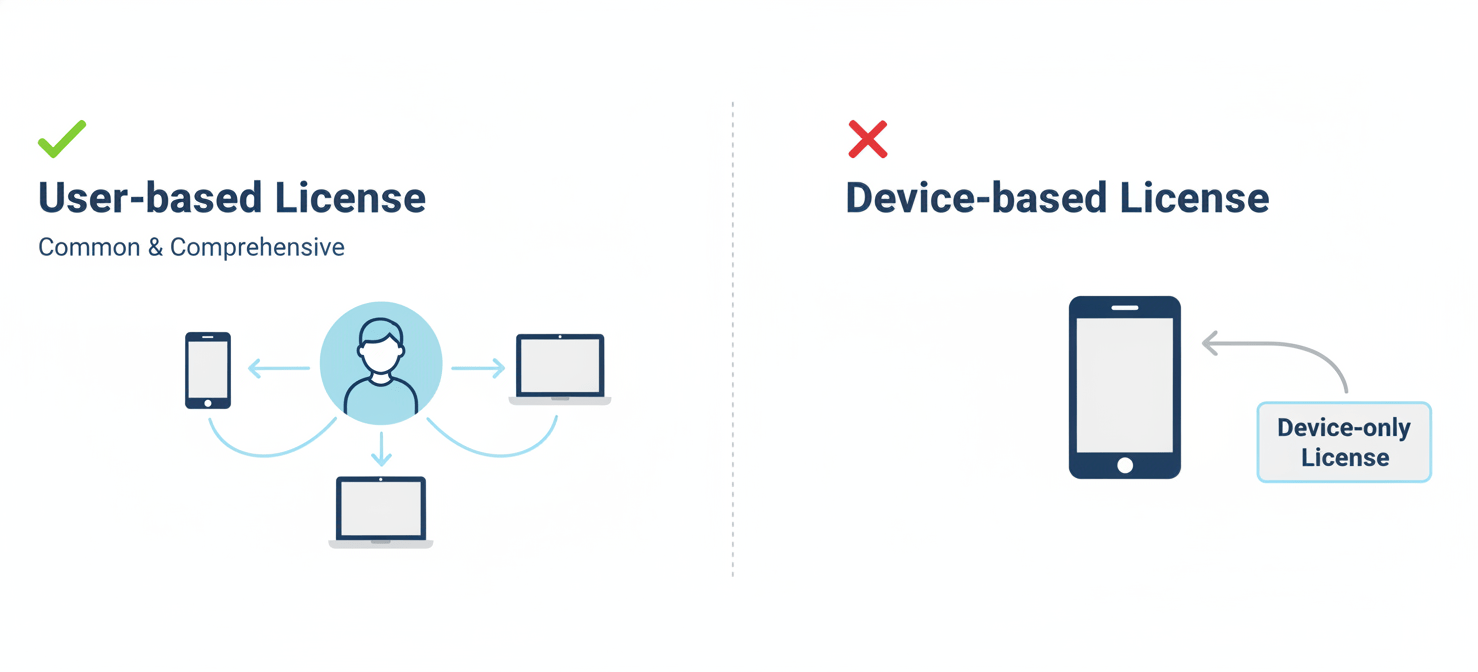
For scenarios where an iPhone is not assigned to a specific user, such as a shared device in a conference room or a kiosk, Intune offers a device-only license. However, these device-only licenses have limitations and do not support user-based features like Conditional Access or app protection policies. For most corporate and BYOD iPhones, a user-based license is the correct approach.
The most common way to acquire the necessary licenses is through a bundle. The Enterprise Mobility + Security (EMS) E3 suite includes both Microsoft Intune and Azure Active Directory Premium P1. Alternatively, Microsoft 365 E3 also includes both of these services, along with Office 365 apps and Windows Enterprise.
Taming “Shadow IT” with Proper Licensing
“Shadow IT” refers to the use of technology, devices, and software without the explicit approval of the IT department. An employee using their personal iPhone to access corporate email on an unmanaged mail app is a classic example. This creates significant security risks.
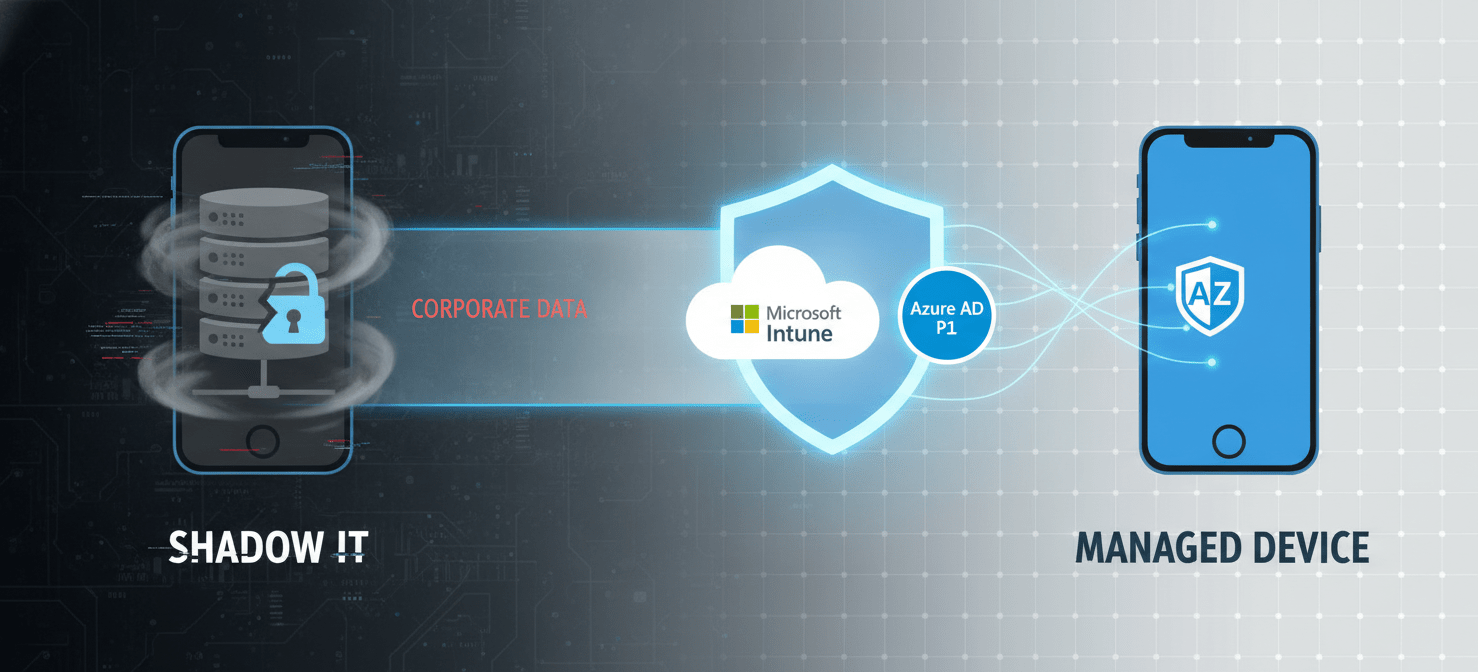
Proper mdm licensing for shadow it is the first step in gaining control. By enforcing Conditional Access policies, you can require that any iPhone accessing corporate data must be enrolled in Intune. This brings the device out of the shadows and under management.
Once enrolled, Intune can ensure the device meets security standards, and MAM policies can protect corporate data within approved applications. For instance, you can block unmanaged apps from accessing corporate data or require that data in managed apps be encrypted. This allows you to embrace the productivity benefits of employees using their own devices while mitigating the associated risks.
Conclusion
In the end, managing iPhones in a corporate setting isn’t just about pushing a few settings. It’s about building a secure framework where access is granted based on trusted identities and compliant devices. The combination of Intune and Azure AD P1 licensing provides this exact framework. Intune tells you if a device is safe, and Azure AD P1’s Conditional Access listens and acts as the intelligent gatekeeper. Neglecting one part of this duo leaves a significant gap in your security. So, instead of viewing them as separate expenses, see them as two essential components of a single, cohesive endpoint security strategy. After all, a managed device without access control is just a well-decorated open door.
To fully implement this robust, identity-driven security solution for your iPhones, you can easily create your free Binadox account to begin, or for a guided walkthrough, book a demo with our experts.
 7-day free trial