



Amazon S3 lifecycle policies are a powerful tool for automating storage costs. You set a rule, and AWS automatically moves your data to cheaper, colder storage tiers over time. But what happens when that automation fails? Instead of saving money, you could find your bill creeping up due to misconfigured rules, hidden fees, or objects that stubbornly refuse to transition. If your S3 lifecycle policy not working as expected is causing budget headaches, you’re in the right place. This guide breaks down the common failure points and provides a clear path to getting your storage costs back under control.
Key takeaways
- Timing is everything: Lifecycle rules don’t run instantly. They are evaluated once daily around midnight UTC, and it can take up to 48 hours for a new or updated policy to fully apply to all eligible objects.
- Size matters (a lot): By default, S3 lifecycle rules will not transition objects smaller than 128 KB. This can leave millions of small files in the more expensive S3 Standard tier, leading to unexpected costs.
- Hidden fees exist: Each object transition incurs a small per-request fee. For buckets with millions of objects, these transition costs can sometimes outweigh the storage savings for the first month.
- Check your prefixes: A simple typo or case-sensitivity mismatch in your rule’s prefix filter can cause the entire policy to fail silently.
Why Your S3 Lifecycle Policy Is Costing You More Than It Saves
The promise of S3 lifecycle policies is simple: automate data tiering to save money. However, several factors can turn this cost-saving mechanism into a source of unexpected expenses. Understanding these pitfalls is the first step toward fixing them.

One of the most common issues is the handling of small objects. Many storage classes, like S3 Standard-Infrequent Access (Standard-IA), have a minimum billable object size of 128 KB. If your lifecycle policy moves a 10 KB file to Standard-IA, you’ll still be billed for 128 KB of storage. Furthermore, AWS applies a default 128 KB minimum size for transitions, meaning tiny files won’t move at all unless you explicitly override this setting. As a result, countless small log files or user uploads can remain in the pricier S3 Standard tier indefinitely.
Another factor is transition costs. While moving data to cheaper storage sounds like a clear win, AWS charges a fee for every object transitioned. For a bucket containing millions of small files, the one-time cost of moving them can add up significantly, potentially negating the savings for a period.
Finally, there are minimum storage duration charges. Storage classes like Standard-IA and the Glacier tiers have minimum storage periods (e.g., 30 days for Standard-IA). If you transition an object and then delete it before this minimum period ends, you are still billed for the full duration. This can lead to unexpected s3 tiering costs if your data lifecycle doesn’t align with these minimums.
Common Misconfigurations and How to Spot Them
Often, an S3 lifecycle policy isn’t “broken” but simply misconfigured. These subtle errors can be hard to spot but have a major impact on your bill.
Incorrect Prefix and Tag Filters
Lifecycle rules rely on filters to target specific objects, most commonly by prefix (the “folder” path) or object tags. A tiny mistake here can invalidate the entire rule.
- Case Sensitivity: Prefix filters are case-sensitive. A rule looking for
logs/will not match objects in a folder namedLogs/. - Slashes Matter: A filter for
imagesis different fromimages/. The latter correctly targets objects within the “images” folder. An incorrect slash can cause the rule to apply to the wrong objects or no objects at all. - No Wildcards: You cannot use wildcards like
*in a prefix filter.
Versioning Complications
If your bucket has versioning enabled, your lifecycle policy needs to be more nuanced. A simple rule to “expire objects after 90 days” might only apply to the current version of an object. This leaves all the non-current (old) versions untouched and accumulating storage costs. A comprehensive policy must include separate actions for non-current versions and also for cleaning up expired object delete markers.
The 48-Hour Rule Delay
Patience is a virtue when working with S3 lifecycle policies. After you create or update a rule, it doesn’t take effect immediately. AWS runs lifecycle evaluations once a day (around midnight UTC), and it can take 24 to 48 hours for the changes to propagate and actions to begin. If you check on a rule after only a few hours and see no changes, it’s likely not broken—it just hasn’t run yet.
S3 Lifecycle Policy Not Working? A 5-Step Troubleshooting Checklist
When your costs are rising and objects aren’t moving, it’s time for a systematic check. Follow these five steps to diagnose and fix the problem.
-
Verify Rule Syntax and Filters: Double-check your rule’s JSON or console configuration. Look for typos, case-sensitivity issues in prefixes, and incorrect tag filters. Ensure the rule is marked as “Enabled.” A surprisingly common issue is a disabled rule or a silent error from a previously added empty rule.
-
Check Object Age and Size: Confirm that the objects you expect to transition meet the rule’s criteria. Remember the 30-day minimum storage duration for transitions to Standard-IA. Crucially, check if the objects are smaller than 128 KB. If so, they won’t transition by default.
-
Review Bucket Versioning Settings: If versioning is on, does your rule explicitly manage non-current versions? Without a specific rule, old versions will never be transitioned or deleted, leading to what feels like an s3 lifecycle costs more scenario.
-
Wait for the Execution Cycle: Have you waited at least 48 hours since enabling the policy? Lifecycle rules are not real-time and require patience. Check the object’s properties in the S3 console; for objects scheduled for expiration, you may see an “Expiration date” field.
-
Use Monitoring Tools: Leverage AWS tools to get clarity.
- Amazon S3 Storage Lens: Provides detailed analytics on your storage usage, including a breakdown of objects by storage class and count. This can help you see if transitions are happening as expected.
- AWS Cost Explorer: Analyze your S3 costs over time. Filter by storage class to see if costs for S3 Standard are decreasing while costs for infrequent-access tiers are increasing.
- AWS CloudTrail: Monitor API activity. While lifecycle actions are internal S3 processes, you can check CloudTrail for any “AccessDenied” errors that might indicate a permissions issue preventing S3 from performing the lifecycle actions.
Alternative Cost-Saving Strategies Beyond Basic Lifecycle Rules
If standard lifecycle policies aren’t a perfect fit for your workload, AWS offers more advanced and flexible options.
S3 Intelligent-Tiering
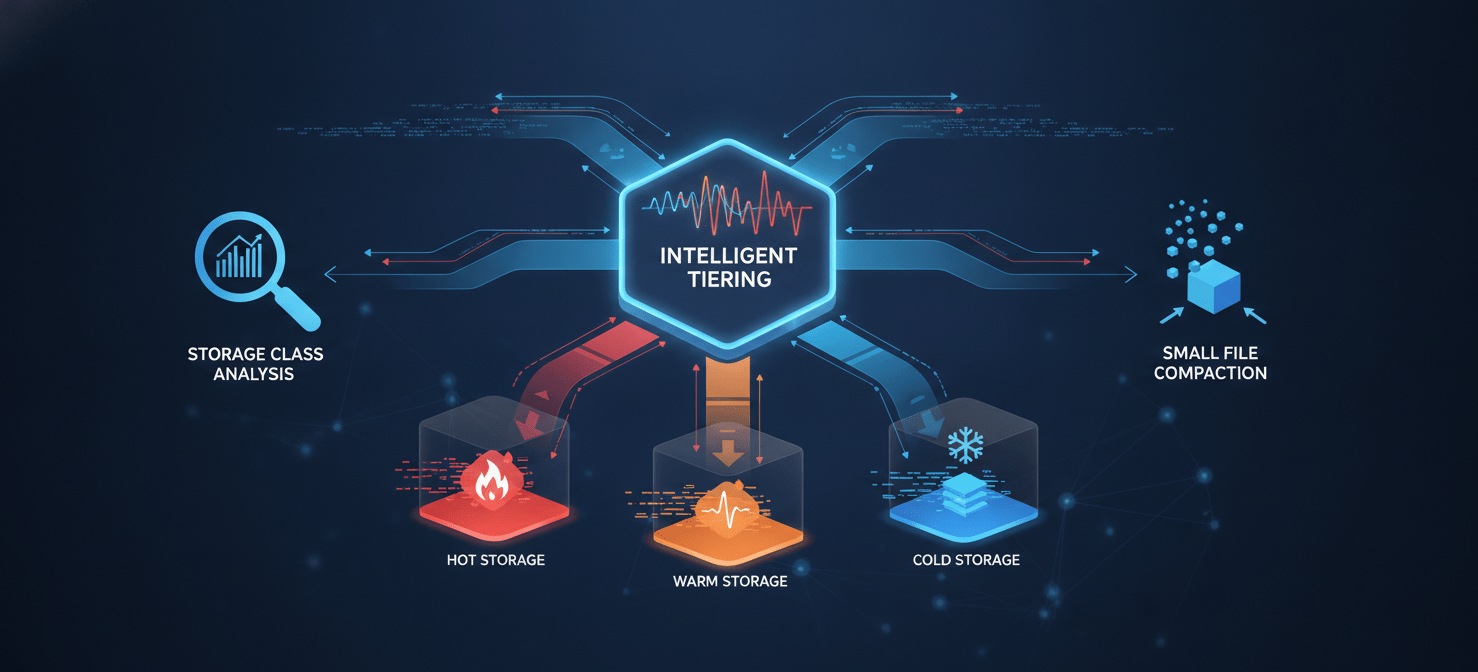
For data with unknown or unpredictable access patterns, the S3 Intelligent-Tiering storage class is often a better choice. Instead of a fixed rule, this storage class automatically moves objects between frequent and infrequent access tiers based on actual usage patterns. It costs a small monthly fee per object for monitoring and automation, but it eliminates the guesswork of creating lifecycle rules and avoids transition fees when objects are accessed and moved back to the frequent tier.
S3 Storage Class Analysis
If you prefer to maintain control with lifecycle policies but aren’t sure what those policies should be, use S3 Storage Class Analysis. This feature monitors data access patterns over a period (e.g., 30 or 60 days) and then provides recommendations for lifecycle rules. It helps you make data-driven decisions, suggesting, for example, that objects with a certain prefix are rarely accessed after 60 days and are good candidates for moving to Standard-IA.
Compacting Small Objects
For workloads that generate millions of small files, the 128 KB minimums and per-object transition fees can make lifecycle policies inefficient. A more advanced strategy is to implement a process that compacts these small files into larger ones (like Apache Parquet or ORC files) before they are transitioned. This reduces the number of objects and ensures each one is large enough to benefit from tiering, significantly lowering both transition and storage costs.
Conclusion: Stop Guessing, Start Measuring
When you find your S3 lifecycle policy not working, the root cause is rarely a bug in AWS. More often, it’s a subtle misconfiguration, a misunderstanding of the rules, or a mismatch between the policy and the actual data characteristics. The hidden costs of small files, transition fees, and minimum storage durations can easily turn a cost-saving tool into a financial drain.
The solution is to move from assumption to analysis. Instead of setting a lifecycle policy and hoping for the best, use tools like S3 Storage Lens and Cost Explorer to validate its impact. For unpredictable workloads, let S3 Intelligent-Tiering manage the complexity for you. A well-managed S3 environment isn’t about setting rules and forgetting them; it’s about observing, measuring, and refining your strategy. After all, the only thing worse than paying for storage you don’t need is paying even more for a broken automation that was supposed to save you money.
To truly move beyond assumptions and optimize your S3 costs, you can pick a time with our experts to discuss your specific challenges or start your free Binadox trial to experience our platform’s capabilities firsthand.
 7-day free trial