



The acquisition of VMware by Broadcom has fundamentally changed how organizations pay for virtualization. The previous model of perpetual, per-socket licensing is gone, replaced by a mandatory subscription model based on CPU cores. This shift requires a new approach to managing your environment and budget. Understanding the new vmware core licensing costs is the first step toward adapting to this new reality and keeping your infrastructure spending under control.
Key takeaways
- Subscription is Mandatory: All VMware software is now sold on a subscription basis; perpetual licenses and their support renewals (SnS) have been eliminated.
- Licensing is Per-Core: Costs are now calculated based on the total number of physical CPU cores, with a mandatory minimum of 16 cores licensed per CPU, regardless of the actual core count.
- Product Bundling is the New Norm: Over 160 individual VMware products have been consolidated into two main packages: VMware vSphere Foundation (VVF) and VMware Cloud Foundation (VCF).
- Cost Increases Are Significant: Many organizations report renewal cost increases of 2x to 5x, with smaller deployments being hit particularly hard by the new minimums.
The Big Shift: From Sockets to Cores
For years, VMware licensing was relatively straightforward: you paid per physical CPU socket. This model was predictable. However, the new Broadcom era has introduced a significant change—the move from a socket-based metric to a core-based one. This is more than a simple terminology swap; it represents a fundamental change in the economics of your virtual environment.
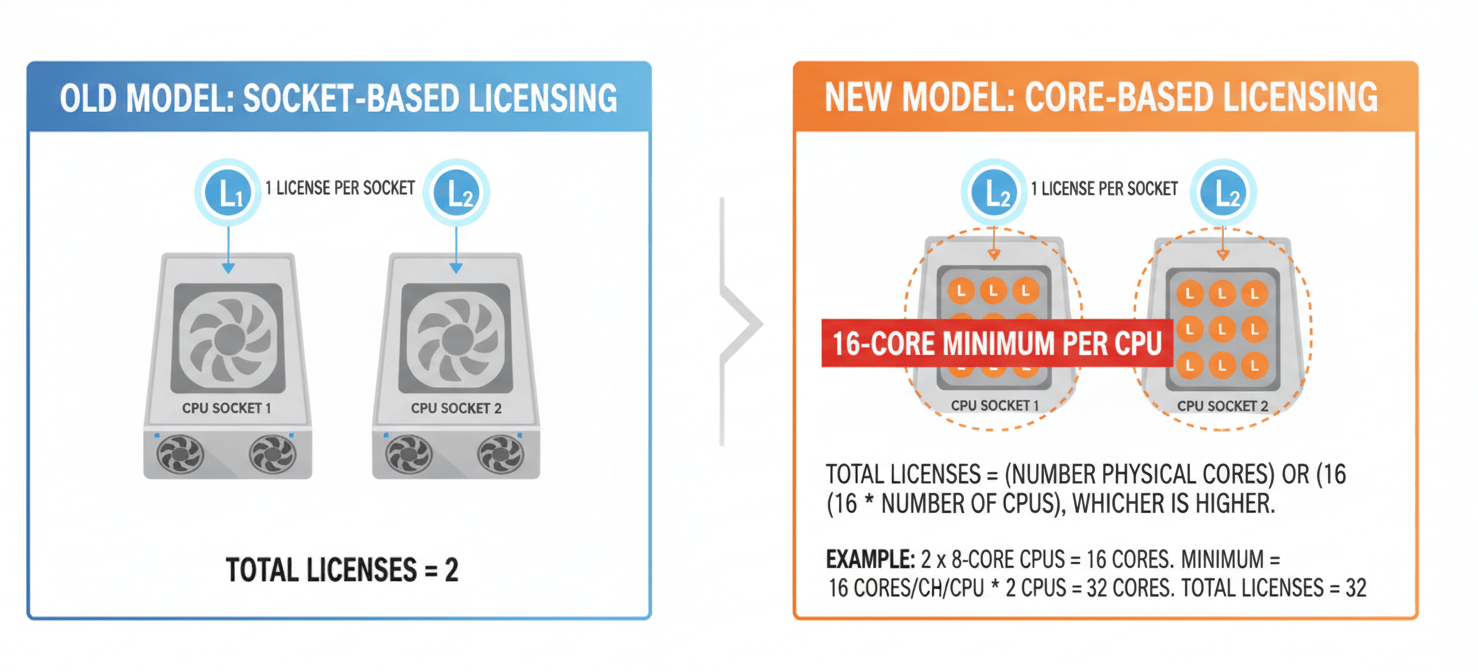
Instead of licensing a CPU socket, you must now license every physical core within that CPU. This change directly impacts organizations running modern servers with high-core-count processors. A server that once required only two licenses (one for each socket) might now require 64, 96, or even more core licenses.
Furthermore, Broadcom has implemented a crucial rule: a minimum of 16 core licenses must be purchased for every physical CPU. If your CPUs have fewer than 16 cores—for instance, 8 or 12—you are still required to license them as if they had 16. This “16-core floor” can lead to paying for licensed capacity that doesn’t physically exist, a situation some refer to as “ghost cores.”
Understanding the New VMware Core Licensing Costs
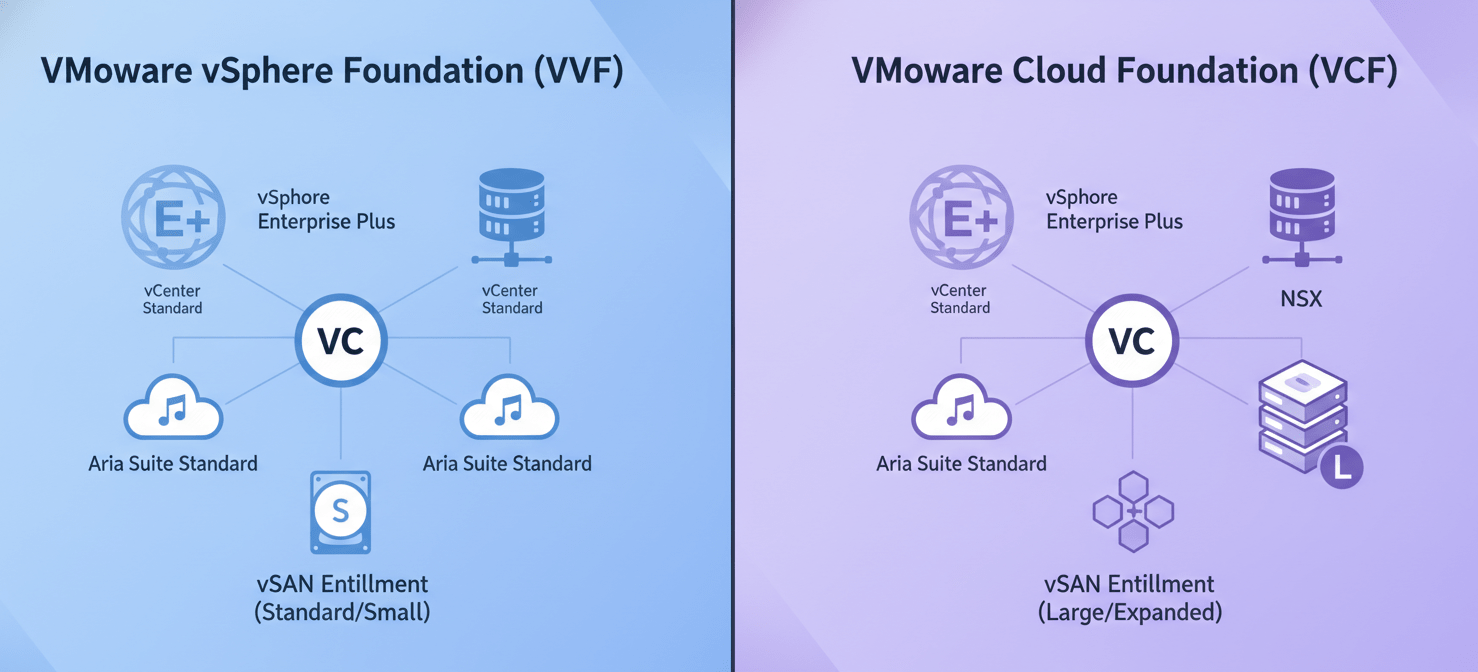
Under the new structure, Broadcom has simplified VMware’s extensive product catalog into two primary offerings: VMware vSphere Foundation (VVF) and VMware Cloud Foundation (VCF). Gone are the days of purchasing standalone products like vSphere Enterprise Plus à la carte. Instead, you subscribe to a bundle.
VMware vSphere Foundation (VVF)
VVF is the entry-level offering, providing the core components for server virtualization. It bundles vSphere Enterprise Plus, vCenter Standard, and Aria Suite Standard. VVF also includes a limited vSAN entitlement of 0.25 TiB of storage capacity for each licensed core. This bundle is designed for organizations that need robust virtualization and management but have separate storage solutions or less complex networking requirements.
VMware Cloud Foundation (VCF)
VCF is the flagship, all-inclusive private cloud platform. It contains everything in VVF plus advanced networking (NSX), and a more substantial vSAN entitlement of 1 TiB per licensed core. VCF is positioned as the solution for building a full software-defined data center. However, this comprehensive feature set comes at a higher per-core price point, forcing many customers to pay for components they may not need.
In addition to the 16-core-per-CPU minimum, some reports indicate a 72-core minimum per order, which can disproportionately affect small businesses or those with edge deployments. This means even a single server with one 8-core CPU could require a 72-core license subscription, dramatically increasing the entry-level cost.
How to Calculate Your New Licensing Needs
Calculating your new licensing requirement is a critical exercise. It requires a detailed inventory of your hardware. The process is no longer about counting sockets; it’s about counting every physical core.
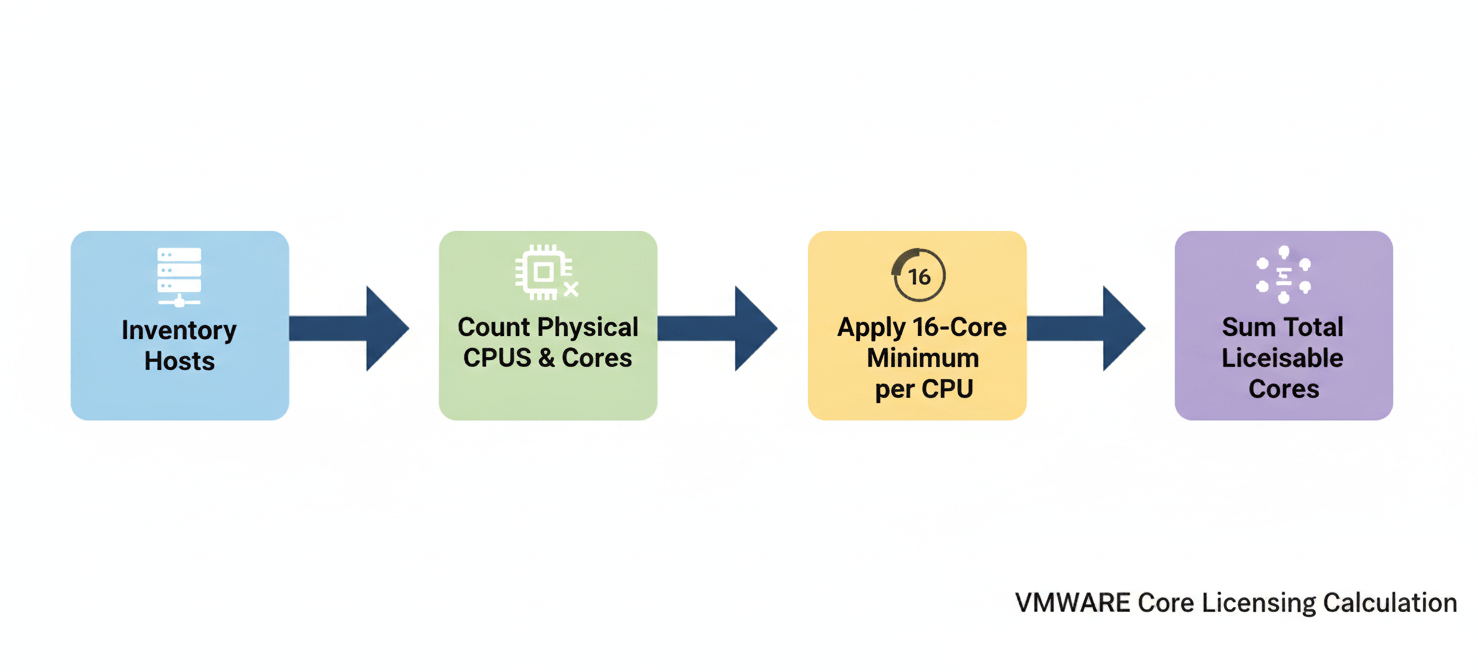
Here is a step-by-step method to determine your needs:
- Inventory Your Hosts: First, create a complete list of every ESXi host you intend to license.
- Count CPUs and Cores: For each host, identify the number of physical CPUs (sockets) and the number of physical cores per CPU. Do not count logical processors from hyper-threading.
- Apply the 16-Core Minimum: For each CPU, determine the number of cores to be licensed. If the physical core count is less than 16, you must round up to 16. If it is 16 or more, use the actual physical core count.
- Sum the Totals: Finally, add the licensable core counts from all CPUs across all your hosts. This final number is the total quantity of core licenses your organization must subscribe to.
For example, consider a cluster of three servers, each with two 12-core CPUs.
- Old Model (Per-Socket): 3 servers x 2 CPUs/server = 6 CPU licenses.
- New Model (Per-Core): Each 12-core CPU must be licensed as 16 cores. Therefore, the calculation is 3 servers x 2 CPUs/server x 16 cores/CPU = 96 core licenses.
Broadcom provides a License Calculator to help with these simulations.
Strategies for Adapting and Optimizing Costs
The shift to a subscription, per-core model necessitates a strategic response. Simply renewing without analysis can lead to significant and unnecessary spending. Your team should consider several proactive strategies.
Consolidate and Modernize Hardware
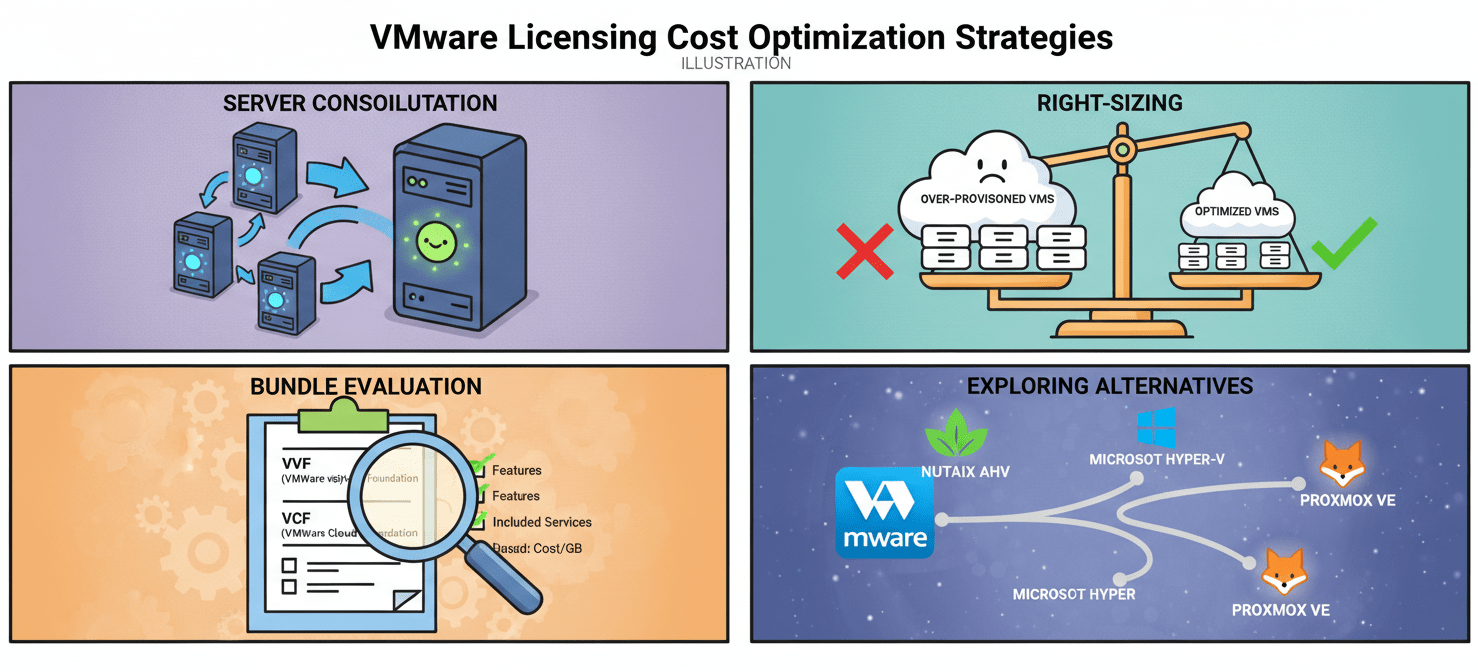
The 16-core minimum penalizes servers with low core counts. Therefore, consolidating workloads from multiple older servers onto fewer, more modern servers with higher core densities can yield significant savings. By reducing the number of physical CPUs, you reduce the number of times the 16-core minimum is applied. This makes hardware refresh cycles a critical component of license optimization.
Right-Size Your Environment
Conduct a thorough audit of your virtual machine inventory. Many environments contain over-provisioned or unused VMs. By identifying and decommissioning these “zombie” VMs, you may be able to reduce your overall hardware footprint, which in turn lowers your core licensing requirements.
Evaluate Your Bundle Needs
Carefully assess whether your organization truly needs the full suite of tools in VMware Cloud Foundation. If you do not use software-defined networking (NSX) or have a separate storage solution, vSphere Foundation may be a more cost-effective choice. Avoid paying for shelfware by aligning your subscription to your actual usage.
Explore Alternatives
The dramatic price increases are prompting many organizations to evaluate alternative hypervisors for the first time in years. Options range from enterprise-grade solutions like Nutanix AHV and Microsoft Hyper-V to open-source platforms like Proxmox. While migration involves effort and risk, for some workloads, the long-term savings may justify the transition.
Conclusion
The era of predictable, socket-based VMware licensing is over. Broadcom’s new model has introduced significant changes, and adapting requires a proactive and analytical approach. By understanding the new rules, accurately calculating your needs, and strategically optimizing your hardware and software footprint, your team can navigate this transition. The key is to move from a passive renewal mindset to active management of your virtualization stack. Ignoring the new reality of vmware core licensing costs is no longer an option; the bill for that oversight will eventually come due, and it will be higher than you think.
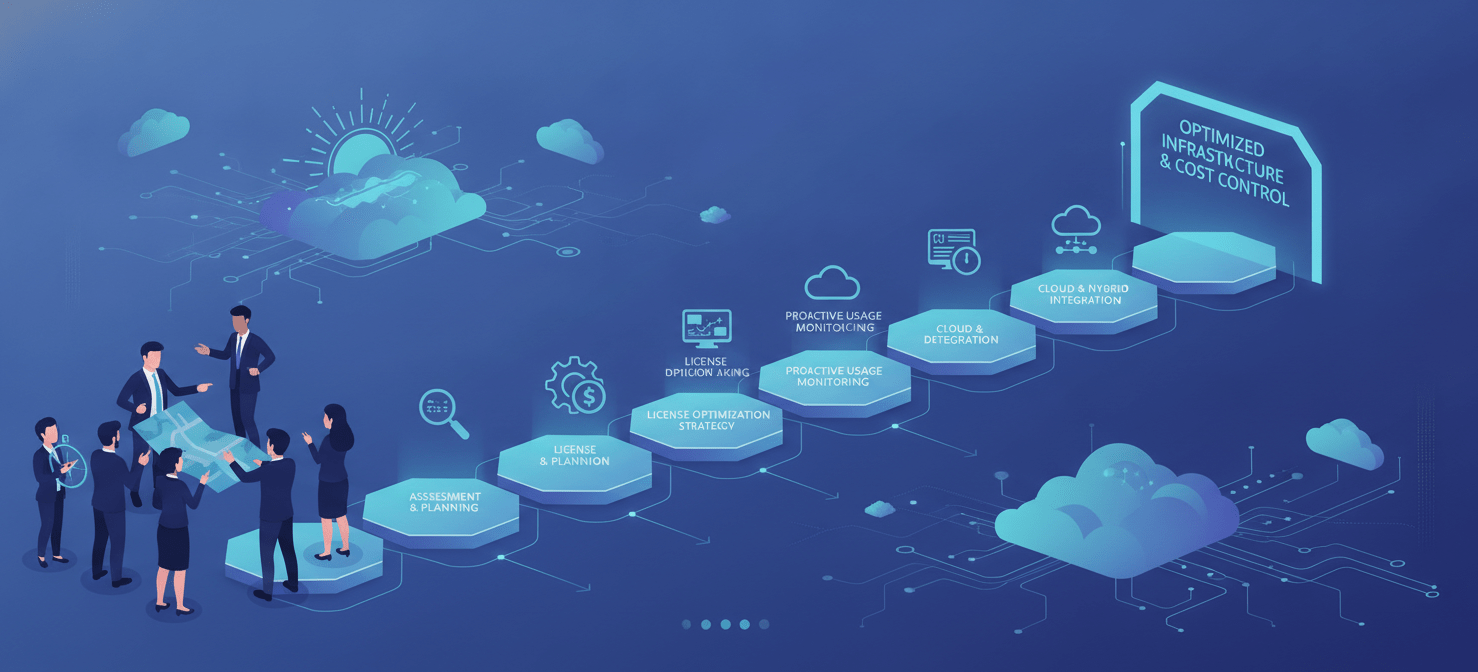
To effectively manage these evolving costs and ensure your infrastructure remains optimized, consider how Binadox can help you gain clarity and control over your software spending. You can explore our platform’s capabilities by starting a free trial or by scheduling a personalized demonstration with our experts.
 7-day free trial