



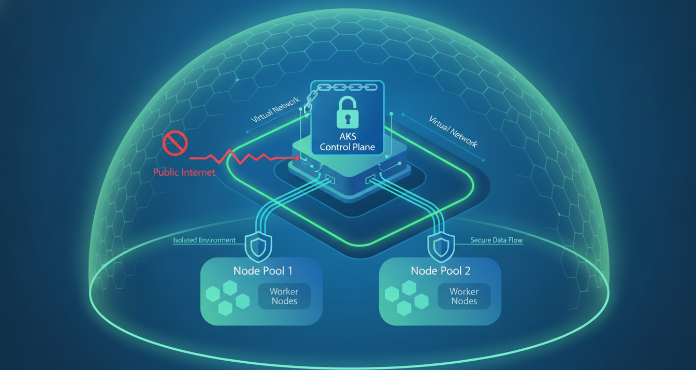
Running workloads in Azure Kubernetes Service (AKS) offers significant flexibility, but a default cluster deployment exposes the Kubernetes API server to the public internet. This public endpoint, while convenient, creates a potential attack surface. For any organization prioritizing a strong security posture, addressing this exposure is not just a best practice—it’s a necessity. This is where private AKS clusters provide a foundational layer of security, ensuring management traffic stays off the public internet.
By making the cluster’s control plane accessible only within your private network, you dramatically reduce its visibility to external threats. This article provides a practical guide to understanding, creating, and managing private AKS clusters for a more secure Kubernetes environment.
Key takeaways
- Private AKS clusters eliminate the public endpoint for the Kubernetes API server, restricting all management traffic to your private virtual network (VNet).
- The core technology enabling this is Azure Private Link, which connects your VNet to the AKS control plane via a private endpoint.
- Setup involves 6 key stages: VNet creation, cluster deployment with the
--enable-private-clusterflag, verification, configuring access, setting up DNS, and establishing CI/CD pipelines. - Accessing a private cluster requires a connection from within the VNet, using methods like a jump box VM, Azure Bastion, or a VPN.
What Are Private AKS Clusters and Why Use Them?
A private AKS cluster is a configuration where the Kubernetes API server is not exposed to the public internet. Instead, it is assigned a private IP address within your Azure Virtual Network (VNet). All communication between your developer tools (like kubectl), your node pools, and the API server remains on the private network. This architectural shift from a public to a private endpoint is the key to its security benefits.
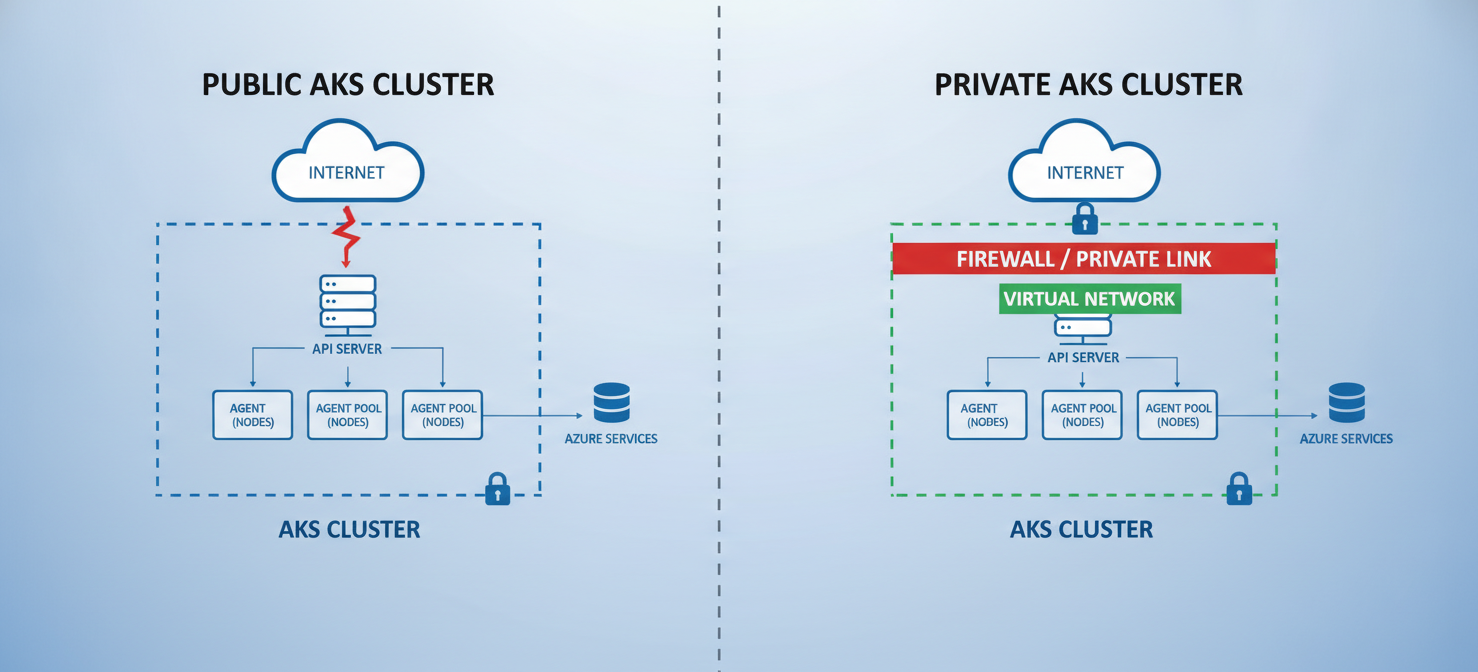
The primary reason to use a private Kubernetes environment is to reduce the attack surface. A publicly accessible API server is a target for unauthorized access attempts and denial-of-service attacks. By making the API server invisible to the public internet, you effectively eliminate this entire class of threats. For organizations in regulated industries like finance or healthcare, or those handling sensitive data, isolating the control plane is often a compliance requirement. Traffic between the node pools and the API server is also forced to stay within the private network, preventing potential interception on the internet.
Core Components of Private AKS Clusters
Several Azure services work together to create and manage a private AKS setup. Understanding these components is key to a successful deployment.
Azure Private Link and Private Endpoint
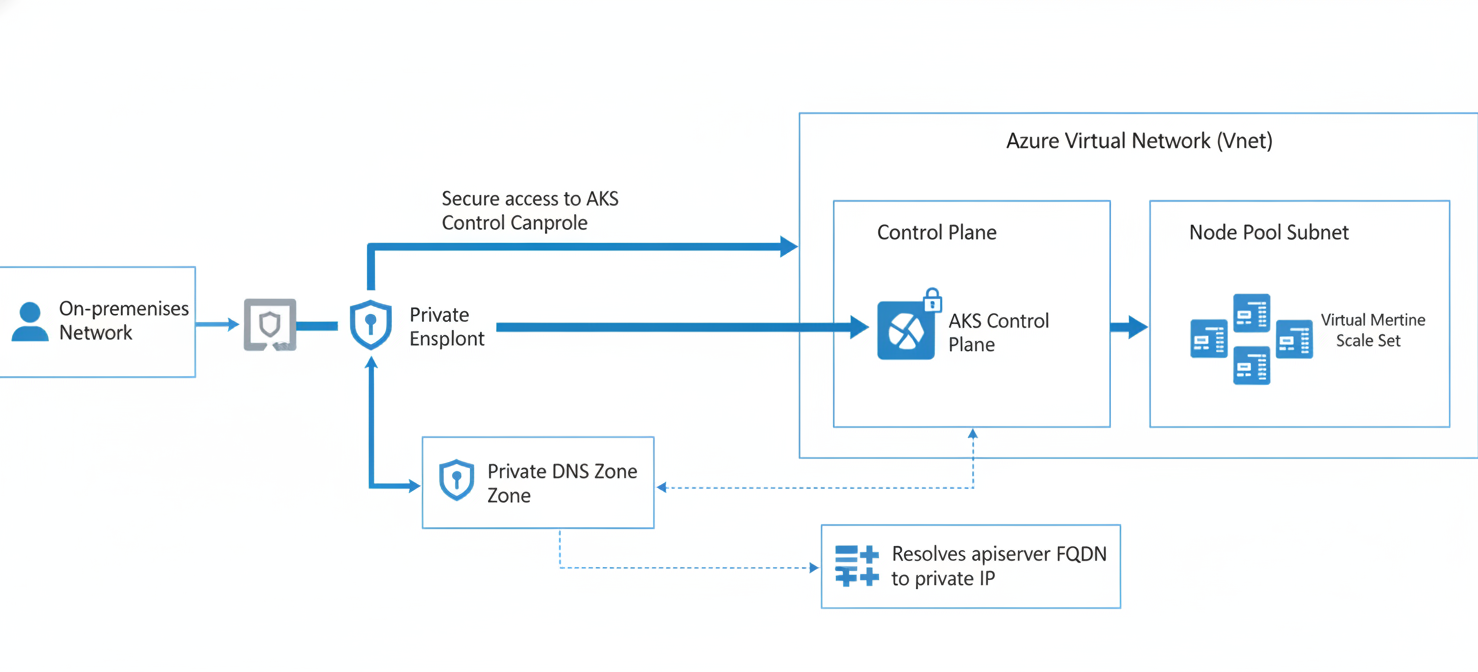
The foundational technology is Azure Private Link. It allows you to access Azure PaaS services—in this case, the AKS-managed control plane—over a private endpoint in your VNet. When you create a private cluster, AKS automatically provisions a private endpoint in your cluster’s subnet. This endpoint is a network interface with a private IP address from your VNet’s address space, acting as the entry point to the API server.
Virtual Network (VNet) Integration
Your private cluster is intrinsically tied to an Azure VNet. The node pools (the VMs that run your applications) reside in one or more subnets within this VNet. The private endpoint for the API server is also placed in a subnet within this VNet. This tight integration ensures that all components can communicate securely using private IP addresses.
Private DNS Zone
For your tools and nodes to find the API server using its fully qualified domain name (FQDN), DNS resolution is critical. When you create a private cluster, AKS can automatically create and link a Private DNS Zone to your VNet. This zone contains the ‘A’ record that maps the API server’s FQDN to its private IP address. This setup ensures that any DNS query for the API server from within the VNet resolves to the internal private endpoint, not a public IP.
Step-by-Step: How to Create Private AKS Clusters
Creating a private AKS cluster can be done through the Azure CLI, ARM templates, or the Azure Portal. The Azure CLI provides a direct and repeatable method.
Prerequisites
Before you begin, ensure you have the Azure CLI installed and are logged into your Azure account. You will need sufficient permissions to create resource groups, virtual networks, and AKS clusters.
Creation Steps
- Create a Resource Group and Virtual Network: First, you need a VNet with at least one subnet for the AKS nodes. It’s a good practice to plan your IP address space carefully.
- Deploy the Cluster: The key to creating a private cluster is the
--enable-private-clusterflag in theaz aks createcommand. This tells Azure to provision the control plane without a public IP and to set up the necessary private endpoint.az aks create \ --resource-group myResourceGroup \ --name myPrivateAKSCluster \ --load-balancer-sku standard \ --enable-private-cluster \ --network-plugin azure \ --vnet-subnet-id $SUBNET_ID - Verify the Configuration: After the deployment completes, you can verify that the cluster is private. The
fqdnfield will show the private domain, and theprivateFqdnwill be the primary address for the API server. You will notice there is no public IP address associated with the control plane.
For teams that prefer an even more streamlined setup, AKS also offers an “Automatic” cluster mode which pre-configures many security defaults.
Networking and DNS Resolution in a Private Setup
In a private AKS environment, networking is more complex than in a public one. Since the API server has no public IP, you must establish a network path to it from wherever you run your management tools.
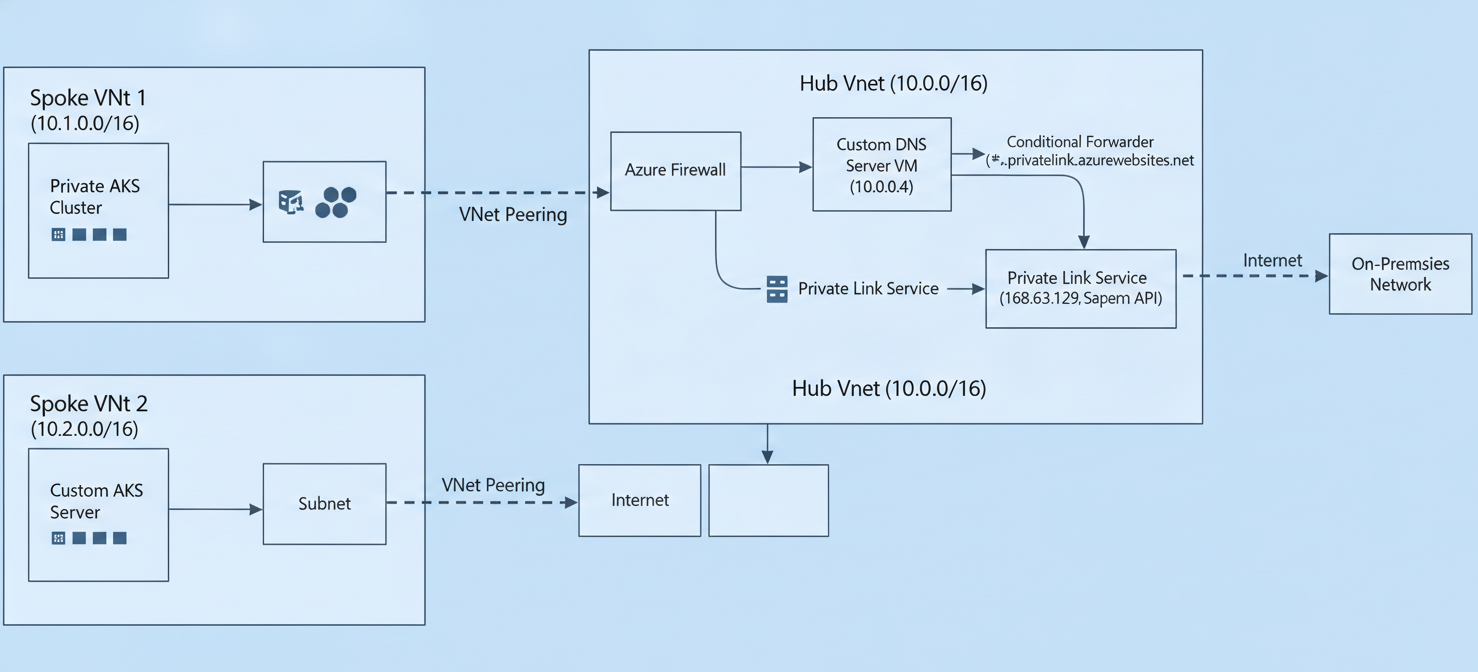
Hub-and-Spoke Architecture
Many organizations use a hub-and-spoke network topology in Azure. In this model, a central “hub” VNet contains shared services (like firewalls or DNS forwarders), and various “spoke” VNets host workloads, including your AKS cluster. To manage a private cluster from a different network (like the hub or an on-premises network), you must configure VNet peering or a VPN/ExpressRoute connection.
Custom DNS Forwarding
If your VNet uses custom DNS servers instead of the Azure-provided default, you must ensure those servers can resolve the private DNS zone for AKS. This typically involves setting up a conditional forwarder on your custom DNS server to route queries for privatelink.<region>.azmk8s.io to the Azure DNS virtual IP (168.63.129.16). Without this, your tools won’t be able to resolve the API server’s private IP address.
Best Practices for Accessing and Managing Your Cluster
Directly accessing a private cluster’s API server requires a machine that is on the same VNet or a peered network.
Using a Jump Box or Bastion Host
A common method is to deploy a virtual machine (a “jump box”) inside the same VNet as the AKS cluster. You can then connect to this VM and run kubectl commands from there. For enhanced security, you can use Azure Bastion, a managed service that provides secure RDP and SSH access to your VMs directly from the Azure portal without exposing them to the public internet. Azure Bastion now also offers a native client tunneling feature that allows you to establish a secure tunnel from your local machine directly to the private API server, bypassing the need for a separate jump box VM.
Command Invoke for Remote Tasks
For running occasional commands without setting up full network connectivity, AKS provides the az aks command invoke feature. This allows you to execute kubectl or Helm commands on your private cluster via the Azure API, which can be useful for automation scripts or emergency access.
CI/CD Pipeline Integration
Your CI/CD pipelines, for example in Azure DevOps, also need a way to reach the private API server. This typically requires using self-hosted agents that are deployed within the cluster’s VNet or a peered network. These agents will have the necessary network line-of-sight to deploy applications to your private cluster.
Conclusion
Adopting private AKS clusters is a fundamental step toward securing your Kubernetes workloads on Azure. By removing the public endpoint for the API server, you significantly shrink the attack surface and ensure that all management traffic remains within your private network boundaries. While this setup introduces additional considerations for network connectivity and DNS, the security benefits are substantial. The tools available, from Azure Bastion for secure access to command invoke for remote execution, provide flexible and secure ways to manage these environments. Ultimately, the move to private AKS clusters is less about adding complexity and more about adopting a security-first mindset—a non-negotiable stance for running critical applications in the cloud.
To fully realize a security-first approach for your AKS workloads, consider how a dedicated platform can streamline your private cluster management; you can easily start a free trial to explore its capabilities or book a demo with our team to see it in action.
 7-day free trial